
1. المقدمة
The Zerone K-1028E is a universal remote control designed for use with a wide range of air conditioning units. This remote offers comprehensive functionality, including temperature adjustment, mode selection, fan speed control, and timer settings, providing a convenient replacement for lost or damaged original air conditioner remotes. Its compact design and clear LCD screen ensure ease of use.
2. معلومات السلامة
- لا تخلط البطاريات القديمة والجديدة.
- لا تخلط البطاريات القلوية، والبطاريات القياسية (الكربون والزنك)، أو البطاريات القابلة لإعادة الشحن (النيكل والكادميوم).
- قم بإزالة البطاريات إذا لم يتم استخدام جهاز التحكم عن بعد لفترة طويلة لمنع التسرب.
- احتفظ بجهاز التحكم عن بعد بعيدًا عن أشعة الشمس المباشرة ومصادر الحرارة والرطوبة.
- تجنب إسقاط جهاز التحكم عن بعد أو تعريضه لصدمات قوية.
3. انتهى المنتجview
The K-1028E remote control features an ergonomic design with clearly labeled buttons and a large LCD display for easy readability. It includes essential functions such as power, mode, temperature control, fan speed, and a dedicated light button.

This image displays the front of the Zerone K-1028E universal air conditioner remote control, highlighting its compact size with approximate dimensions of 13.3 cm in length, 5 cm in width, and 2.3 cm in thickness. The LCD screen and primary control buttons are visible.

A hand is shown holding the remote control, with the LCD screen clearly visible. The display shows a temperature setting of 26°C, along with icons indicating various modes and functions, demonstrating the remote in active use.
4. الإعداد
4.1 تركيب البطارية
- افتح غطاء حجرة البطارية في الجزء الخلفي من جهاز التحكم عن بعد.
- قم بإدخال بطاريتين AAA، مع التأكد من القطبية الصحيحة (+ و-).
- أغلق غطاء حجرة البطارية جيدًا.
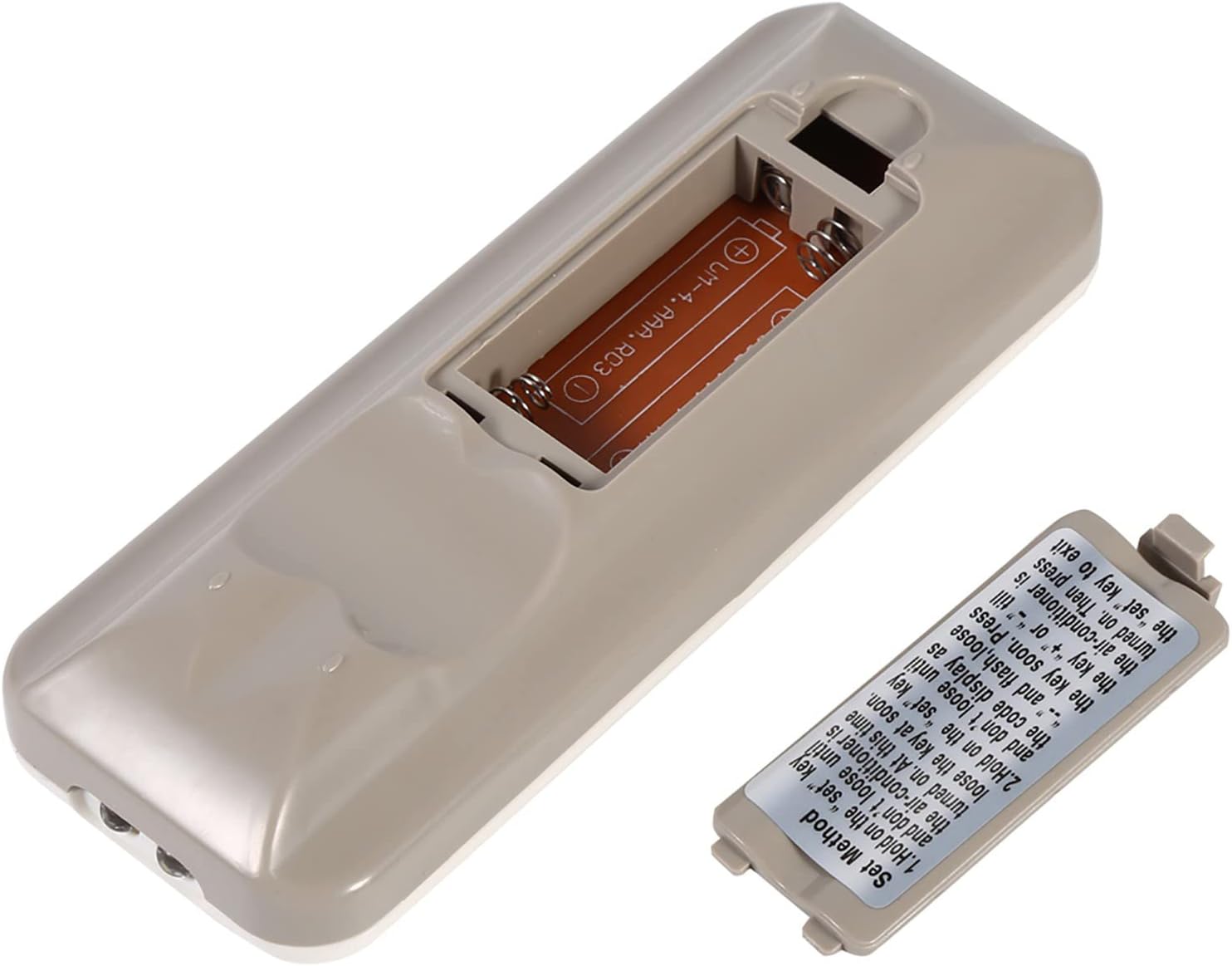
The back of the remote control is shown with the battery compartment cover removed, revealing the slot for two AAA batteries. This illustrates where to insert or replace the power source.
4.2 Programming the Remote (Automatic Search Method)
This method allows the remote to automatically search for the correct code for your air conditioner.
- Ensure your air conditioner unit is powered off.
- اضغط مع الاستمرار على تعيين button on the remote control. Continue holding until your air conditioner unit turns on. Once the air conditioner turns on, immediately release the تعيين زر.
- Alternatively, if the above step does not work, press and hold the تعيين button until the code display on the remote's LCD screen shows "--" and begins to flash. Release the تعيين زر.
- While the code is flashing, press the + or - buttons repeatedly until your air conditioner unit turns on.
- Once the air conditioner turns on, press the تعيين button again to confirm the code and exit the programming mode.
- Test all functions of the remote control to ensure proper operation. If some functions do not work, repeat the programming process to find a more compatible code.

توفر هذه الصورة تفصيلاً view of the 'Set Method' instructions sticker located on the back of the remote control. It outlines the steps for automatically programming the remote to an air conditioner unit.
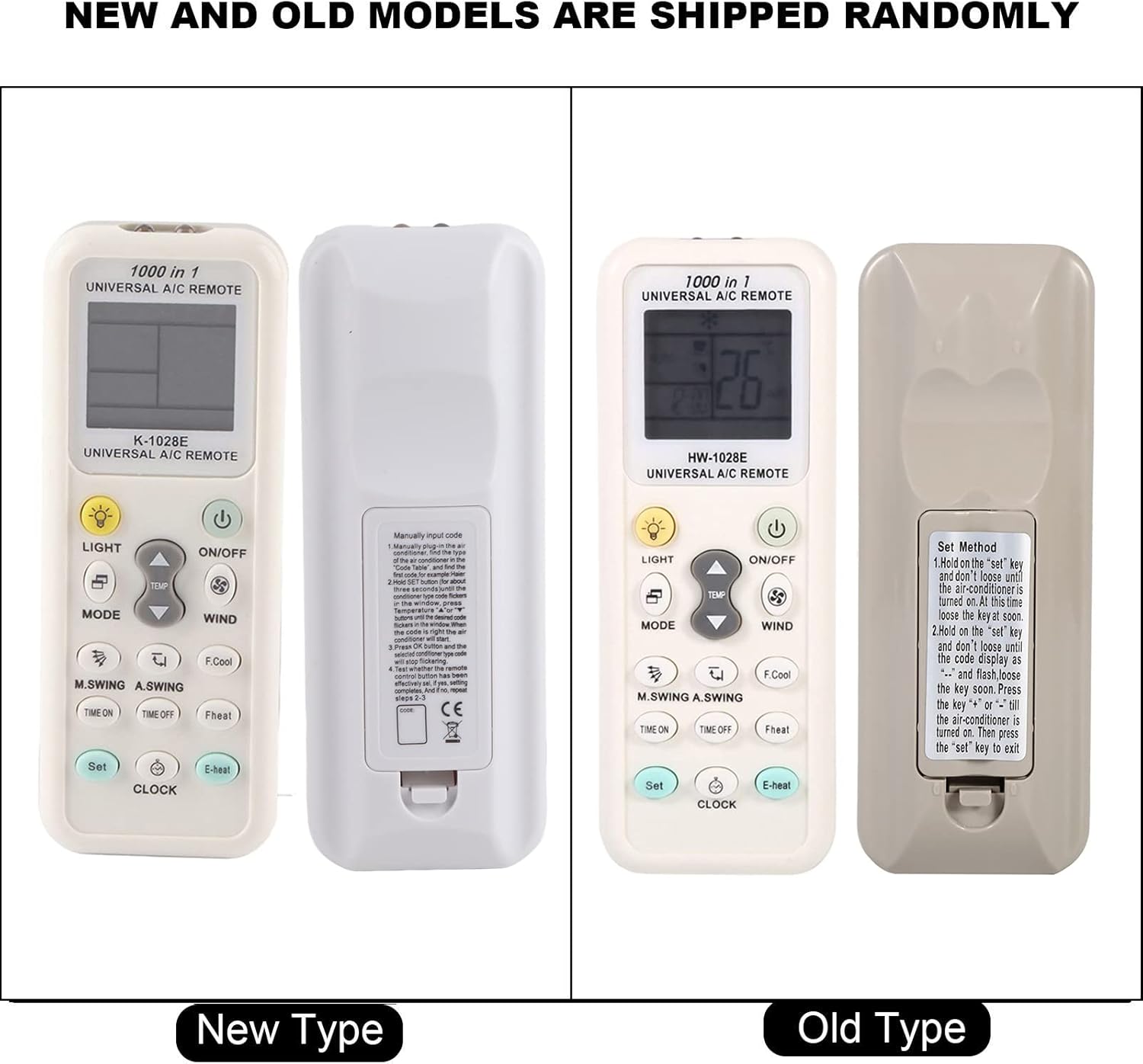
This image compares two versions of the K-1028E remote control, labeled 'New Type' and 'Old Type'. It illustrates slight variations in button arrangement and the instruction sticker on the back panel, indicating potential minor design updates over time. The programming method remains consistent.
5. تعليمات التشغيل
- زر التشغيل/الإيقاف: اضغط عليه لتشغيل وحدة مكيف الهواء أو إيقاف تشغيلها.
- زر الوضع: Press to cycle through available operating modes: Auto, Cool, Dry, Fan, Heat.
- أزرار درجة الحرارة ▲/▼: اضغط لزيادة أو تقليل درجة الحرارة المطلوبة.
- WIND (Fan Speed) Button: Press to adjust the fan speed (e.g., Auto, Low, Medium, High).
- M.SWING/A.SWING Button: Controls the horizontal or vertical swing of the air conditioner's louvers.
- TIME ON/TIME OFF Buttons: يُستخدم لضبط مؤقت لتشغيل أو إيقاف تشغيل مكيف الهواء تلقائيًا.
- زر الضوء: Activates or deactivates the backlight on the remote's LCD screen or the air conditioner's display light (if supported).
- زر SET: Used for programming the remote and confirming settings.
- زر الساعة: يتم استخدامه لتعيين الوقت الحالي على شاشة جهاز التحكم عن بعد.
6. الصيانة
- Clean the remote control regularly with a soft, dry cloth. Do not use liquid cleaners or abrasive materials.
- If the remote control is not responding or the display is dim, replace the batteries.
- قم بتخزين جهاز التحكم عن بعد في مكان بارد وجاف عندما لا يكون قيد الاستخدام لفترات طويلة.
7. استكشاف الأخطاء وإصلاحها
- جهاز التحكم عن بعد لا يعمل: Ensure batteries are inserted correctly and are not depleted. Reprogram the remote using the automatic search method. Ensure there are no obstructions between the remote and the air conditioner's receiver.
- وظائف محدودة: If some functions do not work after programming, it may indicate that the selected code is not fully compatible. Try repeating the automatic search method to find an alternative, more compatible code.
- مشاكل العرض: If the LCD display is dim or incomplete, replace the batteries.
8. المواصفات
| ماركة | زيرون |
| رقم الموديل | ك-1028E |
| وزن العنصر | 0.704 أونصة (حوالي 20 جرامًا) |
| الأجهزة المتوافقة | مكيف الهواء |
| أقصى عدد من الأجهزة المدعومة | 1 (Universal for many AC brands) |
| ميزة خاصة | التوافق العالمي |
9. الضمان والدعم
For warranty information or technical support, please refer to the documentation provided with your purchase or contact the retailer. Keep your purchase receipt as proof of purchase.