
1. المقدمة
شكرا لك على الشراءasing the Nobsound NS-01G Pro Bluetooth 5.0 Power Amplifier. This compact yet powerful amplifier is designed to deliver high-fidelity audio for your speakers, offering versatile input options including Bluetooth 5.0, AUX, and USB. This manual provides detailed instructions for setup, operation, maintenance, and troubleshooting to ensure you get the best performance from your device.
2. انتهى المنتجview
2.1 الميزات الرئيسية
- تصميم 2 في 1: Functions as both a Bluetooth receiver and a power ampمكبر.
- الربط اللاسلكي: Seamlessly connect to smartphones and other devices via Bluetooth 5.0.
- ارتفاع انتاج الطاقة: Despite its mini size, it delivers up to 100W output power.
- مدخلات متعددة: Supports AUX, USB, and Bluetooth audio inputs.
- عناصر التحكم في النغمة: Features Bass, Middle, and Treble tone controls for sound customization.
2.2 محتويات العبوة
- 1 × Nobsound NS-01G Pro Ampالقمامة
- 1 × DC 19V Power Adapter
- 1 × كابل USB
- 1 × كابل RCA
- 1 × كابل صوت 3.5 مم
- 1 × دليل المستخدم

2.3 تخطيط اللوحة الأمامية

2.4 تخطيط اللوحة الخلفية
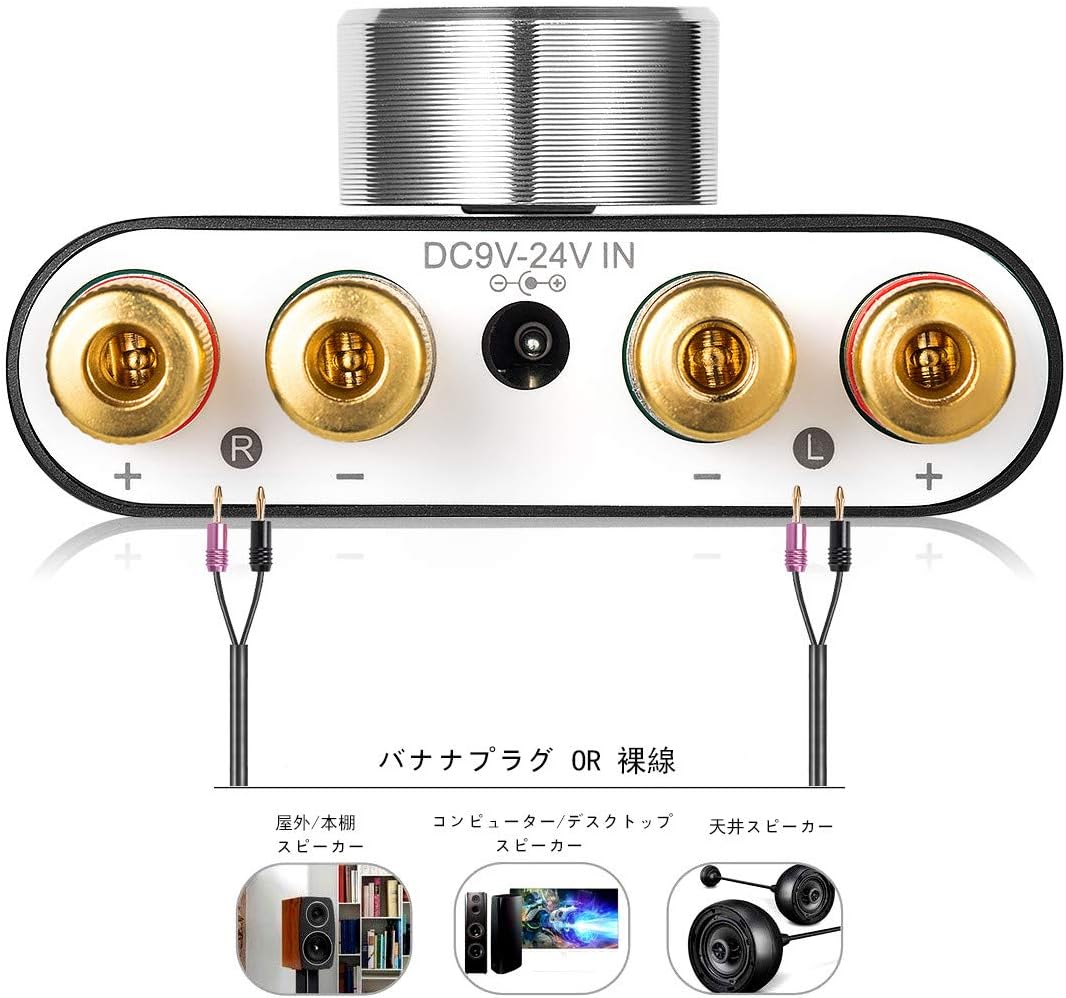
3. تعليمات الإعداد
3.1 اتصال مكبر الصوت
- تأكد من ampمكبر الصوت متوقف.
- Connect your passive speakers to the speaker output terminals on the rear panel. Pay attention to polarity: connect the red (+) terminal on the amplifier to the red (+) terminal on the speaker, and the black (-) terminal on the amplifier to the black (-) terminal on the speaker.
3.2 توصيل مصدر الإدخال
The NS-01G Pro supports three input methods: AUX, USB, and Bluetooth.

3.2.1 مدخل ايه يو اكس
- Connect your audio source (e.g., smartphone, CD player, TV) to the AUX input jack on the front panel using a 3.5mm audio cable.
3.2.2 مدخل USB
- Connect your computer to the USB sound input port on the front panel using a USB cable. No drivers are typically required for this plug-and-play connection.

3.2.3 إدخال بلوتوث
- Attach the Bluetooth antenna to the RF connector on the rear panel.
- Switch the input selector on the front panel to 'BT' mode.
- على جهازك المحمول، قم بتمكين Bluetooth وابحث عن
Ask a question about this manual
Ask about setup, troubleshooting, compatibility, parts, safety, or missing instructions. Manuals+ will review the question and use this page’s manual context to help answer it.