
1. المقدمة
The Aputure Amaran MC is a compact and versatile RGBWW LED on-camera light designed for photographers and videographers. It offers full Hue, Saturation, and Intensity (HSI) color control, adjustable white light in CCT mode, and various built-in lighting effects. With its high color rendition, Sidus Mesh technology for app control, and multiple charging options, the Amaran MC provides flexible lighting solutions for diverse creative needs.
2. ماذا يوجد في الصندوق
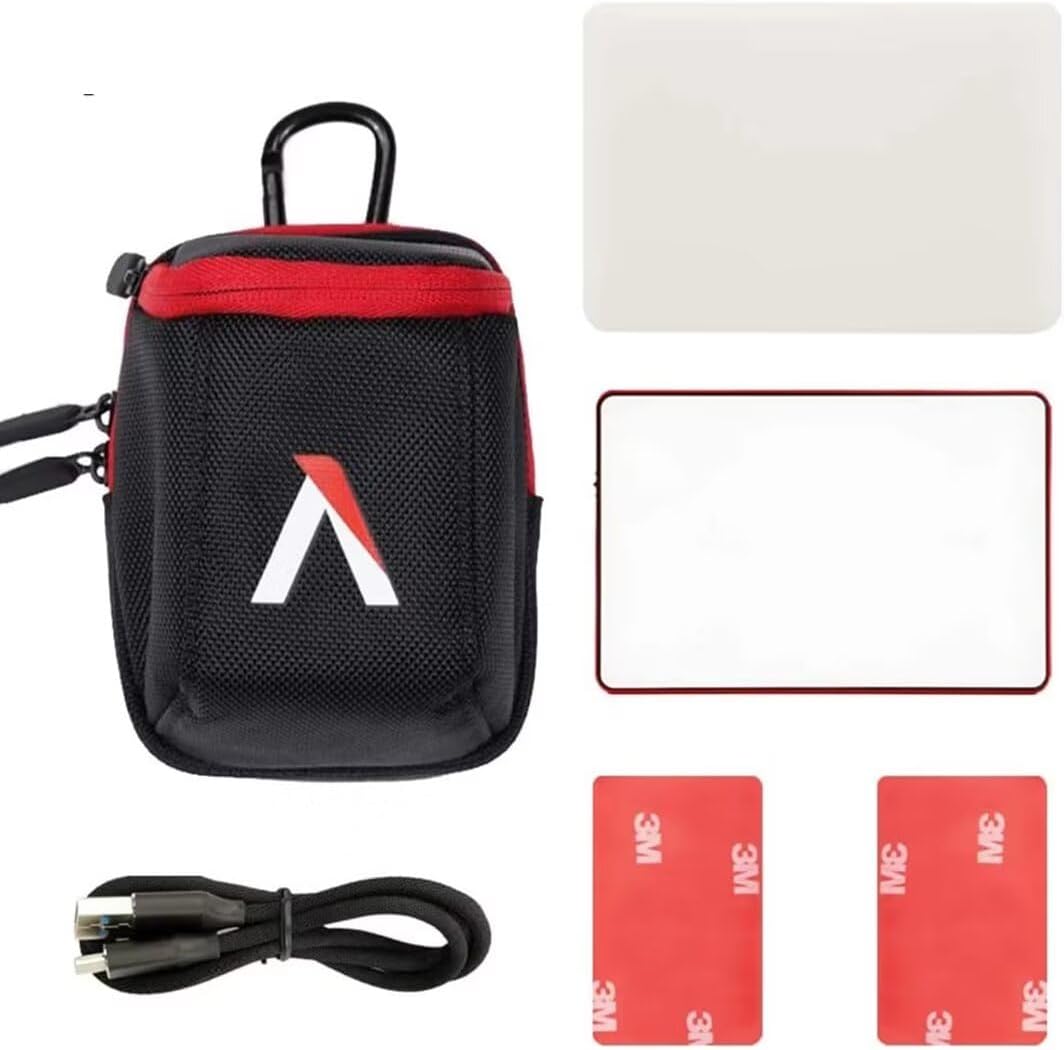
- Aputure MC Light *1
- كابل شحن USB من النوع C * 1
- Silicone Rubber Diffuser *1
- Adhesive Mounting Tape *2
- Aputure Carrying Bag *1
3. مواصفات المنتج
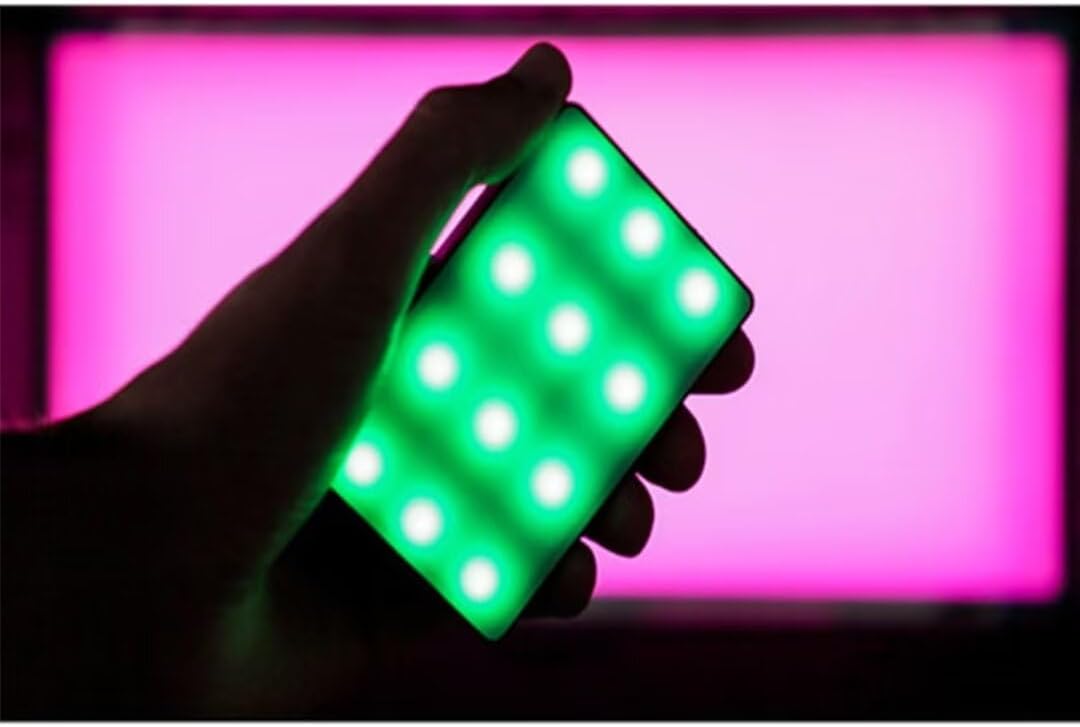
- Full HSI Color Control: The Amaran MC offers 360° of hue and 100 levels of saturation adjustment, allowing for convenient reproduction of any color.
- وضع CCT: Adjust white light color temperature from 3200K to 6500K.
- FX Lighting Modes: Includes 9 built-in lighting effects: Paparazzi, Fireworks, Faulty bulb, Lightning, TV, Pulsing, Fire, Party, and Cop Car.
- Stellar Color Quality: Achieves high color rendition with CRI and TLCI scores of 96+, and SSI scores of 84 (tungsten) and 74 (daylight).
- Sidus Link Control: Utilizes Sidus Mesh technology for controlling up to 100 lights simultaneously via the Sidus Link mobile app. Features a Color Picker function to match colors from your phone's camera.
- USB Type-C PD Charging & Wireless Charging: Supports 18W USB-C Power Delivery (PD) for a full charge in approximately 90 minutes. Compatible with Qi wireless charging protocols.


4. الإعداد
4.1 شحن الجهاز
Before initial use, fully charge your Amaran MC. You have two charging options:
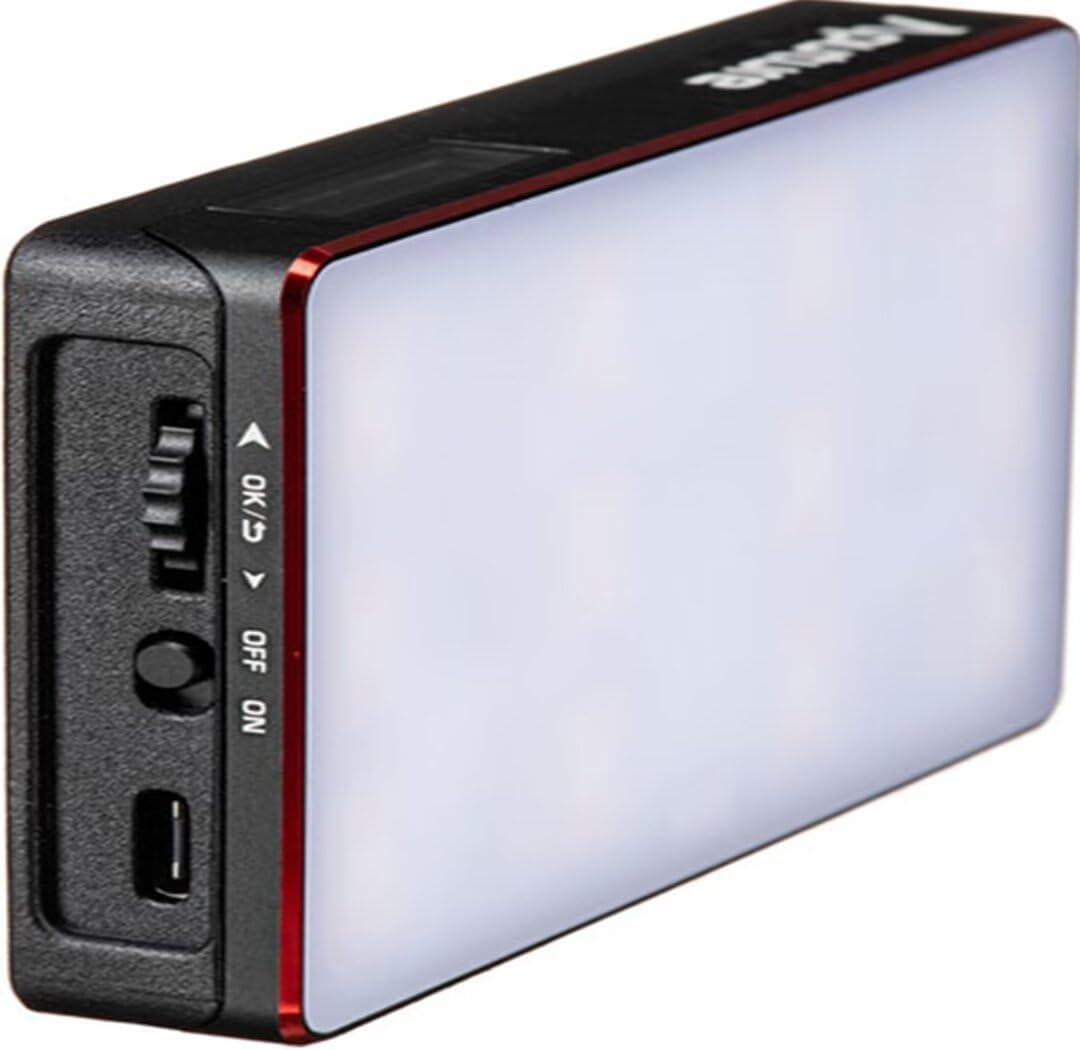
- USB نوع-C: Connect the provided USB Type-C charging cable to the USB-C port on the side of the Amaran MC and to a compatible USB power adapter (not included). The device supports 18W PD quick charging.
- الشحن اللاسلكي: Place the Amaran MC on any Qi-compatible wireless charging pad. Ensure the light is properly aligned for efficient charging.

4.2 خيارات التركيب
The Amaran MC offers several versatile mounting options:
- تركيب ببرغي 1/4 بوصة - 20: Use the integrated 1/4"-20 screw mount to attach the light to tripods, light stands, or camera rigs.
- الامتزاز المغناطيسي: The light features built-in magnets, allowing it to be securely attached to metallic surfaces.
- Adhesive Mounting Tape: For non-metallic surfaces, use the included adhesive mounting tapes to create a temporary mounting point for the magnets.

5. تعليمات التشغيل
5.1 تشغيل/إيقاف التشغيل
Locate the power switch on the side of the Amaran MC. Slide the switch to the 'ON' position to power on the device. Slide it to 'OFF' to power it down.
5.2 Adjusting Light Settings
The Amaran MC features a function control wheel and an OLED screen for on-device adjustments:
- اختيار الوضع: Press the control wheel to cycle through different lighting modes: HSI, CCT, and FX.
- تعديل المعلمة: Rotate the control wheel to adjust parameters within the selected mode (e.g., Hue, Saturation, Intensity, Color Temperature).
- شدة: In any mode, rotate the wheel to adjust the brightness (0-100% stepless dimming).
5.3 التحكم في تطبيق Sidus Link
For advanced control and features, download the Sidus Link mobile app (available on iOS and Android).
- الاقتران: Ensure Bluetooth is enabled on your mobile device. Open the Sidus Link app and follow the on-screen instructions to discover and pair with your Amaran MC.
- جهاز التحكم عن بعد: Adjust HSI, CCT, and FX functions remotely.
- أداة اختيار الألوان: Use your phone's camera to capture a color from your environment, and the Amaran MC will reproduce it instantly.
- الشبكة التشعبية: Control multiple Amaran MC lights (up to 100) in a stable network, extending the control range.
6. الصيانة
- تنظيف: استخدم قطعة قماش ناعمة وجافة لتنظيف الجزء الخارجي من المصباح. تجنّب استخدام مواد كيميائية قاسية أو مواد كاشطة.
- تخزين: Store the Amaran MC in its carrying bag in a cool, dry place away from direct sunlight and extreme temperatures.
- العناية بالبطارية: للحصول على أفضل عمر للبطارية، تجنب تفريغها بالكامل بشكل متكرر. عند تخزينها لفترات طويلة، اشحنها إلى حوالي 50-70%.
7. استكشاف الأخطاء وإصلاحها
| مشكلة | السبب المحتمل | حل |
|---|---|---|
| الضوء لا يضيء | Low battery or power switch off | Charge the battery or ensure the power switch is in the 'ON' position. |
| Cannot connect to Sidus Link app | Bluetooth off, app not updated, or light not in pairing mode | Ensure Bluetooth is on, update the app, and restart the light. Refer to app instructions for pairing. |
| إخراج ضوء غير متناسق | انخفاض مستوى البطارية أو التداخل | Charge the light fully. Ensure no strong magnetic or electronic interference nearby. |
8. المواصفات
| ميزة | التفاصيل |
|---|---|
| أبعاد المنتج | 6.22 × 3.43 × 1.34 بوصة (15.8 × 8.7 × 3.4 سم) |
| وزن العنصر | 1.12 رطل (0.51 كجم) |
| رقم موديل العنصر | 926308 |
| البطاريات | 1 بطارية غير قياسية مطلوبة |
| الشركة المصنعة | التطعيم |
| تكنولوجيا الاتصال | بلوتوث |
| واجهة الأجهزة | يو إس بي، يو إس بي من النوع سي |
| رمز المنتج الموحد | 712350147426 |
9. الضمان والدعم
للحصول على معلومات الضمان والدعم الفني، يرجى الرجوع إلى موقع Aputure الرسمي webالموقع أو تواصل مع خدمة العملاء مباشرةً. احتفظ بإيصال الشراء لطلبات الضمان.
Aputure Official Webموقع: www.aputure.com