
1. دليل الإعداد
This section provides instructions for the initial setup of your Rii RK200 Wireless Keyboard and Mouse Combo.
1.1 محتويات العبوة
- Rii RK200 Wireless Keyboard
- Rii Wireless Mouse
- Nano USB Receiver (stored in the mouse battery compartment)
1.2 تركيب البطارية
The keyboard and mouse require batteries (not included) for operation. Please ensure correct polarity when inserting batteries.
بطارية الماوس: Open the battery compartment cover on the underside of the mouse. Insert 1 بطارية AA. The Nano USB receiver is also located here. Remove it before closing the compartment.

بطارية لوحة المفاتيح: Open the battery compartment cover on the underside of the keyboard. Insert 1 بطاريات AAA.
1.3 الاتصال بجهازك
The Rii RK200 combo uses a single Nano USB receiver for both the keyboard and mouse, offering a stable 2.4 GHz wireless connection up to 10 meters (33 feet).
- Locate the Nano USB receiver. It is typically stored in the battery compartment of the mouse.
- Plug the Nano USB receiver into an available USB port on your computer or compatible device.
- قم بتشغيل الماوس باستخدام مفتاح الطاقة الموجود في أسفله.
- Your device should automatically detect and install the necessary drivers. No additional software installation is required.

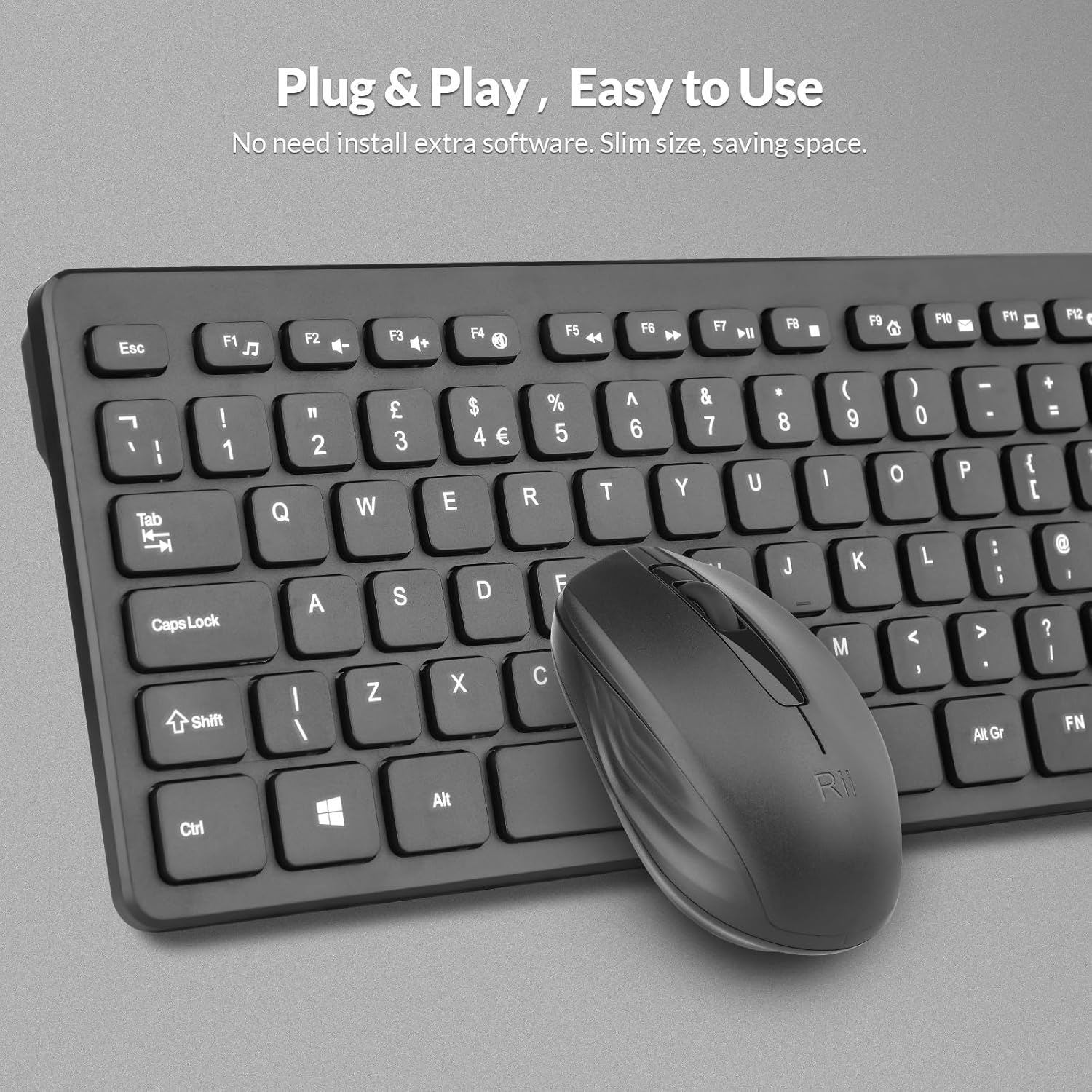
The Nano USB receiver provides a plug-and-play connection for both the keyboard and mouse.
1.4 دليل فيديو الإعداد
This video demonstrates the unboxing and initial setup steps for the Rii Wireless Keyboard and Mouse Combo, including battery installation and USB receiver connection.
2. تعليمات التشغيل
Learn how to effectively use your Rii RK200 Wireless Keyboard and Mouse Combo.
2.1 ميزات لوحة المفاتيح
The Rii RK200 keyboard features silent keys for a quiet typing experience and an ergonomic design with adjustable stands for comfort during extended use.
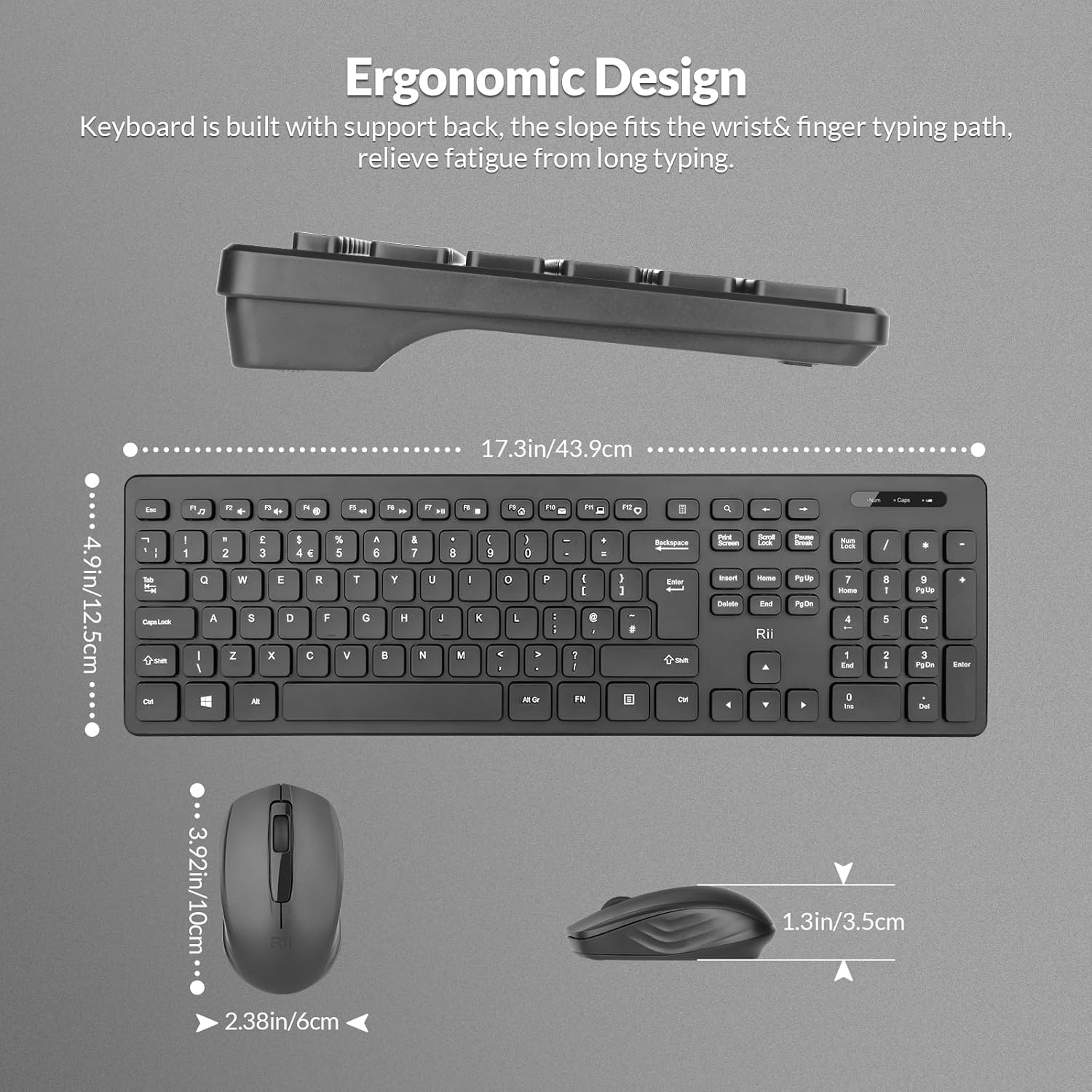
The keyboard is designed with a slight incline to reduce wrist strain.
أضواء المؤشر
The keyboard includes indicator lights for essential functions:
- NumLock Indicator: Lights up when the numeric keypad is active.
- مؤشر Caps Lock: يضيء عند تمكين Caps Lock.
- مؤشر انخفاض البطارية: Illuminates when the keyboard battery is low and requires replacement.

Indicator lights provide visual feedback on keyboard status.
مفاتيح الوظائف (F1-F12)
The keyboard features 12 function keys that can be used for multimedia control and other shortcuts. These keys often require pressing the Fn key simultaneously with the desired function key for their secondary functions.
2.2 ميزات الماوس
The Rii RK200 mouse offers a comfortable, ergonomic design and a DPI of 1000 for precise cursor movement.

The mouse features a scroll wheel, left-click, and right-click buttons for standard navigation.
إعداد DPI
The mouse operates at a fixed DPI of 1000, providing a balanced sensitivity for most tasks, from general browsing to office work.
وضع السكون التلقائي
To conserve battery life, both the keyboard and mouse enter a power-saving sleep mode after 10 minutes of inactivity. Press any key or click the mouse to reactivate them.
3. الصيانة
Proper care ensures the longevity and optimal performance of your Rii RK200 combo.
3.1 التنظيف
- استخدم قطعة قماش ناعمة وجافة لمسح أسطح لوحة المفاتيح والماوس.
- بالنسبة للأوساخ العنيدة، قم بإزالة الأوساخ برفق.ampاغسل القماش بالماء أو بمنظف لطيف غير كاشط. تجنب الرطوبة الزائدة.
- لا ترش محاليل التنظيف مباشرة على الأجهزة.
- استخدم الهواء المضغوط لإزالة الغبار والحطام من بين مفاتيح لوحة المفاتيح.
3.2 التخزين
When not in use for extended periods, store the keyboard and mouse in a cool, dry place. Consider removing batteries if storing for several months to prevent leakage.
4. استكشاف الأخطاء وإصلاحها
If you encounter issues with your Rii RK200 Wireless Keyboard and Mouse Combo, refer to the following solutions.
4.1 مشاكل الاتصال
- لا يوجد استجابة من لوحة المفاتيح/الماوس: Ensure the Nano USB receiver is securely plugged into a working USB port on your device.
- اتصال متقطع: Try plugging the USB receiver into a different USB port. Ensure the keyboard and mouse are within the 10-meter (33-foot) operating range and there are no large metallic objects or other wireless devices causing interference.
- Mouse not moving: Check if the mouse power switch is in the 'ON' position.
4.2 مشاكل الطاقة
- Devices not turning on: Replace the batteries in both the keyboard (1 AAA) and mouse (1 AA) with fresh ones. Ensure batteries are inserted with correct polarity.
- Low-Battery Indicator is on: Replace the keyboard battery promptly.
4.3 قضايا أخرى
- المفاتيح لا تستجيب: Clean the keyboard to remove any debris that might be obstructing key presses.
- مؤشر الماوس غير منتظم: نظّف المستشعر البصري الموجود أسفل الماوس. تأكد من استخدام الماوس على سطح مناسب.
5. المواصفات
| ميزة | التفاصيل |
|---|---|
| رقم الموديل | آر كيه 200 |
| ماركة | Rii ل |
| تكنولوجيا الاتصال | 2.4 جيجاهرتز لاسلكي (مستقبل USB) |
| تخطيط لوحة المفاتيح | QWERTY, 104 Keys |
| كشف حركة الماوس | بصري |
| مؤشر الماوس DPI | 1000 |
| Keyboard Power Source | 1 × بطارية AAA (غير متضمنة) |
| Mouse Power Source | بطاريتان AA (غير متضمنة) |
| نطاق التشغيل | حتى 10 مترا (33 قدما) |
| أنظمة التشغيل المتوافقة | Windows 7/8/10/11, Android OS, Mac OS, Raspberry Pi OS, iOS |
| الأجهزة المتوافقة | Laptop, Personal Computer, Smart TV, Android TV Box, Raspberry Pi |
| أبعاد المنتج (لوحة المفاتيح) | 40 × 14 × 2 سم |
| وزن العنصر | 450 جرام |
| بلد المنشأ | الصين |
6. الضمان والدعم
6.1 معلومات الضمان
The Rii RK200 Wireless Keyboard and Mouse Combo comes with a ضمان لمدة 12 شهرًا من تاريخ الشراء.
6.2 دعم العملاء
For any issues or questions regarding your product, please contact our customer support team. We offer 7x24 service to assist you.
Please refer to your purchase platform or the Rii official webالموقع للحصول على تفاصيل الاتصال المحددة.