
SIGMA BC 23.16 STS Set
SIGMA BC 23.16 STS Set Wireless Cyclocomputer User Manual
Model: BC 23.16 STS Set | Brand: SIGMA
1. المقدمة
The SIGMA BC 23.16 STS Set is a high-performance wireless cyclocomputer designed to provide comprehensive data for your cycling activities. This manual will guide you through the installation, setup, operation, and maintenance of your device to ensure optimal performance and longevity.
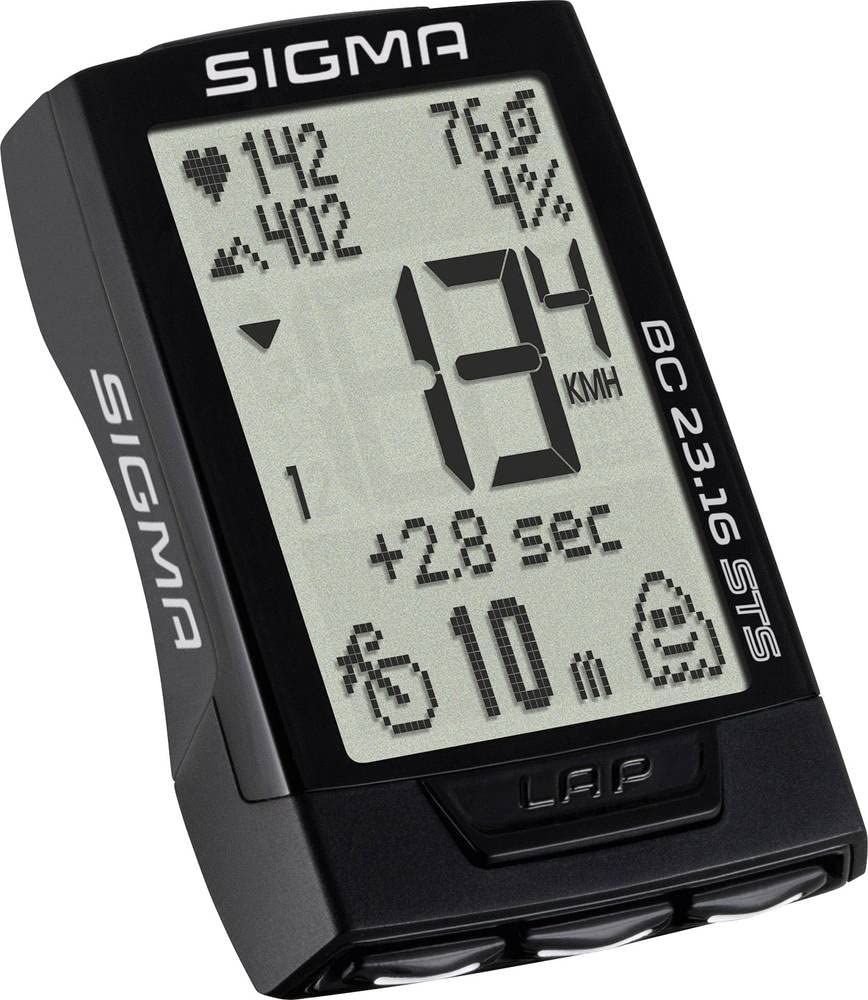
Image: The main unit of the SIGMA BC 23.16 STS Set cyclocomputer, displaying various metrics.
2. محتويات العبوة
Before proceeding with the installation, please verify that all components are present in the package:
- SIGMA BC 23.16 STS Cyclocomputer Unit
- STS Speed Transmitter
- STS Cadence Transmitter (if included in set)
- R1 DUO Comfortex+ Heart Rate Transmitter (if included in set)
- تثبيت المقود/الجذع
- تكلم المغناطيس
- Cadence Magnet (if included in set)
- Mounting Material (O-rings, cable ties)
- Batteries (CR2032 for computer, CR2032 for speed/cadence transmitters, CR2032 for heart rate transmitter)
- دليل التعليمات (هذا المستند)

Image: All components included in the SIGMA BC 23.16 STS Set package, laid out for inspection.
3. الإعداد والتثبيت
3.1 تركيب البطارية
The cyclocomputer and transmitters come with pre-installed batteries. If replacement is needed, use CR2032 batteries. Ensure correct polarity when inserting new batteries.

صورة: View of the battery compartment for the SIGMA BC 23.16 STS cyclocomputer, showing the CR2032 battery.
ملحوظة: An integrated memory chip saves all total values and settings when changing the battery, preventing data loss.
3.2 Mounting the Cyclocomputer and Transmitters
- Handlebar/Stem Mount: Secure the mount to your handlebar or stem using the provided O-rings or cable ties.
- Speed Transmitter: Attach the speed transmitter to the front fork, ensuring it aligns with the spoke magnet. The distance between the transmitter and magnet should be approximately 5-10 mm.
- مغناطيس على شكل شعاع: Fasten the magnet to a spoke on your front wheel.
- Cadence Transmitter (if applicable): Mount the cadence transmitter to the chainstay, aligning it with the cadence magnet on the crank arm.
- Heart Rate Transmitter (if applicable): Wear the heart rate chest strap directly on your skin, just below your chest muscles.
3.3 الإعدادات الأولية
Upon first use or after a battery change, you will need to configure basic settings:
- لغة: اختر اللغة المفضلة لديك.
- الوحدات: Choose between kilometers (km/h) or miles (mph) for speed and distance.
- حجم العجلة: Accurately measure and input your wheel circumference for precise speed and distance readings. Refer to your bicycle tire for circumference values or measure manually.
- تنسيق الوقت: Set 12h or 24h format.
- البيانات الشخصية: Input age, weight, and gender for accurate calorie and heart rate zone calculations.

Image: Diagram illustrating the button layout and their primary functions on the SIGMA BC 23.16 STS cyclocomputer.
4. تعليمات التشغيل
The BC 23.16 STS features an intuitive interface with multiple functions accessible via its buttons.
4.1 العرض والتنقل
The cyclocomputer features a 2.1-inch display with a backlight function for visibility in various lighting conditions. Use the buttons on the device to navigate through different data screens and menus.

Image: The 2.1-inch screen of the SIGMA BC 23.16 STS cyclocomputer, highlighting its dimensions and backlight capability.
4.2 الوظائف الرئيسية
The BC 23.16 STS offers over 23 functions, including:
- Current, Average, and Maximum Speed
- Distance (Trip, Total)
- Ride Time (Trip, Total)
- ساعة
- درجة حرارة
- Heart Rate (Current, Average, Maximum, Zones)
- Cadence (Current, Average, Maximum)
- Power (Current, Average, Maximum)
- Altitude Functions (Current, Ascent, Descent, Gradient)
- Lap Function
- استهلاك السعرات الحرارية
4.3 Automatic Bike Recognition
The cyclocomputer supports automatic recognition for up to two different bikes. This allows you to use the same computer on multiple bicycles without manually changing settings. Ensure each bike has its own speed and cadence transmitters paired to the computer.

Image: Illustration of the automatic bike recognition feature, showing two different cyclists with their respective bikes (Bike 1 and Bike 2).
5. الصيانة
Proper maintenance ensures the longevity and accuracy of your SIGMA BC 23.16 STS Set.
- تنظيف: Clean the cyclocomputer and transmitters with a soft, damp قماش. لا تستخدم مواد كيميائية قاسية أو منظفات كاشطة.
- استبدال البطارية: Replace batteries when the low battery indicator appears. Refer to section 3.1 for battery installation details.
- تخزين: عند عدم استخدام الجهاز لفترات طويلة، قم بتخزينه في مكان بارد وجاف بعيدًا عن أشعة الشمس المباشرة.
- مقاومة الماء: الجهاز مقاوم للماء، ولكنه ليس مضاداً للماء تماماً. تجنب غمره في الماء.
6. استكشاف الأخطاء وإصلاحها
If you encounter issues with your cyclocomputer, refer to the following common problems and solutions:
| مشكلة | السبب المحتمل / الحل |
|---|---|
| No Speed Display |
|
| قراءات غير صحيحة |
|
| العرض فارغ |
|
| لا يظهر معدل ضربات القلب |
|
7. المواصفات
| ميزة | التفاصيل |
|---|---|
| ماركة | سيجما |
| رقم الموديل | 2317 (BC 23.16 STS Set) |
| نوع العرض | شاشة الكريستال السائل |
| حجم الشاشة | 2.1 بوصة (حوالي 5.3 سم) |
| نوع المستشعر | Speed Sensor (STS Wireless) |
| تكوين البطارية | الليثيوم (CR2032) |
| نوع التركيب | حامل المقود |
| User Interface Input | أزرار |
| لون | أسود |
| الوظائف | 23+ functions (Speed, Distance, Time, HR, Cadence, Power, Altitude, etc.) |
| عمر البطارية | 2+ years (computer unit) |
8. الضمان والدعم
ضمان: The product information indicates "Nessuna" (None) for product warranty. Please refer to your point of purchase for any specific return or exchange policies.
يدعم: For further assistance, technical questions, or detailed information not covered in this manual, please visit the official SIGMA website or contact their customer support. You can find more information at the SIGMA Store on Amazon.
Ask a question about this manual
Ask about setup, troubleshooting, compatibility, parts, safety, or missing instructions. Manuals+ will review the question and use this page’s manual context to help answer it.