
1. المقدمة
This manual provides comprehensive instructions for the installation, operation, and maintenance of the FAAC E600 (D600) Electronic Board Remote Control. Please read this manual carefully before using the product to ensure safe and efficient operation. Keep this manual for future reference.
2. معلومات السلامة
احرص دائمًا على مراعاة احتياطات السلامة التالية لمنع الإصابة أو إتلاف المنتج:
- Ensure the power supply is disconnected before any installation or maintenance procedures.
- Only qualified personnel should perform installation and repairs.
- لا تعرض الجهاز لدرجات حرارة شديدة أو رطوبة أو أشعة الشمس المباشرة.
- احتفظ بالجهاز بعيدًا عن متناول الأطفال والحيوانات الأليفة.
- Use only original FAAC spare parts and accessories.
3. محتويات العبوة
تأكد من وجود جميع العناصر في العبوة:
- FAAC E600 (D600) Electronic Board Remote Control
- دليل المستخدم (هذا المستند)
- أجهزة التثبيت (إن وجدت)
4. انتهى المنتجview
The FAAC E600 (D600) is an electronic board remote control designed for reliable operation of compatible FAAC systems. It features a robust design and ergonomic handling.
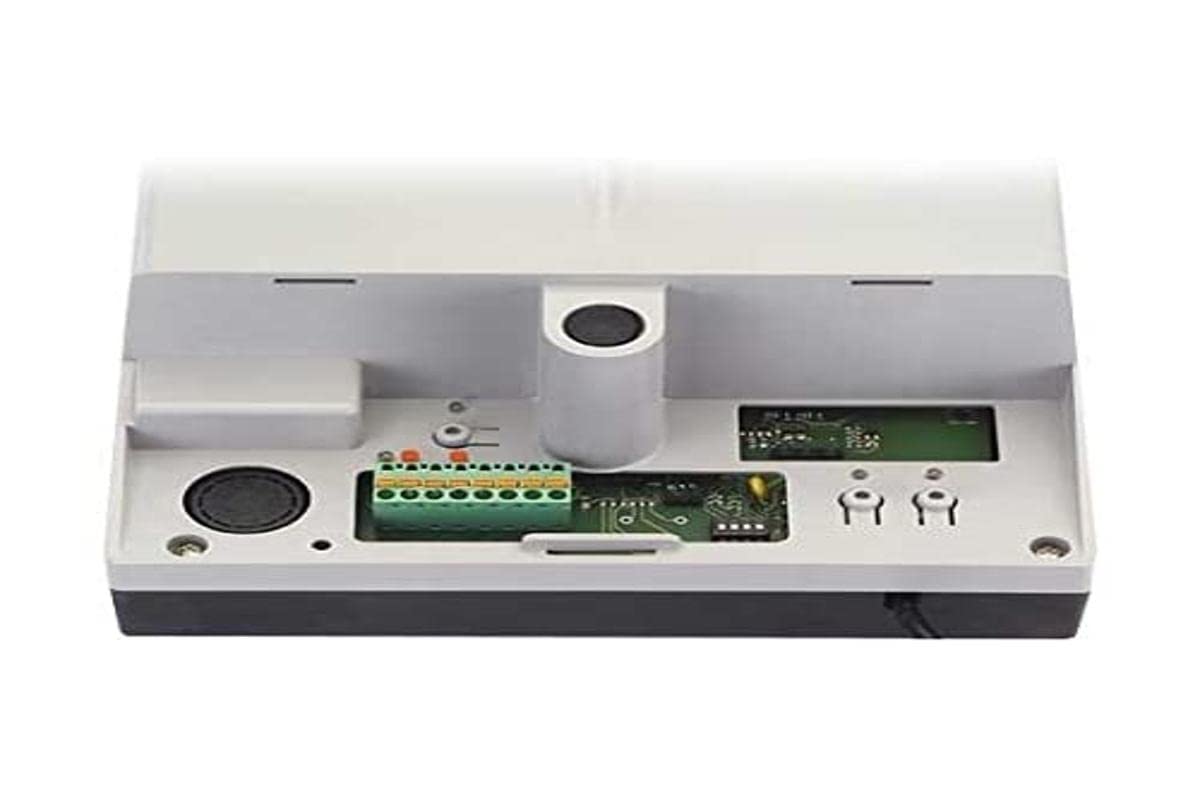
Image 1: FAAC E600 (D600) Electronic Board Remote Control. This image shows the compact design of the remote control unit.
تتضمن الميزات الرئيسية ما يلي:
- تصميم مريح: مريحة للحمل والاستخدام.
- الاتصال: Radio frequency and Infrared technology for versatile control.
- عدد الأزرار: 1 button for simple operation.
5. الإعداد والتثبيت
Follow these steps to set up your FAAC E600 (D600) remote control:
- تركيب البطارية:
Open the battery compartment on the back of the remote control. Insert the required batteries, ensuring correct polarity (+/-). Close the compartment securely.
- الاقتران مع جهاز الاستقبال:
Refer to the manual of your FAAC receiver unit (e.g., gate opener, barrier system) for specific pairing instructions. Typically, this involves pressing a programming button on the receiver and then pressing the button on the E600 (D600) remote control within a short timeframe.
- الاختبار:
After successful pairing, test the remote control's functionality by operating the connected device from a safe distance.
6. تعليمات التشغيل
The FAAC E600 (D600) remote control is designed for simple, single-button operation.
- للتفعيل: Press and hold the single button on the remote control. The connected FAAC device will respond according to its programmed function (e.g., open/close gate, activate barrier).
- يتراوح: Ensure you are within the operational range of the receiver for reliable communication. Obstacles can reduce the effective range.
7. الصيانة
لضمان طول عمر جهاز التحكم عن بعد والأداء الأمثل له، اتبع إرشادات الصيانة التالية:
- تنظيف: امسح جهاز التحكم عن بُعد بقطعة قماش ناعمة وجافة. لا تستخدم منظفات أو مذيبات كاشطة.
- استبدال البطارية: Replace batteries when the operational range decreases or the indicator light (if present) signals low power. Dispose of old batteries responsibly.
- تخزين: قم بتخزين جهاز التحكم عن بعد في مكان جاف، بعيدًا عن أشعة الشمس المباشرة ودرجات الحرارة القصوى، عندما لا يكون قيد الاستخدام لفترات طويلة.
8. استكشاف الأخطاء وإصلاحها
If you encounter issues with your FAAC E600 (D600) remote control, refer to the following table:
| مشكلة | السبب المحتمل | حل |
|---|---|---|
| جهاز التحكم عن بعد لا يعمل. | البطاريات الميتة. | استبدال البطاريات. |
| Remote control has short range. | Low batteries; Obstruction between remote and receiver. | Replace batteries; Ensure clear line of sight or reduce distance. |
| Device not responding after battery change. | Remote control lost pairing with receiver. | Re-pair the remote control with the receiver (refer to Section 5). |
If the problem persists, contact FAAC customer support or a qualified technician.
9. المواصفات
| ميزة | التفاصيل |
|---|---|
| ماركة | FAAC |
| اسم الموديل | E600 (D600) |
| ميزة خاصة | بيئة العمل المريحة |
| الأجهزة المتوافقة | FAAC Camera Systems (and other compatible FAAC devices) |
| تكنولوجيا الاتصال | Radio Frequency, Infrared |
| عدد الأزرار | 1 |
| نوع وحدة التحكم | التحكم بالأزرار |
| وزن العنصر | 100 جرام |
| رمز المادة الدولي (EAN) | 08055195014853 |
10. الضمان والدعم
For warranty information and technical support, please refer to the official FAAC website or contact your authorized FAAC dealer. Keep your proof of purchase for warranty claims.