
1. المقدمة
Thank you for choosing the Streetz HL-421 Adjustable Foldable Over-Ear Headphones. This manual provides detailed instructions for setting up, operating, and maintaining your headphones to ensure optimal performance and longevity. Please read this manual thoroughly before using the product.
2. انتهى المنتجview
Familiarize yourself with the components of your Streetz HL-421 headphones.

الشكل 2.1: أمام view of the Streetz HL-421 headphones, showcasing the adjustable headband and over-ear cups.

الشكل 2.2: Close-up of the right earcup, showing the control buttons for power, volume, and track navigation.
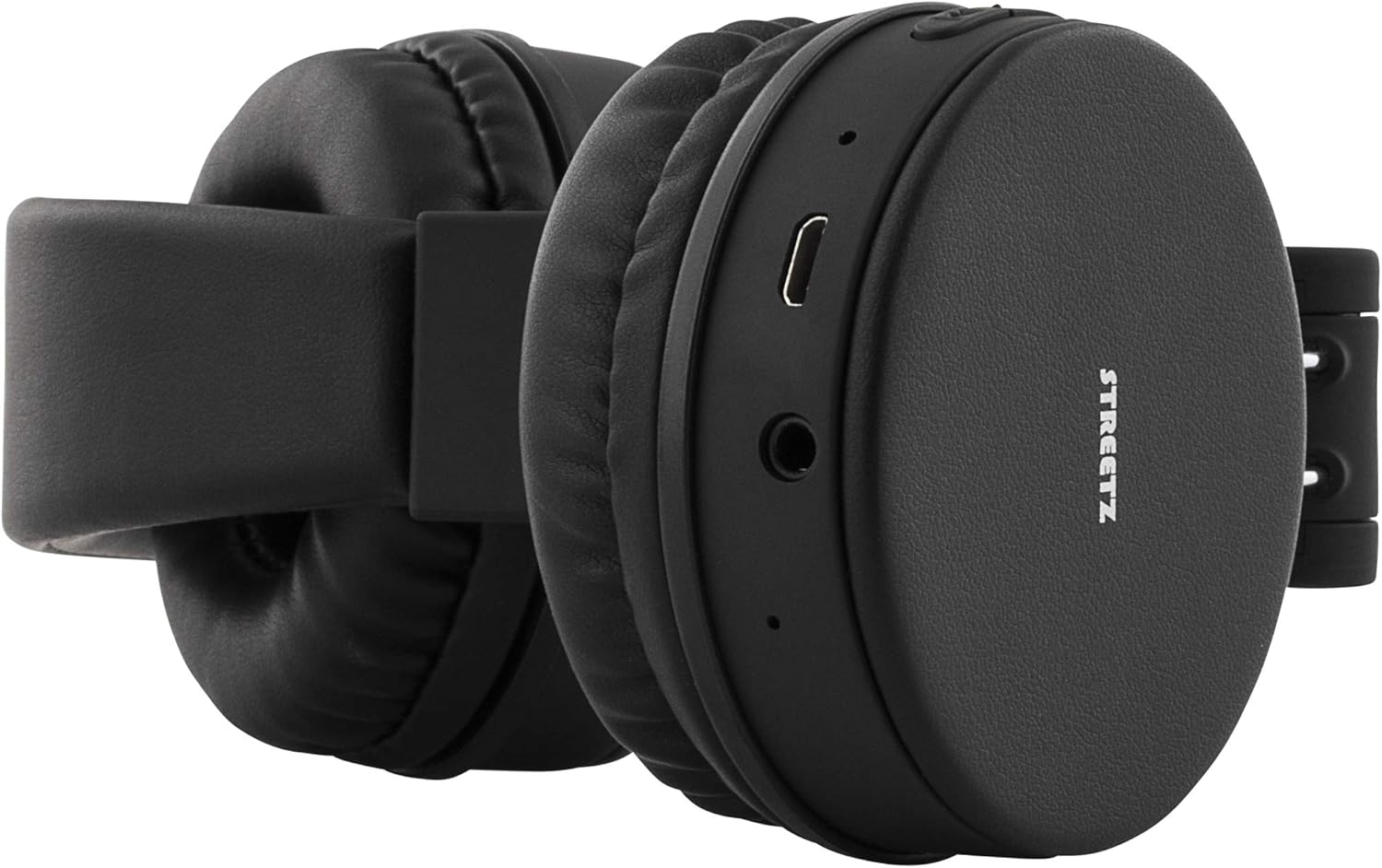
الشكل 2.3: View of the left earcup, highlighting the micro-USB charging port and the 3.5mm audio jack.
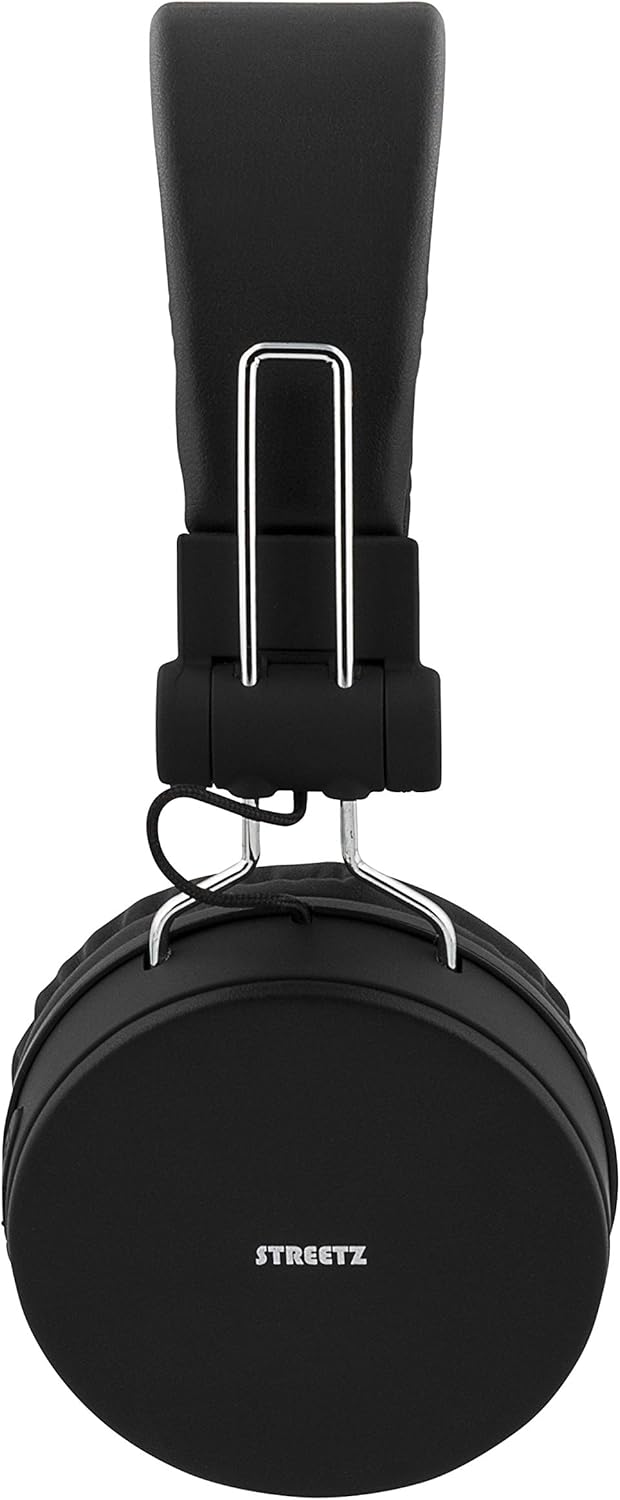
الشكل 2.4: The headphones in their folded configuration, demonstrating their portability.

الشكل 2.5: The included micro-USB charging cable and 3.5mm audio cable, alongside the product manual.
3. الإعداد
3.1 شحن سماعات الرأس
قبل الاستخدام الأول، اشحن سماعات الرأس بالكامل. يوفر الشحن الكامل ما يصل إلى 22 ساعة من وقت التشغيل.
- Locate the micro-USB charging port on the left earcup (refer to Figure 2.3).
- Connect the included micro-USB cable to the charging port.
- قم بتوصيل الطرف الآخر من كابل USB بمصدر طاقة USB (مثل منفذ USB في الكمبيوتر، أو محول USB الجداري).
- سيضيء مؤشر LED أثناء الشحن وسيغير لونه أو ينطفئ عند اكتمال الشحن.
3.2 اقتران بلوتوث
قم بإقران سماعات الرأس بجهاز يدعم تقنية البلوتوث للحصول على صوت لاسلكي.
- تأكد من شحن سماعات الرأس وإيقاف تشغيلها.
- Press and hold the Power button (usually the multi-function button) on the right earcup until the LED indicator flashes blue and red, indicating pairing mode.
- على جهازك (الهاتف الذكي، الجهاز اللوحي، الكمبيوتر)، قم بتمكين البلوتوث وابحث عن الأجهزة المتاحة.
- Select "Streetz HL-421" or a similar name from the list of found devices.
- Once paired, the LED indicator will typically flash blue slowly or turn solid blue.
Note: The headphones support Bluetooth 4.1 + EDR with a range of up to 10 meters.
3.3 اتصال سلكي
Use the included 3.5mm audio cable for a wired connection, which does not require battery power.
- Connect one end of the 3.5mm audio cable to the audio jack on the left earcup (refer to Figure 2.3).
- Connect the other end of the cable to the 3.5mm audio output of your device.
- سيتم تحويل سماعات الرأس تلقائيًا إلى الوضع السلكي.
4. تعليمات التشغيل
4.1 عناصر التحكم
The control buttons are located on the right earcup (refer to Figure 2.2).
- تشغيل/إيقاف التشغيل: اضغط مع الاستمرار على زر الوظائف المتعددة.
- تشغيل/إيقاف مؤقت: اضغط قصيرًا على الزر متعدد الوظائف.
- رفع الصوت: اضغط لفترة قصيرة على زر "+".
- اخفض الصوت: اضغط لفترة قصيرة على الزر '-'.
- المسار التالي: اضغط لفترة طويلة على زر "+".
- المسار السابق: اضغط لفترة طويلة على الزر '-'.
4.2 إجراء واستقبال المكالمات
يتيح الميكروفون المدمج إجراء مكالمات بدون استخدام اليدين عند الاتصال عبر البلوتوث.
- الرد على المكالمة: Short press the multi-function button when a call comes in.
- إنهاء المكالمة: Short press the multi-function button during a call.
- رفض المكالمة: Long press the multi-function button when a call comes in.
- إعادة الاتصال بالرقم الأخير: اضغط مرتين على زر الوظائف المتعددة.
5. الصيانة
- تنظيف: استخدم قطعة قماش ناعمة وجافة لتنظيف سماعات الرأس. لا تستخدم منظفات أو مذيبات كاشطة.
- تخزين: When not in use, store the headphones in a cool, dry place. The foldable design allows for compact storage (refer to Figure 2.4).
- العناية بالبطارية: للحفاظ على عمر البطارية، اشحن سماعات الرأس بانتظام، حتى لو لم يتم استخدامها بشكل متكرر. تجنب درجات الحرارة القصوى.
6. استكشاف الأخطاء وإصلاحها
| مشكلة | السبب المحتمل | حل |
|---|---|---|
| لا يتم تشغيل سماعات الرأس. | بطارية منخفضة. | اشحن سماعات الرأس بالكامل. |
| لا يمكن الاقتران عبر البلوتوث. | سماعات الرأس ليست في وضع الاقتران؛ البلوتوث في الجهاز مغلق؛ الجهاز بعيد جدًا عن الجهاز. | تأكد من أن سماعات الرأس في وضع الاقتران (يومض باللون الأزرق/الأحمر). شغّل البلوتوث على الجهاز. قرّب سماعات الرأس من الجهاز (في حدود 10 أمتار). |
| لا يوجد صوت. | مستوى الصوت منخفض للغاية؛ مصدر الصوت غير صحيح؛ الكابل السلكي غير مُدخل بالكامل. | Increase headphone and device volume. Check device audio output settings. Ensure 3.5mm cable is securely connected. |
| جودة الصوت رديئة. | إشارة بلوتوث ضعيفة؛ تداخل. | Move closer to the paired device. Avoid obstacles between headphones and device. |
7. المواصفات
- نموذج: HL-421
- الاتصال: Bluetooth 4.1 + EDR, 3.5mm Audio Jack
- شرائح البلوتوث: سي إس آر 8635
- النطاق اللاسلكي: حتى 10 أمتار
- نطاق التردد: 20 هرتز - 20 كيلو هرتز
- مقاومة: 32 أوم
- وقت اللعب: ما يصل إلى 22 ساعات (بحجم 100%)
- وقت الاستعداد: تصل إلى 120 ساعة
- نوع البطارية: ليثيوم أيون (1 متضمنة)
- ميكروفون: نعم
- عقال قابل للتعديل: نعم
- تصميم قابل للطي: نعم
- أبعاد المنتج: 17.2 × 6.8 × 18.5 سم
- وزن السلعة: 156 جرام
- الشركة المصنعة: Deltaco
8. معلومات السلامة
- لا تعرض سماعات الرأس لدرجات حرارة شديدة أو رطوبة عالية أو سوائل.
- تجنب إسقاط سماعات الرأس أو تعريضها لصدمات قوية.
- لا تحاول تفكيك سماعات الرأس أو تعديلها. سيؤدي ذلك إلى إلغاء الضمان.
- قد يؤدي الاستماع لفترات طويلة بمستويات صوت عالية إلى تلف السمع. اضبط مستوى الصوت على مستوى آمن.
- يحفظ بعيدًا عن متناول الأطفال.
9. الضمان والدعم
The Streetz HL-421 headphones come with a standard manufacturer's warranty. For specific warranty terms and conditions, please refer to the documentation provided at the time of purchase or contact your retailer. For technical support or further assistance, please contact the manufacturer, STREETZ, or your local distributor.