1. المقدمة وما فوقview
The Projecta IC3500 is an advanced 12V 35A automatic 7-stage battery charger designed for a wide range of battery types, including Wet, Calcium, AGM, and Gel. Its sophisticated charging algorithm ensures optimal battery health, extended life, and superior performance, making it ideal for high-power demands in applications such as caravans, motor homes, automotive, and marine vehicles.
This manual provides essential information for the safe and effective operation, setup, and maintenance of your Projecta IC3500 battery charger.

Figure 1: Projecta IC3500 Battery Charger with power cord and battery clamps.
2. الميزات الرئيسية
- 7-سtagالشحن التلقائي الإلكتروني: Utilizes a comprehensive charging process to optimize battery performance and longevity.
- Multi-Chemistry Compatibility: Supports Wet, Calcium, AGM, and Gel battery types. The charging profile can be set to suit the specific battery chemistry.
- مخرجات قابلة للتعديل: Output current can be adjusted (2A, 8A, 16A, 35A) to suit different battery sizes. Includes a 1.8m temperature compensation probe for precise charging based on ambient temperature.
- وضع إمداد الطاقة: Functions as a stable 12V power supply, useful for retaining vehicle computer settings during battery changes or for running 12V appliances.
- جهاز التحكم عن بعد السلكي: Features a remote control with a 4.5m lead, allowing the charger to be mounted out of sight while maintaining full control and monitoring.
- تصميم متين وآمن: Constructed for shock and dust resistance. Incorporates spark-free and polarity-protected connections for enhanced safety.
- LCD Screen with LED Indicators: Provides clear feedback on charging status.

الشكل 2: الصورة عن قرب view of the charger's LCD display, showing current output and battery type selection.
3. الإعداد والتثبيت
3.1 فك العبوة والتفتيش
Carefully remove the charger from its packaging. Inspect the unit for any signs of damage during transit. Ensure all components, including the charger unit, battery clamps, power cord, temperature compensation probe, and remote control, are present.
3.2 احتياطات السلامة
- قم بتشغيل الشاحن دائمًا في منطقة جيدة التهوية.
- تأكد من فصل الشاحن عن مأخذ التيار المتردد قبل إجراء أو قطع التوصيلات بالبطارية.
- Wear appropriate personal protective equipment, including eye protection and gloves, when working with batteries.
- Avoid sparks or flames near batteries, as they can produce explosive gases.
- لا تشحن البطاريات المجمدة.
- يحفظ بعيدًا عن متناول الأطفال.
3.3 توصيل الشاحن
- Ensure the charger is unplugged from the mains power.
- قم بتوصيل الموجب الأحمر (+) clamp إلى الطرف الموجب (+) للبطارية.
- قم بتوصيل السالب الأسود (-) clamp to the negative (-) terminal of the battery. For vehicles, connect the black clamp to the vehicle chassis away from the battery and fuel line if the battery is still in the vehicle.
- Plug the charger's AC power cord into a standard 240VAC, 50Hz power outlet.
- If using the temperature compensation probe, connect it to the designated port on the charger and place the probe securely on the battery surface.
- If using the wired remote control, connect it to the appropriate port on the charger.
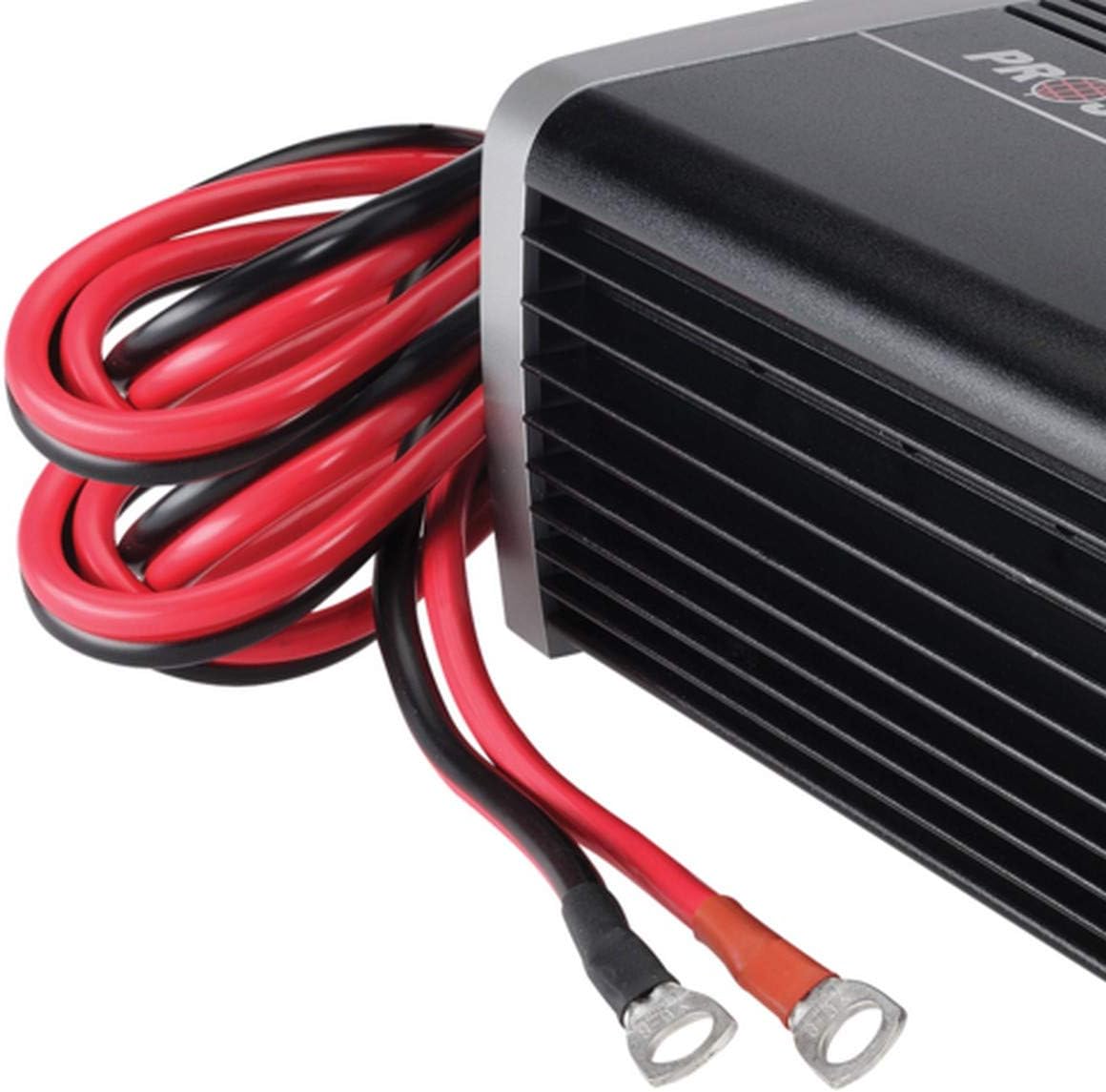
Figure 3: Battery connection cables of the Projecta IC3500 charger.
4. تعليمات التشغيل
4.1 التشغيل والعرض الأولي
Once connected to the battery and mains power, the charger will power on. The LCD screen will illuminate, and the "POWER ON" LED (Red Light) will be on.

Figure 4: Front panel with LCD display and status indicators.
4.2 Selecting Battery Type and Charge Rate
Use the control buttons on the front panel or remote control to select the appropriate battery chemistry (Wet, Calcium, AGM, or Gel) and the desired charge rate (2A, 8A, 16A, 35A). Refer to your battery's specifications for the recommended charging parameters.
- حجم الشحنtagإعدادات e:
- جل: 14.1 فولت
- AGM: 14.4V
- WET: 14.7V
- CALCIUM: 16.0V
4.3 7-سtagه عملية الشحن
The charger automatically progresses through the following stagالعربية:
- إزالة الكبريت: Recovers sulphated batteries.
- البداية الناعمة: يقوم بإدخال التيار إلى البطارية بلطف.
- الشحن بالجملة: Charges the battery to approximately 80% capacity. The "BULK CHARGE" LED (Blue Light) will be on.
- امتصاص: يشحن البطارية إلى 100% من السعة في وقت متناقصasing current. The "ABSORPTION" LED will be on.
- تحليل: Tests the battery to ensure it holds a charge.
- رمم: Applies a controlled overcharge to recondition deeply discharged or neglected batteries (if selected).
- Float/Maintenance: Maintains the battery at full charge. The "FULLY CHARGED" LED (Green Light) will be on.
The charger will automatically switch to the next stage as needed. The "Blue Light On" indicates charging is in progress, and "Green Light On" indicates fully charged and maintaining.
4.4 وضع مصدر الطاقة
To activate Power Supply Mode, refer to the specific instructions in the full manual. This mode provides a stable 12V output, preventing loss of vehicle computer settings when the main battery is disconnected or for powering 12V accessories.

Figure 5: The charger is compatible with various battery types, including automotive, marine, and deep cycle batteries.

Figure 6: Application guide illustrating compatibility with Automotive, Marine, and Deep Cycle batteries (AGM & Gel).
5. الصيانة
- تنظيف: Disconnect the charger from all power sources and batteries before cleaning. Wipe the casinامسح بقطعة قماش ناعمة وجافة. لا تستخدم مواد كيميائية قاسية أو منظفات كاشطة.
- فحص الكابلات: Regularly inspect the power cord and battery cables for any signs of damage, fraying, or corrosion. Replace damaged cables immediately.
- تخزين: When not in use, store the charger in a cool, dry place, away from direct sunlight and moisture. Ensure cables are neatly coiled to prevent damage.
- أطراف البطارية: حافظ على أطراف البطارية نظيفة وخالية من التآكل للحصول على أفضل اتصال.
6. استكشاف الأخطاء وإصلاحها
| مشكلة | السبب المحتمل | حل |
|---|---|---|
| Charger not powering on (No Red Light) | No AC power; faulty power cord; internal fault. | Check AC outlet and power cord connection. Ensure power switch is ON. If problem persists, contact support. |
| Charger not charging (No Blue Light) | توصيل البطارية بشكل خاطئ (قطبية معكوسة)؛ حجم البطاريةtage too low; battery faulty. | Verify correct positive/negative connections. Ensure battery voltage is above 2.5V. Test battery condition. |
| Charger displays error code | Specific fault detected (e.g., short circuit, over-temperature). | Refer to the full manual for specific error code meanings. Disconnect and reconnect the charger. Ensure proper ventilation. |
| البطارية لا يتم شحنها بالكامل | Incorrect battery type selected; battery capacity too large for selected charge rate; battery sulphation; faulty battery. | Ensure correct battery type is selected. Increase charge rate if appropriate. Consider using recondition mode if available and suitable for battery type. Test battery health. |
7. المواصفات
| يصف | التفاصيل |
|---|---|
| يكتب | 7 ثانيةtagالبريد التلقائي |
| مدخل | 240VAC ، 50 هرتز ، 570 واط |
| حجم الإخراجtage | 12 فولت |
| تيار الخرج | 2A, 8A, 16A, 35A (Adjustable) |
| الحد الأدنى لحجم البدايةtage | 2.5 فولت |
| العودة استنزاف | Charger 1mA, With Remote 2mA |
| الموافقات | Electrical Safety, EMC |
| حجم الشحنtagهـ (جل) | 14.1 فولت |
| حجم الشحنtage (AGM) | 14.4 فولت |
| حجم الشحنtage (WET) | 14.7 فولت |
| حجم الشحنtage (CALCIUM) | 16.0 فولت |
| أبعاد المنتج | 38 × 9.8 × 30 سم |
| وزن العنصر | 3.42 كجم |
| رقم الموديل | IC3500 |

Figure 7: Dimensional drawing of the Projecta IC3500 charger.
8. الضمان والدعم
For warranty information and technical support, please refer to the warranty card included with your product or visit the official Projecta webالموقع. احتفظ بإثبات الشراء الخاص بك لاستخدامه في أي مطالبات بالضمان.
For further assistance, you may contact Projecta customer service through their official channels.