
مقدمة
Welcome to the user manual for your Blackweb BWA16WI003 4-Foot Lightning Cable. This manual provides essential information for the proper setup, operation, and maintenance of your cable. Please read these instructions carefully before use.
المنتج انتهىview
محتويات الحزمة
- قطعة واحدة سوداءweb BWA16WI003 4-Foot Lightning Cable
الميزات الرئيسية
- 4-foot (1.2 meter) length for extended reach.
- Lightning connector for Apple devices.
- USB-A connector for power sources and data transfer.
- Durable construction for reliable use.
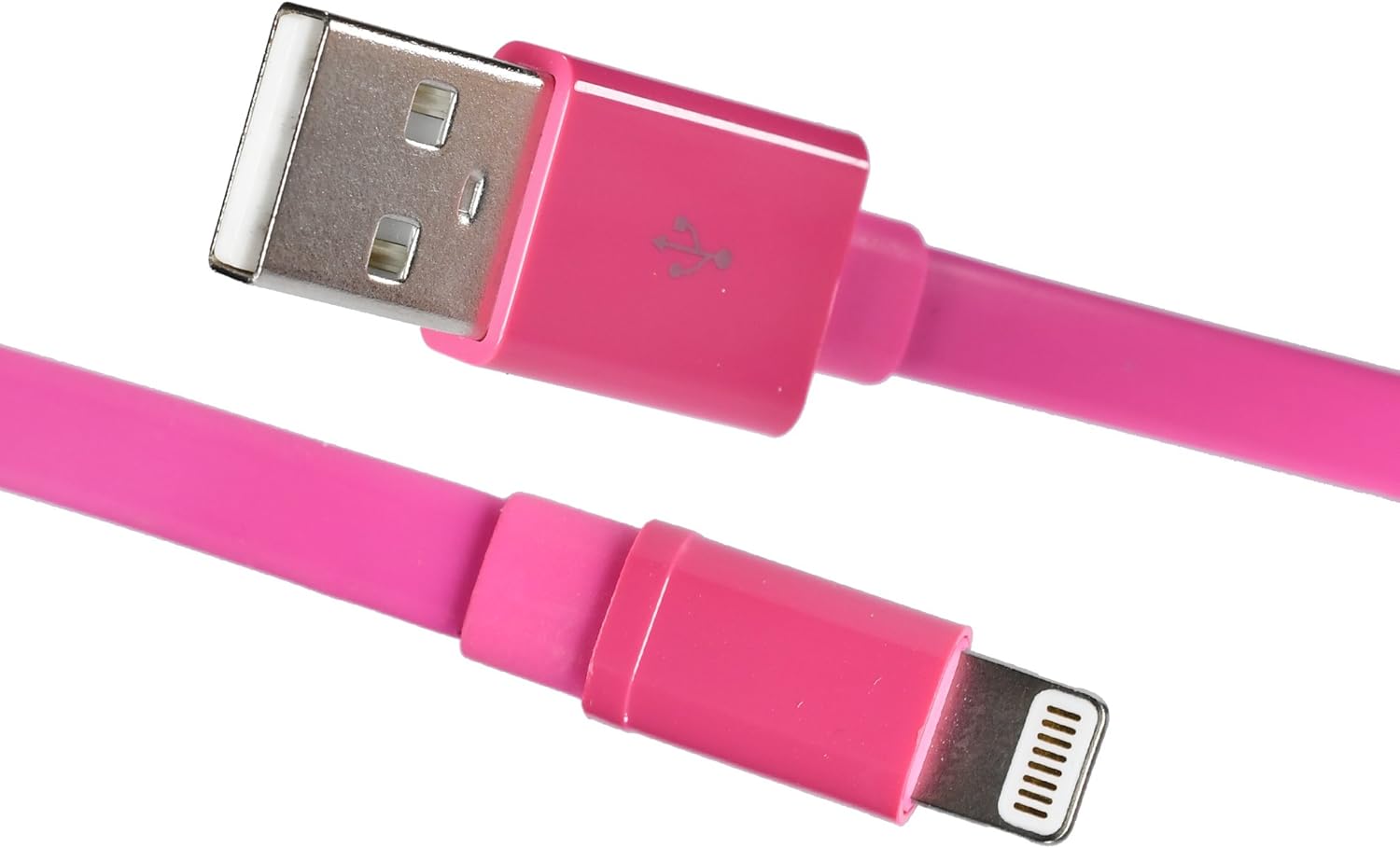
صورة: ذا بلاكweb BWA16WI003 Lightning Cable, showcasing both the USB-A and Lightning connectors.
الإعداد والاتصال
- Identify Connectors: Locate the USB-A connector (larger, rectangular) and the Lightning connector (smaller, reversible).
- الاتصال بمصدر الطاقة: Insert the USB-A connector into a compatible USB power adapter, computer USB port, or other USB charging device.
- الاتصال بالجهاز: Insert the Lightning connector into the charging/sync port of your Apple device (iPhone, iPad, iPod). Ensure a firm connection.

Image: The Lightning connector being inserted into an Apple iPhone, demonstrating proper connection.
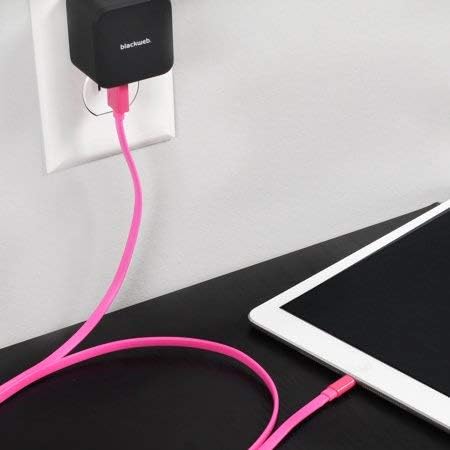
صورة: ذا بلاكweb Lightning cable connected to a wall power adapter and an iPad, illustrating a typical charging setup.

صورة: ذا بلاكweb Lightning cable connecting an iPhone to a laptop's USB port for charging or data synchronization.
تعليمات التشغيل
شحن جهازك
Once connected to a power source and your Apple device, the device should begin charging automatically. A charging indicator (e.g., battery icon) will typically appear on your device's screen.
مزامنة البيانات
When connected to a computer, the cable facilitates data transfer between your Apple device and the computer. Follow your device's instructions for syncing photos, videos, music, and other data.
الصيانة والعناية
- تخزين: Store the cable in a clean, dry place when not in use. Avoid extreme temperatures.
- تنظيف: Gently wipe the cable with a soft, dry cloth. Do not use harsh chemicals or abrasive cleaners.
- التعامل: Avoid bending the cable sharply or pulling it by the cord. Always grasp the connector ends when plugging or unplugging.
- تقتيش: Periodically inspect the cable and connectors for any signs of damage, such as fraying or bent pins. Discontinue use if damage is observed.

صورة: ذا بلاكweb Lightning cable neatly coiled, demonstrating proper storage to prevent damage.
استكشاف الأخطاء وإصلاحها
الجهاز لا يشحن
- التحقق من الاتصالات: Ensure both the USB-A and Lightning connectors are fully and securely inserted.
- التحقق من مصدر الطاقة: Confirm that the USB power adapter or computer USB port is functional and providing power. Try a different power source.
- فحص الكابل: Check the cable for any visible damage. If damaged, replace the cable.
- إعادة تشغيل الجهاز: Sometimes, restarting your Apple device can resolve charging issues.
قضايا نقل البيانات
- التحقق من الاتصالات: Ensure secure connections at both ends.
- Computer Recognition: Verify that your computer recognizes the connected Apple device. You may need to unlock your device and confirm "Trust This Computer."
- تحديثات البرامج: Ensure your computer's operating system and your device's iOS are up to date.
تحديد
| ميزة | التفاصيل |
|---|---|
| نموذج | BWA16WI003 |
| ماركة | أسودweb |
| نوع الكابل | Lightning to USB-A |
| طول | 4 أقدام (حوالي 1.2 أمتار) |
| لون | لون القرنفل |
| موصل الجنس | ذكر لذكر |
| وزن العنصر | 1.92 أونصة (حوالي 54 جرامًا) |
| أبعاد المنتج | 7 × 2 × 5 بوصة (التغليف) |
معلومات السلامة
- لا تعرض الكابل للماء أو الرطوبة الزائدة.
- لا تحاول تفكيك الكابل أو تعديله.
- يحفظ بعيدًا عن متناول الأطفال.
- استخدمه فقط مع الأجهزة ومصادر الطاقة المتوافقة.
- Disconnect the cable during lightning storms or when unused for long periods.
الضمان والدعم
For warranty information or technical support, please refer to the documentation provided with your purchase or contact Blackweb خدمة العملاء.
You can often find support resources on the official Blackweb webموقع.