
1. المقدمة
شكرا لك على الشراءasing the Coby CSB04 Bluetooth Soundbar Speaker. This manual provides important information regarding the setup, operation, and maintenance of your new soundbar. Please read this manual thoroughly before using the device and retain it for future reference.
The Coby CSB04 is a sleek and compact soundbar designed to enhance your audio experience. It features wireless Bluetooth connectivity, an RCA line input, and comes with a remote control for convenient operation.
2. معلومات السلامة
يرجى مراعاة احتياطات السلامة التالية لمنع تلف الجهاز أو إصابتك:
- لا تعرض شريط الصوت للمطر أو الرطوبة أو درجات الحرارة العالية.
- لا تفتح الصندوقasinز. إحالة جميع أعمال الصيانة إلى موظفين مؤهلين.
- تأكد من أن محول الطاقة متوافق مع مصدر الطاقة المحلي لديك.
- Keep the soundbar away from heat sources and direct sunlight.
- نظف فقط بقطعة قماش جافة.
3. محتويات العبوة
Carefully unpack your Coby CSB04 Soundbar and check that all items are present and in good condition. If any items are missing or damaged, contact your retailer.
- Coby CSB04 Bluetooth Soundbar Speaker
- محول التيار المتردد
- RCA كابل
- جهاز التحكم عن بعد
- دليل المستخدم (هذا المستند)

Image 3.1: Coby CSB04 Soundbar packaging. The box displays the Coby logo and "Slim 2.0 Sound Bar" text.
4. انتهى المنتجview
Familiarize yourself with the components and controls of your Coby CSB04 Soundbar.
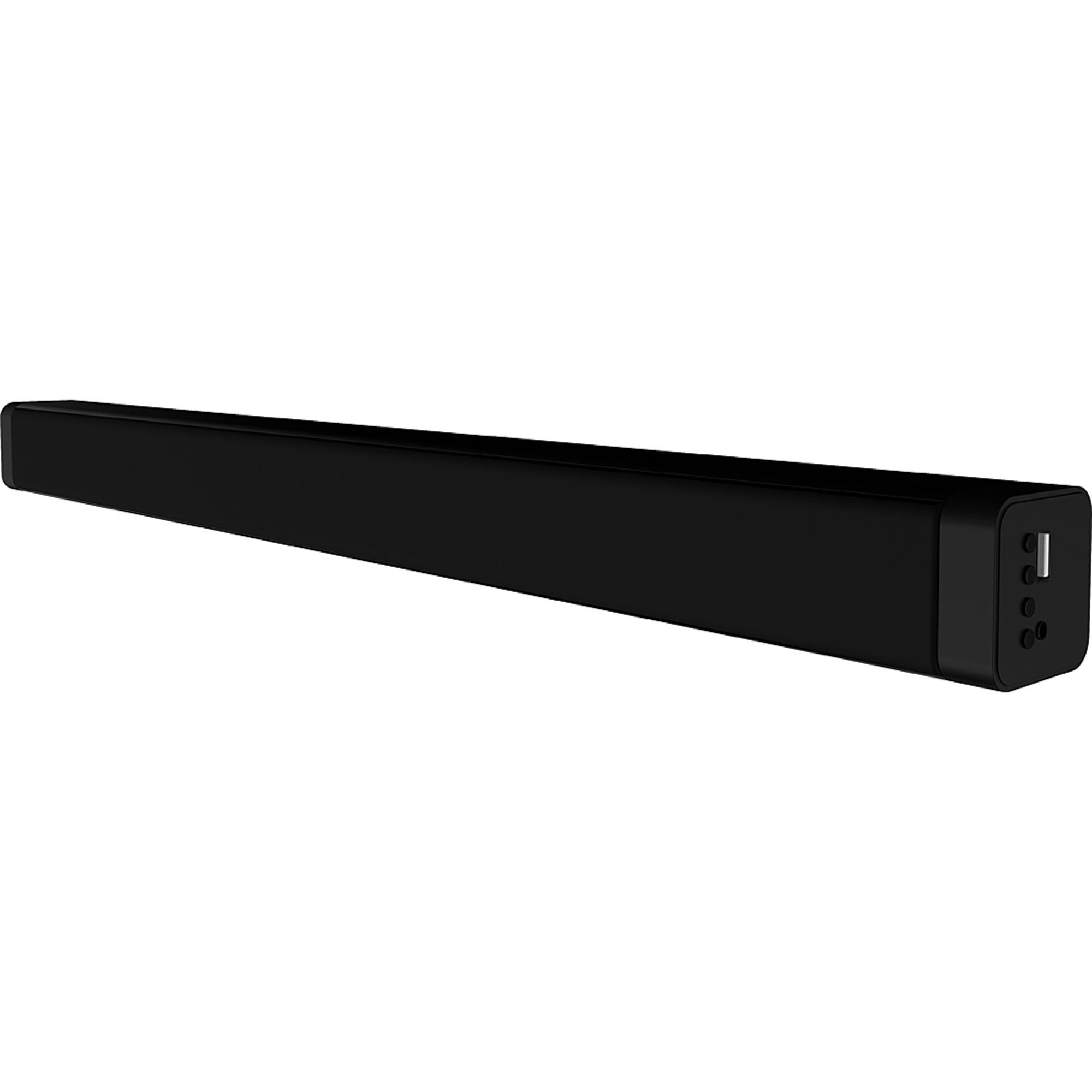
الصورة 4.1: الجبهة view of the Coby CSB04 Bluetooth Soundbar. The soundbar is black and rectangular.

الصورة 4.2: الجانب view of the Coby CSB04 Soundbar, showing a USB port and other connection points.
4.1. Front Panel / Top Panel Controls
- زر الطاقة: يقوم بتشغيل أو إيقاف تشغيل مكبر الصوت.
- رفع/خفض الصوت: ضبط مستوى الصوت.
- زر الوضع: Switches between input modes (Bluetooth, RCA).
- مؤشر LED: Shows current status (e.g., Bluetooth pairing, input mode).
4.2. اتصالات اللوحة الخلفية
- التيار المباشر الداخل: قم بتوصيل محول التيار المتردد هنا.
- RCA L/R Input: Connect external audio devices using the RCA cable.
- منفذ USB: For potential firmware updates or specific media playback (functionality may vary).
4.3. جهاز التحكم عن بعد
The included remote control allows for convenient operation of the soundbar from a distance. Functions typically include Power, Volume Up/Down, Mode Selection, Mute, and Playback controls for Bluetooth mode.
5. الإعداد
5.1. توصيل الطاقة
- قم بتوصيل محول الطاقة المتردد بـ تيار مستمر في الداخل port on the rear of the soundbar.
- قم بتوصيل الطرف الآخر من محول الطاقة الكهربائية بمقبس الحائط.
- سيدخل مكبر الصوت في وضع الاستعداد.
5.2. اتصال الصوت
You can connect audio sources to the soundbar via Bluetooth or RCA cable.
5.2.1. اتصال بلوتوث
- Power on the soundbar using the Power button on the unit or remote control.
- اضغط على وضع button repeatedly until the LED indicator shows Bluetooth mode (usually a blinking blue light).
- على هاتفك الذكي أو أي جهاز آخر يدعم تقنية Bluetooth، قم بتمكين Bluetooth وابحث عن الأجهزة المتوفرة.
- Select "CSB04" (or similar name) from the list of devices.
- بمجرد الاقتران، سيتحول مؤشر LED إلى اللون الأزرق الثابت، وستسمع نغمة تأكيد.
- يمكنك الآن تشغيل الصوت من جهازك عبر مكبر الصوت.
5.2.2. اتصال RCA
- Connect one end of the RCA cable to the إدخال RCA L / R ports on the soundbar.
- Connect the other end of the RCA cable to the audio output ports (usually "Audio Out" or "L/R Out") of your TV, DVD player, or other audio source.
- قم بتشغيل مكبر الصوت.
- اضغط على وضع button repeatedly until the LED indicator shows RCA mode (e.g., a green light).
- تشغيل الصوت من جهازك المتصل.
6. تعليمات التشغيل
6.1. تشغيل/إيقاف التشغيل
اضغط على قوة زر على مكبر الصوت أو جهاز التحكم عن بعد لتشغيل الوحدة أو إيقاف تشغيلها.
6.2. ضبط الحجم
استخدم رفع الصوت (+) و اخفض الصوت (-) أزرار على مكبر الصوت أو جهاز التحكم عن بعد لضبط مستوى الصوت.
6.3. Changing Input Mode
اضغط على وضع button on the soundbar or remote control to cycle through available input sources: Bluetooth, RCA.
6.4. تشغيل البلوتوث
Once paired, your Bluetooth device will automatically connect to the soundbar when both are powered on and within range. Use your device's controls or the soundbar's remote control (if applicable) for playback functions like Play/Pause, Next Track, and Previous Track.
7. الصيانة
تضمن الصيانة المناسبة طول عمر وأداء مثالي لشريط الصوت الخاص بك.
- تنظيف: Use a soft, dry cloth to wipe the exterior of the soundbar. Do not use liquid cleaners or aerosols.
- تخزين: إذا كنت ترغب في تخزين شريط الصوت لفترة طويلة، فافصله عن الطاقة وقم بتخزينه في مكان بارد وجاف.
- تهوية: Ensure the soundbar has adequate ventilation and is not covered, to prevent overheating.
8. استكشاف الأخطاء وإصلاحها
If you encounter issues with your Coby CSB04 Soundbar, refer to the following common problems and solutions:
| مشكلة | السبب المحتمل | حل |
|---|---|---|
| لا يوجد طاقة | محول الطاقة غير متصل أو المنفذ معيب. | Ensure the power adapter is securely connected to the soundbar and a working power outlet. Try a different outlet. |
| لا يوجد صوت | Incorrect input mode, low volume, or incorrect cable connection. |
|
| فشل اقتران البلوتوث | مكبر الصوت ليس في وضع الاقتران، أو أن الجهاز بعيد جدًا، أو أن هناك تداخلًا. |
|
| جهاز التحكم عن بعد لا يعمل | بطاريات فارغة أو عائق. | Replace the batteries in the remote control. Ensure there is no obstruction between the remote and the soundbar's sensor. |
9. المواصفات
Here are the technical specifications for the Coby CSB04 Bluetooth Soundbar Speaker:
- نموذج: CSB04
- نوع السماعة: شريط الصوت
- تقنية الاتصال: بلوتوث
- أقصى طاقة خرج للسماعة: 10 واط
- الأجهزة المتوافقة: Smartphone (and other Bluetooth/RCA audio sources)
- طريقة التحكم: جهاز التحكم عن بعد
- مصدر الطاقة: Electric Cable (AC Adapter)
- لون: أسود
- أبعاد: 85.09 × 14.22 × 38.35 سم (حوالي 33.5 × 5.6 × 15.1 بوصة)
- وزن: 1.54 كجم (حوالي 3.4 رطل)
- نوع التركيب: حامل سطح المكتب
10. الضمان والدعم
للحصول على معلومات الضمان والدعم الفني، يرجى الرجوع إلى بطاقة الضمان المرفقة مع المنتج أو زيارة موقع كوبي الرسمي. webالموقع. احتفظ بإيصال الشراء كإثبات للشراء.
For further assistance, you may contact Coby customer service through their official channels.