
مقدمة
The Perixx PERIBOARD-313 is a wired, full-sized keyboard featuring an integrated touchpad and a 3-level LED backlight. Designed for convenience and efficiency, this keyboard combines typing and pointing functionalities into a single device, making it suitable for various computing environments. Its dimensions are approximately 456mm x 160mm x 30mm, with a touchpad measuring 57mm x 40mm.
This manual provides comprehensive instructions for the proper setup, operation, and maintenance of your PERIBOARD-313 keyboard to ensure optimal performance and longevity.
محتويات الحزمة
- 1 x Perixx PERIBOARD-313 Wired USB Backlit Keyboard with Touchpad
- دليل المستخدم (هذا المستند)

Image: The Perixx PERIBOARD-313 keyboard, its USB cable, and the user manual shown next to the product packaging.
متطلبات النظام
- نظام التشغيل: Windows 7 أو 8 أو 10
- Connectivity: Available USB port
يثبت
- فك لوحة المفاتيح: Carefully remove the PERIBOARD-313 from its packaging.
- الاتصال بجهاز الكمبيوتر: قم بتوصيل موصل USB الخاص بلوحة المفاتيح بمنفذ USB متاح على جهاز الكمبيوتر الخاص بك.
- تثبيت برنامج التشغيل: The keyboard is plug-and-play. Your operating system will automatically detect and install the necessary drivers. No additional software installation is required.
- التحقق من الوظيفة: Once connected, the keyboard and touchpad should be immediately functional. Test by typing and moving the cursor.
تعليمات التشغيل
تخطيط لوحة المفاتيح
The PERIBOARD-313 features a standard full-size US English QWERTY layout with 104 keys, including a dedicated numeric keypad and function keys.

Image: Detailed diagram illustrating the full QWERTY keyboard layout, including the numeric keypad and integrated touchpad.
وظائف لوحة اللمس
The integrated touchpad provides precise cursor control and includes two buttons that function as left and right mouse clicks.
- حركة المؤشر: Slide your finger across the touchpad surface to move the cursor on the screen.
- الزر الأيسر: Press the left button below the touchpad or tap once on the touchpad surface.
- انقر على اليمين: Press the right button below the touchpad or tap with two fingers on the touchpad surface (if supported by OS settings).
- التمرير: Use two fingers to scroll vertically on the touchpad (if supported by OS settings).
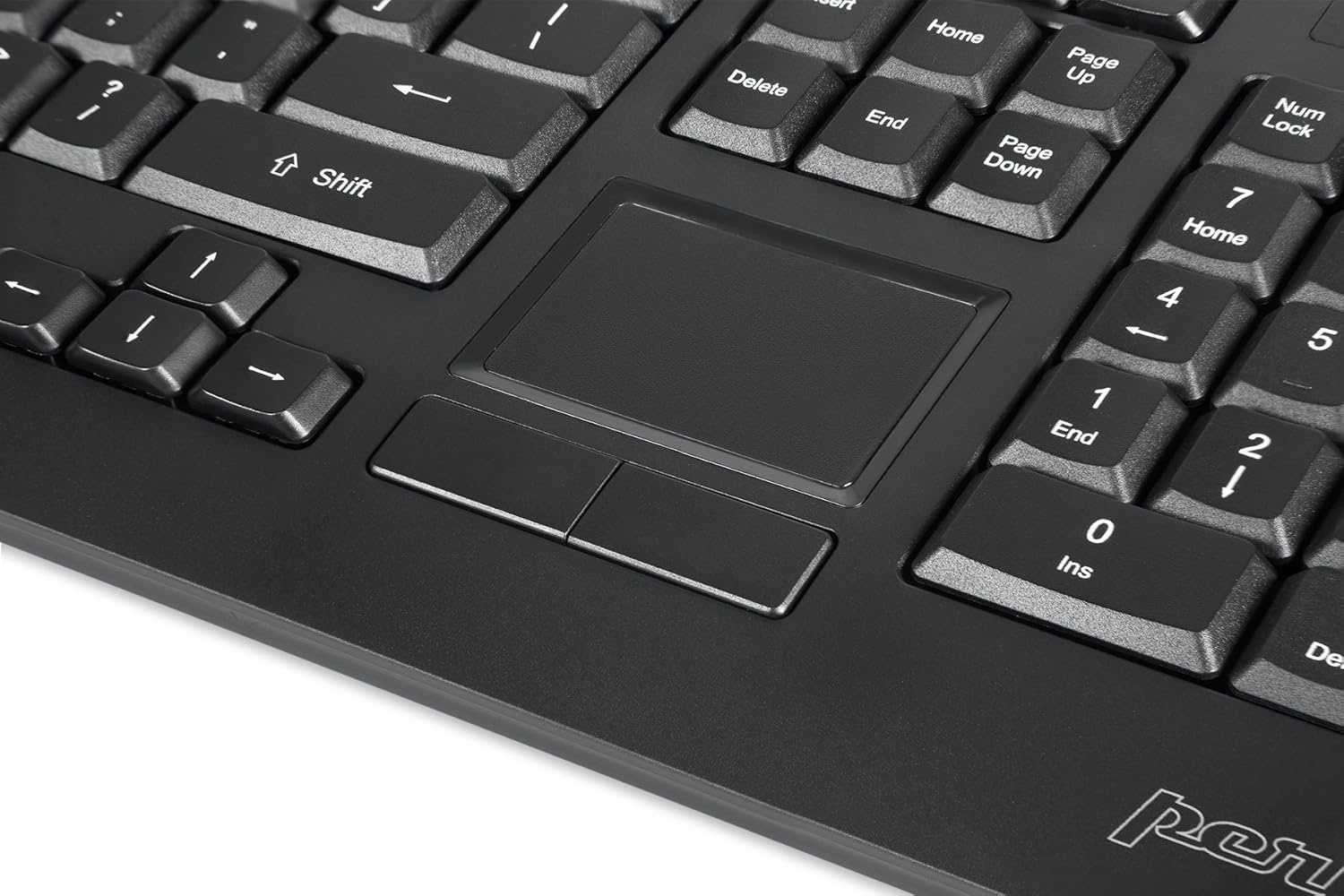
Image: A close-up of the integrated touchpad, highlighting its surface and the two dedicated click buttons.

Image: A user's hand interacting with the touchpad for cursor control.
التحكم في الإضاءة الخلفية
The keyboard features a white LED backlight with three adjustable brightness levels. Use the dedicated backlight control keys to adjust the illumination.
- تشغيل/إيقاف الإضاءة الخلفية: اضغط على فن + F12 تركيبة المفاتيح.
- ضبط السطوع: يضعط فن + F11 للتنقل عبر مستويات السطوع الثلاثة.
مفاتيح الوسائط المتعددة
The PERIBOARD-313 includes 10 multimedia function keys for quick access to media controls and internet features. These functions are activated by holding the Fn المفتاح والضغط على مفتاح الوظيفة المقابل (F1-F10).
- الجبهة الوطنية + F1: افتح مشغل الوسائط
- الجبهة الوطنية + F2: خفض الصوت
- الجبهة الوطنية + F3: رفع الصوت
- الجبهة الوطنية + F4: صامت
- الجبهة الوطنية + F5: المسار السابق
- الجبهة الوطنية + F6: المسار التالي
- الجبهة الوطنية + F7: تشغيل/إيقاف مؤقت
- الجبهة الوطنية + F8: قف
- الجبهة الوطنية + F9: يفتح Web المتصفح
- الجبهة الوطنية + F10: عميل البريد الإلكتروني المفتوح
محاور USB متكاملة
The keyboard features two integrated USB 2.0 hubs, allowing you to connect additional USB devices directly to the keyboard for convenience.

Image: The side of the keyboard displaying the two built-in USB 2.0 ports for connecting peripherals.
صيانة
- تنظيف: Disconnect the keyboard from your computer before cleaning. Use a soft, damp cloth to wipe the surface. For deeper cleaning between keys, use compressed air to remove dust and debris. Avoid using harsh chemicals or abrasive cleaners.
- تخزين: قم بتخزين لوحة المفاتيح في بيئة جافة، بعيدًا عن درجات الحرارة القصوى وأشعة الشمس المباشرة.
- التعرض السائل: This keyboard is not water-resistant. Avoid spilling liquids on it. If liquid exposure occurs, immediately disconnect the keyboard and allow it to dry completely before reconnecting.
استكشاف الأخطاء وإصلاحها
| مشكلة | السبب المحتمل | حل |
|---|---|---|
| لوحة المفاتيح لا تستجيب | اتصال USB فضفاض، منفذ USB معيب، مشكلة في برنامج التشغيل. |
|
| لوحة اللمس لا تعمل | Driver issue, touchpad disabled (unlikely for wired), physical damage. |
|
| Backlight not turning on/off or adjusting | Incorrect key combination, software conflict. |
|
| مفاتيح الوسائط المتعددة لا تعمل | Incorrect key combination, software conflict. |
|
تحديد
| ماركة | بيريكس |
| اسم الموديل | PERIBOARD-313 US |
| رقم الموديل | 11445 |
| تكنولوجيا الاتصال | USB-A (سلكي) |
| وصف لوحة المفاتيح | QWERTY, Full-sized, Backlit |
| ميزة خاصة | Backlit, Integrated Touchpad, USB Hubs |
| لون | أسود |
| لون إضاءة لوحة المفاتيح الخلفية | لون واحد (مصباح LED أبيض) |
| مادة | بلاستيك ايه بي اس |
| عدد المفاتيح | 104 |
| نوع المفتاح | غشاء |
| أبعاد لوحة اللمس | 57 مم × 40 مم (2.24 بوصة × 1.57 بوصة) |
| أبعاد لوحة المفاتيح | 456mm X X 160mm 30mm (17.95 "س 6.30" س 1.18 ") |
| وزن العنصر | 1.85 رطل |
| Total USB 2.0 Ports | 2 (Integrated Hubs) |
Image: Technical drawing with key dimensions of the PERIBOARD-313 keyboard.
ضمان
The Perixx PERIBOARD-313 comes with a ضمان محدود لمدة عامين from the date of purchase. This warranty covers manufacturing defects and workmanship under normal use. It does not cover damage caused by misuse, accident, modification, or unauthorized repair. Please retain your proof of purchase for warranty claims.
يدعم
For further assistance, technical support, or warranty inquiries, please visit the official Perixx webيمكنك العثور على مزيد من المعلومات وتفاصيل الاتصال على الموقع الإلكتروني أو الاتصال بخدمة العملاء. Perixx Brand Store on Amazon.