
المنتج انتهىview
The AAXA Technologies M6 is a Full HD Micro LED Projector designed for both business and home theater use. It features native 1920x1080p resolution, 1200 LED lumens of brightness, and a long-lasting 30,000-hour LED light source. The M6 includes an onboard media player and operates on both AC power and its built-in rechargeable battery, offering portability and versatility.

Figure 1: The AAXA M6 Full HD Micro LED Projector, showcasinتصميمها المدمج.
يثبت
1. فتح العلبة ومحتويات العبوة
قم بفك جميع المكونات بعناية وتأكد من وجود العناصر التالية:
- AAXA M6 Projector
- جهاز التحكم عن بعد
- Composite AV Cable
- محول الطاقة
- دليل المستخدم (هذا المستند)
2. التدريب البدني
Position the projector on a stable, flat surface. Ensure adequate ventilation around the unit. The M6 can project an image size of up to 200 inches diagonally, depending on the distance from the projection surface. For optimal image quality, project onto a flat, light-colored wall or a dedicated projector screen.
3. توصيل الطاقة
Connect the provided power adapter to the projector's DC input port and then to a standard electrical outlet. The projector can also operate on its internal battery for up to 90 minutes.
4. التشغيل الأولي
اضغط على زر التشغيل في جهاز العرض أو جهاز التحكم عن بعد لتشغيل الجهاز. سيضيء مؤشر الطاقة.
5. ضبط التركيز
Rotate the focus wheel located on the side of the projector until the projected image appears sharp and clear. This adjustment is crucial for image clarity at varying projection distances.
6. تعديل كيستون
The M6 projector supports vertical and horizontal keystone correction to adjust the image shape if the projector is not perfectly perpendicular to the screen. Use the remote control or on-screen menu to access and adjust keystone settings. This feature helps correct trapezoidal distortion.

Figure 2: Keystone adjustment allows for correcting image distortion when the projector is not perfectly aligned with the screen.
تعليمات التشغيل
1. توصيل الأجهزة
The M6 projector offers multiple input options for connecting various devices:
- HDMI: Connect laptops, gaming consoles (Xbox, PS4), smartphones (with adapter), Amazon Fire TV, or other HDMI-compatible devices.
- USB: For direct media playback from USB flash drives.
- مايكرو: For direct media playback from microSD cards.
- AV (مركب): Connect older devices using the included Composite AV Cable.
- VGA: Connect computers or other devices with a VGA output.

Figure 3: The AAXA M6 features various input ports for broad device compatibility.
2. تشغيل الوسائط
The M6 has an onboard media player. Insert a USB drive or microSD card containing compatible video, audio, or image files into the respective port. Use the remote control to navigate the on-screen menu and select your desired media for playback.
3. استخدام جهاز التحكم عن بعد
The included remote control provides full functionality for navigating menus, adjusting settings, and controlling media playback. Ensure the remote has working batteries and is pointed towards the projector's IR receiver.
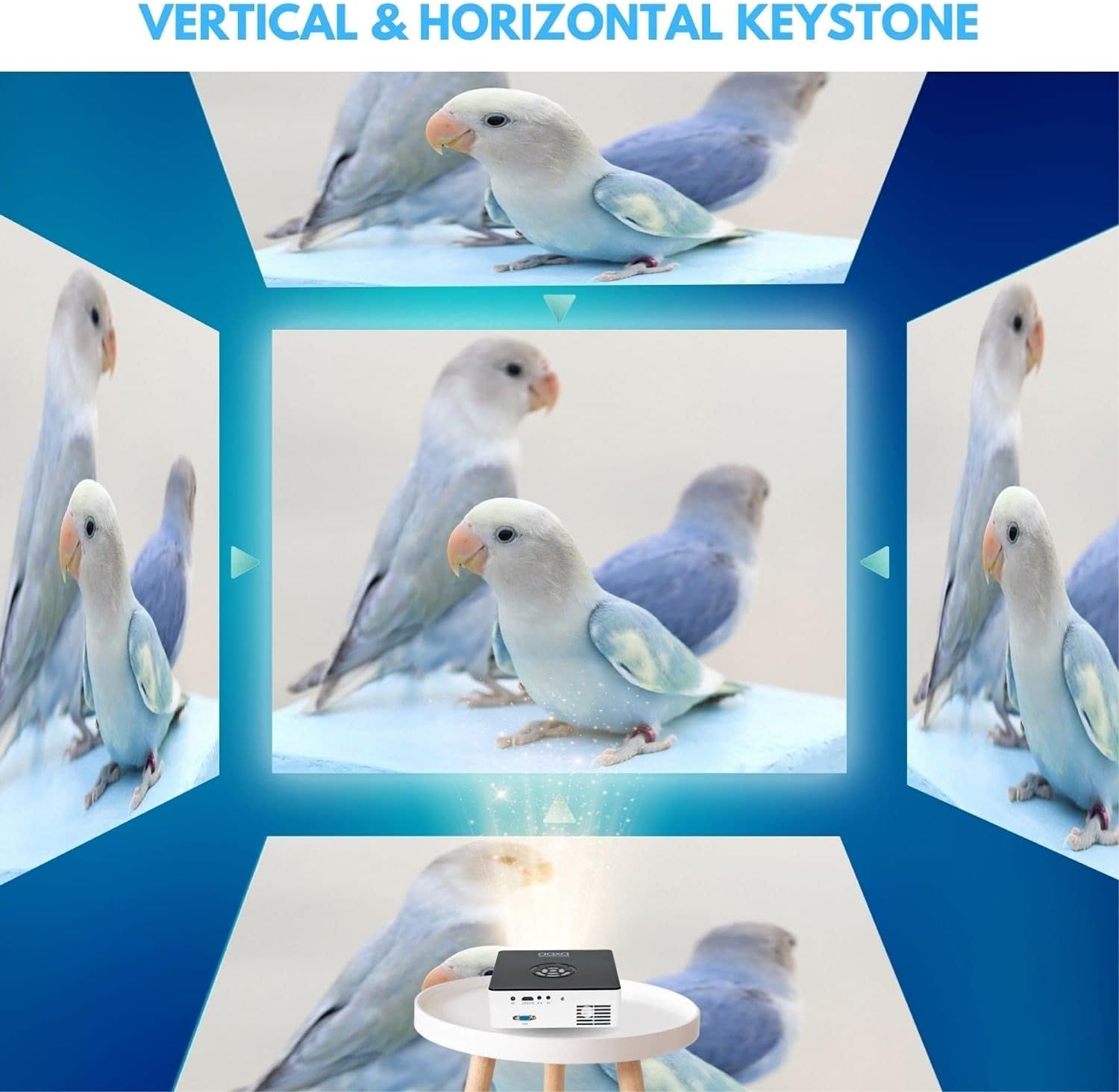
Figure 4: The remote control for the AAXA M6 projector, used for navigation and settings.
4 تشغيل البطارية
The M6 features a built-in rechargeable Lithium-Ion battery, providing up to 90 minutes of operation on a full charge. To charge the battery, connect the power adapter. The battery indicator will show charging status.
5. الوضع الاقتصادي
For extended battery life and reduced fan noise, activate Eco Mode through the projector's settings menu. This mode slightly reduces brightness but can be sufficient in darker environments.
Video 1: Demonstration of the M6 projector's performance in a lower light environment, showcasing its 1080p Full HD native resolution.
صيانة
1. تنظيف العدسة
Use a soft, lint-free cloth specifically designed for optical lenses to gently wipe the projector lens. Avoid using abrasive materials or harsh chemicals, which can damage the lens coating.
2. Cleaning Vents
Periodically inspect and clean the projector's ventilation openings to prevent dust buildup. Use a soft brush or compressed air to remove any obstructions, ensuring proper airflow and preventing overheating.
3. التخزين
When not in use, store the projector in a cool, dry place, away from direct sunlight and extreme temperatures. If storing for an extended period, ensure the battery is partially charged (around 50%) to maintain battery health.
4. مصدر ضوء LED
The M6 projector utilizes a durable LED light source with an estimated lifespan of 30,000 hours, eliminating the need for lamp الاستبدال في ظل ظروف الاستخدام العادية.
استكشاف الأخطاء وإصلاحها
- لا توجد صورة: Ensure the projector is powered on, the input source is correctly selected, and the connected device is outputting a signal. Check all cable connections.
- صورة ضبابية: Adjust the focus wheel until the image is sharp. Ensure the projection surface is flat and the projector is within the optimal throw distance.
- لا يوجد صوت: Verify that the volume on both the projector and the connected device is turned up and not muted. Check audio cable connections if using external speakers.
- ضوضاء المروحة: Some fan noise is normal during operation, especially in brighter modes. Activating Eco Mode can reduce fan speed and noise. Ensure vents are clear of obstructions.
- Image Distortion (Trapezoid Shape): Use the keystone adjustment feature to correct the image shape.
إذا واجهت مشاكل غير مدرجة هنا أو كنت بحاجة إلى مزيد من المساعدة، فيرجى الرجوع إلى قسم الدعم.
تحديد
| ميزة | التفاصيل |
|---|---|
| اسم الموديل | M6 |
| دقة العرض | دقة أصلية 1920 × 1080 (Full HD) |
| سطوع | 1200 لومن LED |
| نسبة التباين | 2000:1 |
| مصدر الضوء الحياة | 30,000 Hours (LED) |
| نوع العرض | دي إل بي |
| تكنولوجيا الاتصال | HDMI, USB, microSD, AV, VGA |
| الحد الأقصى لحجم الصورة | 200 بوصة |
| الحد الأدنى لمسافة الرمي | 11.5 بوصة |
| أبعاد العنصر (الطول × العرض × الارتفاع) | 7 بوصة × 7 بوصة × 2.1 بوصة |
| وزن العنصر | 2.5 رطل |
| عمر البطارية | حتى 90 دقيقة |
| نوع وحدة التحكم | جهاز التحكم عن بعد |
معلومات الضمان
The AAXA Technologies M6 Projector is covered by a ضمان المصنع المحدود لمدة 1 سنوات يسري هذا الضمان من تاريخ الشراء. ويغطي عيوب المواد والتصنيع في ظل الاستخدام العادي. ولا يغطي الأضرار الناجمة عن سوء الاستخدام أو الحوادث أو التعديلات غير المصرح بها أو الأسباب الخارجية.
يرجى الاحتفاظ بإثبات الشراء الخاص بك لمطالبات الضمان.
يدعم
For technical support, service, or additional information regarding your AAXA Technologies M6 Projector, please visit the official AAXA Technologies webالموقع أو الاتصال بقسم خدمة العملاء.
- Webموقع: www.aaxatech.com (مثالampلي، يرجى الرجوع إلى وثائق المنتج الفعلية للحصول على المعلومات الصحيحة URL)
- بريد إلكتروني: support@aaxatech.com (Examp(يرجى الرجوع إلى وثائق المنتج الفعلية للحصول على البريد الإلكتروني الصحيح)
- هاتف: 1-800-XXX-XXXX (مثال)amp(يرجى الرجوع إلى وثائق المنتج الفعلية لمعرفة رقم الهاتف الصحيح)
عند الاتصال بالدعم، يرجى تجهيز طراز المنتج (M6) وإثبات الشراء.