
1. انتهى المنتجview
The ADATA XPG EX500 is a tool-free external enclosure designed to convert any 2.5-inch SATA III hard disk drive (HDD) or solid state drive (SSD) into a portable storage solution. It supports USB 3.1 connectivity, offering fast data transfer speeds, and is backward compatible with USB 2.0 and USB 3.0. Its robust, shock-resistant design provides protection for your valuable data.
المميزات الرئيسية:
- Suitable for 2.5-inch SSD and 2.5-inch Hard Disk Drive
- Tool-less design for quick installation process
- Plug and Play functionality
- Shock resistant construction
- USB 3.1 connectivity (backward compatible with USB 3.0 and USB 2.0)
2. محتويات العبوة
يرجى التأكد من وجود جميع العناصر في الحزمة الخاصة بك:
- XPG EX500 External Enclosure
- كابل أوسب شنومك
- دليل المستخدم (هذا المستند)
3. تعليمات الإعداد
Installing a 2.5-inch Drive:
The XPG EX500 features a tool-free design for easy installation of your 2.5-inch SATA HDD or SSD.
- افتح العلبة: Gently slide the top cover of the XPG EX500 enclosure in the direction indicated by the arrows until it detaches.
- أدخل محرك الأقراص: Align your 2.5-inch SATA HDD or SSD with the SATA connector inside the enclosure. Carefully push the drive into the connector until it is firmly seated. Ensure the drive is oriented correctly.
- أغلق الغلاف: Place the top cover back onto the enclosure, aligning the tabs. Slide the cover until it clicks securely into place.
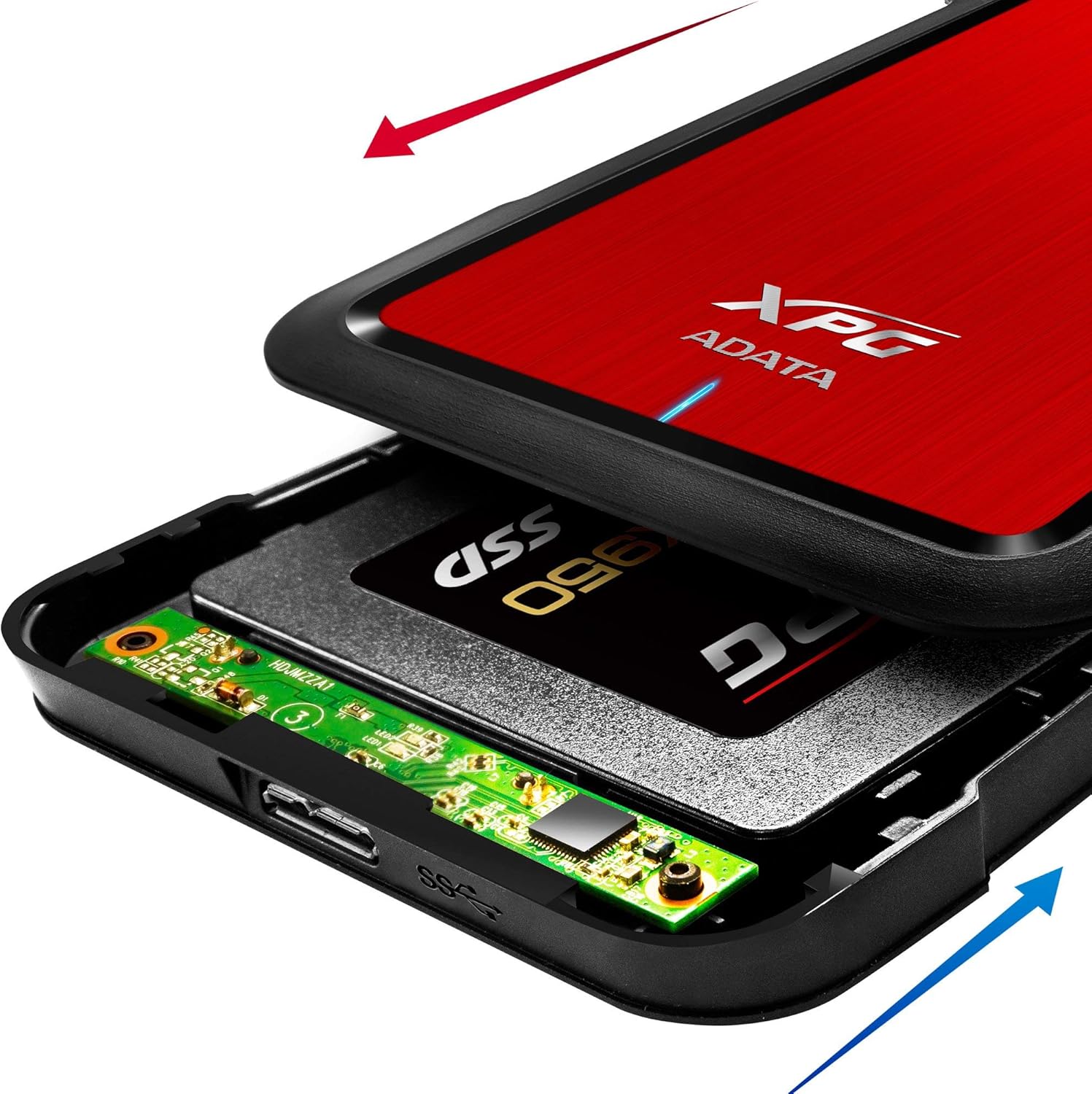
Image: The XPG EX500 enclosure shown open, with a solid state drive (SSD) being inserted into the internal SATA connector. Red and blue arrows indicate the sliding motion for opening and closing the cover.
4. تعليمات التشغيل
التوصيل بجهاز:
Once your drive is installed, connect the XPG EX500 to your computer or gaming console.
- توصيل كابل USB: Plug one end of the provided USB 3.1 cable into the USB port on the XPG EX500 enclosure.
- الاتصال بجهاز المضيف: Plug the other end of the USB cable into an available USB port on your PC, notebook, Mac, PlayStation 4, Xbox 360, or Xbox One. For optimal performance, use a USB 3.1 (or USB 3.0) port.
- التوصيل والتشغيل: The enclosure is plug-and-play. Your operating system should automatically detect the drive. If it's a new drive, you may need to initialize and format it through your operating system's disk management tools before use.
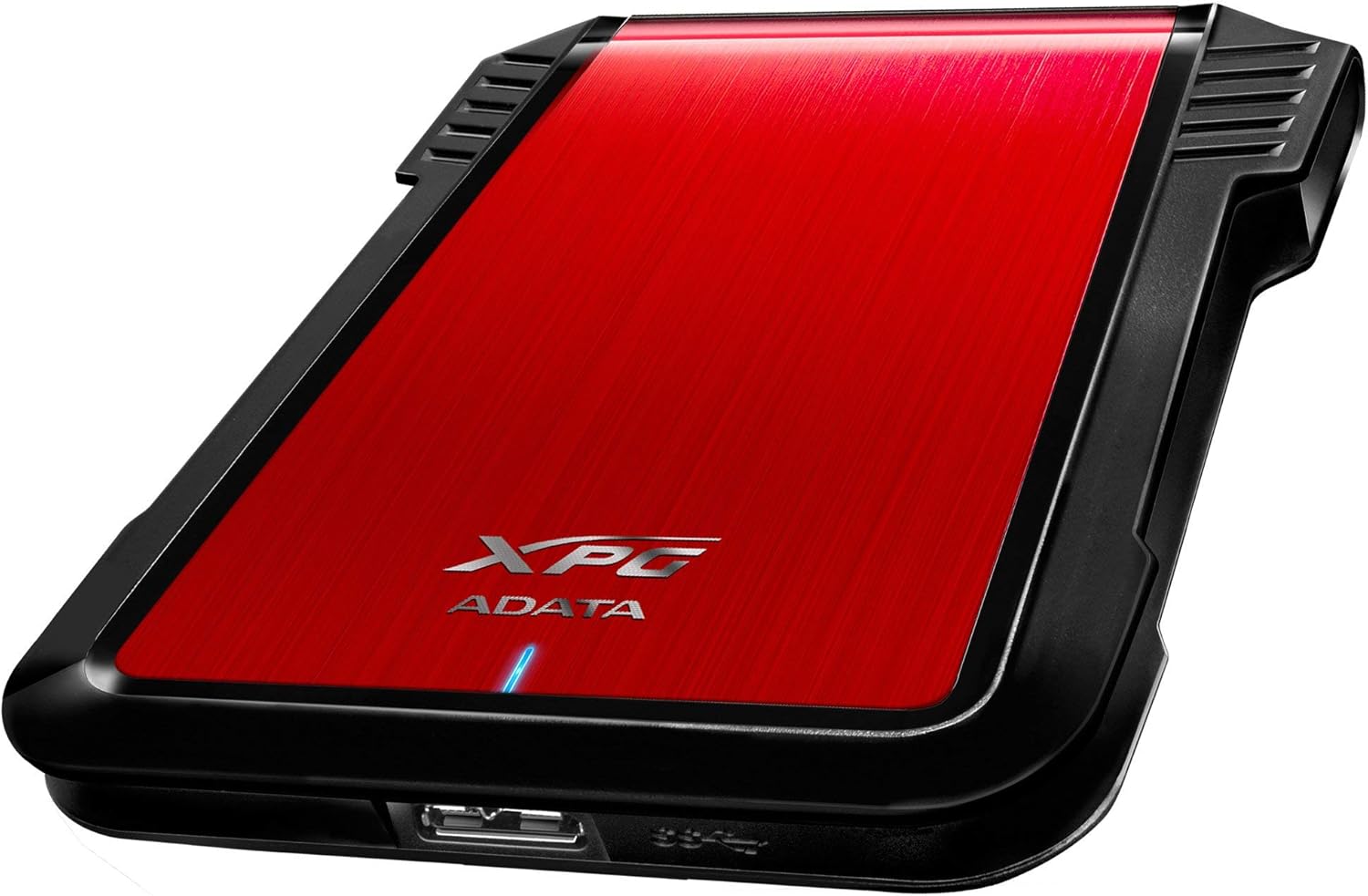
الصورة: الجانب view of the XPG EX500 external enclosure, highlighting the USB 3.1 port for connecting to a host device.
نقل البيانات:
The XPG EX500 supports USB 3.1, providing high-speed data transfer. Actual speeds may vary depending on the connected device, the drive installed, and the type of data being transferred.
5. الصيانة
To ensure the longevity and optimal performance of your XPG EX500 enclosure:
- تنظيف: استخدم قطعة قماش ناعمة وجافة لتنظيف الجزء الخارجي من الحاوية. تجنب استخدام المنظفات السائلة أو المذيبات.
- التعامل: While the enclosure is shock-resistant, avoid dropping it or subjecting it to severe impacts, as this can still damage the internal drive.
- بيئة: Store and operate the enclosure in a dry environment, away from extreme temperatures, direct sunlight, and humidity.
- الإنقطاع: قم دائمًا بإخراج محرك الأقراص من نظام التشغيل الخاص بك بأمان قبل فصل كابل USB لمنع تلف البيانات.
6. استكشاف الأخطاء وإصلاحها
If you encounter issues with your XPG EX500, please refer to the following common solutions:
- لم يتم اكتشاف محرك الأقراص:
- Ensure the USB cable is securely connected to both the enclosure and the host device.
- حاول الاتصال بمنفذ USB مختلف على جهاز الكمبيوتر الخاص بك.
- Verify that the 2.5-inch drive is properly seated within the enclosure's SATA connector.
- If it's a new drive, check your operating system's Disk Management (Windows) or Disk Utility (macOS) to see if the drive needs to be initialized and formatted.
- سرعات نقل البيانات البطيئة:
- Ensure you are connected to a USB 3.1 or USB 3.0 port on your host device. USB 2.0 ports will result in significantly slower speeds.
- Check the condition of the USB cable. Try using a different USB 3.1 compatible cable if available.
- The performance of the internal drive itself can affect transfer speeds.
- الشعور بالدفء داخل المكان:
- It is normal for the enclosure to feel warm during extended use, especially during heavy data transfers. Ensure adequate airflow around the device.
7. المواصفات
| ميزة | مواصفة |
|---|---|
| رقم الموديل | AEX500U3-CRD |
| محركات الأقراص المتوافقة | قرص صلب/قرص صلب SSD من نوع SATA مقاس 2.5 بوصة |
| الواجهة | USB 3.1 (متوافق مع الإصدارات السابقة USB 3.0 و USB 2.0) |
| معدل نقل البيانات | Up to 1 Gigabits Per Second (USB 3.1 theoretical max) |
| الأجهزة المتوافقة | PC, Notebook, Mac, PlayStation 4, Xbox 360, Xbox One |
| مادة | بلاستيك |
| أبعاد المنتج | 4.92 × 3.54 × 0.67 بوصة (125 × 90 × 17 مم) |
| وزن العنصر | 2.43 أونصة (0.07 كجم) |
8. معلومات الضمان
The ADATA XPG EX500 External Enclosure comes with a ضمان محدود لمدة سنة واحدة from the date of purchase. This warranty covers manufacturing defects and workmanship under normal use. It does not cover damage caused by misuse, accident, unauthorized modification, or external causes.
Please retain your proof of purchase for warranty claims. For detailed warranty terms and conditions, refer to the official ADATA webالموقع أو الاتصال بدعم العملاء.
9. الدعم
For further assistance, technical support, or to download the latest drivers and firmware (if applicable), please visit the official ADATA webموقع:
You may also contact ADATA customer service directly through the contact information provided on their webموقع.