
1. المقدمة
This manual provides detailed instructions for the proper use and configuration of the Pichler C3057 XQ Card Programming Card. This device is specifically designed to adjust settings on Pichler XQ electronic speed controllers (ESCs).
Please read this manual thoroughly before operating the programming card to ensure correct setup and optimal performance of your ESC.
2. انتهى المنتجview
The Pichler C3057 Programming Card simplifies the process of configuring your Pichler XQ ESC. It allows for quick and precise adjustments to various operational parameters without the need for a computer or complex button sequences on the ESC itself.
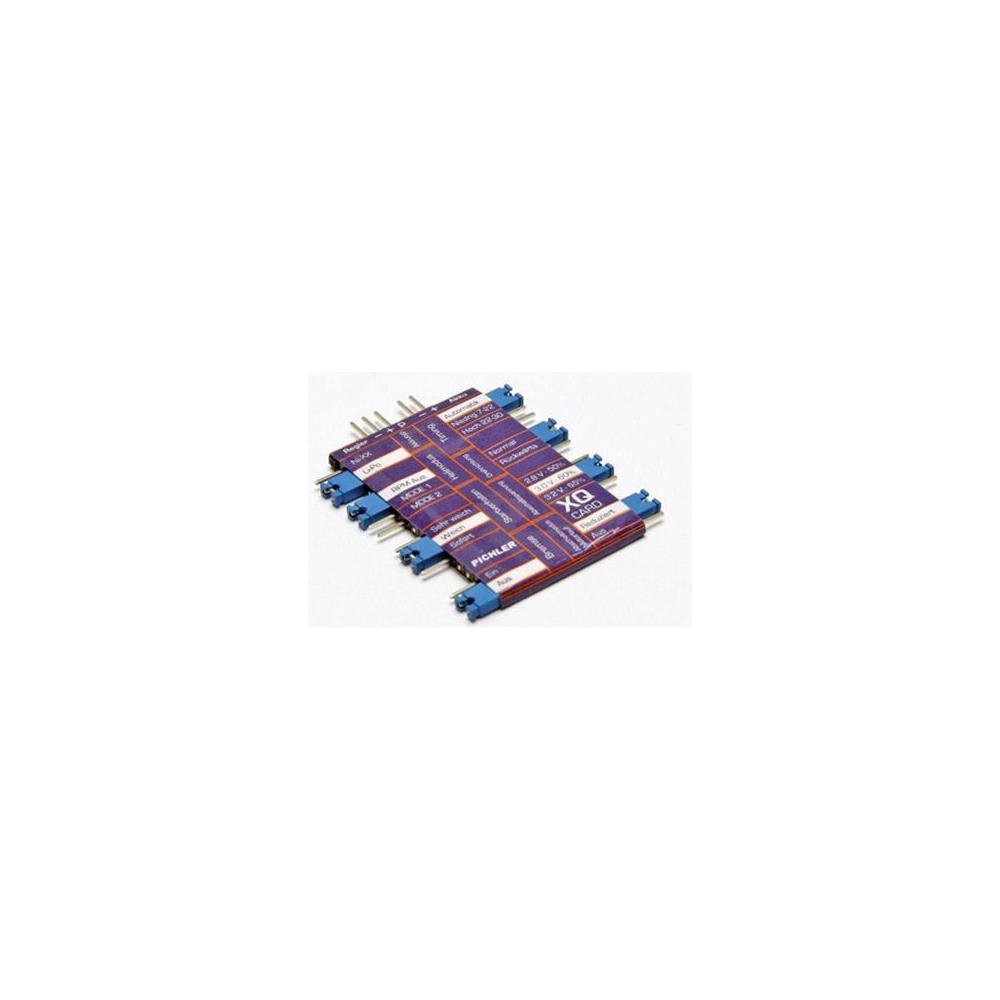
الشكل 1: الجبهة view of the Pichler C3057 Programming Card. The card features a display and buttons for navigation and selection of parameters.
The programming card typically connects to the ESC via the throttle cable or a dedicated programming port, depending on the specific ESC model. Refer to your ESC's manual for connection details.
3. الإعداد
- إيقاف التشغيل: Ensure your electronic speed controller (ESC) and receiver are powered off before connecting the programming card.
- Connect Programming Card: Connect the Pichler C3057 Programming Card to your Pichler XQ ESC. This is typically done by disconnecting the throttle cable from the receiver and plugging it into the designated port on the programming card. Some ESCs may have a separate programming port. Consult your ESC manual for the exact connection method.
- تشغيل الطاقة: Connect the main battery to the ESC. The programming card should power on and display the current settings of the ESC.
- تحقق من الاتصال: If the card does not power on or display settings, check all connections and ensure the ESC is receiving power.
4. تعليمات التشغيل
Once the programming card is connected and powered, you can navigate through the settings and make adjustments. The card typically features buttons for navigating (e.g., UP, DOWN, SELECT, ENTER, RESET).
المعلمات القابلة للتعديل:
- نوع البطارية: Select the type of battery being used (LiPO / NiMH / NiCD). This setting is crucial for correct voltagه قطع.
- Helicopter Mode: Configure specific modes for helicopter applications (OFF / Mode1 / Mode2). Refer to your helicopter's requirements for the appropriate mode.
- الفرامل: Enable or disable the motor brake function (ON / OFF). When enabled, the motor will stop more abruptly when the throttle is reduced to zero.
- Start-up Behavior: Adjust the motor's initial acceleration (Standard / Soft / Very Soft). Softer starts are gentler on mechanical components.
- Synchronization Timing: Set the motor timing (Automatic / Basic 7-22° / High 22-30°). Incorrect timing can lead to reduced efficiency or motor damage. "Automatic" is often suitable for most motors.
- قطع حجم المجلدtage: تحديد المجلدtage at which the ESC will reduce or cut power to protect the battery (2.8V / 3.0V / 3.2V per cell for LiPO, or total voltage for NiMH/NiCD).
- Motor On/Off Mode: Configure how the motor operates at low power (Low Power / OFF).
Use the navigation buttons on the programming card to scroll through the parameters and select your desired options. After making changes, ensure you save them according to the card's instructions (usually by pressing an "Enter" or "Save" button) before disconnecting.
5. الصيانة
The Pichler C3057 Programming Card requires minimal maintenance:
- تنظيف: Keep the card clean and free from dust and debris. Use a soft, dry cloth for cleaning. Do not use liquid cleaners.
- تخزين: Store the programming card in a dry, cool place, away from direct sunlight and extreme temperatures.
- التعامل: Handle the card with care to avoid physical damage to the display, buttons, or connectors.
6. استكشاف الأخطاء وإصلاحها
| مشكلة | السبب المحتمل | حل |
|---|---|---|
| Programming card does not power on. | Incorrect connection to ESC or no power to ESC. | Verify all connections between the programming card and ESC. Ensure the main battery is connected to the ESC and is charged. |
| Settings do not change on ESC. | Settings not saved or incompatible ESC firmware. | Ensure you press the "Save" or "Enter" button on the programming card after making changes. Confirm your ESC is a Pichler XQ controller compatible with the C3057 card. |
| الشاشة فارغة أو غير قابلة للقراءة. | Power issue or physical damage. | Check power connection. If the issue persists, the card may be damaged and require replacement. |
7. المواصفات
- ماركة: Pichler
- رقم الموديل: 1534648
- وزن السلعة: 9.07 جرام
- الشركة المصنعة: Pichler
- التوافق: Pichler XQ-controllers
- وظائف العرض: Wireless (refers to internal communication, not external wireless control)
- أول تاريخ متاح: 11 أكتوبر 2021
8. الضمان والدعم
Pichler products are manufactured to high-quality standards. For information regarding warranty coverage, please refer to the warranty card included with your purchase or visit the official Pichler webموقع.
For technical support, troubleshooting assistance beyond this manual, or spare parts inquiries, please contact Pichler customer service directly. Contact details can typically be found on the manufacturer's webتغليف الموقع أو المنتج.
Guaranteed software updates until: Unknown (as per product specifications)