
1. المقدمة
شكرا لك على الشراءasing the wster WS-K66 Mini Portable Bluetooth Speaker. This manual provides important information on how to set up, operate, and maintain your device. Please read it carefully before use and retain it for future reference.
2. معلومات السلامة
- لا تعرض مكبر الصوت لدرجات حرارة عالية أو أشعة الشمس المباشرة أو الرطوبة العالية.
- تجنب إسقاط السماعة أو تعريضها لصدمات قوية.
- لا تقم بتفكيك السماعة أو محاولة إصلاحها بنفسك. سيؤدي ذلك إلى إلغاء الضمان.
- أبقِ مكبر الصوت بعيدًا عن الماء والسوائل الأخرى.
- استخدم فقط كابل الشحن ومصدر الطاقة المحددين.
- تخلص من البطارية ومكبر الصوت بطريقة مسؤولة وفقًا للوائح المحلية.
3. محتويات العبوة
يرجى التحقق من الحزمة للعناصر التالية:
- wster WS-K66 Mini Portable Bluetooth Speaker
- USB Charging / 3.5mm Audio Cable
- دليل التعليمات (هذا المستند)
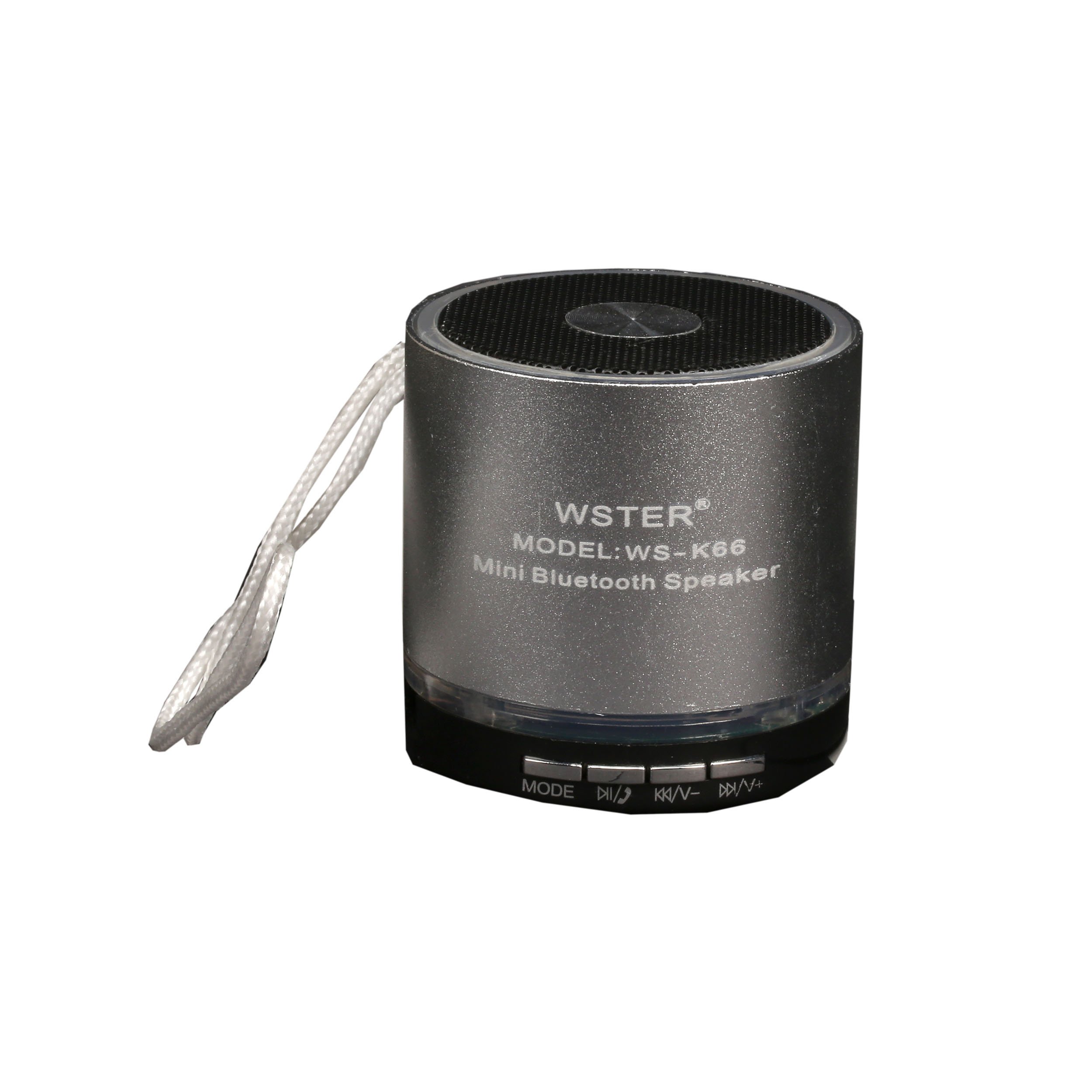
Image: The retail packaging for the wster WS-K66 speaker, showing the speaker and its features.

Image: The included USB charging and 3.5mm audio cable for connecting and powering the speaker.
4. انتهى المنتجview
تعرّف على عناصر التحكم والمنافذ الخاصة بالسماعة:

الصورة: أعلى view of the wster WS-K66 speaker, highlighting the speaker grille and control buttons.

الصورة: الجانب view of the wster WS-K66 speaker, illustrating the USB, Micro SD, AUX, and charging ports.
Controls and Ports (Typical Layout):
- مفتاح التشغيل: تشغيل/إيقاف.
- زر الوضع (M): Switches between Bluetooth, FM Radio, USB/Micro SD, and AUX modes.
- Play/Pause Button (►/−−): Play/pause music; Answer/end calls.
- Volume Down / Previous Track (-/◀◀): Short press for previous track; Long press to decrease volume.
- Volume Up / Next Track (+/►►): Short press for next track; Long press to increase volume.
- منفذ USB: لوحدات تخزين USB المحمولة.
- منفذ كارت الذاكرة الصغيرة: لبطاقات ذاكرة Micro SD.
- مدخلات AUX: لتوصيل أجهزة الصوت الخارجية عبر كابل 3.5 ملم.
- منفذ الشحن: لشحن مكبر الصوت.
5. الإعداد
الشحن الأولي:
- قبل الاستخدام الأول، قم بشحن السماعة بالكامل.
- قم بتوصيل الطرف الصغير من كابل شحن USB بمنفذ شحن مكبر الصوت.
- Connect the larger USB end to a USB power adapter (not included) or a computer's USB port.
- سيضيء مؤشر الشحن أثناء الشحن وينطفئ عند اكتمال الشحن.
6. تعليمات التشغيل
تشغيل/إيقاف التشغيل:
- Slide the Power Switch to the 'ON' position to turn on the speaker.
- Slide the Power Switch to the 'OFF' position to turn off the speaker.
وضع البلوتوث:
- Turn on the speaker. It will automatically enter Bluetooth pairing mode (a voice prompt or indicator light will confirm).
- قم بتمكين البلوتوث على جهازك المحمول (الهاتف الذكي، والكمبيوتر اللوحي، وما إلى ذلك).
- بحث عن available Bluetooth devices and select "WS-K66" from the list.
- Once paired, the speaker will confirm with a voice prompt. You can now play audio from your device through the speaker.
- The Bluetooth range is up to 10 meters (33 feet) in an open area.
وضع راديو FM:
- Turn on the speaker. Press the 'M' (Mode) button repeatedly until you hear the FM radio prompt.
- To auto-scan and save available stations, press and hold the Play/Pause button (►/−−). The speaker will scan and store stations automatically.
- Use the Previous Track (◀◀) and Next Track (►►) buttons to navigate between saved stations.
- For better FM reception, connect the USB charging cable to the speaker's charging port; it acts as an external antenna.
USB / Micro SD Card Mode:
- Insert a USB flash drive or a Micro SD card (with MP3 audio files) في الفتحة المخصصة لها.
- The speaker will automatically detect the storage device and switch to USB/Micro SD mode, beginning playback.
- استخدم أزرار التشغيل/الإيقاف المؤقت، والمسار السابق، والمسار التالي للتحكم في التشغيل.
وضع AUX:
- Connect one end of the 3.5mm audio cable to the speaker's AUX input.
- قم بتوصيل الطرف الآخر بمخرج الصوت الخاص بجهازك الخارجي (مثل مشغل MP3 أو الكمبيوتر المحمول).
- Press the 'M' (Mode) button until the speaker enters AUX mode.
- التحكم في التشغيل من جهازك الخارجي.
وظيفة الاستخدام الحر لليدين:
- When connected via Bluetooth to your phone, incoming calls will be announced through the speaker.
- Press the Play/Pause button (►/−−) to answer an incoming call.
- Press the Play/Pause button (►/−−) again to end the call.
7. الشحن
- When the battery is low, the speaker may emit a warning tone or automatically power off.
- Connect the speaker to a USB power source using the provided cable.
- تستغرق عملية الشحن الكاملة عادةً من ساعتين إلى أربع ساعات، وذلك حسب مصدر الطاقة.
- Do not overcharge the speaker for extended periods.
8. الصيانة
- نظّف السماعة بقطعة قماش ناعمة وجافة. لا تستخدم منظفات أو مذيبات كاشطة.
- قم بتخزين مكبر الصوت في مكان بارد وجاف عند عدم استخدامه.
- تجنب تعريض السماعة للغبار أو الأوساخ أو الرمل، لأن ذلك قد يتلف المكونات الداخلية.
9. استكشاف الأخطاء وإصلاحها
| مشكلة | حل |
|---|---|
| مكبر الصوت لا يعمل. | Ensure the battery is charged. Connect to a power source and try again. Check the power switch position. |
| لا يوجد صوت. | Check the volume level on both the speaker and your connected device. Ensure the correct mode is selected (Bluetooth, AUX, etc.). |
| فشل اقتران البلوتوث. | Ensure the speaker is in Bluetooth mode and discoverable. Turn off and on Bluetooth on your device. Move the speaker closer to your device. Clear previous pairings on your device. |
| استقبال راديو FM ضعيف. | Connect the USB charging cable to act as an external antenna. Move to an area with better signal. Perform an auto-scan again. |
| بطاقة USB/Micro SD لا تعمل. | Ensure the card/drive contains compatible audio files (e.g., MP3). Check if the card/drive is inserted correctly. Try a different card/drive. |
10. المواصفات
| ميزة | التفاصيل |
|---|---|
| ماركة | wster |
| رقم الموديل | WS-K66 |
| تكنولوجيا الاتصال | بلوتوث ، مساعد |
| المميزات الخاصة | Portable, Hands-free function, FM Radio |
| مصدر الطاقة | Cable Electric, 1 Product-Specific Battery (included) |
| مدى البلوتوث | حتى 10 أمتار |
| المدخلات | USB, Micro SD, AUX |
11. الضمان والدعم
يأتي هذا المنتج مع ضمان قياسي من الشركة المصنعة. للاطلاع على شروط وأحكام الضمان بالتفصيل، يرجى الرجوع إلى الوثائق المرفقة وقت الشراء أو الاتصال بالبائع.
If you encounter any issues or require technical assistance, please contact the customer support of your retailer or the manufacturer.