
مقدمة
The INSIGNIA Portable Bluetooth Audio Receiver NS-MBTK35 allows you to wirelessly stream audio from your Bluetooth-enabled devices to any audio system with a 3.5mm or RCA input. Enjoy crystal clear sound and hands-free calling with this versatile receiver. Its compact design and built-in rechargeable battery make it ideal for use at home or on the go.
ما هو المشمول
- INSIGNIA Portable Bluetooth Audio Receiver
- 3.5 mm Audio Cable (3 ft.)
- 3.5 mm Male-to-Male Adapter
- 3.5 mm to RCA Adapter
- كابل شحن ميكرو يو اس بي
- حقيبة الحمل
- Velcro Mounting Pads
المنتج انتهىview
Familiarize yourself with the receiver's controls and ports.
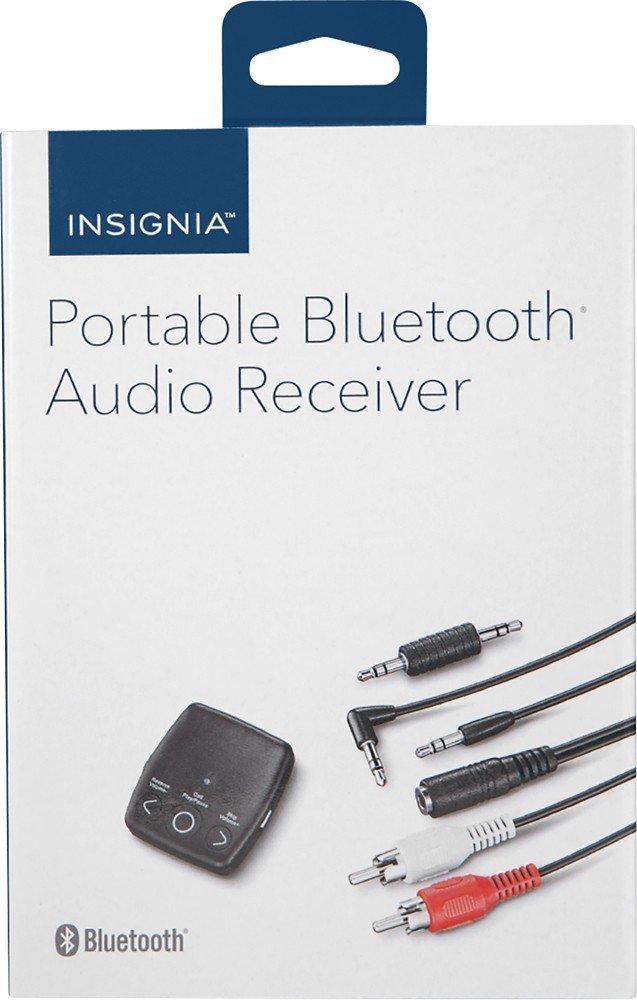
الصورة: الجبهة view of the INSIGNIA Portable Bluetooth Audio Receiver, showing the control buttons: Reverse/Volume-, Call/Play/Pause, and Skip/Volume+.
عناصر التحكم:
- Call/Play/Pause Button: Powers the device on/off, plays/pauses audio, answers/ends calls.
- Reverse/Volume- Button: Skips to the previous track or decreases volume.
- Skip/Volume+ Button: Skips to the next track or increases volume.
- ميكروفون: لإجراء مكالمات بدون استخدام اليدين.
- مخرج صوت 3.5 ملم: يتصل بنظام الصوت الخاص بك.
- منفذ شحن Micro USB: لشحن البطارية الداخلية.
شحن جهاز الاستقبال
Before first use, fully charge the receiver. A full charge provides up to 6 hours of operation.
- Connect the small end of the included Micro USB charging cable to the Micro USB port on the receiver.
- Connect the large end of the Micro USB charging cable to a USB power source (e.g., computer USB port, USB wall adapter).
- سيضيء مؤشر LED أثناء الشحن وينطفئ عند اكتمال الشحن.

Image: A black Micro USB charging cable, used to power the receiver.
يثبت
توصيل النظام الصوتي:
The receiver can connect to your audio system using either a 3.5mm audio cable or an RCA adapter.
- Using the 3.5mm Audio Cable: Connect one end of the 3.5mm audio cable to the receiver's 3.5mm audio output port. Connect the other end to the 3.5mm auxiliary input on your audio system (e.g., car stereo, home speaker).
- Using the 3.5mm to RCA Adapter: If your audio system has RCA inputs (red and white), connect the 3.5mm male-to-male adapter to the receiver's 3.5mm audio output. Then, connect the 3.5mm male-to-male adapter to the 3.5mm female end of the RCA adapter. Finally, connect the red and white RCA plugs to the corresponding RCA input jacks on your audio system.
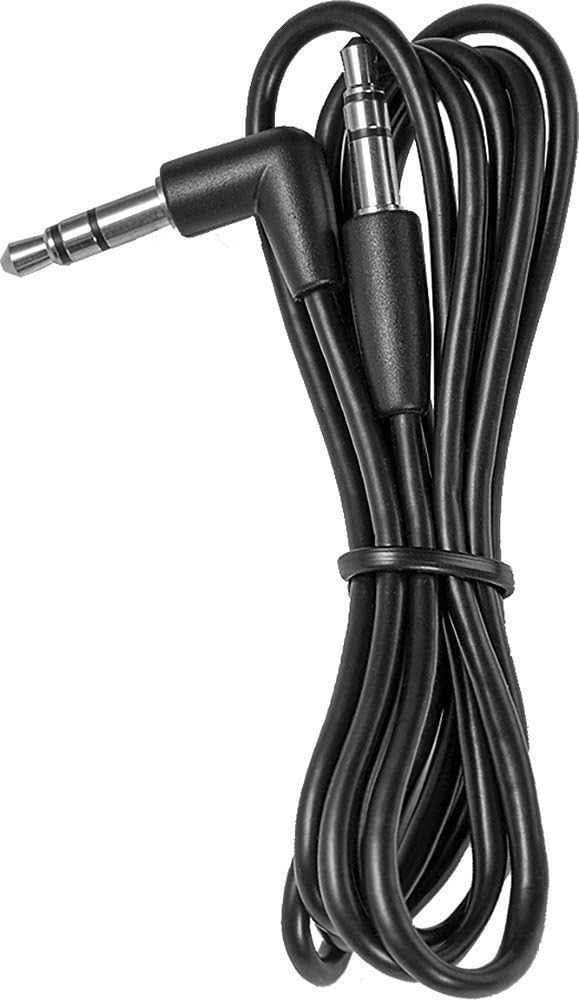
Image: A black 3.5 mm audio cable with L-shaped and straight connectors.

Image: A 3.5 mm female to dual RCA male adapter cable (red and white).
تركيب جهاز الاستقبال:
Use the included Velcro mounting pads to secure the receiver in a convenient location, such as on a dashboard or near your audio system.

Image: Two circular white Velcro mounting pads with 3M branding.
تعليمات التشغيل
التشغيل/الإيقاف:
- لتشغيل: اضغط مع الاستمرار على تشغيل/إيقاف مؤقت/اتصال button for approximately 3 seconds until the LED indicator flashes.
- لإيقاف التشغيل: اضغط مع الاستمرار على تشغيل/إيقاف مؤقت/اتصال اضغط على الزر لمدة 3 ثوانٍ تقريبًا حتى ينطفئ مؤشر LED.
الاقتران بجهاز بلوتوث:
The receiver can be paired with up to eight different Bluetooth devices.
- Ensure the receiver is powered on and in pairing mode (LED indicator will flash rapidly). If it's not in pairing mode, press and hold the تشغيل/إيقاف مؤقت/اتصال button until it enters pairing mode.
- قم بتمكين Bluetooth على جهاز مصدر الصوت الخاص بك (على سبيل المثال، الهاتف الذكي أو الجهاز اللوحي).
- بحث عن available Bluetooth devices on your audio source device.
- Select "NS-MBTK35" from the list of found devices.
- Once paired, the LED indicator on the receiver will glow solid blue.
تشغيل الصوت:
- تشغيل/إيقاف مؤقت: اضغط على تشغيل/إيقاف مؤقت/اتصال زر.
- رفع الصوت: اضغط على Skip/Volume+ زر.
- اخفض الصوت: اضغط على Reverse/Volume- زر.
- المسار التالي: اضغط مع الاستمرار على Skip/Volume+ زر.
- المسار السابق: اضغط مع الاستمرار على Reverse/Volume- زر.
الاتصال بدون استخدام اليدين:
The built-in microphone allows you to make and receive calls.
- الرد على المكالمة: اضغط على تشغيل/إيقاف مؤقت/اتصال زر عند ورود مكالمة.
- إنهاء المكالمة: اضغط على تشغيل/إيقاف مؤقت/اتصال الزر أثناء المكالمة.
- رفض المكالمة: اضغط مع الاستمرار على تشغيل/إيقاف مؤقت/اتصال زر عند ورود مكالمة.
صيانة
- Keep the receiver dry. Avoid exposure to moisture or liquids.
- Clean the receiver with a soft, dry cloth. Do not use abrasive cleaners or solvents.
- تجنب درجات الحرارة القصوى، وأشعة الشمس المباشرة، والبيئات المتربة.
- Do not attempt to disassemble or modify the receiver. This will void the warranty.
استكشاف الأخطاء وإصلاحها
| مشكلة | حل |
|---|---|
| جهاز الاستقبال لا يعمل. | Ensure the battery is charged. Connect the receiver to a power source using the Micro USB cable. |
| لا يمكن الاقتران بجهاز بلوتوث. | 1. Ensure the receiver is in pairing mode (flashing LED). 2. Make sure Bluetooth is enabled on your audio source device. 3. Place the receiver and your device within 30 feet (10 meters) of each other. 4. Turn off and on both devices and try pairing again. |
| لا يوجد صوت أو جودة الصوت رديئة. | 1. Check all cable connections between the receiver and your audio system. 2. Ensure the volume on both the receiver and your audio source device is turned up. 3. Make sure the receiver is within range of your Bluetooth device and there are no significant obstacles. 4. Verify that your audio system is set to the correct input source (e.g., AUX). |
| Calls are not clear. | Ensure the microphone is not obstructed and you are speaking clearly towards the receiver. Reduce background noise if possible. |
تحديد
| ماركة | INSIGNIA |
| رقم الموديل | NS-MBTK35 |
| تكنولوجيا الاتصال | بلوتوث، RCA، USB |
| التكنولوجيا اللاسلكية | بلوتوث |
| لاسلكي المدى | حتى 30 قدم (10 أمتار) |
| وضع إخراج الصوت | ستيريو |
| الأجهزة المتوافقة | الهاتف الذكي ، مكبر الصوت |
| ميزة خاصة | ميكروفون مدمج لإجراء مكالمات بدون استخدام اليدين |
| عمر البطارية | حتى 6 ساعات (عند الشحن الكامل) |
| لون | أسود |
| رمز المنتج الموحد | 600603206559 |
معلومات السلامة
- Read these instructions carefully before using your new product.
- احتفظ بهذه التعليمات للرجوع إليها في المستقبل.
- Do not expose the receiver to water, rain, or moisture.
- Do not place the receiver near heat sources such as radiators, heat registers, stoves, or other apparatus (including ampالمُضخِّمات) التي تنتج الحرارة.
- استخدم فقط المرفقات/الملحقات المحددة من قبل الشركة المصنعة.
- قم بإحالة جميع أعمال الصيانة إلى موظفي الخدمة المؤهلين. الصيانة مطلوبة في حالة تعرض الجهاز للتلف بأي شكل من الأشكال.
الضمان والدعم
For warranty information or technical support, please refer to the documentation included with your purchase or visit the official INSIGNIA webموقع. احتفظ بإيصال الشراء الخاص بك لمطالبات الضمان.