
Biconic Bluetooth Tough Weatherproof Portable Wireless Speaker User Manual
Model: ABC-AU-BS-103-BK
العلامة التجارية: بايتيك
1. انتهى المنتجview
The Biconic Bluetooth Tough Weatherproof Portable Wireless Speaker is designed for robust outdoor and indoor use, providing enhanced bass and clear audio. Its wireless capabilities allow for easy connection to various devices, and its durable, weatherproof construction ensures reliable performance in diverse environments.

الشكل 1.1: الجبهة view of the Biconic Bluetooth Speaker, showcasinبفضل تصميمها القوي وشبكة مكبر الصوت.
المميزات الرئيسية:
- الربط اللاسلكي: Seamless Bluetooth pairing with smartphones, tablets, and other compatible devices.
- تصميم مانعة لتسرب الماء: IPX6 water resistance protects against strong jets of water, making it suitable for outdoor use.
- تعزيز باس: Delivers rich, deep bass for a superior audio experience.
- محمول: Compact design with a durable strap for easy transport.
- وقت اللعب الطويل: يصل وقت تشغيل الصوت المتواصل إلى 4 ساعات بشحنة واحدة.
2. معلومات السلامة
يرجى قراءة جميع تحذيرات السلامة والتعليمات بعناية قبل استخدام هذا المنتج لضمان التشغيل الآمن ومنع التلف.
- لا تعرض السماعة لدرجات حرارة قصوى (ساخنة أو باردة).
- Do not immerse the speaker in water. While it is IPX6 water resistant, it is not designed for submersion.
- Keep the speaker away from direct heat sources, open flames, and flammable liquids.
- Use only the provided charging cable and a compatible power adapter (5V/1A recommended) to charge the device.
- Do not attempt to disassemble, repair, or modify the speaker. This will void the warranty and may cause harm.
- يحفظ بعيدًا عن متناول الأطفال.
- نظّف السماعة بقطعة قماش ناعمة وجافة. لا تستخدم منظفات أو مذيبات كاشطة.
3. محتويات العبوة
تأكد من وجود جميع العناصر في العبوة عند فتحها:
- Biconic Bluetooth Tough Weatherproof Portable Wireless Speaker
- كابل شحن USB
- دليل المستخدم (هذا المستند)
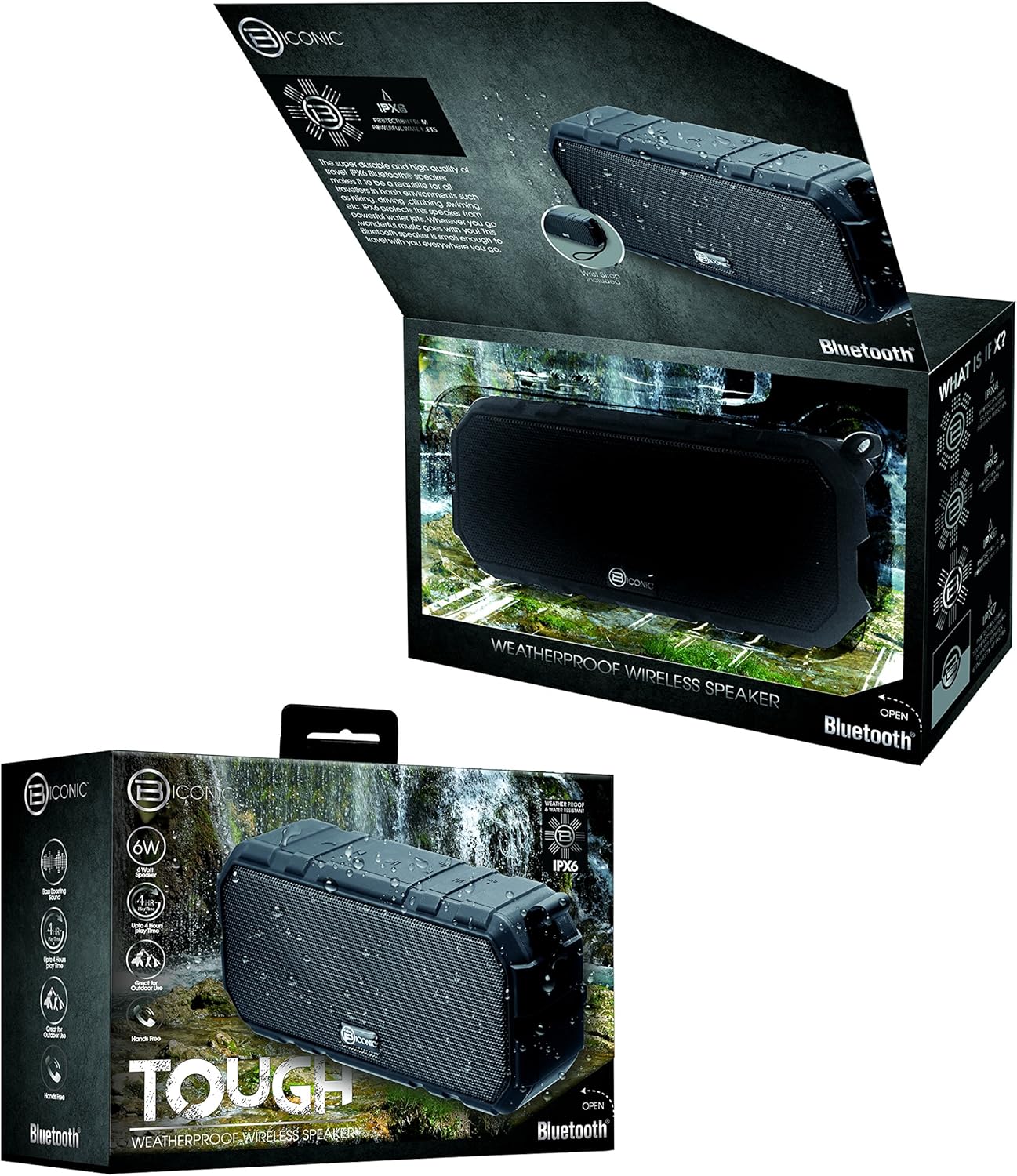
Figure 3.1: The Biconic Bluetooth Speaker shown with its retail packaging, indicating typical package contents.
4. الإعداد
4.1 شحن السماعة
- Locate the charging port on the side of the speaker. This port is typically protected by a rubber flap to maintain water resistance.
- افتح الغطاء المطاطي.
- قم بتوصيل الطرف الصغير من كابل الشحن USB المرفق بمنفذ شحن السماعة.
- قم بتوصيل الطرف الأكبر من كابل USB بمصدر طاقة USB (مثل منفذ USB في الكمبيوتر، أو محول USB الجداري).
- سيضيء مؤشر الشحن، وعادة ما يكون لونه أحمر، للدلالة على أن السماعة قيد الشحن.
- Once fully charged (approximately 2-3 hours), the indicator light will change color (e.g., turn off or turn blue/green). Disconnect the charging cable and close the rubber flap securely to maintain water resistance.
4.2 تشغيل/إيقاف التشغيل
- لتشغيل: Press and hold the Power button (usually marked with a power symbol) for a few seconds until you hear an audible tone or see an indicator light illuminate.
- لإيقاف التشغيل: Press and hold the Power button again for a few seconds until you hear an audible tone or the indicator light turns off.
5. تعليمات التشغيل
5.1 اقتران بلوتوث
Before first use, you need to pair the speaker with your Bluetooth-enabled device.
- Ensure the speaker is fully charged and powered on. It will automatically enter pairing mode, indicated by a flashing blue LED light.
- On your smartphone, tablet, or other Bluetooth device, go to the Bluetooth settings menu.
- قم بتمكين Bluetooth إذا لم يتم تمكينه بالفعل.
- Scan for available devices. You should see "Biconic Speaker" or a similar name appear in the list.
- Select "Biconic Speaker" to connect. Once successfully paired, you will hear a confirmation tone, and the blue LED light on the speaker will stop flashing and remain solid.
- إذا طُلب منك إدخال كلمة المرور، أدخل "0000".
- سيتم إعادة توصيل مكبر الصوت تلقائيًا بالجهاز المقترن الأخير عند تشغيله، إذا كان الجهاز ضمن النطاق وتم تمكين البلوتوث.
5.2 تشغيل الموسيقى
Once paired, you can control music playback directly from your connected device or using the speaker's controls.
- تشغيل/إيقاف مؤقت: Press the Play/Pause button (often marked with a triangle or || symbol) once to play or pause music.
- رفع الصوت: Press the Volume Up button (+) to increase the volume.
- اخفض الصوت: Press the Volume Down button (-) to decrease the volume.
- المسار التالي: Press and hold the Volume Up button (+) for a few seconds to skip to the next track.
- المسار السابق: Press and hold the Volume Down button (-) for a few seconds to go to the previous track.

الشكل 5.1: الجزء العلوي view of the Biconic Bluetooth Speaker, highlighting the control buttons for power, volume, and playback.
5.3 الرد على المكالمات (وظيفة التحدث الحر)
The speaker supports hands-free calling when connected to a smartphone.
- الرد على المكالمة: عند ورود مكالمة، اضغط على زر التشغيل/الإيقاف المؤقت مرة واحدة للرد.
- إنهاء المكالمة: أثناء المكالمة، اضغط على زر التشغيل/الإيقاف المؤقت مرة واحدة لإنهاء المكالمة.
- رفض المكالمة: Press and hold the Play/Pause button for a few seconds to reject an incoming call.
6. الصيانة
تضمن الصيانة المناسبة طول عمر وأداء مكبر الصوت الخاص بك على النحو الأمثل.
- تنظيف: امسح السماعة بقطعة ناعمة ، دamp cloth. Do not use harsh chemicals, solvents, or abrasive cleaners. Ensure the charging port flap is closed before cleaning with a damp قطعة قماش.
- تخزين: قم بتخزين مكبر الصوت في مكان بارد وجاف بعيدًا عن أشعة الشمس المباشرة ودرجات الحرارة العالية عند عدم استخدامه لفترات طويلة.
- العناية بالبطارية: To preserve battery life, fully charge the speaker before storing it for long periods. Recharge every 3-6 months if not used regularly.
- مقاومة الماء: Always ensure the rubber flap covering the charging port is securely closed to maintain the IPX6 water resistance rating.

Figure 6.1: The Biconic Bluetooth Speaker demonstrating its water-resistant capabilities, highlighting the importance of proper sealing for maintenance.
7. استكشاف الأخطاء وإصلاحها
| مشكلة | السبب المحتمل | حل |
|---|---|---|
| لا يتم تشغيل مكبر الصوت. | نفدت طاقة البطارية. | اشحن السماعة بالكامل. |
| لا يمكن الاقتران بجهاز بلوتوث. | Bluetooth is off on your device; speaker is not in pairing mode; device is too far. | Ensure Bluetooth is enabled on your device. Power off and on the speaker to re-enter pairing mode. Move device closer to the speaker (within 10 meters). Forget the device on your phone and try pairing again. |
| لا يوجد صوت أو مستوى الصوت منخفض. | مستوى الصوت منخفض جدًا على مكبر الصوت أو الجهاز؛ مكبر الصوت غير متصل. | Increase volume on both the speaker and your connected device. Ensure the speaker is properly paired and connected. |
| تشويه الصوت. | مستوى الصوت مرتفع جدًا؛ تداخل في الصوت؛ انخفاض مستوى البطارية. | خفّض مستوى الصوت. أبعد السماعة عن الأجهزة الإلكترونية الأخرى. اشحن السماعة. |
8. المواصفات
| ميزة | التفاصيل |
|---|---|
| رقم الموديل | ABC-AU-BS-103-BK |
| ماركة | بايتك |
| تكنولوجيا الاتصال | بلوتوث |
| الحد الأقصى لقوة خرج السماعة | 3 واط |
| وضع إخراج الصوت | ستيريو |
| تصنيف مقاومة الماء | IPX6 (مقاوم للماء، غير قابل للغمر) |
| نوع البطارية | بطارية ليثيوم أيون واحدة (مطلوبة) |
| وقت اللعب | تصل إلى 4 ساعة |
| أبعاد المنتج | 2.54 × 2.54 × 2.54 سم |
| وزن العنصر | 522 جرام |
| نوع التركيب | سطح الطاولة |
9. الضمان والدعم
For warranty information and technical support, please contact Bytech customer service. Details are typically provided on the product packaging or the official Bytech webموقع.
يرجى الاحتفاظ بإثبات الشراء الخاص بك لاستخدامه في أي مطالبات بالضمان.
ملاحظة: قد تختلف شروط الضمان باختلاف المنطقة.