
المنتج انتهىview
The 8Bitdo Ultimate Wired Controller is officially licensed by Xbox, offering a modern design and robust features for an enhanced gaming experience. It is compatible with Xbox Series X, Xbox Series S, Xbox One, and Windows 10 & 11.
تتضمن الميزات الرئيسية ما يلي:
- Officially Licensed by Xbox. Compatible with Xbox Series X, Xbox Series S, Xbox One & Windows 10 and above.
- Ultimate Software wirelessly with iOS and Android & wired on Xbox and PC.
- مخصص للمحترفينfile switch button, 3 profiles, switch on the fly.
- Customize button mapping, adjust stick & trigger sensitivity, vibration control and more.
- Two extra Pro-level Back Buttons and 3.5mm Audio Jack to directly connect your headphones.
- Perfect classic d-pad, trigger vibration, enhanced grip & a 3 meter cable.

الشكل 1: الجبهة view of the 8Bitdo Ultimate Wired Controller in Black.
يثبت
The 8Bitdo Ultimate Wired Controller is designed for plug-and-play functionality. Simply connect the controller to your compatible device using the integrated USB cable.
Connecting to Xbox Console:
- Ensure your Xbox Series X|S or Xbox One console is powered on.
- Plug the USB-A end of the controller's cable into an available USB port on your Xbox console.
- The controller will automatically connect and the Xbox button on the controller will illuminate.
Connecting to Windows PC:
- Ensure your Windows 10 or Windows 11 PC is powered on.
- Plug the USB-A end of the controller's cable into an available USB port on your PC.
- The PC should automatically detect and install the necessary drivers. The Xbox button on the controller will illuminate once connected.

Figure 2: The 8Bitdo Ultimate Wired Controller connected to a laptop for PC gaming.
التشغيل
الضوابط الأساسية:
- العصي التناظرية: تُستخدم للتحكم في الحركة والكاميرا.
- D- الوسادة: For directional input, often used in retro games or menu navigation.
- أزرار A/B/X/Y: أزرار الإجراءات القياسية.
- LT/RT (المحفزات): Analog triggers with vibration motors for immersive feedback.
- LB/RB (أزرار الكتف): Digital shoulder buttons.
- زر Xbox: Powers on the controller, accesses the Xbox Guide.
- View زر (أيقونة مربعين): يتيح الوصول إلى قوائم اللعبة أو ميزات النظام.
- زر القائمة (أيقونة الخطوط الثلاثة): Accesses game options or system menus.
- Share Button (Arrow pointing up): يلتقط لقطات شاشة أو مقاطع فيديو.
Pro-level Back Buttons:
The controller features two extra programmable back buttons (P1 and P2) located on the underside. These can be mapped to any other button for quick access during gameplay.
محترفfile التحويل:
The controller has a dedicated Custom Profile switch button (three dots icon) to cycle through 3 customizable profiles on the fly. Each profile can store different button mappings, stick/trigger sensitivities, and vibration settings.
عناصر التحكم في الصوت:
- مقبس صوت 3.5 ملم: Connect your gaming headset directly to the controller.
- تبديل كتم الصوت: A dedicated switch to mute your microphone.
- ضبط مستوى الصوت: امسك المحترفfile button and press UP/DOWN on the D-Pad to increase/decrease game volume. Hold the Profile button and press LEFT/RIGHT on the D-Pad to adjust game/chat balance.

Figure 3: The bottom of the controller with the 3.5mm audio jack and mute switch.
Customization (Ultimate Software)
The 8Bitdo Ultimate Software allows for extensive customization of your controller. It is available on Xbox, Windows 10 and above, Android, and iOS. While the controller is wired for gameplay, the mobile app connects wirelessly via Bluetooth for customization.
Features of Ultimate Software:
- تعيين الزر: Remap any button to your preferred function.
- حساسية عصا التحكم: Adjust the sensitivity and dead zones of both analog sticks.
- حساسية الزناد: Fine-tune the sensitivity and dead zones of the LT/RT triggers.
- التحكم في الاهتزاز: Adjust the strength of the vibration motors in different areas of the controller.
- محترفfile إدارة: Create and save up to 3 custom profiles directly on the controller, allowing you to switch between them without re-configuring.
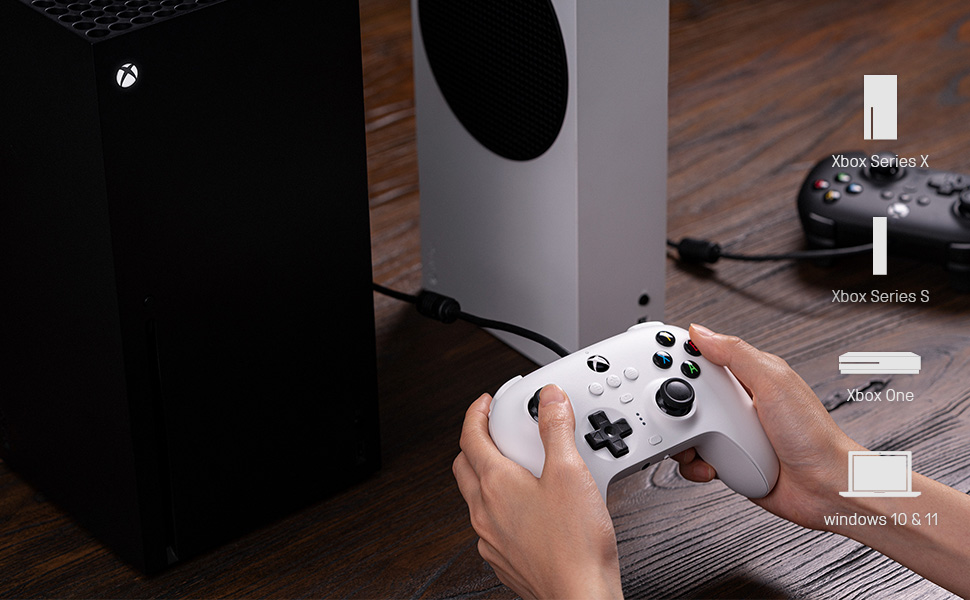
Figure 4: The 8Bitdo Ultimate Software interface for customizing button mapping.
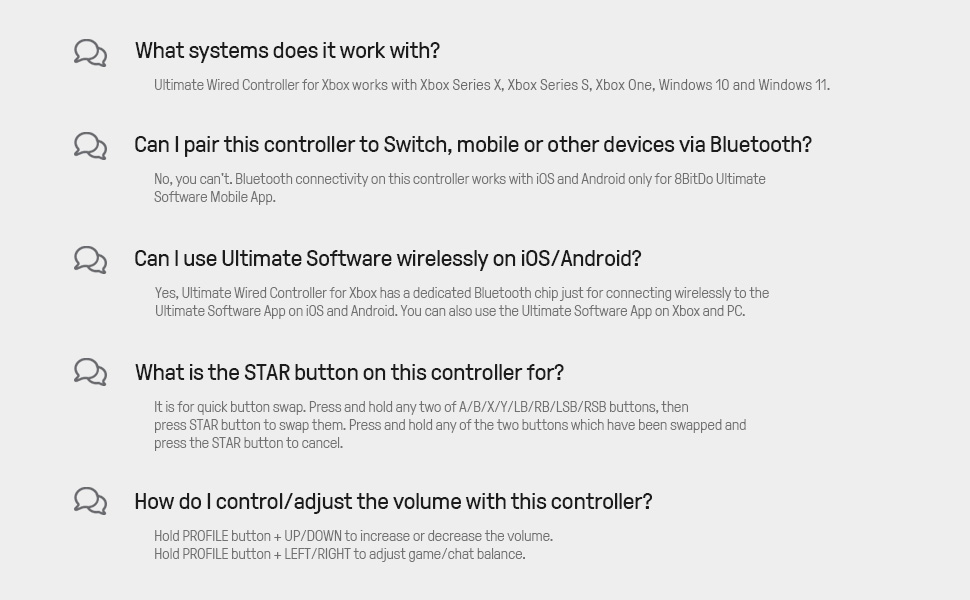
Figure 5: The 8Bitdo Ultimate Software interface for adjusting stick and trigger sensitivity.
التوافق
The 8Bitdo Ultimate Wired Controller is designed for broad compatibility across various gaming platforms:
- Xbox Consoles: Xbox Series X, Xbox Series S, Xbox One.
- الكمبيوتر الشخصي: Windows 10 and Windows 11.
- منصات أخرى: The controller has also been tested to work with RetroPie on Raspberry Pi and the Mr. Project for retro gaming emulation.
ملحوظة: While the Ultimate Software is available on iOS and Android for customization, the controller itself does not function as a game controller on mobile phones or tablets for gameplay.

Figure 6: The 8Bitdo Ultimate Wired Controller is compatible with Xbox consoles and Windows PCs.
صيانة
To ensure the longevity and optimal performance of your 8Bitdo Ultimate Wired Controller, follow these maintenance guidelines:
- تنظيف: استخدم قطعة قماش ناعمة وجافة لمسح وحدة التحكم بانتظام. لإزالة الأوساخ المستعصية، استخدم قطعة قماش مبللة قليلاً.amp يمكن استخدام قطعة قماش، ولكن تأكد من عدم دخول أي رطوبة إلى المنافذ أو الأزرار.
- تخزين: Store the controller in a cool, dry place away from direct sunlight and extreme temperatures. Avoid wrapping the cable tightly around the controller to prevent damage to the cable or internal connections.
- العناية بالكابلات: The integrated 3-meter (9.84 ft) USB cable is durable, but avoid excessive pulling, bending, or twisting, especially near the connection points.
استكشاف الأخطاء وإصلاحها
- وحدة التحكم لا تستجيب:
- تأكد من توصيل كابل USB بإحكام بكل من وحدة التحكم وجهاز الألعاب/الكمبيوتر.
- حاول توصيل وحدة التحكم بمنفذ USB مختلف.
- أعد تشغيل جهازك أو جهاز الكمبيوتر الخاص بك.
- Buttons Feeling Sticky or Unresponsive:
- Clean around the buttons with a cotton swab lightly dampمخفف بالكحول الأيزوبروبيل.
- Ensure the controller's firmware is up to date using the 8Bitdo Ultimate Software.
- D-Pad Input Issues (Errant Diagonals):
- While the D-Pad is designed for precision, some retro games may interpret inputs differently. Experiment with the stick sensitivity settings in the Ultimate Software.
- Rumble Motors Noise/Weakness:
- Adjust vibration strength via the Ultimate Software. Note that some noise may be inherent to the motor design.
- Cable Length Insufficient:
- The controller comes with a 3-meter (9.84 ft) cable. If more length is needed, a USB extension cable may be required.
تحديد
| ميزة | التفاصيل |
|---|---|
| العلامة التجارية | 8Bitdo |
| اسم الموديل | 6922621502227 |
| الأجهزة المتوافقة | Xbox Series X, Xbox Series S, Xbox One, Windows 10, Windows 11, PC |
| نوع وحدة التحكم | لوحة الألعاب |
| تكنولوجيا الاتصال | USB (سلكي) |
| طول الكابل | 3 أمتار (9.84 قدم) |
| مميزات اضافية | Two Pro-level Back Buttons, 3.5mm Audio Jack, Custom Profile Switch Button, Ultimate Software (iOS/Android/Xbox/PC) |
| كمية الأزرار | 18 |
| وزن العنصر | 11.7 أونصة |
| أبعاد العنصر | 3.94 × 1.97 × 1.57 بوصة |
| لون | أسود |
الضمان والدعم
ضمان: This product comes with a 1-year warranty from the manufacturer, 8Bitdo.
For further support, firmware updates, or detailed information on the Ultimate Software, please visit the official 8Bitdo webالموقع أو الاتصال بخدمة العملاء الخاصة بهم.
فيديو المنتج الرسمي
فيديو 1: انتهى الرسميview of the 8Bitdo Ultimate Wired Controller for Xbox, showcasinج- مميزاته وتصميمه.