
مقدمة
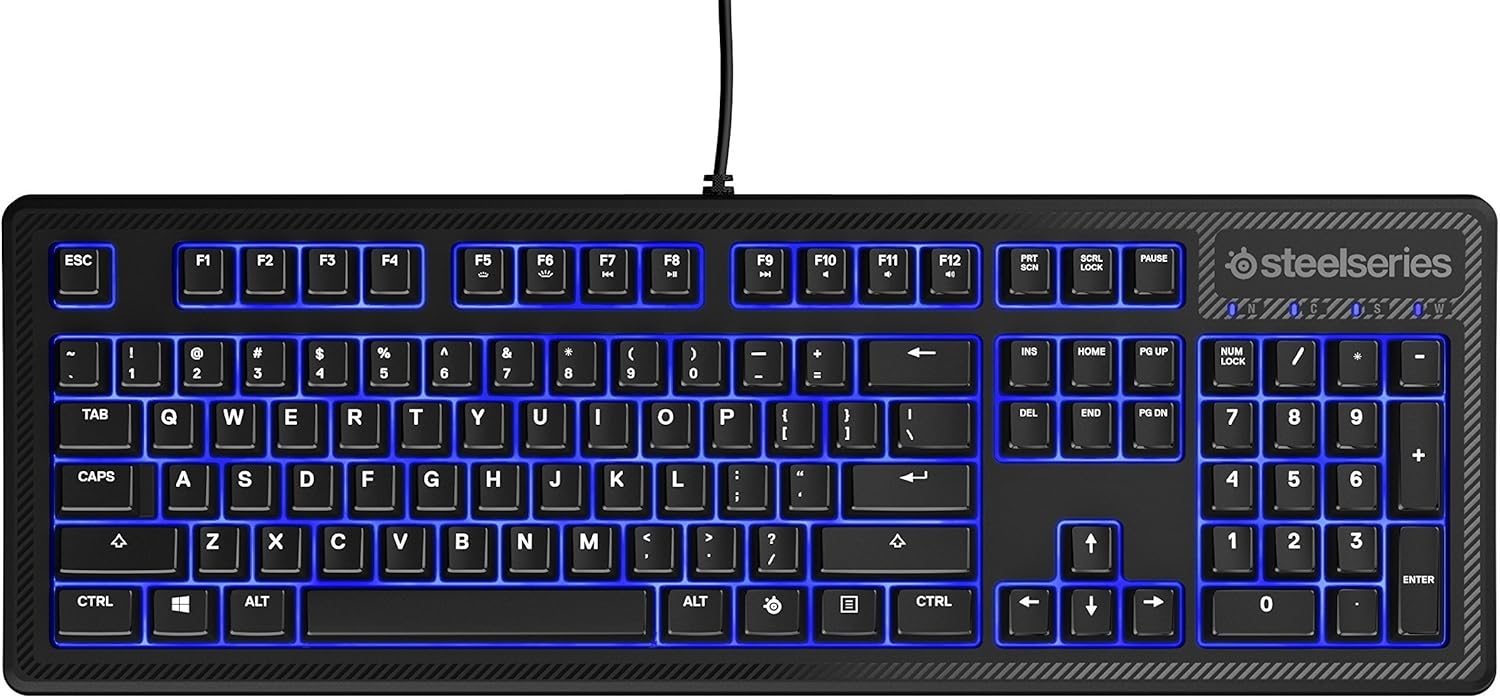
The SteelSeries Apex 100 Gaming Keyboard is designed for optimal gaming performance, featuring Quick Tension Switches for fast reaction times, tactile feedback, and quiet operation. It includes blue LED backlighting, advanced anti-ghosting, and is built with splash resistance for durability.
يثبت
1. توصيل لوحة المفاتيح
Connect the keyboard's USB-A cable to an available USB port on your computer. The keyboard is plug-and-play, and your operating system should automatically detect and install the necessary drivers.

الصورة: أعلى view of the SteelSeries Apex 100 Gaming Keyboard, showing the full QWERTY layout with blue LED backlighting and the attached USB cable.
2. تثبيت البرنامج (اختياري)
For advanced customization, including macro programming and backlighting adjustments, download and install the SteelSeries Engine 3 software from the official SteelSeries webموقع (Steelseries.com/engine). اتبع الإرشادات التي تظهر على الشاشة للتثبيت.
تشغيل لوحة المفاتيح
الميزات الرئيسية
- Quick Tension Switches: Designed to mimic mechanical switches, providing a tactile feel and fast actuation.
- الإضاءة الخلفية LED الزرقاء: Offers brilliant ground effects backlighting. Intensity can be adjusted via SteelSeries Engine 3.
- Advanced Anti-Ghosting: Ensures all key presses are registered accurately during intense gaming sessions.
- ضوابط الوسائط: Integrated media control functions are accessible via function keys (F7-F12) in combination with the Fn key.
الصورة: الجانب view of the SteelSeries Apex 100 Gaming Keyboard, highlighting its ergonomic design and keycap profile.
Customization with SteelSeries Engine 3
The SteelSeries Engine 3 software allows you to:
- Create and assign macros to any key.
- Adjust the intensity of the blue LED backlighting.
- Configure polling rates and other performance settings.
صيانة
تنظيف
To clean your keyboard, disconnect it from your computer. Use a soft, dry cloth to wipe down the keys and chassis. For stubborn dirt, a slightly damp cloth with mild soap can be used, ensuring no liquid enters the key switches or internal components. The keyboard is splash resistant, but not waterproof; avoid submerging it or exposing it to excessive liquids.
متانة
The Apex 100 keyboard features a guaranteed 20-million click lifespan for its switches, ensuring long-term reliability under heavy use.

الصورة: أسفل view of the SteelSeries Apex 100 Gaming Keyboard, showing the drainage channels and adjustable feet.
استكشاف الأخطاء وإصلاحها
لوحة المفاتيح لا تستجيب
- تأكد من توصيل كابل USB بشكل آمن بكل من لوحة المفاتيح والكمبيوتر.
- حاول توصيل لوحة المفاتيح بمنفذ USB مختلف.
- أعد تشغيل الكمبيوتر الخاص بك.
- إذا كنت تستخدم موزع USB، فحاول الاتصال مباشرة بالكمبيوتر.
مشاكل الإضاءة الخلفية
- Check the backlighting settings within the SteelSeries Engine 3 software.
- Ensure the keyboard's brightness level is not set to minimum.
المفاتيح غير مسجلة
- قم بتنظيف المنطقة المحيطة بالمفاتيح المتضررة لإزالة أي حطام.
- If the issue persists, consider reinstalling the SteelSeries Engine 3 software or updating your USB drivers.
للحصول على مزيد من المساعدة، يرجى الرجوع إلى دعم SteelSeries webموقع.
تحديد
| ميزة | التفاصيل |
|---|---|
| ماركة | سلسلة ستيل |
| اسم الموديل | قمة 100 |
| رقم الموديل | 64435 |
| تكنولوجيا الاتصال | يو اس بي-ايه |
| وصف لوحة المفاتيح | الألعاب |
| الاستخدامات الموصى بها | الألعاب |
| ميزة خاصة | مضاءة من الخلف |
| لون | أزرق |
| دعم لون الإضاءة الخلفية للوحة المفاتيح | Single Color (Blue) |
| أسلوب | Whisper Quiet – Tactile & Silent |
| أبعاد المنتج | 18.21 بوصة طول × 6.13 بوصة عرض × 1.58 بوصة ارتفاع |
| مصدر الطاقة | USB |
| نوع المفتاح | Tactile (Quick Tension Switches) |
| تخطيط لوحة المفاتيح | لوحة مفاتيح كويرتي |
| كمية الأزرار | 104 |
| عائلة أنظمة التشغيل المتوافقة | نوافذ |
| عدد المفاتيح | 100 |
| مواد التغليف | بلاستيك |
| وزن العنصر | 2.42 رطل |
| رمز المنتج الموحد | 813682020101 |
معلومات الضمان
According to product information, this item comes with بدون كفالة. Please check with your retailer for their return or exchange policies.
يدعم
For additional support, driver downloads, or frequently asked questions, please visit the official SteelSeries support webموقع: