
1. المقدمة
The Grandstream GWN7610 is a high-performance 802.11ac Wi-Fi Access Point designed for various environments such as office buildings, multi-floor locations, branch offices, and commercial/retail settings. It offers high network throughput, extensive wireless coverage, robust security features, and integrated network management without requiring external controllers. This manual provides essential information for the proper installation, configuration, and operation of your GWN7610 Access Point.
2. محتويات العبوة
تأكد من أن الحزمة الخاصة بك تحتوي على العناصر التالية:
- Grandstream GWN7610 Access Point
- Mounting Equipment (bracket, screws)
- دليل التثبيت السريع (هذه الوثيقة)
Note: A power adapter is not included. The device supports Power over Ethernet (PoE/PoE+).
3. جسديا أكثرview
Familiarize yourself with the ports and indicators on your GWN7610 Access Point.

الشكل 3.1: من أعلى إلى أسفل view of the GWN7610 Access Point, showing its circular design and ventilation.
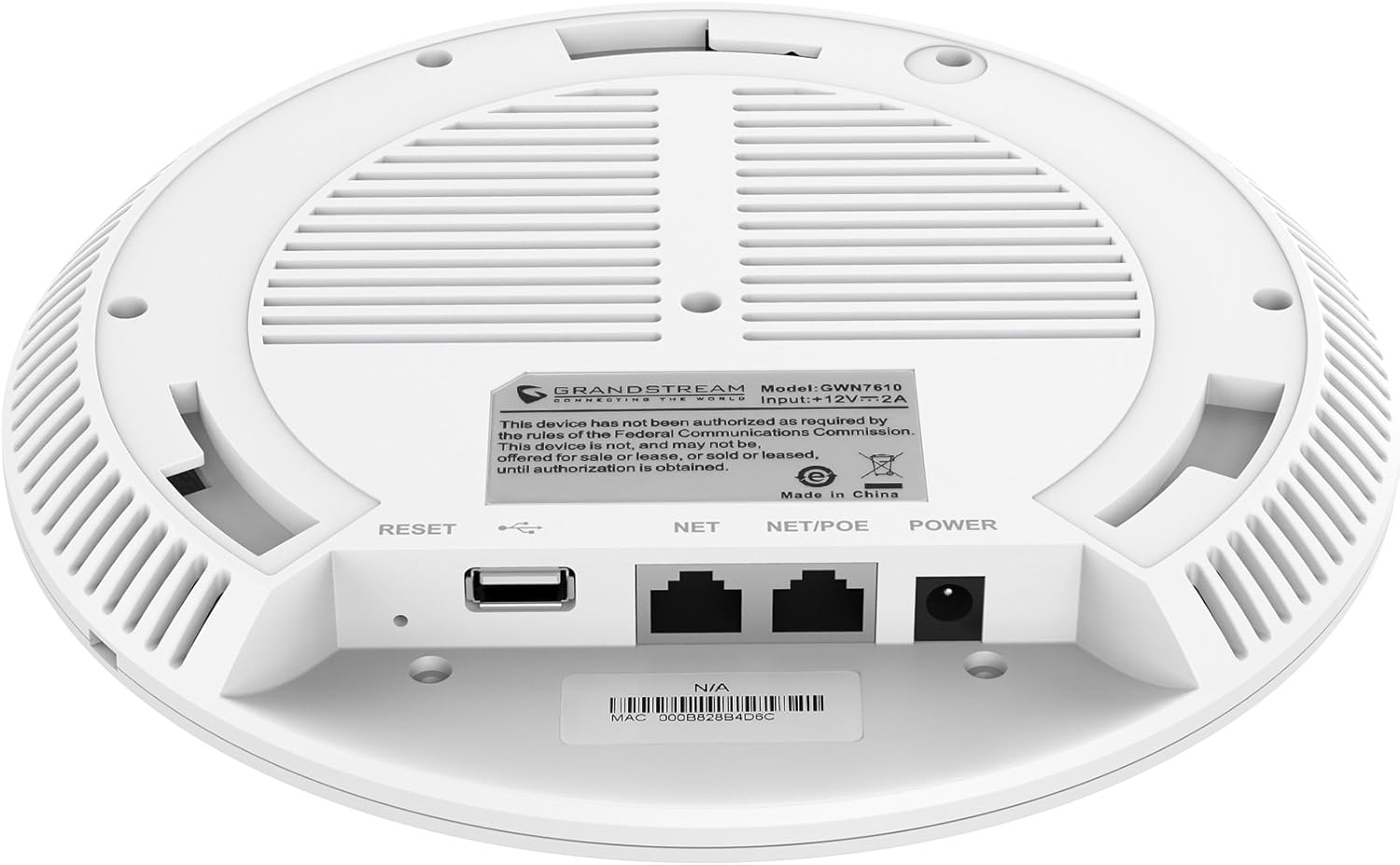
الشكل 3.2: القاع view of the GWN7610 Access Point, highlighting the connectivity ports and regulatory information.
- زر إعادة الضبط: Used to reset the device to factory default settings. Press and hold for 10 seconds while the device is powered on.
- منفذ USB: For future applications such as location-based services and other IoT (Internet of Things) applications.
- NET/POE Port: Gigabit Ethernet port that supports Power over Ethernet (PoE/PoE+) for both data and power supply.
- منفذ الطاقة: DC power input (12V===2A) if not using PoE.
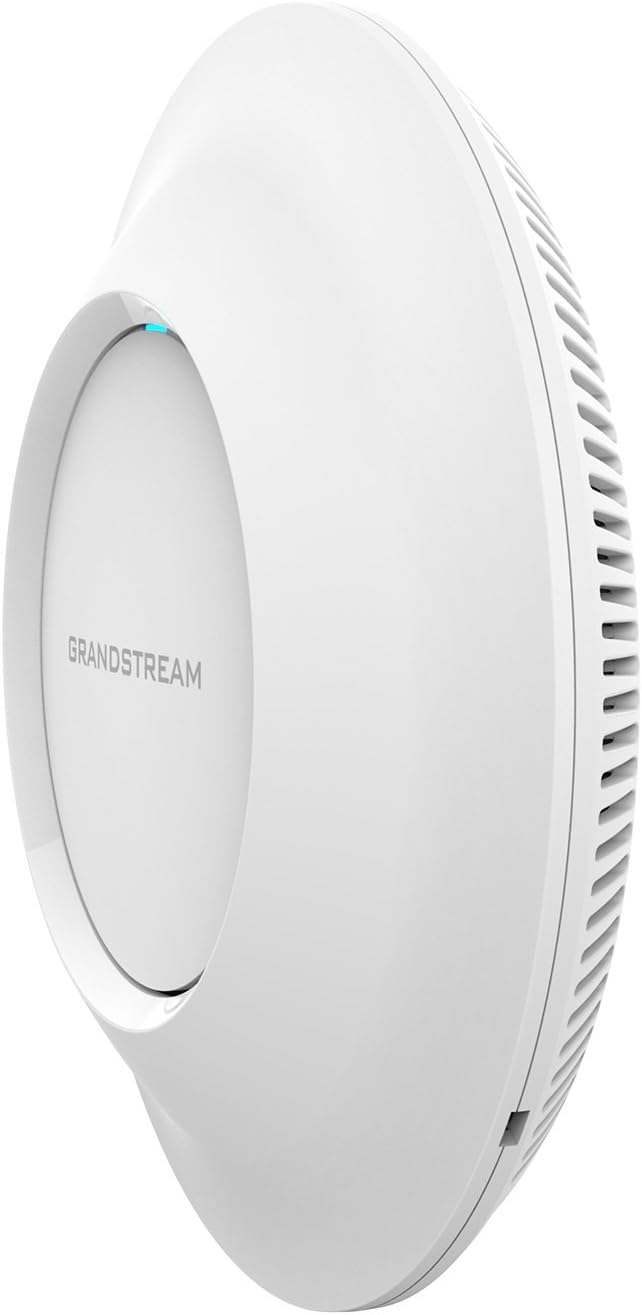
الشكل 3.3: الجانب view of the GWN7610 Access Point, illustrating its sleek profile.
4. التثبيت والتركيب
The GWN7610 can be mounted on a wall or ceiling. The included mounting equipment facilitates installation. For optimal wireless coverage, choose a central location free from obstructions and sources of interference. Ensure the device is positioned away from large metal objects, concrete walls, and other electronic devices that may cause signal degradation.
Refer to the specific instructions provided with the mounting kit for detailed steps on securing the access point.
5. الإعداد
The GWN7610 features embedded network management, allowing for easy setup and configuration without the need for external controllers. Follow these general steps for initial setup:
- تشغيل الطاقة: Connect the GWN7610 to a PoE/PoE+ enabled switch or injector using an Ethernet cable, or connect a 12V===2A DC power adapter to the POWER port.
- إتصال شبكة: Connect the NET/POE port to your network infrastructure (router or switch).
- الوصول إلى Web الواجهة: Once powered on and connected, the GWN7610 will obtain an IP address via DHCP. You can discover the device's IP address using Grandstream's discovery tools or by checking your DHCP server's client list. Enter the IP address into a web browser to access the management interface.
- الترتيب الأولي: Log in with the default credentials (usually found in the Quick Installation Guide or on the device label) and proceed with configuring your Wi-Fi networks (SSIDs), security settings, and other network parameters.
6. تعليمات التشغيل
The GWN7610 is designed for robust and efficient wireless operation. Key operational features include:
- شبكات واي فاي متعددة: Supports up to 16 SSIDs per radio, allowing for flexible network segmentation (e.g., separate networks for employees, guests, IoT devices).
- سعة العميل: Capable of supporting over 250 concurrent Wi-Fi clients, making it suitable for high-density environments.
- Dual-Band MIMO: Utilizes dual-band 3x3:3 MIMO technology for enhanced performance and reliability across both 2.4GHz and 5GHz frequencies.
- إنتاجية عالية: Delivers a maximum network throughput of up to 1.75Gbps, ensuring fast data transfer rates.
- التغطية الموسعة: Provides an expanded coverage range of up to 175 meters, minimizing dead zones.
- Integrated Controller: Manage multiple GWN7610 units from a single master access point, simplifying network administration.
7. الصيانة
Regular maintenance ensures optimal performance and longevity of your GWN7610 Access Point.
- تحديثات البرامج الثابتة: Periodically check the Grandstream website for the latest firmware versions. Firmware updates often include performance improvements, security patches, and new features. Follow the instructions provided by Grandstream for updating firmware. Note that some updates may require using a TFTP server.
- تنظيف: حافظ على نظافة الجهاز وخلوه من الغبار. استخدم قطعة قماش ناعمة وجافة للتنظيف. لا تستخدم المنظفات السائلة أو البخاخات.
- الظروف البيئية: تأكد من تشغيل الجهاز ضمن نطاقات درجة الحرارة والرطوبة المحددة له لمنع حدوث تلف.
8. استكشاف الأخطاء وإصلاحها
If you encounter issues with your GWN7610, consider the following troubleshooting steps:
- لا يوجد طاقة: Verify that the device is properly connected to a PoE/PoE+ source or a compatible 12V===2A power adapter. Check the power indicator light.
- لا يوجد اتصال بالشبكة: Ensure the Ethernet cable is securely connected to the NET/POE port and your network switch/router. Check the status of your network infrastructure.
- لا يمكن الوصول Web الواجهة: Confirm the device has an IP address and that your computer is on the same network segment. Try pinging the device's IP address. If the IP address is unknown, use Grandstream's discovery utility.
- أداء Wi-Fi ضعيف: Check for sources of interference (e.g., microwaves, cordless phones). Ensure the access point is optimally placed. Adjust Wi-Fi channel settings to avoid congestion.
- الجهاز لا يستجيب: Perform a soft reboot by disconnecting and reconnecting power. If the issue persists, perform a factory reset using the RESET button (refer to Section 3).
9. المواصفات
| ميزة | مواصفة |
|---|---|
| نوع لاسلكي | 802.11a/g/n/ac |
| عدد منافذ USB 2.0 | 1 |
| ماركة | جراندستريم |
| مسلسل | جراندستريم GWN7610 |
| رقم موديل العنصر | GWN7610 |
| نظام التشغيل | نظام تشغيل الراوتر |
| وزن العنصر | 1.9 رطل |
| أبعاد المنتج (الطول × العرض × الارتفاع) | 9 × 9 × 3 بوصة |
| لون | أبيض |
| الشركة المصنعة | جراندستريم |
10. معلومات السلامة
يرجى قراءة واتباع إرشادات السلامة هذه لمنع تلف الجهاز أو إصابتك:
- لا تعرض الجهاز للماء أو الرطوبة.
- لا تقم بفتح الجهاز أو محاولة إصلاحه. قم بإحالة جميع أعمال الصيانة إلى فنيين مؤهلين.
- Use only the power sources specified (PoE/PoE+ or 12V===2A DC adapter).
- قم بتركيب الجهاز في منطقة جيدة التهوية.
- تحذير بشأن الاقتراح 65: قد يحتوي هذا المنتج على مواد كيميائية معروفة في ولاية كاليفورنيا بأنها تسبب السرطان والعيوب الخلقية أو غيرها من الأضرار التناسلية.
11. الامتثال التنظيمي
This device complies with relevant regulatory standards. Please note the following:
FCC Warning: This device has not been authorized as required by the rules of the Federal Communications Commission. This device is not, and may not be, offered for sale or lease, or sold or leased, until authorization is obtained.
Users are advised to ensure compliance with local regulations regarding wireless device operation.
12. الضمان والدعم
للحصول على معلومات الضمان والدعم الفني، يرجى الرجوع إلى موقع Grandstream الرسمي webيمكنك زيارة الموقع الإلكتروني أو الاتصال بالبائع المعتمد. احتفظ بإيصال الشراء لتقديم مطالبات الضمان.