
1. المقدمة وما فوقview
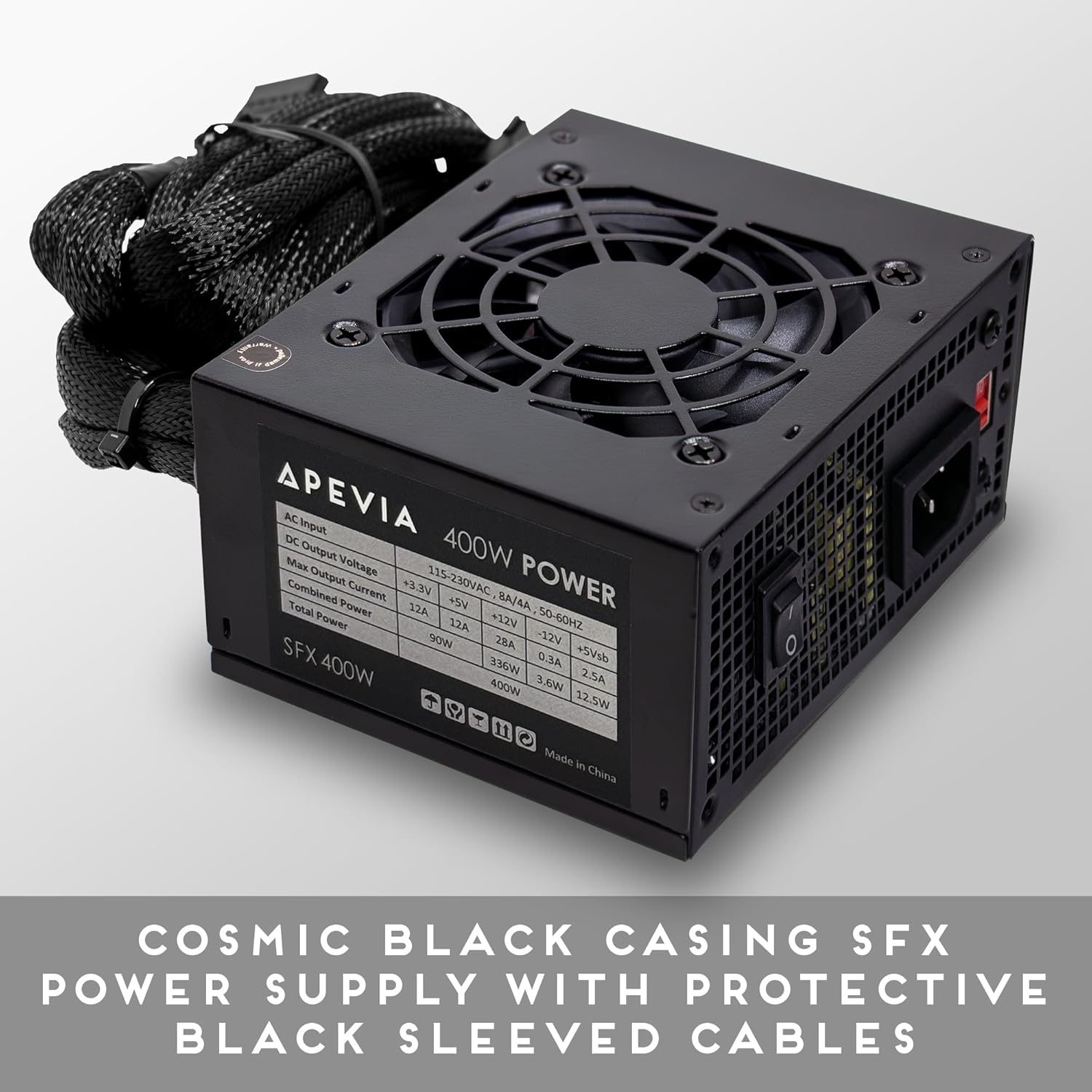
The Apevia SFX-AP400W is a 400W power supply unit (PSU) specifically designed for compact, small form factor systems, including Mini ITX and Micro ATX builds. It delivers a steady 400W output and features a built-in 80mm fan with automatic thermal sensing for efficient and quiet cooling. This power supply is suitable for powering a wide range of computer components and peripherals.
2. معلومات السلامة
Please read and understand all safety instructions before installing or operating this power supply unit. Failure to follow these instructions may result in electric shock, fire, or damage to the product and other components.
- Do not overload, abuse, or modify the power supply unit.
- تأكد من فصل مصدر الطاقة عن مأخذ الطاقة الرئيسي قبل التركيب أو الصيانة.
- لا تقم بتشغيل مصدر الطاقة في بيئة رطبة أو جافةamp شروط.
- Keep the power supply away from heat sources and direct sunlight.
- تأكد من التهوية المناسبة حول مصدر الطاقة لمنع ارتفاع درجة الحرارة.
- Using this unit for Bitcoin mining or similar intensive, continuous load applications is not recommended as it can shorten the lifespan and cause failures. Such usage is not covered by the product warranty.
3. محتويات العبوة
Upon opening your Apevia SFX-AP400W Power Supply package, you should find the following items:
- APEVIA SFX-AP400W Power Supply Unit
- سلك الطاقة المتردد
- مسامير التثبيت

4. مواصفات المنتج
The Apevia SFX-AP400W Power Supply is engineered with several features to ensure reliable performance and compatibility with small form factor systems.
- تصميم مضغوط: Features a cosmic black casing designed for SFX form factor computer system builds.
- Protective Sleeved Cables: All cables are sleeved for improved cable management and durability.
- التبريد الفعال: Equipped with a single 80mm quiet fan that utilizes forced air ventilation and a smart thermal fan speed control circuit for optimal temperature regulation.
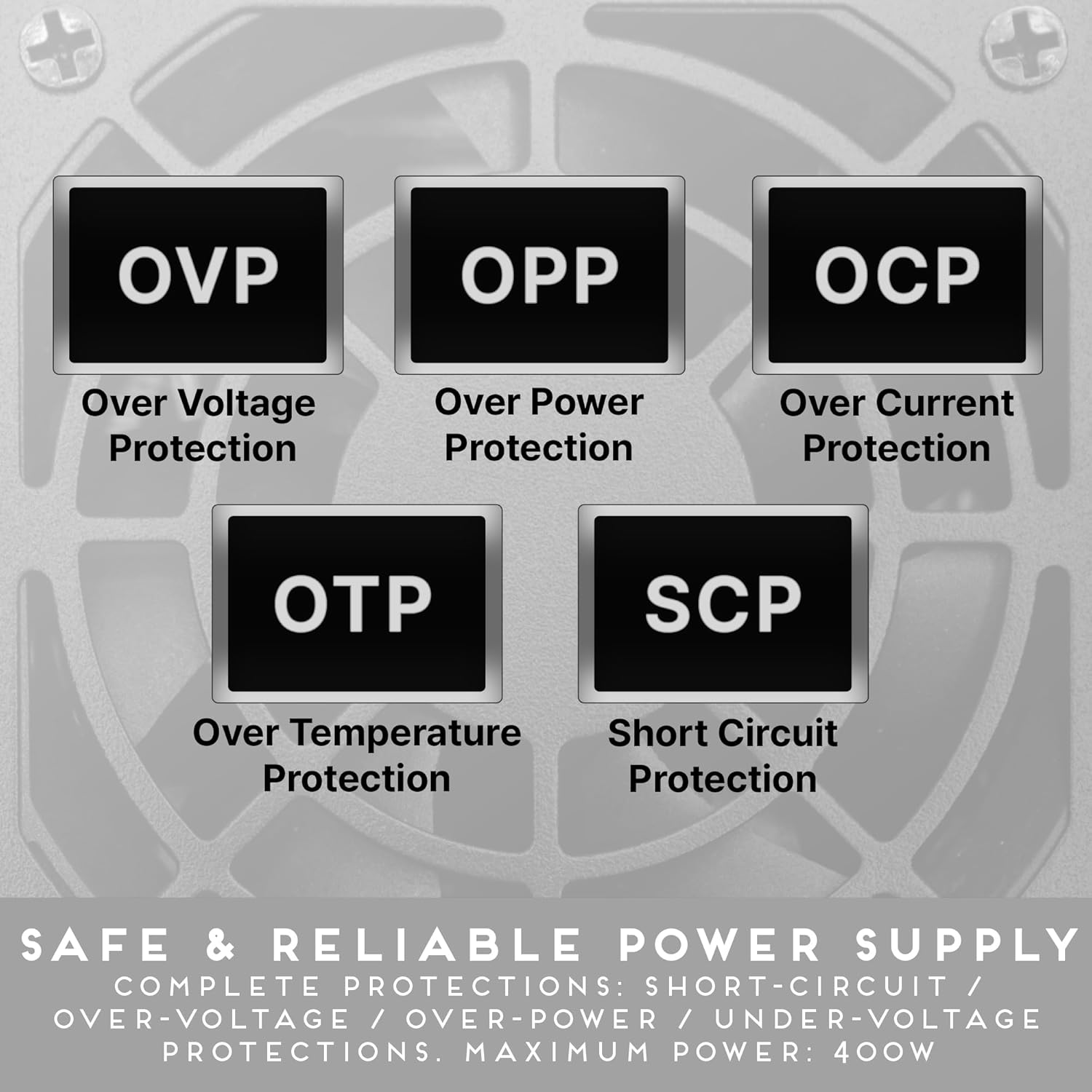
- الحماية الشاملة: يشمل مستوى الصوت الزائدtage Protection (OVP), Over Power Protection (OPP), Over Current Protection (OCP), Over Temperature Protection (OTP), and Short Circuit Protection (SCP) for enhanced safety and component longevity.

5. الإعداد والتثبيت
Follow these general steps to install your Apevia SFX-AP400W Power Supply into your computer system. Always refer to your computer case and motherboard manuals for specific instructions.
- حضّر نظامك: تأكد من إيقاف تشغيل جهاز الكمبيوتر تمامًا وفصله عن مقبس الحائط. افتح غطاء جهاز الكمبيوتر.
- إزالة وحدة PSU القديمة (إن وجدت): افصل جميع الكابلات عن وحدة التزويد بالطاقة القديمة. قم بفك البراغي وإزالة وحدة التزويد بالطاقة القديمة من الهيكل.
- تثبيت PSU الجديد: Carefully place the Apevia SFX-AP400W into the designated SFX power supply bay in your computer case. Secure it with the provided mounting screws.
- قم بتوصيل مصدر الطاقة الرئيسي: Connect the 20+4pin Main Power connector to your motherboard.
- قم بتوصيل طاقة المعالج: Connect the 4pin 12V (P4) connector to your motherboard's CPU power socket.
- Connect PCIe Power (if applicable): If your graphics card requires external power, connect the 6/8pin PCIe connector to it.
- توصيل الأجهزة الطرفية: Use the SATA, Molex, and Floppy connectors to power your storage drives, optical drives, and other peripherals as needed.
- إدارة الكابلات: Organize cables to ensure proper airflow within the case.
- إغلاق القضية: بمجرد تأمين كافة التوصيلات، أغلق علبة الكمبيوتر.

6. تعليمات التشغيل
Operating the Apevia SFX-AP400W Power Supply is straightforward once installed.
- الاتصال بالطاقة: Plug the AC power cord into the power supply's inlet and then into a wall outlet.
- تشغيل الطاقة: Flip the power switch on the back of the PSU to the 'I' (On) position.
- بدء تشغيل النظام: Power on your computer system using its main power button. The PSU fan will activate and adjust its speed automatically based on the internal temperature to maintain optimal cooling.
- إيقاف التشغيل: To shut down your system, use the operating system's shutdown procedure. For complete power disconnection, flip the PSU switch to 'O' (Off) and unplug the AC power cord.
7. الصيانة
تساعد الصيانة المنتظمة على ضمان طول عمر وأداء مصدر الطاقة الخاص بك على النحو الأمثل.
- حافظ على فتحات التهوية نظيفة: Periodically check that the air intake and exhaust vents on the power supply are free from dust and obstructions. Blocked vents can lead to overheating.
- إزالة الغبار: Use compressed air to gently clean dust from the fan and internal components of the PSU. Do this only when the unit is powered off and unplugged.
- فحص الكابلات: Occasionally inspect all power cables for any signs of wear, fraying, or damage. Replace damaged cables immediately.
8. استكشاف الأخطاء وإصلاحها
If you encounter issues with your Apevia SFX-AP400W Power Supply, refer to the following common troubleshooting steps:
- لا يوجد طاقة للنظام:
- تأكد من توصيل سلك طاقة التيار المتردد بشكل آمن بكل من وحدة إمداد الطاقة والمأخذ الكهربائي الموجود بالحائط.
- Verify the power switch on the back of the PSU is in the 'I' (On) position.
- Check all internal power connections (20+4pin, 4pin 12V, PCIe, SATA, Molex) to ensure they are firmly seated.
- اختبر مقبس الحائط بجهاز آخر للتأكد من أنه يزود الطاقة.
- عدم استقرار النظام/الإغلاق العشوائي:
- This could indicate an overloaded or failing power supply. Ensure your system's power requirements do not exceed the PSU's 400W capacity.
- Check for proper ventilation to prevent overheating, which can cause shutdowns.
- Unusual Noises (e.g., rattling, high-pitched whine):
- A rattling noise might indicate a loose component or a fan issue. If the noise is persistent or severe, discontinue use and contact support.
- A high-pitched whine (coil whine) can occur in some power supplies, especially under certain loads. While often not indicative of a fault, if it is excessively loud or new, monitor the PSU's performance.
- رائحة حرق:
- Immediately power off and unplug the system. Do not attempt to use the PSU again. Contact support.
9. المواصفات
| ميزة | مواصفة |
|---|---|
| رقم الموديل | SFX-AP400W |
| ماركة | Apevia |
| انتاج واتtage | 400 واط |
| عامل الشكل | SFX, ATX, Micro, Mini |
| طريقة التبريد | هواء |
| عدد المعجبين | 1 |
| حجم المروحة | 80 مليمتر |
| تصميم مزود الطاقة | غير وحدات |
| الموصلات | 1 x 20+4pin Main Power, 1 x 4pin 12V(P4), 1 x 6/8pin PCIe, 2 x SATA, 2 x 4pin Molex, 1 x 4pin Floppy |
| حجم الإخراجtages/Currents | +3.3V@12A, +5V@12A, +12V@28A, -12V@0.3A, +5Vsb@2.5A |
| الأبعاد (الطول × العرض × الارتفاع) | 125mm X X 100mm 63.5mm (4.92 "س 3.94" س 2.5 ") |
| وزن العنصر | 921 جرام |
| الحد الأدنى لحجم الإدخالtage | 100 فولت |
| الحد الأقصى لحجم الإدخالtage | 230 فولت (تيار متردد) |

10. معلومات الضمان
The Apevia SFX-AP400W Power Supply comes with a ضمان لمدة سنتين من تاريخ الشراء. يغطي هذا الضمان عيوب المواد والصناعة في ظل الاستخدام العادي.
Please note that the warranty does not cover damages resulting from:
- Overloading, abuse, or modification of the unit.
- التثبيت أو التشغيل غير الصحيح.
- Use for Bitcoin mining or similar intensive, continuous load applications.
- Accidental damage, natural disasters, or unauthorized repairs.
احتفظ بإثبات الشراء الخاص بك لاستخدامه في حالة مطالبات الضمان.
11. الدعم
For technical assistance, warranty claims, or further inquiries regarding your Apevia SFX-AP400W Power Supply, please contact Apevia customer support through their official webالموقع أو البائع الذي اشتريت منه المنتج.
When contacting support, please have your product model number (SFX-AP400W) and proof of purchase readily available to expedite the process.