
مقدمة
The Cooler Master Hyper 212 LED is a high-performance CPU cooler designed to efficiently dissipate heat from your processor. It features a PWM (Pulse Width Modulation) Red LED fan, four direct contact heat pipes, and funnel-shaped aluminum fins for optimized cooling. The universal bracket design ensures compatibility with various CPU platforms, providing a straightforward installation process.
محتويات الحزمة
قبل البدء في التثبيت، تأكد من وجود جميع المكونات:
- Hyper 212 LED CPU Cooler (Heatsink and Fan Assembly)
- أقواس تثبيت عالمية (لمقابس Intel و AMD)
- Mounting Hardware (screws, standoffs, backplate)
- المعجون الحراري
- Additional fan clips (for optional second fan)
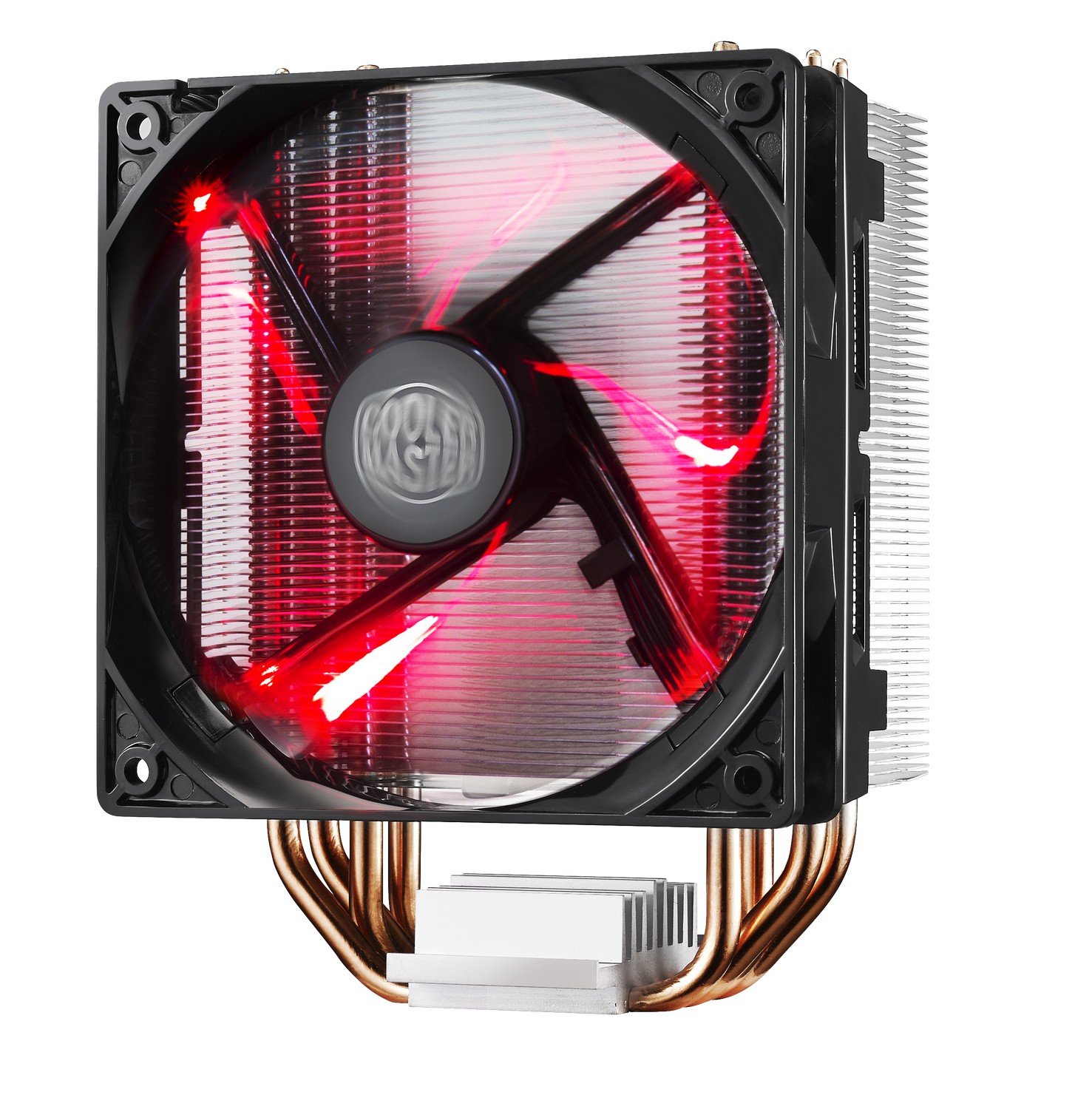
Image: The Cooler Master Hyper 212 LED CPU Cooler, showing the heatsink, fan, and copper heat pipes.
الإعداد والتثبيت
Proper installation is crucial for optimal performance. Please follow these steps carefully. Refer to the official installation video for visual guidance.
- تحضير اللوحة الأم: Depending on your CPU socket (Intel or AMD), select the appropriate backplate and mounting studs. Secure the backplate to the rear of your motherboard.
- تطبيق المعجون الحراري: Clean the surface of your CPU and the cooler's base. Apply a small, pea-sized amount of the included thermal paste to the center of your CPU's integrated heat spreader (IHS). Do not spread it manually; the pressure from the cooler will distribute it evenly.
- تركيب المبرد: Carefully align the cooler with the mounting studs on the motherboard. Place the cooler onto the CPU, ensuring the heat pipes make direct contact. Secure the cooler using the provided screws, tightening them in a diagonal pattern until snug. Avoid over-tightening.
- توصيل كابل المروحة: قم بتوصيل كابل مروحة PWM ذو 4 دبابيس بموصل CPU_FAN الموجود على اللوحة الأم.
- Check RAM Clearance: Due to the cooler's size, verify that it does not obstruct your RAM modules. If necessary, adjust RAM placement or consider low-profile كبش.
Video: Official Cooler Master installation guide for the Hyper 212 LED CPU Cooler. This video demonstrates the step-by-step process of mounting the cooler onto a motherboard, including backplate installation, thermal paste application, and securing the heatsink.

صورة: بديل view of the Cooler Master Hyper 212 LED CPU Cooler, highlighting its dimensions and fan design.
تعليمات التشغيل
The Hyper 212 LED operates automatically once installed and connected to the CPU_FAN header. The PWM function allows the motherboard to control the fan speed based on CPU temperature, ensuring efficient cooling and reduced noise levels during lighter loads.
- التحكم في مروحة PWM: The fan speed adjusts dynamically to maintain optimal CPU temperatures.
- Red LED Illumination: The fan features integrated red LEDs that illuminate when the fan is operational. These LEDs are always on when the fan is running and cannot be independently controlled or disabled without modification.
- اتجاه تدفق الهواء: Ensure the fan is oriented to draw cool air through the heatsink and exhaust warm air towards your case's rear or top exhaust fans for effective system cooling.
صيانة
تساعد الصيانة المنتظمة على ضمان طول عمر وأداء مبرد وحدة المعالجة المركزية الخاص بك على النحو الأمثل.
- تنظيف الغبار: Periodically inspect the heatsink fins and fan blades for dust accumulation. Use compressed air or a soft brush to gently remove dust. Ensure the fan is not spinning during cleaning to prevent damage.
- المعجون الحراري: إذا قمت بإزالة المبرد لأي سبب من الأسباب، فمن المستحسن تنظيف المعجون الحراري القديم من كل من وحدة المعالجة المركزية وقاعدة المبرد ووضع معجون حراري جديد قبل إعادة التثبيت.
استكشاف الأخطاء وإصلاحها
If you encounter issues with your Hyper 212 LED CPU Cooler, consider the following:
- درجات حرارة وحدة المعالجة المركزية العالية:
- Verify that the cooler is securely mounted and making proper contact with the CPU.
- Ensure thermal paste was applied correctly and evenly.
- Check that the fan cable is securely connected to the CPU_FAN header on the motherboard.
- Confirm fan is spinning. If not, check connections or consider fan replacement.
- تأكد من تدفق الهواء بشكل صحيح داخل صندوق جهاز الكمبيوتر الخاص بك.
- ضوضاء المروحة:
- تحقق من وجود أي كابلات أو عوائق تصطدم بشفرات المروحة.
- تأكد من تثبيت المروحة بشكل آمن على المبدد الحراري.
- Dust accumulation can cause increased noise; clean the fan and heatsink.
- صعوبات التثبيت:
- Refer to the detailed installation video and diagrams. Pay close attention to backplate orientation and screw placement.
- Ensure correct mounting hardware is used for your specific CPU socket.
تحديد
| رقم الموديل | RR-212L-16PR-R1 |
| أبعاد المنتج (الطول × العرض × الارتفاع) | 0.9 بوصة طول × 4.7 بوصة عرض × 4.7 بوصة ارتفاع |
| مادة | Aluminum (Heatsink), Copper (Heat Pipes) |
| طريقة التبريد | Fan, Heat Pipes |
| نوع المروحة | PWM Red LED Fan |
| سرعة الدوران القصوى | 1800 دورة في الدقيقة |
| سعة تدفق الهواء | 66.3 قدم مكعب في الدقيقة (CFM) |
| مستوى الضوضاء | 31 ديسيبل (ديسيبل) |
| نوع موصل الطاقة | 4 دبابيس |
| المجلدtage | 12 فولت |
| واتtage | 2.28 واط |
| الأجهزة المتوافقة | Desktop CPUs (Universal Socket Support) |
| وزن العنصر | 1.7 رطل |
معلومات الضمان
This Cooler Master Hyper 212 LED CPU Cooler comes with a ضمان لمدة سنة واحدة. For warranty claims or detailed terms and conditions, please refer to the official Cooler Master webالموقع أو الاتصال بخدمة دعم العملاء الخاصة بهم.
يدعم
For further assistance, technical support, or to download the latest drivers and manuals, please visit the official Cooler Master webموقع:
You may also contact Cooler Master customer service directly for product-specific inquiries.