
مقدمة
This manual provides detailed instructions for the installation, operation, and maintenance of the Legrand Watt Stopper LMDW-102-W DLM Dual-Tech Digital 2-Button Occupancy Sensor. This device is designed to automatically control lighting based on occupancy detection, utilizing both Passive Infrared (PIR) and Ultrasonic technologies for enhanced accuracy. It features a 2-button interface and is programmable via an infrared remote.
معرف المنتج: 0210023292
مميزات المنتج
- DLM System 2-Button Switch
- 24VDC RJ45 Connection
- Dual-Tech (PIR & Ultrasonic) Occupancy Detection
- Infrared Remote Programmable
- الأبيض إنهاء
معلومات السلامة
Please read and understand all instructions before installing or operating this device. Failure to follow these instructions may result in electrical shock, fire, or property damage. Installation should be performed by a qualified electrician in accordance with all national and local electrical codes.
- تحذير: قم بفصل التيار الكهربائي من قاطع الدائرة أو صندوق المصهرات قبل التركيب أو الصيانة.
- تم تصميم هذا الجهاز ل استخدام في الأماكن المغلقة فقط.
- Do not install in wet locations or where exposed to extreme temperatures.
- تأكد من أن جميع التوصيلات آمنة ومعزولة بشكل صحيح.
الإعداد والتثبيت
The LMDW-102-W sensor is designed for wall-mount installation and connects via a 24VDC RJ45 connection as part of a Digital Lighting Management (DLM) system.
- انقطاع التيار الكهربائي: Before beginning installation, ensure that power to the circuit is turned off at the main service panel.
- التركيب: Mount the sensor in a standard wall box. Ensure the mounting plate is securely fastened to the wall box.
- التوصيلات الكهربائية: Connect the RJ45 cable from the DLM system to the RJ45 port on the back of the sensor. Ensure the connection is firm. This device operates on 24VDC.
- اتجاه الاستشعار: Position the sensor to ensure optimal coverage of the desired area. Avoid obstructions that might block the sensor's view.
- جهاز آمن: Once wired, carefully push the device into the wall box and secure it with the provided screws. Attach the wall plate (not included) if applicable.
- استعادة الطاقة: Restore power at the circuit breaker. The sensor will perform a self-test.
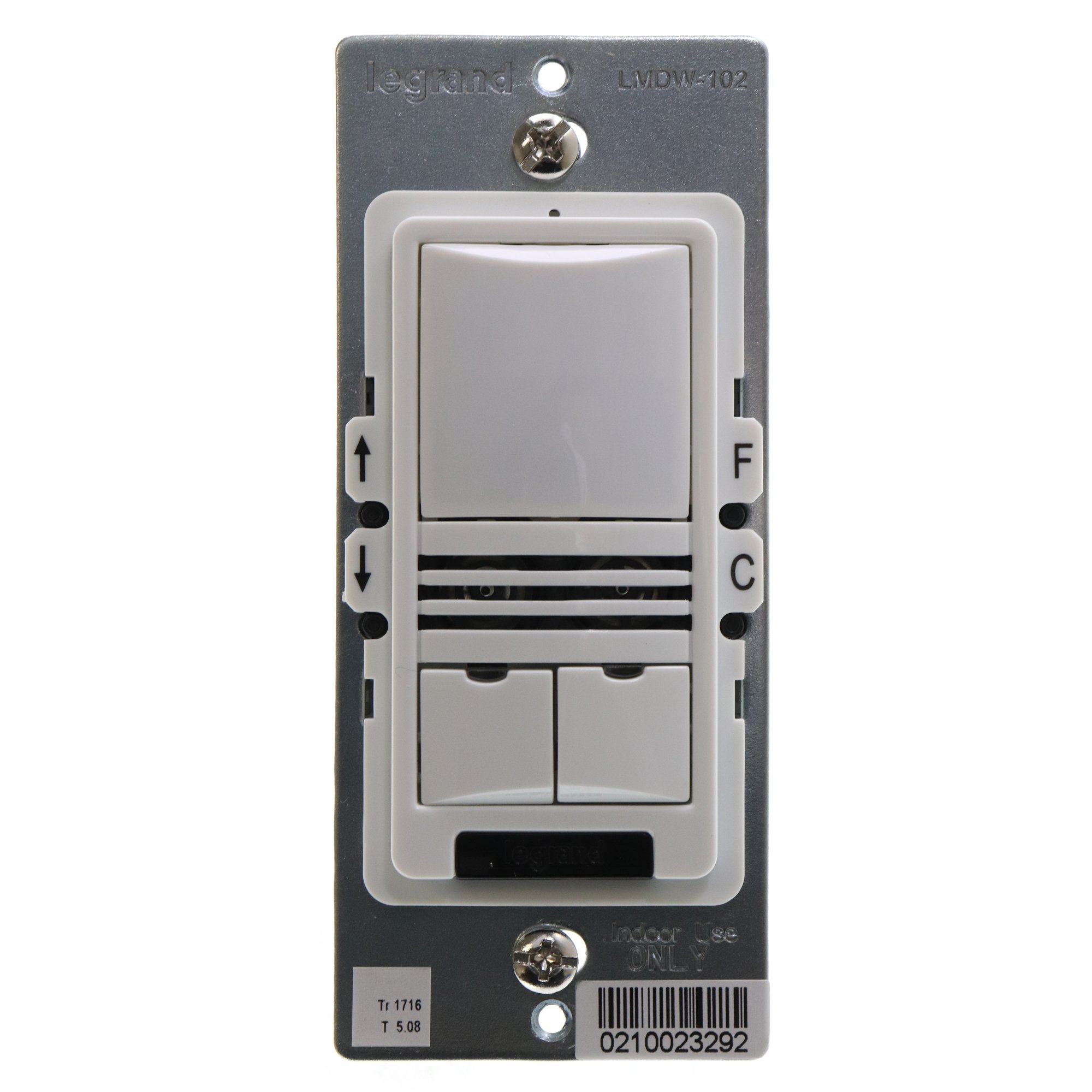
تعليمات التشغيل
The LMDW-102-W sensor provides both automatic occupancy detection and manual control via its two push buttons.
Automatic Operation (Occupancy Detection)
The sensor uses both Passive Infrared (PIR) and Ultrasonic technologies to detect occupancy. When motion is detected, connected lights will turn on automatically. After a period of no detected occupancy (determined by system settings), the lights will turn off automatically.
التحكم اليدوي
The two buttons on the sensor allow for manual override of the automatic control:
- الزر الأعلى: Typically used to manually turn lights ON or to increase light levels.
- الزر السفلي: Typically used to manually turn lights OFF or to decrease light levels.
The exact function of these buttons can be programmed using an infrared remote control (sold separately) to suit specific application requirements within the DLM system.
Infrared Remote Programming
The sensor's settings, such as sensitivity, time delay, and button functions, can be adjusted using a compatible Legrand Watt Stopper infrared remote control. Refer to the remote control's manual for specific programming instructions.
صيانة
The LMDW-102-W sensor requires minimal maintenance to ensure optimal performance.
- تنظيف: Periodically wipe the sensor lens and housing with a soft, dry cloth. Do not use abrasive cleaners or solvents, as these can damage the device.
- تقتيش: Regularly inspect the sensor for any physical damage or loose connections.
- العوائق: Ensure that the sensor's detection area remains clear of obstructions (e.g., furniture, tall plants) that could block its view وتؤثر على الأداء.
استكشاف الأخطاء وإصلاحها
| مشكلة | السبب المحتمل | حل |
|---|---|---|
| Lights do not turn on automatically. | No motion detected; power off; incorrect wiring; sensor obstructed; sensitivity too low. | Verify motion in detection area; check circuit breaker; inspect wiring; clear obstructions; adjust sensor sensitivity via remote. |
| Lights remain on. | Constant motion detected; time delay set too long; sensor faulty. | Ensure no constant motion; adjust time delay via remote; contact support if issue persists. |
| تنطفئ الأضواء بسرعة كبيرة. | Time delay set too short; sensor sensitivity too low; sensor obstructed. | Adjust time delay via remote; increase sensor sensitivity; clear obstructions. |
| Manual buttons do not respond. | No power; incorrect programming; button malfunction. | Check power; verify programming with remote; contact support. |
تحديد
| ميزة | التفاصيل |
|---|---|
| نموذج | LMDW-102-W |
| ماركة | Legrand (Wattstopper) |
| وضع التشغيل | Manual / Automatic (Occupancy) |
| حجم التشغيلtage | 24 فولت تيار مستمر |
| تقنية الكشف | Dual-Tech (PIR & Ultrasonic) |
| نوع الموصل | RJ45 (for DLM System) |
| نوع المفتاح | Push Button (2-way circuit) |
| طريقة التحكم | عن بعد (الأشعة تحت الحمراء) |
| نوع التركيب | حامل الحائط |
| لون | أبيض |
| مادة | الفولاذ المقاوم للصدأ (مادة التلامس) |
| أبعاد العنصر (الطول × العرض × الارتفاع) | 5 × 2 × 2 بوصة |
| وزن العنصر | 0.3 رطل |
| تصنيف الحماية الدولية | IP54 |
| التقى المواصفات | حظر المواد الخطرة |
الضمان والدعم
For warranty information and technical support, please refer to the official Legrand Watt Stopper webالموقع الإلكتروني أو تواصل مع قسم خدمة العملاء. احتفظ بإيصال الشراء لطلبات الضمان.
الموارد المتاحة على الإنترنت: Legrand Watt Stopper Official Webموقع