
1. انتهى المنتجview
This manual provides essential instructions for the safe and efficient installation, operation, and maintenance of your ZOTAC GeForce GTX 1080 AMP Extreme graphics card. Please read this manual thoroughly before proceeding with installation.
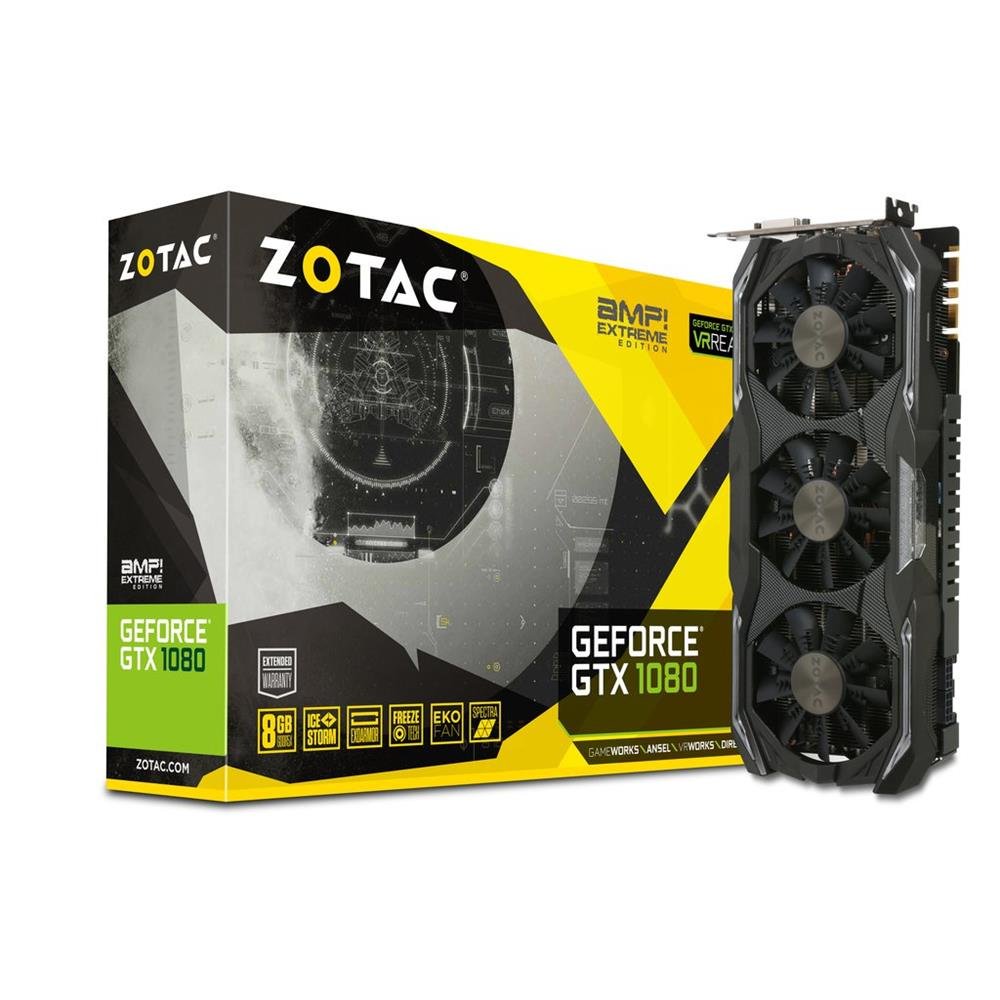
Image 1.1: ZOTAC GeForce GTX 1080 AMP Extreme Graphics Card. This image displays the front view of the graphics card, highlighting its triple-fan cooling system and overall design.
2. محتويات العبوة
تأكد من وجود جميع العناصر المدرجة أدناه في عبوة المنتج الخاص بك:
- بطاقة الرسومات ZOTAC GeForce GTX 1080 AMP Extreme Graphics Card
- محول دي في اي-في جي ايه
- Dual 6-pin to 4 x 2-pin Power Cable
- برنامج تشغيل القرص
- دليل التعليمات (هذا المستند)
3. الإعداد والتثبيت
3.1. متطلبات النظام
- PCI Express x16 slot on a compatible motherboard.
- Minimum 500W power supply with two 8-pin (or 6+2 pin) PCIe power connectors.
- Compatible operating system (e.g., Windows 7/8/10/11).
- At least 4GB of system memory (8GB recommended).
3.2. التثبيت المادي
- إيقاف التشغيل: Shut down your computer completely and unplug the power cord from the wall outlet.
- القضية المفتوحة: Open your computer case to access the motherboard and expansion slots.
- تحديد موقع فتحة PCIe: حدد فتحة PCI Express x16 متاحة على اللوحة الأم.
- قم بإزالة غطاء الفتحة: قم بإزالة غطاء الفتحة المعدنية من الجزء الخلفي من علبة الكمبيوتر بما يتوافق مع فتحة PCIe المختارة.
- إدخال بطاقة الرسوميات: Carefully align the graphics card with the PCIe slot and press it firmly until it is fully seated. Ensure the retention clip on the slot locks into place.
- بطاقة آمنة: Secure the graphics card to the computer case with a screw or retention mechanism.
- توصيل الطاقة: Connect the required PCIe power cables from your power supply to the graphics card. The ZOTAC GeForce GTX 1080 AMP Extreme typically requires two 8-pin (or 6+2 pin) power connectors. Use the provided dual 6-pin to 4 x 2-pin power cable if your power supply only has 6-pin connectors.
- إغلاق القضية: أغلق غطاء جهاز الكمبيوتر وأعد توصيل سلك الطاقة.
3.3. تثبيت برنامج التشغيل
- نظام الإقلاع: Power on your computer. The system may boot into a basic display mode.
- تثبيت برامج التشغيل: Insert the provided Driver CD into your optical drive and follow the on-screen instructions to install the NVIDIA graphics drivers. Alternatively, download the latest drivers directly from the official ZOTAC or NVIDIA webموقع للحصول على الأداء الأمثل والتوافق.
- إعادة تشغيل: أعد تشغيل الكمبيوتر بعد اكتمال تثبيت برنامج التشغيل.
3.4. توصيل الشاشات
Connect your monitor(s) to the appropriate output ports on the graphics card. This model supports HDMI, DisplayPort, and DVI connections. Use the DVI-VGA adapter if your monitor only supports VGA input.
4. تعليمات التشغيل
4.1. التشغيل الأساسي
Once the drivers are installed, your graphics card will automatically manage display output and graphics processing. You can adjust display settings, resolution, and refresh rates through your operating system's display settings or the NVIDIA Control Panel.
4.2. إعداد شاشات متعددة
The ZOTAC GeForce GTX 1080 AMP Extreme supports multiple displays. Connect additional monitors to the available video output ports. Use the NVIDIA Control Panel to configure display modes such as extended desktop, duplicate displays, or NVIDIA Surround for an immersive gaming experience.
5. الصيانة
Regular maintenance helps ensure optimal performance and longevity of your graphics card.
- تنظيف: Periodically clean the fans and heatsink to prevent dust buildup, which can impede airflow and lead to overheating. Use compressed air to gently remove dust from the cooling fins and fan blades. Ensure the system is powered off and unplugged before cleaning.
- تدفق الهواء: Ensure your computer case has adequate airflow to dissipate heat generated by the graphics card. Keep the area around your PC clear of obstructions.
- تحديثات برنامج التشغيل: Keep your graphics drivers updated by regularly checking the ZOTAC or NVIDIA webالموقع للحصول على الإصدارات الأحدث.
6. استكشاف الأخطاء وإصلاحها
إذا واجهت مشاكل مع بطاقة الرسومات الخاصة بك، فارجع إلى خطوات استكشاف الأخطاء وإصلاحها الشائعة التالية:
- لا يوجد إخراج للعرض:
- Ensure the monitor is correctly connected and powered on.
- تأكد من أن بطاقة الرسومات مثبتة بالكامل في فتحة PCIe.
- Check that all PCIe power cables are securely connected to the graphics card.
- Try connecting the monitor to a different video output port on the card or to the motherboard's integrated graphics (if available) to isolate the issue.
- مشاكل السائق:
- If you experience crashes, artifacts, or poor performance, try reinstalling the graphics drivers. Use a driver uninstaller utility to completely remove old drivers before installing new ones.
- Ensure you are installing the correct drivers for your operating system and graphics card model.
- مشاكل الأداء:
- Check system temperatures using monitoring software. Overheating can lead to performance throttling.
- تأكد من أن مصدر الطاقة الخاص بك يفي بالحد الأدنى من استهلاك الطاقةtage requirements for the graphics card and other system components.
- Verify that your system's BIOS/UEFI settings are configured correctly for a discrete graphics card.
7. المواصفات
| ميزة | التفاصيل |
|---|---|
| ماركة | زوتاك |
| اسم الموديل | جي تي اكس 1080 |
| رقم الموديل | ZT-P10800B-10P |
| معالج الرسوميات المساعد | بطاقة الرسوميات NVIDIA GeForce GTX 1080 |
| حجم ذاكرة الوصول العشوائي للرسومات | 8 جيجا بايت GDDR5X |
| سرعة ساعة الذاكرة | 10800 ميجا هرتز |
| Engine Clock Speed | 1771 MHz (Base), 1911 MHz (Boost) |
| واجهة إخراج الفيديو | HDMI, DisplayPort, DVI |
| واجهة الفيديو | بي سي اي اكسبريس |
| أقصى دقة للشاشة | 7680×4320 |
| عدد المعجبين | 3 |
| الاستخدام الموصى به | الألعاب |
| وزن العنصر | 1.6 كيلوغرام |
| رمز المنتج الموحد | 816264016721 |
8. الضمان والدعم
8.1. ضمان المنتج
This ZOTAC graphics card comes with a ضمان لمدة 24 شهرًا from the date of purchase. Please retain your proof of purchase for warranty claims. The warranty covers manufacturing defects and malfunctions under normal use. It does not cover damage caused by misuse, accidents, unauthorized modifications, or improper installation.
8.2. الدعم الفني
For technical assistance, driver downloads, or further information, please visit the official ZOTAC webموقع:
You may also refer to the FAQ section on the ZOTAC website for solutions to common issues.