
1. انتهى المنتجview
The Gigastone 64GB Classic Capless USB 2.0 Flash Drive is a portable storage device designed for convenient data transfer and storage. Its durable, lightweight, and capless design protects the USB connector when not in use, making it an ideal solution for storing and transferring documents, photos, videos, and music.
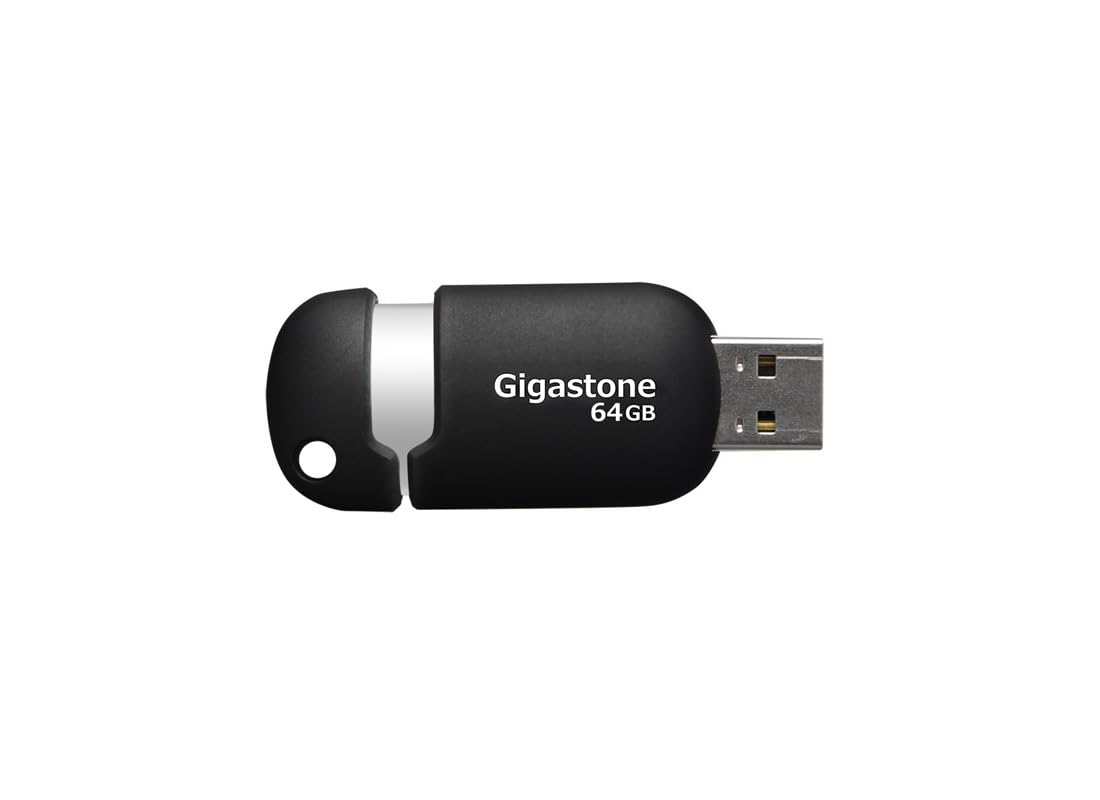
Figure 1: Gigastone 64GB Classic Capless USB 2.0 Flash Drive, showing its compact, capless design.
2. محتويات العبوة
- 1 x Gigastone 64GB Classic Capless USB 2.0 Flash Drive
3. الميزات الرئيسية
- تصميم متين وخفيف الوزن: Optimized for mobile storage.
- Capless Sliding Collar: Protects the USB connector when not in use, eliminating the risk of losing a cap.
- Integrated Key Loop: Allows for easy attachment to key chains, ensuring portability.
- توافق واسع: Works with most PC and Mac laptop and desktop computers.
- ضمان محدود لمدة عامين: يضمن جودة المنتج.

الشكل 2: الجانب view of the Gigastone USB flash drive, highlighting the sliding mechanism and integrated key loop.
4. تعليمات الإعداد
- Prepare the Flash Drive: Gently slide the collar to expose the USB connector.
- الاتصال بجهاز الكمبيوتر: Insert the USB flash drive into an available USB 2.0 or USB 3.0 port on your computer. The drive is backward compatible with USB 1.1 ports, but performance will be limited to USB 1.1 speeds.
- التعرف التلقائي: Your computer's operating system (Windows or macOS) should automatically detect and install the necessary drivers. The flash drive will appear as a removable storage device (e.g., 'Removable Disk' or 'Gigastone USB') in 'My Computer' (Windows) or 'Finder' (macOS).

الشكل 3: بزاوية view of the Gigastone USB flash drive, illustrating its ergonomic shape and the USB connector.
5. تعليمات التشغيل
5.1 النقل Files
- افتح محرك الأقراص: Double-click on the flash drive icon in 'My Computer' or 'Finder' to open its contents.
- ينسخ Files: حدد موقع files or folders you wish to transfer from your computer. Drag and drop them into the open flash drive window. Alternatively, right-click on the files, select 'Copy', then right-click inside the flash drive window and select 'Paste'.
- Transferring from Drive: لنقل files from the flash drive to your computer, reverse the process: drag and drop files from the flash drive window to a folder on your computer.
5.2 إزالة محرك الأقراص بأمان
To prevent data corruption, always safely remove the flash drive before physically disconnecting it from your computer.
- الويندوز: Click the 'Safely Remove Hardware and Eject Media' icon in the system tray (bottom-right corner of the screen), then select the Gigastone USB drive. Wait for the 'Safe to Remove Hardware' message before unplugging.
- ماك: Drag the flash drive icon from the desktop or Finder sidebar to the Trash icon, or right-click (Control-click) the drive icon and select 'Eject'. Wait for the icon to disappear before unplugging.
6. الصيانة
- الرعاية الجسدية: Keep the flash drive clean and dry. Avoid exposing it to extreme temperatures, direct sunlight, or strong magnetic fields.
- النسخ الاحتياطي للبيانات: قم بعمل نسخ احتياطية منتظمة للبيانات المهمة المخزنة على محرك الأقراص المحمول إلى وسيط تخزين آخر لمنع فقدان البيانات.
- تحديثات البرامج: Ensure your computer's operating system is up to date to maintain optimal compatibility and security.
7. استكشاف الأخطاء وإصلاحها
7.1 لم يتم التعرف على محرك الأقراص
- تحقق من اتصال: تأكد من إدخال محرك الأقراص المحمول بالكامل في منفذ USB.
- جرب منفذًا آخر: Connect the drive to a different USB port on your computer.
- إعادة تشغيل الكمبيوتر: في بعض الأحيان، يمكن أن تؤدي إعادة التشغيل البسيطة إلى حل مشكلات التعرف.
- التحقق من إدارة الأجهزة (Windows): Open Device Manager and look for 'Universal Serial Bus controllers' or 'Disk drives'. If the drive appears with a yellow exclamation mark, there might be a driver issue.
- Check Disk Utility (macOS): Open Disk Utility to see if the drive is listed, even if it's not mounted.
7.2 سرعات نقل بطيئة
- نوع منفذ USB: Ensure you are using a USB 2.0 or higher port. Connecting to a USB 1.1 port will result in slower speeds.
- File مقاس: نقل العديد من الصغيرة fileيمكن أن تكون عملية نقل البيانات أبطأ من نقل عدد قليل من البيانات الكبيرة fileمن نفس الحجم الإجمالي.
- Other USB Devices: Disconnect other USB devices that might be consuming bandwidth.
- أداء الكمبيوتر: Ensure your computer is not heavily burdened by other tasks during transfer.
7.3 تلف البيانات
- إزالة آمنة: Always follow the safe removal procedure before disconnecting the drive.
- تجنب المقاطعة: Do not remove the drive during a file transfer or when the drive's activity light (if present) is blinking.
- فحص الأخطاء: Use your operating system's built-in disk error checking tools (e.g., 'Error Checking' in Windows, 'First Aid' in macOS Disk Utility).
8. المواصفات
| اسم الموديل | Gigastone 64GB Classic Capless USB 2.0 Flash Drive |
| رقم الموديل | GS-Z64GCNBL-R |
| سعة تخزين الذاكرة | 64 جيجا بايت |
| واجهة الأجهزة | USB 2.0 (متوافق مع الإصدارات السابقة مع USB 1.1) |
| تكنولوجيا الاتصال | USB |
| منصة الأجهزة | ماك، كمبيوتر شخصي |
| لون | أسود/فضي |
| وزن العنصر | 0.48 أونصة (حوالي 13.6 جرامًا) |
| أبعاد المنتج (الطول × العرض × الارتفاع) | 2.32 × 0.91 × 0.51 بوصة (حوالي 5.89 × 2.31 × 1.30 سم) |
| الشركة المصنعة | DANE ELECTRONICS |
9. الضمان والدعم
9.1 الضمان المحدود
This Gigastone USB Flash Drive comes with a ضمان محدود لمدة سنة واحدة. This warranty covers defects in materials and workmanship under normal use. It does not cover damage caused by misuse, accident, modification, or unauthorized repair.
For detailed warranty terms and conditions, please refer to the official Gigastone webالموقع أو الاتصال بدعم العملاء.
9.2 دعم العملاء
If you encounter any issues not covered in the troubleshooting section or require further assistance, please contact Gigastone customer support. Contact information can typically be found on the official Gigastone webتغليف الموقع أو المنتج.