
Naztech N750
Naztech N750 Emerge Wireless Bluetooth Headset User Manual
الموديل: N750
مقدمة
Thank you for choosing the Naztech N750 Emerge Wireless Bluetooth Headset. This manual provides detailed instructions on how to set up, operate, and maintain your headset to ensure optimal performance and longevity. The N750 Emerge is designed for clear communication and media playback, featuring advanced noise cancellation and versatile connectivity.
محتويات الحزمة

Image: Contents of the Naztech N750 Emerge package.
- Naztech N750 Emerge Wireless Headset
- شاحن السيارة
- Ear Gels (S/M/L)
- دليل المستخدم
- Flat Micro USB Cable
المنتج انتهىview
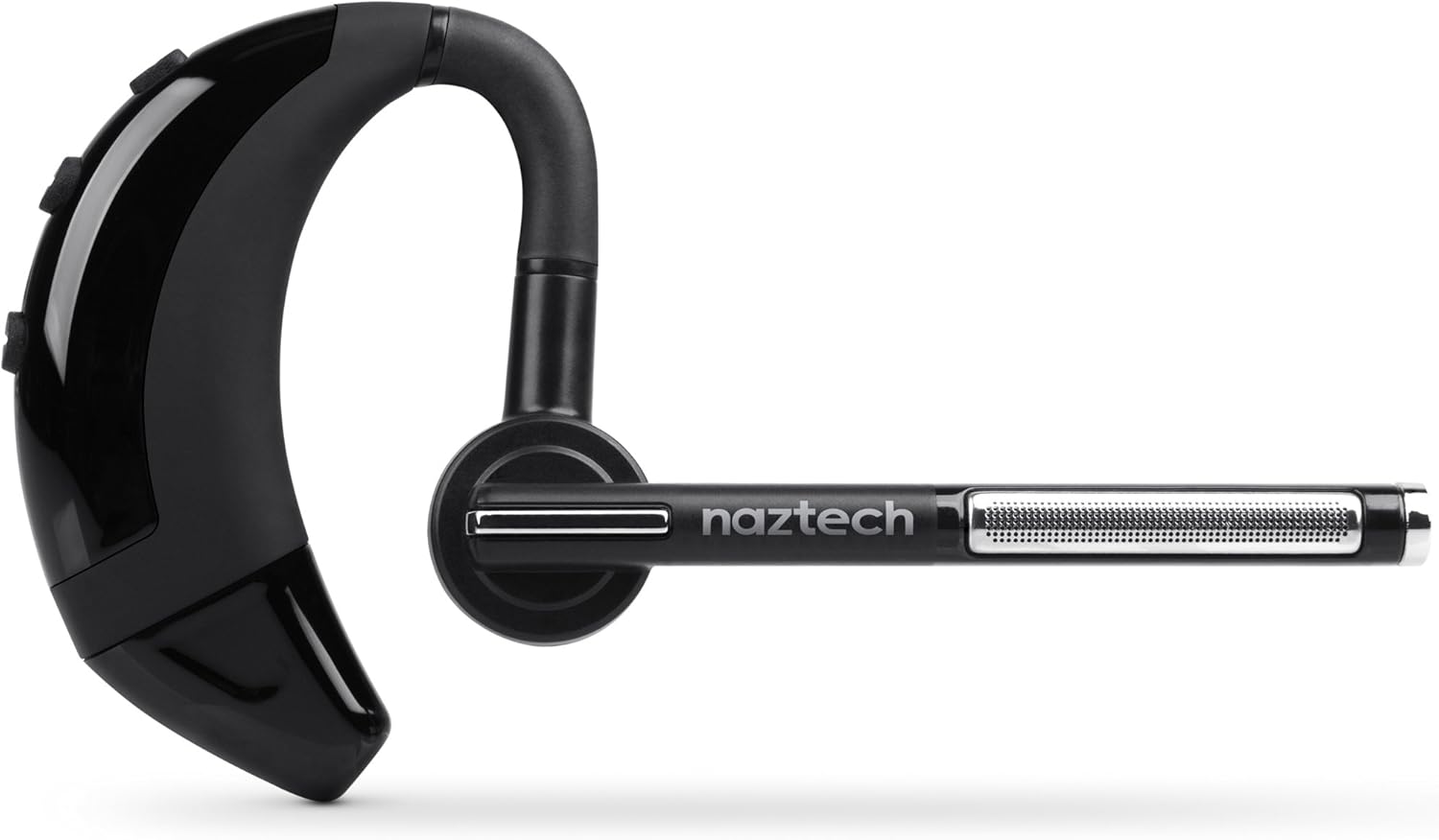
Image: The Naztech N750 Emerge Wireless Bluetooth Headset.
The Naztech N750 Emerge features an ergonomic design for comfortable wear and intuitive controls for easy operation. Key components include the ear hook, main body with control buttons, microphone boom, and ear tip.
يثبت
1. شحن سماعة الرأس
Before first use, fully charge the N750 Emerge headset. Connect the provided Micro USB cable to the charging port on the headset and the other end to a USB power source (e.g., the included car charger, a computer USB port, or a wall adapter). The LED indicator will show charging status and turn off or change color when fully charged.
2. الاقتران بجهاز بلوتوث
- تأكد من إيقاف تشغيل سماعة الرأس.
- Press and hold the Multi-function Button (MFB) on the headset until the LED indicator flashes blue and red alternately, indicating pairing mode.
- On your smartphone or Bluetooth-enabled device, go to the Bluetooth settings and enable Bluetooth.
- بحث عن available devices. Select "Naztech N750" from the list.
- إذا طُلب منك إدخال رمز مرور، فأدخل "0000" (أربعة أصفار).
- بمجرد نجاح عملية الاقتران، سيومض مؤشر LED باللون الأزرق ببطء، وقد تسمع نغمة تأكيد.
3. ارتداء سماعة الرأس

Image: The Naztech N750 Emerge headset demonstrating its 180-degree swivel for left or right ear use.
The N750 Emerge is designed for comfortable wear on either the left or right ear. The ear hook swivels 180 degrees to accommodate your preference. Adjust the ear hook and select the appropriate ear gel size (S/M/L) for a secure and comfortable fit. The microphone boom should be positioned towards your mouth for optimal voice pickup.
تعليمات التشغيل
تشغيل/إيقاف الطاقة
- تشغيل الطاقة: Press and hold the MFB for approximately 3 seconds until the LED flashes blue.
- إيقاف التشغيل: Press and hold the MFB for approximately 5 seconds until the LED flashes red and then turns off.
استدعاء إدارة

Image: The headset's advanced call technology automatically pauses music and routes incoming calls.
- الرد على المكالمة: اضغط على زر الوظائف المتعددة مرة واحدة عند ورود مكالمة.
- إنهاء المكالمة: اضغط على زر الوظائف المتعددة مرة واحدة أثناء المكالمة.
- رفض المكالمة: Press and hold the MFB for approximately 2 seconds when a call comes in.
- إعادة الاتصال بالرقم الأخير: اضغط مرتين على زر الوظائف المتعددة عندما تكون سماعة الرأس في وضع الخمول.
- الاتصال الصوتى: Press the MFB once when the headset is idle to activate your phone's voice assistant (if supported).
التحكم في مستوى الصوت
Use the Volume Up (+) and Volume Down (-) buttons on the headset to adjust the call or media volume.
GPS & Voice Prompt / Caller ID Announcement

Image: The headset provides GPS voice prompts and announces caller ID for incoming calls.
The N750 Emerge supports voice prompts for GPS navigation and announces the caller ID for incoming calls, allowing for hands-free information and call management.
تشغيل الموسيقى
When connected to a device, the headset can play audio. Use your device's controls for play/pause, skip track, etc. Incoming calls will automatically pause music playback.
تكنولوجيا متعددة النقاط

Image: The headset supports Multipoint Technology for connecting to two devices simultaneously.
The N750 Emerge supports multipoint technology, allowing it to be connected to two Bluetooth devices simultaneously. This enables seamless switching between calls or audio from two different paired devices.
إلغاء الضوضاء

Image: The headset utilizes Noisehush Technology for crystal clear conversations with noise cancellation.
The integrated Noisehush® Technology provides ultimate HD clarity and noise cancellation, ensuring crystal clear conversations for both you and your callers by reducing distracting ambient sound.
صيانة
- Clean the headset regularly with a soft, dry cloth. Do not use harsh chemicals or abrasive cleaners.
- Avoid exposing the headset to extreme temperatures, moisture, or direct sunlight.
- قم بتخزين سماعة الرأس في مكان بارد وجاف عندما لا تكون قيد الاستخدام.
- لا تحاول تفكيك سماعة الرأس أو تعديلها، لأن ذلك سيؤدي إلى إبطال الضمان وقد يتسبب في تلفها.
استكشاف الأخطاء وإصلاحها
| مشكلة | السبب المحتمل | حل |
|---|---|---|
| سماعة الرأس لا تعمل. | البطارية منخفضة أو فارغة. | قم بشحن سماعة الرأس بالكامل. |
| لا يمكن الاقتران بالجهاز. | سماعة الرأس ليست في وضع الاقتران؛ البلوتوث غير مفعل على الجهاز؛ الجهاز بعيد جدًا. | تأكد من أن سماعة الرأس في وضع الاقتران (يومض باللون الأزرق/الأحمر). شغّل البلوتوث على جهازك. قرّب سماعة الرأس من الجهاز (في حدود 10 أمتار). |
| لا يوجد صوت أو مستوى الصوت منخفض. | مستوى الصوت منخفض جدًا؛ سماعة الرأس غير متصلة؛ تم اختيار مخرج صوت غير صحيح. | Increase volume on headset and device. Reconnect headset. Ensure audio is routed to the headset on your device. |
| جودة المكالمة سيئة / الضوضاء. | Weak signal; environmental interference; microphone not positioned correctly. | Move closer to the paired device. Avoid strong electromagnetic interference. Adjust microphone boom towards your mouth. |
تحديد
- نموذج: N750 Emerge
- إصدار البلوتوث: الإصدار 4.1
- تقنيات الاتصالات اللاسلكية: بلوتوث
- تقنية الاتصال: لاسلكي
- إلغاء الضوضاء: Noisehush® Technology
- تقنية النقاط المتعددة: نعم
- iOS Battery Tracker: نعم
- وقت التحدث: تصل إلى 8 ساعة
- وقت الاستعداد: تصل إلى 140 ساعة
- بطارية: 1 بطارية ليثيوم أيون مطلوبة
- أبعاد المنتج: 10.16 × 10.16 × 2.54 سم
- وزن السلعة: 22.7 جرام
- لون: أسود
الضمان والدعم
Naztech products are designed and manufactured to the highest quality standards. For warranty information and technical support, please refer to the warranty card included with your product or visit the official Naztech webالموقع. احتفظ بإيصال الشراء الخاص بك كإثبات للشراء في حالة مطالبات الضمان.
Ask a question about this manual
Ask about setup, troubleshooting, compatibility, parts, safety, or missing instructions. Manuals+ will review the question and use this page’s manual context to help answer it.