
1. المقدمة
شكرا لك على الشراءasing the Excelvan LK-T091 Digital LED Alarm Clock Radio. This manual provides detailed instructions for the proper setup, operation, and maintenance of your device. Please read this manual thoroughly before use and retain it for future reference.
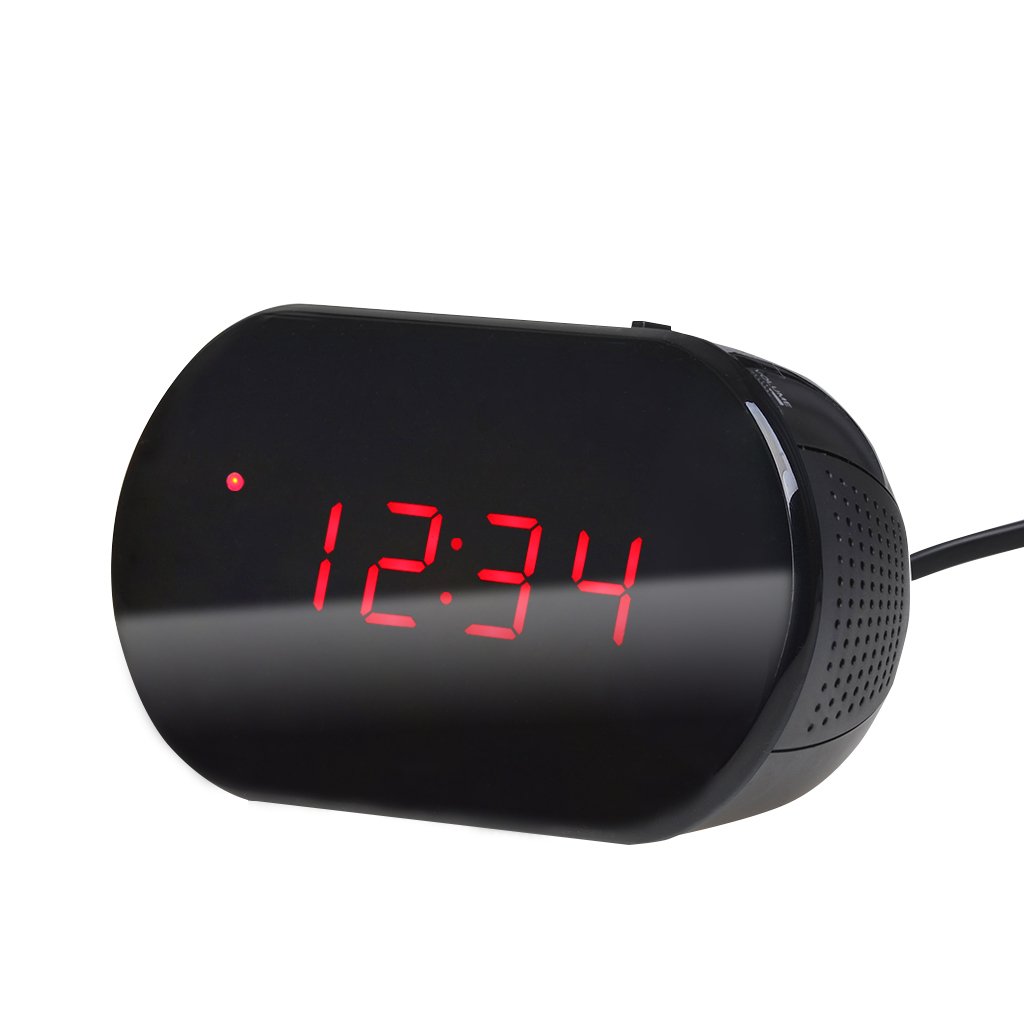
الشكل 1: الجبهة view of the Excelvan LK-T091 Digital LED Alarm Clock Radio.
محتويات الحزمة:
- 1 x Excelvan Digital LED Alarm Clock Radio (Model LK-T091)
- 1 × دليل المستخدم
2. معلومات هامة حول السلامة
- لا تستخدم بطاريات قابلة لإعادة الشحن for the backup power. Alkaline or lithium batteries are recommended for optimal performance and longevity.
- Ensure the power adapter is compatible with your local power supply (AC230V ~ 50Hz).
- لا تعرض الجهاز للماء أو الرطوبة أو درجات الحرارة العالية.
- تجنب وضع الجهاز بالقرب من مصادر الحرارة أو تحت أشعة الشمس المباشرة.
- لا تحاول تفكيك أو إصلاح الجهاز بنفسك. أسند جميع أعمال الصيانة إلى فنيين مؤهلين.
- يحفظ بعيدًا عن متناول الأطفال.
3. انتهى المنتجview
عناصر التحكم والعرض:

Figure 2: Top panel controls of the Excelvan LK-T091.
- عرض الصمام: يعرض الوقت وحالة الإنذار وتردد الراديو.
- زر الغفوة: يُسكت جهاز الإنذار مؤقتًا.
- SET / PRESET Button: Used to set time/alarm and save radio presets.
- ALARM / MEM Button: Activates alarm setting mode and recalls radio presets.
- زر إعادة الضبط: Resets the unit.
- Tuning Buttons (▲ / ▼): Adjust time, alarm, and radio frequency.
- RADIO / SLEEP Button: Turns radio on/off and activates sleep timer.
- ALARM OFF / BUZZER / RADIO Switch: Selects alarm sound source (off, buzzer, or radio).
- مقبض الصوت: Adjusts radio volume.

الشكل 3: خلفي view showing the battery compartment for backup power.
4. الإعداد
4.1 توصيل الطاقة
- Connect the AC power cord to the power input jack on the back of the clock radio.
- Plug the other end of the power cord into a standard AC230V ~ 50Hz wall outlet.
- ستضيء شاشة LED، مما يشير إلى أن الجهاز قيد التشغيل.
4.2 تركيب بطارية احتياطية
The clock radio uses one 9V (6F22 type) battery (not included) for backup power. This battery maintains time settings during a power outage.
- حدد مكان حجرة البطارية في الجزء السفلي من الوحدة.
- افتح غطاء حجرة البطارية.
- Insert one 9V (6F22 type) alkaline or lithium battery, ensuring correct polarity (+ and -).
- أغلق غطاء حجرة البطارية جيدًا.
- Note: The battery backup only maintains time settings; the display will not be visible during a power outage. Do not use rechargeable batteries.
4.3 ضبط الوقت
- اضغط مع الاستمرار على تعيين اضغط على الزر حتى تبدأ أرقام الساعة بالوميض.
- استخدم ▲ or ▼ (Tuning) buttons to adjust the hour.
- اضغط على تعيين button again; the minute digits will flash.
- استخدم ▲ or ▼ (Tuning) buttons to adjust the minutes.
- اضغط على تعيين button once more to confirm and exit time setting mode. The time is displayed in 24-hour format.
5. تعليمات التشغيل
5.1 ضبط المنبه
The alarm can be set to wake you with a buzzer or your favorite FM radio station.
- اضغط مع الاستمرار على إنذار button until the alarm hour digits start flashing.
- استخدم ▲ or ▼ (Tuning) buttons to adjust the alarm hour.
- اضغط على إنذار button again; the alarm minute digits will flash.
- استخدم ▲ or ▼ (Tuning) buttons to adjust the alarm minutes.
- اضغط على إنذار button once more to confirm and exit alarm setting mode.
- لتنشيط التنبيه، قم بتحريك ALARM OFF / BUZZER / RADIO switch to either صفارة or راديو. An alarm indicator will appear on the display.
- To turn off the alarm, slide the switch to إيقاف الإنذار.

Figure 4: Choose to wake up to a buzzer sound or your preferred radio station.
5.2 وظيفة الغفوة
عندما يصدر صوت التنبيه، اضغط على الزر الكبير غفوة button to temporarily silence the alarm for approximately 9 minutes. The alarm will sound again after this period. To cancel snooze and turn off the alarm, slide the ALARM OFF / BUZZER / RADIO التبديل إلى إيقاف الإنذار.

Figure 5: The snooze function allows for a short delay before the alarm sounds again.
تشغيل راديو 5.3 FM
5.3.1 ضبط الراديو
- اضغط على راديو زر لتشغيل راديو FM.
- استخدم ▲ or ▼ (Tuning) buttons to manually tune to your desired FM frequency (87.5 – 108 MHz).
- To automatically scan for the next available station, press and hold the ▲ or ▼ (Tuning) buttons for a few seconds until the frequency starts scanning.
- اضبط مستوى الصوت باستخدام ملف مقدار مقبض الباب.
- اضغط على راديو button again to turn off the radio.
5.3.2 حفظ واستدعاء الإعدادات المسبقة
The clock radio can store up to 10 FM radio station presets.
- Tune to your desired station using the tuning method described above.
- اضغط مع الاستمرار على SET / PRESET اضغط على الزر حتى يومض "P01" (أو رقم الإعداد المسبق التالي المتاح) على الشاشة.
- استخدم ▲ or ▼ (Tuning) buttons to select the desired preset number (P01-P10).
- اضغط على SET / PRESET اضغط على الزر مرة أخرى لحفظ المحطة في الإعداد المسبق المحدد.
- لاستدعاء إعداد مسبق محفوظ، اضغط على ALARM / MEM اضغط على الزر بشكل متكرر للتنقل بين المحطات المحفوظة.

Figure 6: Digital FM tuning allows for precise station selection and saving presets.
5.4 وظيفة مؤقت النوم
يسمح مؤقت النوم بتشغيل الراديو لمدة محددة قبل إيقاف تشغيله تلقائيًا.
- أثناء تشغيل الراديو، اضغط على ينام button repeatedly to cycle through the available sleep timer durations: 90, 75, 60, 45, 30, 15, 00 minutes.
- سيتم عرض المدة المحددة لفترة وجيزة. سيتم إيقاف تشغيل الراديو تلقائيًا بعد انتهاء الوقت المحدد.
- لإلغاء مؤقت النوم ، اضغط على ينام button until "00" is displayed, or turn off the radio manually.
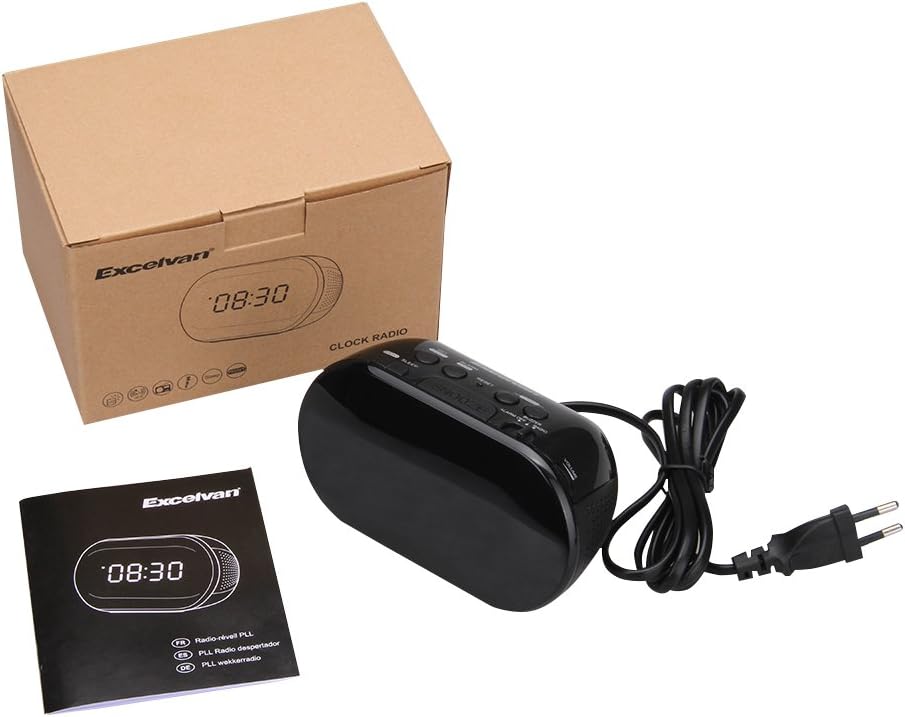
Figure 7: The sleep timer allows you to fall asleep to music, which then automatically turns off.
6. الصيانة
6.1 التنظيف
- امسح الجزء الخارجي من الوحدة بقطعة قماش ناعمة وجافة.
- لا تستخدم المنظفات الكاشطة أو الشمع أو المذيبات لأنها قد تؤدي إلى إتلاف الطبقة النهائية.
- تأكد من فصل الوحدة عن مأخذ الطاقة قبل التنظيف.
6.2 استبدال البطارية
If the time settings are lost during a power outage, the 9V backup battery may need to be replaced. Follow the instructions in Section 4.2 for battery installation.
7. استكشاف الأخطاء وإصلاحها
| مشكلة | السبب المحتمل | حل |
|---|---|---|
| No display / Unit not turning on | سلك الطاقة غير موصول أو مأخذ الطاقة غير نشط. | تأكد من توصيل سلك الطاقة بإحكام بالجهاز وبمأخذ حائط يعمل. |
| تُفقد إعدادات الوقت/المنبه بعد انقطاع التيار الكهربائيtage | البطارية الاحتياطية ميتة أو غير مثبتة. | Install a new 9V alkaline or lithium battery in the battery compartment. |
| استقبال راديو FM ضعيف | الهوائي غير ممتد أو منطقة الإشارة ضعيفة. | Extend the FM wire antenna fully. Try repositioning the unit for better reception. |
| لا يصدر صوت التنبيه | Alarm not set or alarm switch is in "OFF" position. | Verify alarm time is set correctly. Ensure the ALARM OFF / BUZZER / RADIO تم ضبط التبديل على صفارة or راديو. |
| الشاشة ساطعة/خافتة للغاية | No brightness adjustment feature on this model. | The display brightness is fixed. |
8. المواصفات
- نموذج: LK-T091
- عرض: LED, 24-hour format
- نوع التنبيه: Single alarm (Buzzer or FM Radio)
- نطاق تردد FM: 87.5 – 108 ميجا هرتز
- مؤقت النوم: 00 ، 15 ، 30 ، 45 ، 60 ، 75 ، 90 دقيقة
- مدخلات الطاقة: تيار متردد 230 فولت ~ 50 هرتز
- بطارية احتياطية: 1 x 9V (6F22 type) battery (not included)
- أبعاد المنتج (الطول × الارتفاع × العمق): تقريبًا 14.15 سم × 7.14 سم × 0.89 سم
- وزن: حوالي 380 جرام
- مادة: AC (Plastic)
- لون: أسود
9. الضمان والدعم
Excelvan products are designed to provide reliable performance. For specific warranty information, please refer to the warranty card included with your purchase or contact your retailer. If you encounter any issues or require technical assistance, please contact Excelvan customer support through their official webالموقع أو معلومات الاتصال المقدمة مع منتجك.
Please have your model number (LK-T091) and purchase details ready when contacting support.