
مقدمة
This manual provides instructions for the safe and effective operation and maintenance of your INSIZE 1108-150 Electronic Caliper. Please read this manual thoroughly before use and retain it for future reference.

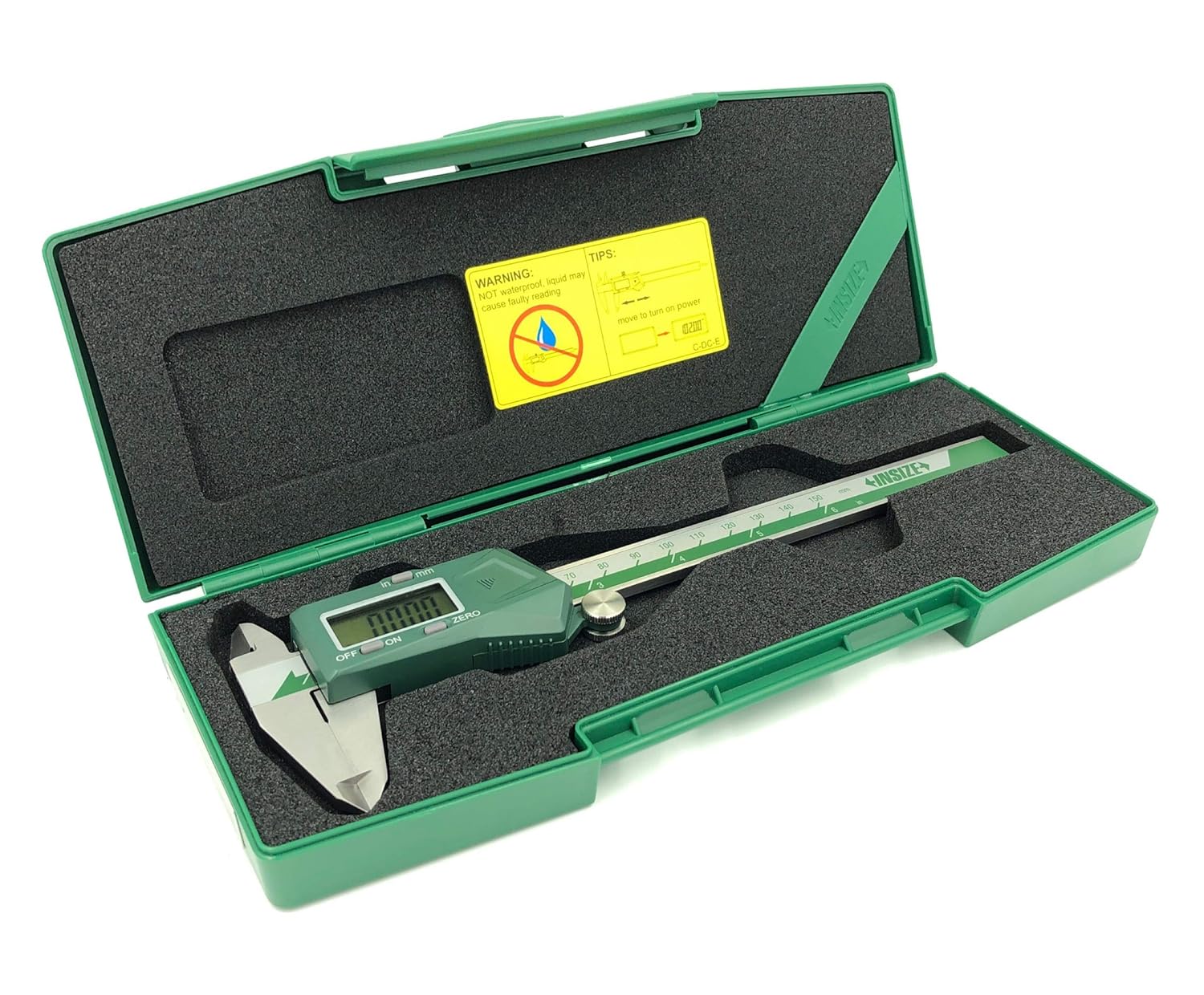
الشكل 1: أمام view of the INSIZE 1108-150 Electronic Caliper, showing the digital display, measurement jaws, and control buttons.
المنتج انتهىview
The INSIZE 1108-150 is a precision electronic caliper designed for accurate dimensional measurements. It features a clear digital display and is constructed from durable stainless steel.
المميزات الرئيسية:
- Measurement Range: 0-6 inches / 0-150 mm
- الدقة: 0.0005 بوصة / 0.01 مم
- Accuracy: ±0.0008 inches
- وظيفة إيقاف التشغيل التلقائي
- Inch/millimeter conversion
- Zero setting at any position
- Data output capability
- بناء من الفولاذ المقاوم للصدأ
الشكل 2: Technical diagram illustrating the INSIZE 1108-150 Electronic Caliper's dimensions and key specifications.

الشكل 3: خلف view of the INSIZE 1108-150 Electronic Caliper, displaying the serial number and the battery compartment location.
محتويات الحزمة
عند فتح العبوة، تأكد من وجود جميع العناصر وعدم تعرضها للتلف:
- INSIZE 1108-150 Electronic Caliper (Main Unit)
- بطارية CR2032 (مثبتة مسبقًا أو متضمنة بشكل منفصل)
- Hard Plastic Storage Case
- دليل تعليمات التشغيل
- شهادة التفتيش

الشكل 4: The INSIZE 1108-150 Electronic Caliper, its instruction manual, and inspection certificate neatly stored within its protective hard plastic case.
يثبت
تركيب البطارية
The caliper uses one CR2032 battery. If the display does not turn on or shows a low battery indicator, replace the battery.
- Locate the battery compartment cover on the digital unit (refer to Figure 3).
- Slide the cover open or use a small tool to gently pry it open.
- Remove the old battery, noting its polarity.
- قم بإدخال بطارية CR2032 جديدة مع توجيه الجانب الموجب (+) لأعلى.
- أغلق غطاء حجرة البطارية جيدًا.

الشكل 5: The INSIZE 1108-150 Electronic Caliper alongside a CR2032 battery, indicating the battery type required for operation.
تعليمات التشغيل
تشغيل/إيقاف
- لتشغيل: Press the "ON/OFF" button or simply move the digital unit along the beam.
- لإيقاف التشغيل: Press the "ON/OFF" button. The caliper will also automatically power off after a period of inactivity.
الإعداد الصفري
The zero point can be set at any position, allowing for incremental measurements.
- Close the measuring jaws completely for absolute zero, or position the jaws at your desired reference point.
- Press the "ZERO" button. The display will show "0.00" or "0.000".
Inch/Millimeter Conversion
To switch between inch and millimeter units:
- Press the "INCH/MM" button. The display will toggle between the two units.
أخذ القياسات
- Ensure the caliper is clean and the jaws are free of debris.
- Turn on the caliper and set the zero point as needed.
- Gently open the jaws and position the workpiece between the appropriate measuring surfaces (outside jaws for external dimensions, inside jaws for internal dimensions, or depth rod for depth measurements).
- Close the jaws until they make firm, but not excessive, contact with the workpiece.
- Read the measurement directly from the digital display.

الشكل 6: A user demonstrating the measurement of an external diameter on a cylindrical metal part using the INSIZE 1108-150 Electronic Caliper.
صيانة
تنظيف
- Regularly clean the measuring surfaces and the beam with a clean, dry, lint-free cloth.
- Avoid using solvents or abrasive cleaners, as these can damage the display or measuring surfaces.
- Keep the digital unit dry. While the caliper is made of stainless steel, the electronic components are not waterproof.
تخزين
- Store the caliper in its protective hard plastic case when not in use to prevent damage.
- Store in a dry environment, away from direct sunlight and extreme temperatures.
- Slightly open the jaws before storing to relieve tension on the measuring surfaces.

الشكل 7: The INSIZE 1108-150 Electronic Caliper resting securely within its custom-fit hard plastic storage case, ready for protection when not in use.
استكشاف الأخطاء وإصلاحها
| مشكلة | السبب المحتمل | حل |
|---|---|---|
| لا يتم تشغيل العرض. | بطارية ميتة أو تم تركيبها بشكل غير صحيح. | استبدل بطارية CR2032، مع التأكد من القطبية الصحيحة. |
| قراءات غير دقيقة أو متقلبة. | Dirt/debris on measuring surfaces or beam; low battery; damaged sensor. | Clean the caliper thoroughly. Replace battery. If problem persists, contact support. |
| "ZERO" button not responding. | Button malfunction or electronic issue. | Ensure battery is fully charged. If problem persists, contact support. |
| Automatic power off not working. | عطل الكتروني. | اتصل بالدعم. |
تحديد
| ميزة | التفاصيل |
|---|---|
| رقم الموديل | 1108-150 |
| نطاق القياس | 0-6 بوصات / 0-150 ملم |
| دقة | 0.0005 بوصة / 0.01 ملم |
| دقة | ±0.0008 بوصة |
| مادة | الفولاذ المقاوم للصدأ |
| نوع البطارية | CR2032 (1 متضمنة) |
| الوظائف | ON/OFF, ZERO, Inch/mm conversion, Data Output |
| إيقاف التشغيل التلقائي | نعم |
| أبعاد المنتج | 10.28 بوصة طول × 4.09 بوصة عرض × 1.3 بوصة ارتفاع |
| وزن | 13.67 أونصات |

الشكل 8: تفصيلية view of the INSIZE Inspection Certificate, confirming the calibration and accuracy of the Digital Caliper model 1108-150.
الضمان والدعم
INSIZE products are manufactured to high standards and undergo strict quality control. For warranty information, technical support, or service, please refer to the contact details provided in the included warranty certificate or visit the official INSIZE webموقع.
INSIZE Contact Information:
- INSIZE USA: www.insize.com
- Refer to your product's specific warranty card for regional contact details.