
1. المقدمة
This manual provides detailed instructions for the safe and efficient operation of your UNIC UC50 Mini Projector. Please read this manual thoroughly before using the device and retain it for future reference.
The UNIC UC50 is a compact DLP projector designed for various multimedia applications, offering portability and ease of use.
2. محتويات العبوة
تأكد من تضمين جميع العناصر المذكورة أدناه في عبوتك. في حال وجود أيٍّ منها مفقودًا أو تالفًا، يُرجى التواصل مع البائع.
- 1x UNIC UC50 Projector
- 1x دليل المستخدم (هذه الوثيقة)
- محول الطاقة 1x
- كابل واحد
- 1 × جهاز التحكم عن بعد

الشكل 2.1: UNIC UC50 Mini Projector and included accessories. The image displays the compact projector unit along with its power adapter, remote control, and connecting cables, all neatly arranged.
3. انتهى المنتجview
Familiarize yourself with the various components and ports of your UNIC UC50 Mini Projector.
3.1 الجبهة View

الشكل 3.1.1: أمام view of the UNIC UC50 Mini Projector with the lens cover open. This view highlights the projection lens and the sliding lens cover mechanism.

الشكل 3.1.2: أمام view of the UNIC UC50 Mini Projector with the lens cover closed. The sliding cover protects the lens when the projector is not in use.
3.2 الجانب Views (Input/Output Ports)

الشكل 3.2.1: جانب view of the UNIC UC50 Mini Projector, displaying the USB port and SD card slot for media input.

الشكل 3.2.2: الجانب المقابل view of the UNIC UC50 Mini Projector, featuring the HDMI input, AV input, and 3.5mm earphone output jack.
3.3 خلفي View

الشكل 3.3.1: مؤخرة view of the UNIC UC50 Mini Projector. This side includes the focus adjustment wheel and the DC 5V 2A power input port.
3.4 أعلى View
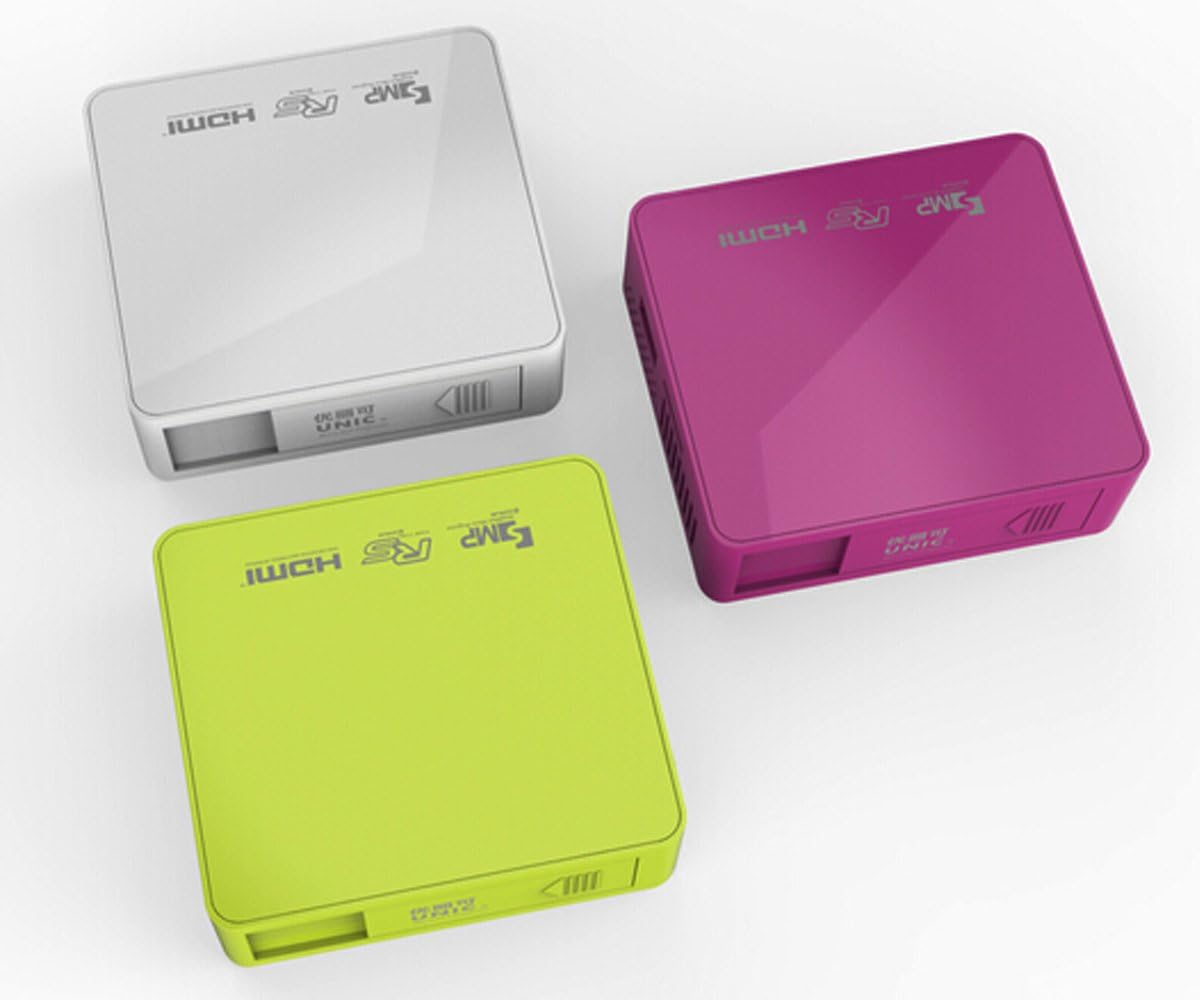
الشكل 3.4.1: قمة view of the UNIC UC50 Mini Projector, showing the minimalist design and branding.
4. الإعداد
4.1 توصيل الطاقة
- Connect the provided power adaptor to the DC 5V 2A input port on the rear of the projector.
- Plug the power adaptor into a standard electrical outlet (AC 100-240V, 50/60Hz).
- The projector will power on automatically or can be turned on using the remote control.
4.2 الوضع والإسقاط
- ضع جهاز العرض على سطح ثابت ومستوٍ.
- Ensure the projection surface (screen or wall) is clean and smooth.
- Adjust the projection distance between 35.5 cm and 430 cm to achieve the desired image size (14-150 inches).
- للحصول على أفضل النتائج viewing, operate the projector in a dimly lit room.
5. تعليمات التشغيل
5.1 ضبط التركيز
Rotate the focus adjustment wheel located on the rear of the projector until the projected image appears clear and sharp.
5.2 اختيار مصدر الإدخال
The UNIC UC50 supports multiple input sources:
- USB: أدخل محرك أقراص فلاش USB في منفذ USB.
- التنمية المستدامة: Insert an SD card into the SD card slot.
- من: Connect an AV cable to the AV input port.
- HDMI: Connect an HDMI cable to the HDMI input port.
Use the remote control to navigate the on-screen menu and select the desired input source.
5.3 تشغيل الوسائط المتعددة
When a USB drive or SD card is inserted, the projector's UNIC Multimedia OS will allow you to browse and play supported file التنسيقات:
- صيغ الفيديو: MP4, AVI, MOV, VOB, DAT, MPEG, MPG, RM, RMVB (Video encoding: MPEG1/MPEG2/MPEG4/DivX/Xvid)
- صيغ الصوت: MP3، WMA، WAV، AAC، OGG، ASF
- تنسيقات الصور: JPG ، BMP ، PNG
- Document Format: رسالة قصيرة
التنقل عبر files using the remote control and select the desired content for playback.
5.4 إخراج الصوت
The projector has built-in speakers (1.0W *2). For private listening or connecting external audio systems, use the 3.5mm earphone output jack.
6. الصيانة
6.1 تنظيف العدسة
استخدم قطعة قماش ناعمة وخالية من الوبر مصممة خصيصًا للعدسات البصرية لمسح عدسة جهاز العرض برفق. تجنب استخدام المنظفات الكاشطة أو الضغط المفرط، لأن ذلك قد يخدش العدسة.
6.2 تنظيف جسم جهاز العرض
امسح الجزء الخارجي من جهاز العرض بقطعة قماش ناعمة وجافة. لا تستخدم المنظفات السائلة أو المذيبات.
6.3 التخزين
When not in use, store the projector in a cool, dry place, away from direct sunlight and extreme temperatures. Ensure the lens cover is closed to protect the lens from dust.
7. استكشاف الأخطاء وإصلاحها
| مشكلة | السبب المحتمل | حل |
|---|---|---|
| لم يتم عرض أي صورة |
|
|
| الصورة ضبابية |
|
|
| لا يوجد صوت |
|
|
| جهاز التحكم عن بعد لا يعمل |
|
|
8. المواصفات
| ميزة | التفاصيل |
|---|---|
| نظام الصورة | دي إل بي |
| Lamp يكتب | قاد |
| الدقة الأصلية | 854 × 480 بكسل |
| الدقة المدعومة | Up to 1920 x 1080 pixels (1080P) |
| نسبة العرض إلى الارتفاع | 4:3 / 16:9 |
| نظام التشغيل | UNIC Multimedia OS |
| سطوع | 800 لومن |
| نسبة التباين | 800:1 |
| عدسة | ف=125 |
| ركز | يدوي |
| Lamp ساعات العمل | 20,000 ساعات |
| حجم الصورة | 14-150 بوصة |
| مسافة الإسقاط | 35.5 سم - 430 سم |
| وضع العرض | الإسقاط الأمامي |
| وضع التشغيل | يدوي / ريموت كنترول |
| منافذ الإخراج | شنومكسم سماعة |
| منافذ الإدخال | USB, SD, AV, HDMI, IR |
| مدخلات الطاقة | تيار متردد 100-240 فولت، 50/60 هرتز |
| انتاج الطاقة | تيار مستمر 5 فولت 2 أمبير |
| استهلاك الطاقة | 10 واط |
| المتحدث | شنومكسو x شنومكس |
| وزن | 130 جرام |
| الأبعاد (الطول × العرض × الارتفاع) | 78 × 71 × 24.5 ملم |
| لغة نظام التشغيل | English, Polski, Russian, Deutsch, Spanish, Czech, etc. (23 Languages) |
| المميزات الخاصة | 3D الجاهزة |
9. الضمان والدعم
The UNIC UC50 Mini Projector comes with a standard manufacturer's warranty. Please refer to the warranty card included in your package for specific terms and conditions, including warranty period and coverage details.
For technical support, troubleshooting assistance beyond this manual, or warranty claims, please contact your original point of purchase or visit the official UNIC support webالموقع (إن وجد).
Note: Specific warranty details and support contact information may vary by region and retailer.