
1. معلومات هامة حول السلامة
- تهوية: Ensure adequate ventilation around the projector. Do not block ventilation openings. Overheating can cause damage.
- مزود الطاقة: Use only the specified power adapter. Disconnect power during thunderstorms or when unused for long periods.
- رُطُوبَة: Do not expose the projector to rain, moisture, or liquids.
- تنظيف: Clean the projector with a soft, dry cloth. Avoid abrasive cleaners.
- العناية بالعدسة: Handle the lens with care. Clean gently with a lens cleaning cloth.
- الموقع: Place the projector on a stable, level surface. Avoid direct sunlight or heat sources.
- حماية العين: لا تنظر مباشرة إلى عدسة جهاز العرض عندما يكون الضوءamp هو على.
2. انتهى المنتجview
2.1. Projector Dimensions
The Excelvan EHD02 projector has compact dimensions, making it portable. The approximate dimensions are 152mm (width) x 220mm (depth) x 76mm (height).
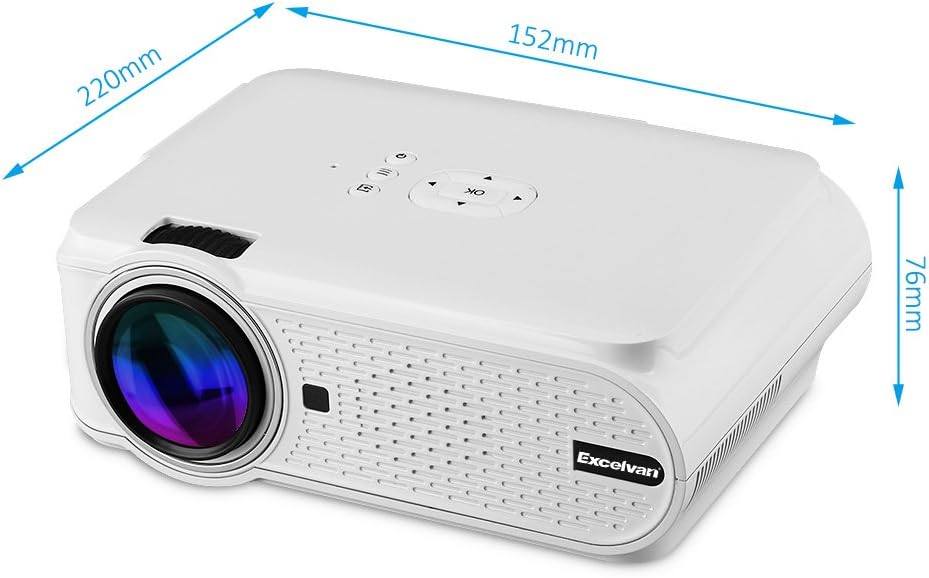
Figure 1: Excelvan EHD02 Mini Projector with labeled dimensions.
2.2. Projector Components and Interfaces
Familiarize yourself with the various ports and controls on your projector for proper setup and operation.

Figure 2: Top controls and rear panel interfaces of the Excelvan EHD02 Projector.
- أدوات التحكم العلوية: OK button, Up/Down/Left/Right navigation, Back, Menu, Power.
- Rear Interfaces: VGA port, USB port, Power plug, AV input, 3.5mm Audio port, IR receiver, HDMI port, Keystone adjustment, SD Card slot, TV antenna input.
3. الإعداد
3.1. تحديد مستوى
Position the projector on a flat, stable surface. The projection distance determines the image size. For optimal viewing, ensure the projector is centered with the screen or projection surface.
- مسافة الإسقاط: 1.2 to 3.8 meters (approximately 3.9 to 12.5 feet).
- حجم الصورة: 37 to 130 inches (diagonal).
- طرق الإسقاط: يدعم الإسقاط الأمامي والخلفي والسقفي.
3.2. توصيل الطاقة
- قم بتوصيل سلك الطاقة بمدخل الطاقة الخاص بالجهاز العرض.
- قم بتوصيل الطرف الآخر من سلك الطاقة بمأخذ كهربائي مناسب.
- سيضيء ضوء مؤشر الطاقة.

Figure 3: Power cord and remote control for the projector.
3.3. توصيل مصادر الإدخال
يدعم جهاز العرض مصادر إدخال متعددة:
- HDMI: Connect to devices like laptops, Blu-ray players, or gaming consoles using an HDMI cable.
- USB: أدخل ذاكرة فلاش USB لتشغيل الوسائط fileس مباشرة.
- بطاقة SD: Insert an SD card to play media files.
- من: Use the provided AV cable to connect to older devices with composite video output.
- VGA: Connect to computers using a VGA cable.
- تلفزيون: Connect a TV antenna for analog TV reception.
- صوت 3.5 ملم: قم بتوصيل مكبرات الصوت الخارجية أو سماعات الرأس.
3.4. تصحيح التركيز والانحراف
- ضبط التركيز: قم بتدوير حلقة التركيز الموجودة على عدسة جهاز العرض حتى تظهر الصورة حادة وواضحة.
- تصحيح الانحراف: If the projected image appears trapezoidal (wider at the top or bottom), use the keystone adjustment dial (typically on the side or rear) to correct the image shape. The projector supports ±12° vertical manual keystone correction.
4. تعليمات التشغيل
4.1. تشغيل / إيقاف التشغيل
- تشغيل الطاقة: Press the Power button on the projector or the remote control.
- إيقاف التشغيل: Press the Power button again. The projector will go into standby mode.
4.2. Menu Navigation and Input Selection
- Use the navigation buttons (Up, Down, Left, Right) and the OK button on the projector or remote to navigate through the on-screen menu.
- Press the "Input" or "Source" button (if available on remote, or navigate through menu) to select your desired input source (HDMI, USB, SD, AV, VGA, TV).
4.3. اتصال الهاتف الذكي
Connecting smartphones requires specific cables:
- آيفون/آيباد: Requires an original Apple composite AV cable.
- هاتف Android: Requires an MHL cable, and the phone must support MHL (Mobile High-Definition Link).
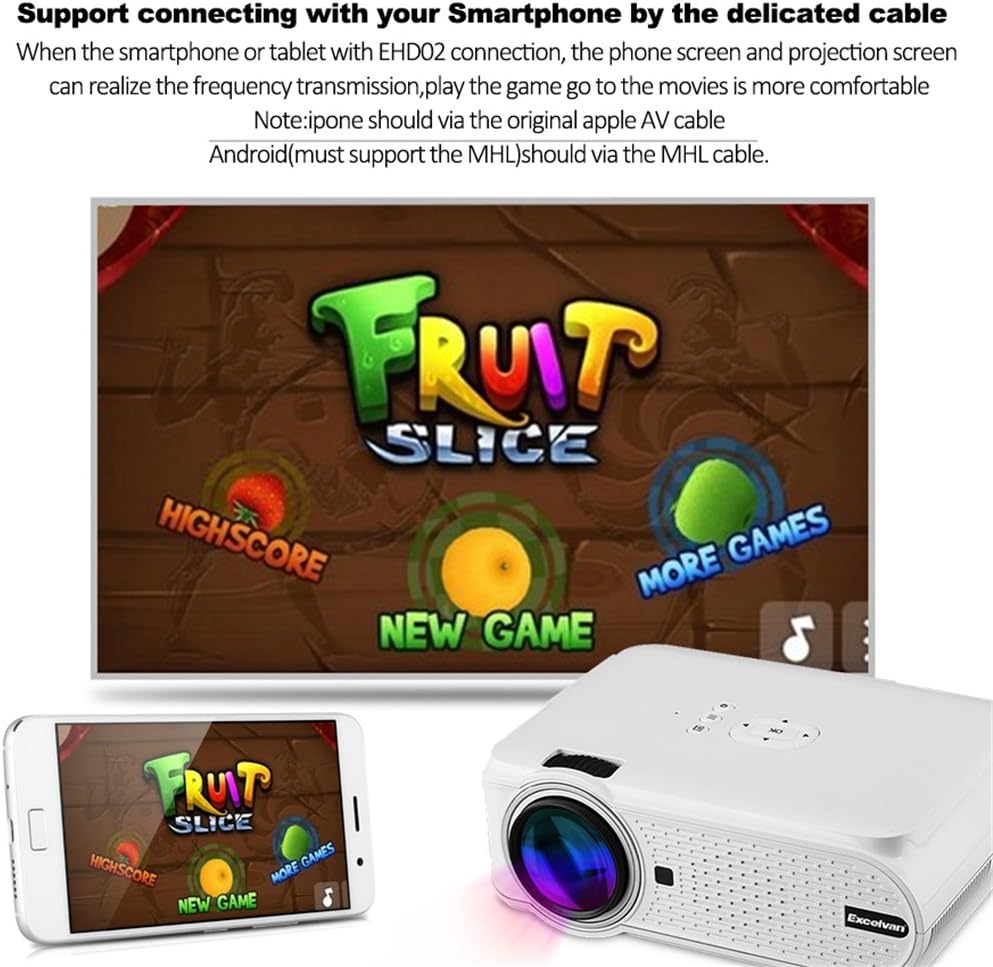
الشكل 4: مثالample of smartphone connection for content projection.
4.4. تشغيل ثلاثي الأبعاد
The Excelvan EHD02 projector supports red-blue 3D content only. To view المحتوى ثلاثي الأبعاد:
- Obtain red-blue 3D source content.
- Use red-blue 3D glasses for viewعمل.
5. الصيانة
- تنظيف العدسات: استخدم قطعة قماش ناعمة وخالية من الوبر، مُصممة خصيصًا للعدسات البصرية، لمسح عدسة جهاز العرض برفق. تجنب لمس العدسة بيديك العاريتين.
- إزالة الغبار: Periodically clean the projector's exterior with a soft, dry cloth. Ensure ventilation openings are free from dust and obstructions to prevent overheating.
- تخزين: عند عدم استخدام جهاز العرض لفترات طويلة، قم بتخزينه في مكان بارد وجاف، بعيدًا عن الغبار.
6. استكشاف الأخطاء وإصلاحها
| مشكلة | السبب المحتمل | حل |
|---|---|---|
| لم يتم عرض أي صورة |
|
|
| الصورة ضبابية |
|
|
| الصورة شبه منحرفة |
|
|
| لا يوجد صوت |
|
|
| جهاز التحكم عن بعد لا يعمل |
|
|
| Projector is noisy or hot |
|
|
7. المواصفات
| ميزة | التفاصيل |
|---|---|
| نموذج | Excelvan EHD02 |
| نوع العرض | TFT- Single LCD Panel + LED Technology |
| الدقة الأصلية | 800 × 480 بكسل |
| الدقة المدعومة | Up to 1080p (1920 x 1080) |
| سطوع | 1000 لومن |
| عدسة الإسقاط | F=126mm, Manual Focus |
| نسبة التباين | 1000:1 |
| نسبة العرض إلى الارتفاع | 4:3 / 16:9 |
| مكبر صوت مدمج | 4Ω 2W |
| الصمام Lamp حياة | 20,000 ساعات |
| الألوان القابلة للعرض | 1.67 Million Colors (Full Color) |
| لغات القائمة | English, Spanish, French, German, Portuguese, Italian, Chinese, etc. |
| طرق الإسقاط | أمامي ، خلفي ، سقف |
| الواجهات | 1x VGA, 1x USB, 1x SD, 1x HDMI, 1x 3.5mm Audio, 1x AV, 1x TV |
| حجم الصورة (قطري) | 37 - 130 بوصة |
| مسافة الإسقاط | 1.2 - 3.8 مترًا |
| ضبط الشاشة | Horizontal and Vertical Flip; Image Zoom |
| تصحيح الانحراف | ±12° Vertical (Manual) |
| الأبعاد (الطول × العرض × الارتفاع) | 220 مم × 152 مم × 76 مم |
| وزن | 1.44 كجم |
8. الضمان والدعم
The Excelvan EHD02 Mini Portable LED Projector comes with a ضمان لمدة 2 سنوات من تاريخ الشراء.
For technical support, warranty claims, or further assistance, please contact your retailer or the Excelvan customer service department. Please have your model number (EHD02) and purchase information ready when contacting support.