
1. المقدمة
The JBL Boost TV is an ultra-compact TV speaker designed to significantly enhance your television's audio experience with JBL signature sound. Measuring only 15 inches (380mm) in length, it delivers high-quality sound suitable for various room sizes. This soundbar features deep bass, virtual surround sound, and Dolby Digital support for HD movies. It also supports Bluetooth audio streaming from wireless mobile devices and includes JBL SoundShift™ technology, allowing seamless switching between TV audio and a connected mobile device.
2. ماذا يوجد في الصندوق
- JBL Boost TV Soundbar
- جهاز التحكم عن بعد
- 3.5 ملم كابل صوت تناظري
- كابل صوت بصري
- كابل الطاقة
- دليل البدء السريع
- بطاقة الضمان
- ورقة السلامة
3. انتهى المنتجview
3.1 الجبهة View
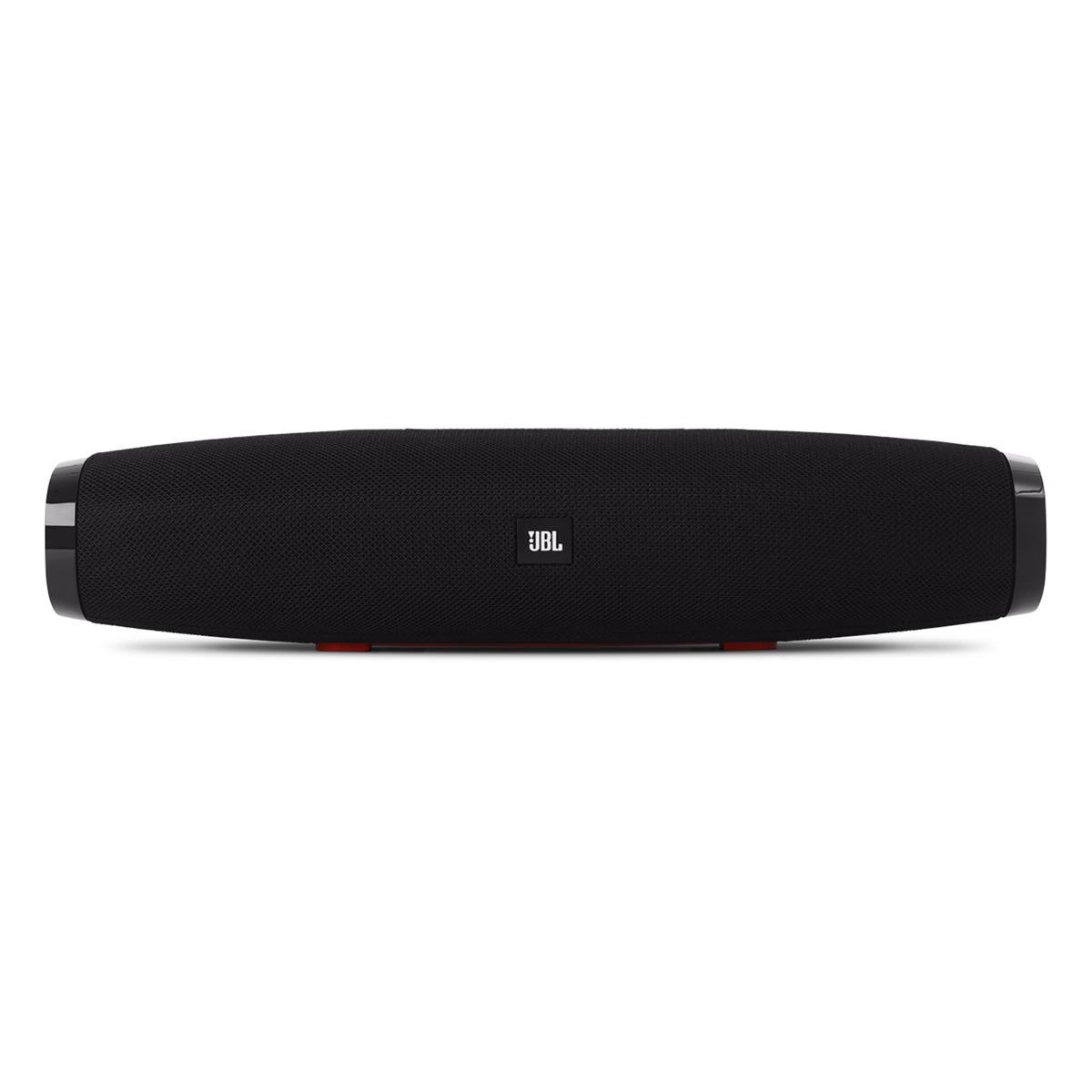
الصورة 1: أمام view of the JBL Boost TV soundbar, showcasing its compact design and JBL logo.
The JBL Boost TV features a sleek, compact design, approximately 15 inches (380mm) long and 4 inches wide, making it ideal for placement beneath most televisions without obstructing the screen. The front grille covers the main speaker drivers, and the JBL logo is prominently displayed.
3.2 اتصالات اللوحة الخلفية

الصورة 2: Rear panel of the JBL Boost TV, showing the various input ports.
The rear panel, highlighted in orange, provides the following connectivity options:
- المدخلات البصرية: For connecting to your TV using the included optical cable, providing high-quality digital audio.
- مدخل AUX (3.5 مم): For connecting external audio devices via a 3.5mm analog cable.
- مدخلات الطاقة: For connecting the power cable to supply electricity to the soundbar.
- Software Update Port: A micro-USB port for potential future software updates (typically for manufacturer use).
3.3 عناصر التحكم في اللوحة العلوية

الصورة 3: Top panel controls of the JBL Boost TV soundbar.
The top panel features intuitive controls for easy operation:
- زر البلوتوث: Initiates Bluetooth pairing mode for connecting wireless devices.
- SoundShift Button: Allows switching between connected devices (e.g., TV and Bluetooth).
- اخفض الصوت (-): يقلل من حجم الصوت.
- زر الطاقة: يقوم بتشغيل أو إيقاف تشغيل مكبر الصوت.
- رفع الصوت (+): يزيد من حجم الصوت.
- Harman Display Surround Button: Activates or deactivates the virtual surround sound mode for an expanded audio experience.
- TV Sound Mode Button: Optimizes audio for TV viewing, enhancing dialogue clarity and overall TV viewتجربة رائعة.
4. الإعداد
4.1 التنسيب
Place the JBL Boost TV soundbar on a stable, flat surface directly in front of your television. Ensure there are no obstructions blocking the sound from the front or the side-firing ports.
4.2 الاتصال بالتلفزيون الخاص بك
- الاتصال البصري (موصى به):
- قم بتوصيل أحد طرفي الكابل البصري بمنفذ الإخراج البصري (OPTICAL OUT) الموجود على جهاز التلفزيون الخاص بك.
- Connect the other end to the OPTICAL IN port on the rear of the JBL Boost TV.
- Ensure your TV's audio output settings are configured to "Optical" or "External Speaker."
- الاتصال التناظري:
- Connect one end of the 3.5mm analog cable to the AUDIO OUT (headphone jack) or RCA L/R audio output on your TV (using an adapter if necessary).
- Connect the other end to the AUX IN port on the rear of the JBL Boost TV.
4.3 توصيل الطاقة
Connect the power cable to the Power Input port on the soundbar, then plug the other end into a wall outlet.
4.4 اقتران بلوتوث
- Press the Bluetooth button on the top panel of the soundbar or on the remote control. The Bluetooth indicator light will begin to flash.
- على جهازك المحمول (الهاتف الذكي، الجهاز اللوحي، وما إلى ذلك)، قم بتمكين البلوتوث وابحث عن الأجهزة المتاحة.
- Select "JBL Boost TV" from the list of devices. Once connected, the Bluetooth indicator light will turn solid.
4.5 Programming Your TV Remote (SoundShift™)
The JBL Boost TV can learn volume and power commands from your existing TV remote control. This allows you to control the soundbar's basic functions with a single remote.
- ادخل إلى وضع التعلم: Press and hold the SoundShift button (the one with the headphone icon) on the soundbar for 5 seconds until the indicator light flashes orange.
- قوة البرنامج: Press the Power button on the soundbar once. Then, point your TV remote at the soundbar and press its Power button. The indicator light will flash white once to confirm.
- Program Volume Up: Press the Volume Up (+) button on the soundbar once. Then, point your TV remote at the soundbar and press its Volume Up button. The indicator light will flash white once to confirm.
- Program Volume Down: Press the Volume Down (-) button on the soundbar once. Then, point your TV remote at the soundbar and press its Volume Down button. The indicator light will flash white once to confirm.
- الخروج من وضع التعلم: The soundbar will automatically exit learning mode after a short period of inactivity, or you can press the SoundShift button again.
5. تعليمات التشغيل
5.1 تشغيل/إيقاف التشغيل
اضغط على زر الطاقة (①) on the top panel or the remote control to turn the soundbar on or off.
5.2 التحكم في مستوى الصوت
استخدم زر رفع الصوت (+) وخفض مستوى الصوت (-) buttons on the top panel or the remote control to adjust the audio level.
5.3 Source Selection (SoundShift™)
The SoundShift™ feature allows you to seamlessly switch between your TV audio and a connected Bluetooth device. When a Bluetooth device starts playing, the soundbar will automatically switch to that source. When the Bluetooth audio stops, it will switch back to the TV audio. You can also manually switch sources using the SoundShift button (⑁) on the top panel or remote.
5.4 Harman Display Surround
Press the Harman Display Surround button (⏴) on the top panel or remote to activate or deactivate the virtual surround sound mode. This feature expands the soundstage, providing a more immersive audio experience without additional speakers.
5.5 TV Sound Mode
Press the TV Sound Mode button (📺) on the top panel or remote to optimize the soundbar's audio for television content, enhancing dialogue clarity and overall TV viewتجربة رائعة.
6. الصيانة
- تنظيف: استخدم قطعة قماش ناعمة وجافة لتنظيف سطح مكبر الصوت. لا تستخدم منظفات سائلة أو مواد كاشطة.
- تخزين: إذا كنت ترغب في تخزين شريط الصوت لفترة طويلة، فافصله عن الطاقة وقم بتخزينه في مكان بارد وجاف.
- تجنب العوائق: Ensure the speaker grilles and ports are free from dust and debris to maintain optimal sound performance.
7. استكشاف الأخطاء وإصلاحها
| مشكلة | السبب المحتمل | حل |
|---|---|---|
| لا يوجد طاقة | كابل الطاقة غير موصول أو أن المقبس غير نشط. | تأكد من توصيل كابل الطاقة بشكل آمن بمكبر الصوت وبمأخذ كهربائي يعمل. |
| لا يوجد صوت | Incorrect input source selected, TV audio settings incorrect, or volume too low. | Verify the correct input source is selected (Optical, AUX, or Bluetooth). Check your TV's audio output settings. Increase the volume on both the soundbar and your TV. |
| فشل اقتران البلوتوث | مكبر الصوت ليس في وضع الاقتران، أو أن الجهاز بعيد جدًا، أو أن هناك تداخلًا. | Ensure the soundbar's Bluetooth indicator is flashing. Move your device closer to the soundbar. Try restarting both the soundbar and your Bluetooth device. |
| جهاز التحكم عن بعد لا يعمل | Batteries depleted or line of sight blocked. | Replace the remote control batteries. Ensure there are no obstructions between the remote and the soundbar. |
8. المواصفات
| ميزة | التفاصيل |
|---|---|
| ماركة | جي بي ال |
| رقم الموديل | تعزيز التلفزيون |
| الحد الأقصى لقوة خرج السماعة | 60 واط |
| استجابة التردد | 20 KHz (Upper limit, lower limit not specified) |
| تكنولوجيا الاتصال | 1 Analog, 1 Optical, Bluetooth |
| وضع إخراج الصوت | ستيريو |
| نوع التركيب | جبل منضدية |
| نوع السماعة | شريط الصوت |
| مميزات اضافية | Display, Dolby Enabled |
| نوع وحدة التحكم | كهرباء سلكية |
| لون | أسود |
| طريقة التحكم | بعيد |
| وزن العنصر | 4.25 رطل |
| التكنولوجيا اللاسلكية | بلوتوث |
| عدد قنوات الصوت | 2.0 |
| إشارة إلى نسبة الضوضاء | 60 ديسيبل |
| الأجهزة المتوافقة | حاسوب محمول، هاتف ذكي، تلفزيون |
| مصدر الطاقة | كهرباء سلكية |
9. الضمان والدعم
The JBL Boost TV comes with a limited warranty. Please refer to the included Warranty Card in your product packaging for detailed terms and conditions, including warranty period and coverage. For technical support, product registration, or further assistance, please visit the official JBL webالموقع أو الاتصال بقسم خدمة العملاء.
الدعم عبر الإنترنت: www.jbl.com/support