
SINGCALL APE520
SINGCALL APE520 1-Button Pager User Manual
Model: APE520
1. المقدمة
The SINGCALL APE520 is a versatile 1-button wireless pager designed to facilitate efficient communication in various environments, including home care, hotels, restaurants, and other service-oriented settings. This pager is part of a larger wireless calling system and must be used in conjunction with a compatible SINGCALL receiver (such as wrist receivers or fixed hosts) to function. Its robust design features a large, sensitive touch button and a waterproof construction, ensuring reliable performance and ease of use.
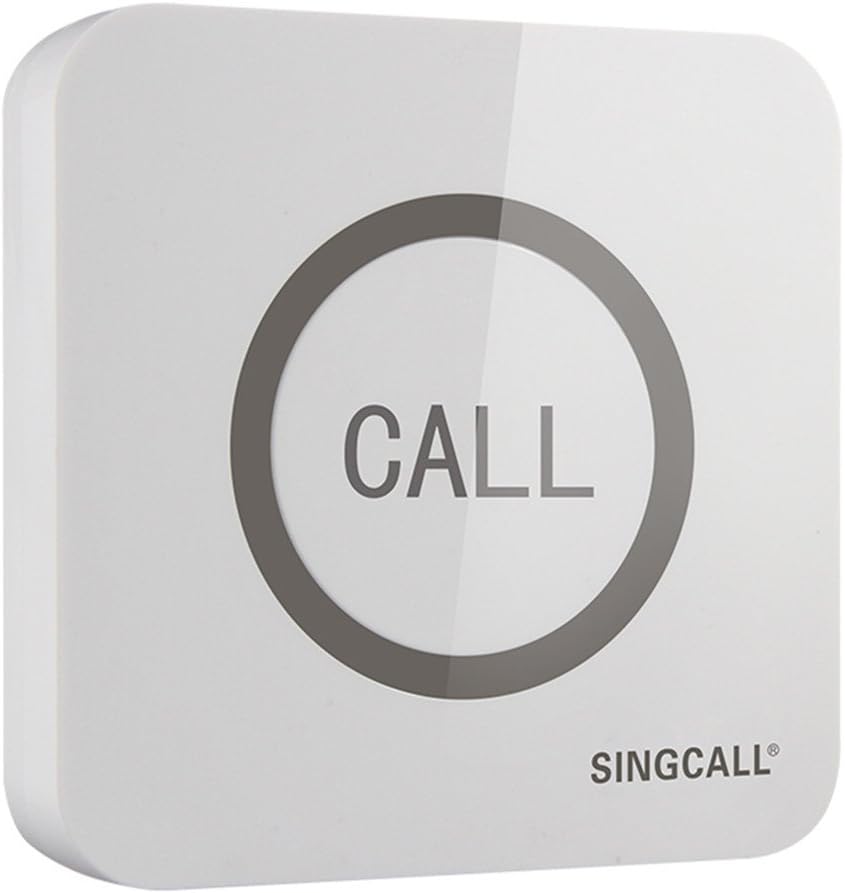
Figure 1: SINGCALL APE520 1-Button Pager (Front View)
2. معلومات السلامة
يرجى قراءة جميع تعليمات السلامة بعناية قبل استخدام المنتج. احتفظ بهذا الدليل للرجوع إليه مستقبلًا.
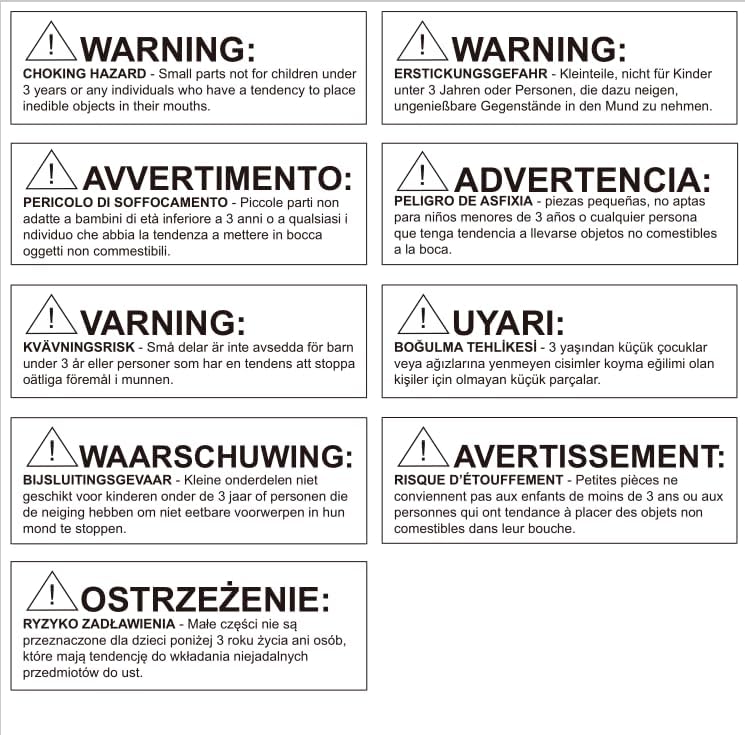
Figure 2: Choking Hazard Warning Label
WARNING: CHOKING HAZARD - Small parts. Not for children under 3 years or any individuals who have a tendency to place inedible objects in their mouths. Ensure the pager is kept out of reach of small children.
3. مكونات المنتج
The SINGCALL APE520 1-Button Pager package typically includes:
- 1 x SINGCALL APE520 1-Button Pager
- دليل المستخدم (هذا المستند)
- Required battery (1 x CR2 battery, may be pre-installed or included separately)
Note: Compatible receivers (e.g., wristwatches, display panels) are sold separately and are required for the system to function.

Figure 3: SINGCALL APE520 1-Button Pager (Back View)
4. الإعداد والاقتران
4.1 تركيب البطارية
The APE520 pager requires one CR2 battery. To install or replace the battery:
- Carefully remove the back cover of the pager.
- أدخل بطارية CR2 مع التأكد من القطبية الصحيحة (+/-).
- Securely reattach the back cover. The simple pushing bottom base design allows for easy battery changes without screws.
4.2 الاقتران بجهاز الاستقبال
The APE520 pager must be paired with a compatible SINGCALL receiver (e.g., APE6900 watch receiver, fixed display receiver) to operate. The pairing process typically involves setting the receiver into a pairing mode and then activating the pager. Refer to your specific SINGCALL receiver's manual for detailed pairing instructions. A general pairing sequence is as follows:
- Put your SINGCALL receiver into pairing mode (e.g., press a 'SET' or 'CODE' button on the receiver).
- While the receiver is in pairing mode, press the 'CALL' button on the APE520 pager.
- The receiver should display a confirmation (e.g., a number or 'OK') indicating successful pairing.
- Exit pairing mode on the receiver.
Video 1: Demonstration of pairing a SINGCALL pager (including APE520) with a SINGCALL receiver. This video illustrates the process of activating the pager and observing the receiver's response during pairing.
The video demonstrates the pairing of various SINGCALL pagers, including the APE520, with a wrist receiver. It shows how pressing the pager button transmits a signal that is received and displayed on the wrist receiver, confirming successful connection. This process is crucial for the system's functionality.
5. تعليمات التشغيل
Using the SINGCALL APE520 pager is straightforward:
- Place the pager in a convenient location where service is required (e.g., on a table, by a bed).
- When service is needed, simply press the large 'CALL' button firmly.
- Upon pressing, the pager will transmit a signal to the paired receiver(s). A small indicator light on the pager may illuminate briefly to confirm transmission.
- The receiver will then display the pager's identification number, alerting staff or caregivers to the call.

Figure 4: Pager in use at a restaurant table.
The APE520 pager is designed for simple, one-touch operation, making it ideal for quick and efficient service requests in various settings. Its large, responsive button ensures ease of use for all users.
6. الصيانة
6.1 التنظيف
To clean the pager, wipe it with a soft, damp cloth. Do not use abrasive cleaners or solvents, as these may damage the surface or internal components. Ensure the pager is dry before re-installing the battery cover.
6.2 استبدال البطارية
When the pager's signal becomes weak or it stops responding, it may be time to replace the CR2 battery. Follow the battery installation steps in Section 4.1. The pager's design allows for easy battery changes.
6.3 ميزة مقاومة الماء
The APE520 pager features a 360-degree waterproof design, making it resistant to splashes and spills. This feature ensures durability in environments where liquids may be present, such as restaurants or hospitals. However, it is not designed for prolonged submersion.

Figure 5: Waterproof design of the APE520 pager.
7. استكشاف الأخطاء وإصلاحها
| مشكلة | السبب المحتمل | حل |
|---|---|---|
| Pager does not respond when pressed. | البطارية ميتة أو تم تركيبها بشكل غير صحيح. | استبدل بطارية CR2، مع التأكد من القطبية الصحيحة. |
| Receiver does not display call from pager. | Pager is not paired with the receiver, or pairing was lost. | Re-pair the pager with the receiver following the instructions in Section 4.2. Ensure the receiver is powered on and within range. |
| Signal is weak or inconsistent. | Pager is too far from the receiver, or there are significant obstructions (thick walls, metal structures). | Reduce the distance between the pager and receiver. Relocate the receiver to a more central position. Ensure the pager's battery is not low. |
| Receiver displays incorrect pager ID. | Possible interference or misconfiguration during pairing. | Clear the pager ID from the receiver (refer to receiver manual) and re-pair the pager. |
8. المواصفات
| ميزة | التفاصيل |
|---|---|
| نموذج | ايه بي اي 520 |
| أبعاد | 3.39 × 3.39 × 0.71 بوصة (8.6 × 8.6 × 1.8 سم) |
| وزن العنصر | 3.17 أونصة (90 جرام) |
| نوع البطارية | 1 x CR2 battery required |
| المجلدtage | 12 فولت |
| الأجهزة المتوافقة | SINGCALL wireless wrist receivers and fixed hosts |
| تصنيف مقاومة الماء | 360-degree waterproof handling (splash-resistant) |
| نوع الزر | Super big touching button (2-inch diameter) |
| استقرار الإشارة | Stable and long distance signal transmission |
9. الضمان والدعم
For warranty information, technical support, or service inquiries regarding your SINGCALL APE520 1-Button Pager, please contact SINGCALL directly. You can find contact details and additional resources by visiting the official SINGCALL store or webموقع.
Official SINGCALL Store: SINGCALL Amazon Store
Ask a question about this manual
Ask about setup, troubleshooting, compatibility, parts, safety, or missing instructions. Manuals+ will review the question and use this page’s manual context to help answer it.