
1. انتهى المنتجview
The Laserliner DistanceMaster Compact is a precise laser distance meter designed for accurate length, area, and volume measurements. It features a color display and a robust, ergonomically designed rubber casing, making it suitable for various environments, including construction sites and indoor applications.
المميزات الرئيسية:
- Precise point-accurate laser measurement for accurate length determination.
- Area and volume functions for calculating room sizes and material quantities.
- Measured value memory for up to 10 entries.
- Measuring accuracy of ±3 mm up to 25 meters.
- Internal measuring range from 0.1 meters to 25 meters.
- Two selectable reference points for measurement: front and rear.
- Min/Max function for determining diagonals, vertical, and horizontal distances.
- Illuminated three-line color LCD display for clear readability.
- Robust, ergonomically designed rubber casing with IP54 protection against dust and splashing water.
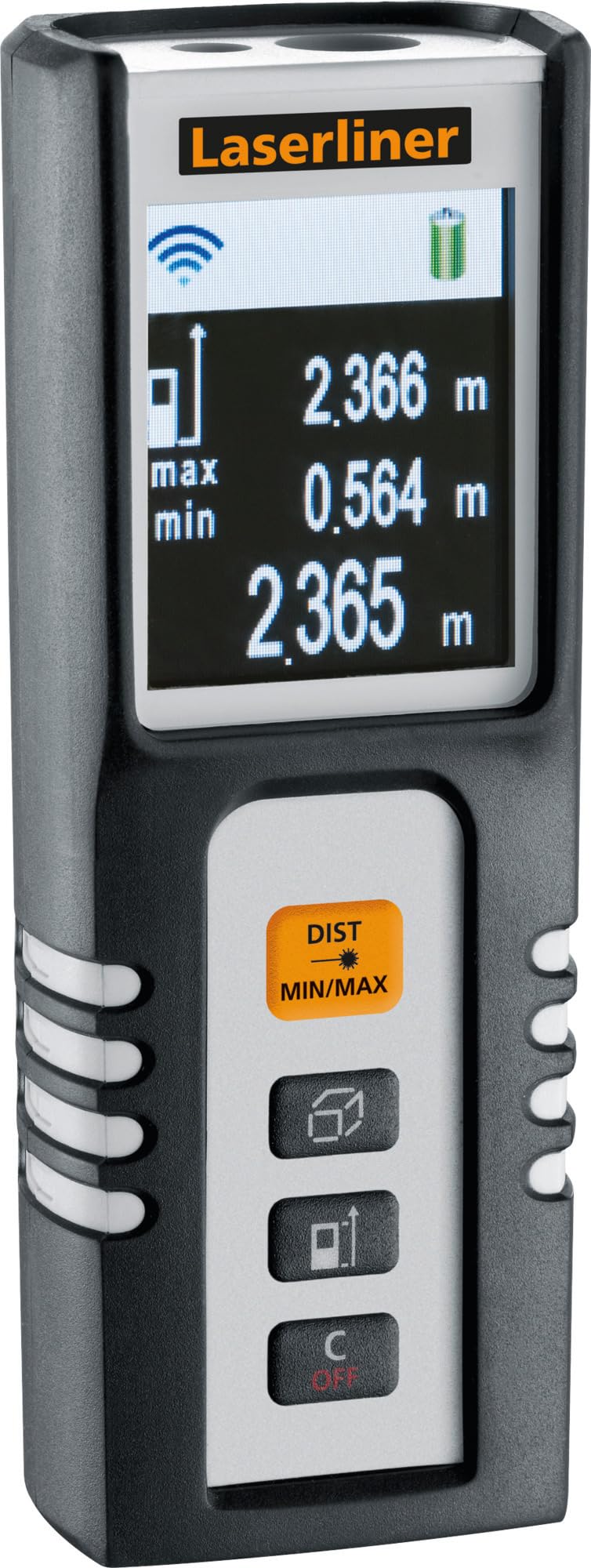
Image 1.1: The Laserliner DistanceMaster Compact laser rangefinder with its protective carrying case. The device features a clear digital display showing measurement readings and battery status.
2. الإعداد
2.1 تركيب البطارية
The DistanceMaster Compact requires two AAA batteries for operation. These are typically included with the device.
- حدد موقع غطاء حجرة البطارية على الجزء الخلفي للجهاز.
- قم بسحب الغطاء أو فكه لفتح الحجرة.
- قم بإدخال بطاريتين AAA، مع التأكد من القطبية الصحيحة (+/-) كما هو موضح داخل الحجرة.
- أغلق غطاء حجرة البطارية جيدًا.
2.2 تشغيل/إيقاف التشغيل
لتشغيل الجهاز اضغط على منطقة الزر. لإيقاف التشغيل، اضغط مع الاستمرار على ج/إيقاف زر.
3. تعليمات التشغيل
3.1 قياس المسافة الأساسية
For a single distance measurement:
- وجه شعاع الليزر نحو سطح الهدف.
- اضغط على منطقة اضغط على الزر مرة واحدة. ستظهر المسافة المقاسة على الشاشة.
3.2 قياس المساحة والحجم
The device can calculate area and volume automatically after taking the necessary measurements.
- اضغط على الزر مع square/cube icon to select area or volume mode.
- Follow the on-screen prompts to measure the required dimensions (length, width, height).
- سيتم عرض المساحة أو الحجم المحسوب.

Image 3.1: The laser rangefinder being used to measure dimensions for calculating the area of a wall, illustrating its practical application for material estimation.
3.3 Min/Max Tracking
The Min/Max function allows for continuous measurement, displaying the minimum and maximum distances recorded during a sweep. This is useful for finding diagonals or precise horizontal/vertical distances.
- اضغط مع الاستمرار على DIST MIN/MAX زر.
- Sweep the device across the desired area. The display will continuously update with the minimum and maximum measured values.
- يضعط DIST MIN/MAX again to stop tracking.

الصورة 3.2: تفصيلية view of the control panel, highlighting the 'DIST MIN/MAX' button used for continuous measurement and tracking.
3.4 اختيار نقطة مرجعية
The measurement reference point can be switched between the front and rear of the device. This is important for accurate measurements depending on where the device is placed.
- اضغط على الزر مع رمز السهم to toggle between front and rear reference points. The active reference point will be indicated on the display.
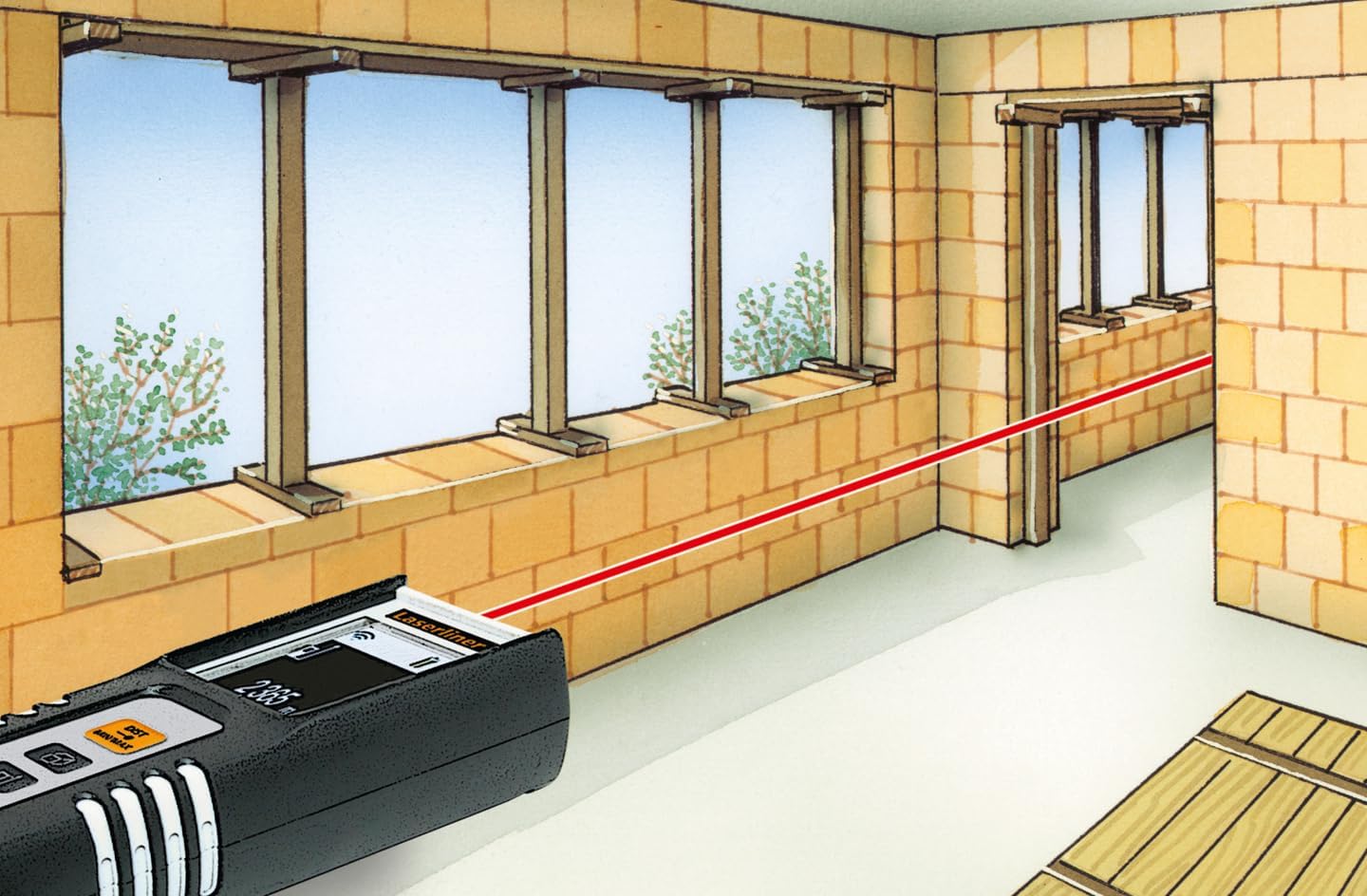
Image 3.3: The laser rangefinder in use, demonstrating a distance measurement across a room, emphasizing the importance of selecting the correct reference point.
3.5 وظيفة الذاكرة
The device can store up to 10 measured values. To access or clear the memory, refer to the on-screen menu or specific button combinations detailed in the full manual (not provided here).
4. الصيانة
4.1 التنظيف
- امسح الجهاز بقطعة ناعمة ، دamp القماش. لا تستخدم المنظفات أو المذيبات الكاشطة.
- Keep the laser lens clean and free from dust or debris to ensure accurate measurements.
4.2 التخزين
- قم بتخزين الجهاز في العلبة الواقية الخاصة به عندما لا يكون قيد الاستخدام.
- قم بإزالة البطاريات إذا لم يتم استخدام الجهاز لفترة طويلة لمنع التسرب.
- يحفظ في مكان جاف، بعيداً عن درجات الحرارة القصوى.
5. استكشاف الأخطاء وإصلاحها
- الجهاز لا يعمل: Check battery polarity and ensure batteries are not depleted. Replace if necessary.
- قياسات غير دقيقة: Ensure the laser lens is clean. Verify the correct reference point is selected. Avoid measuring through transparent surfaces or highly reflective materials.
- مشاكل العرض: إذا كانت الشاشة باهتة أو تومض، استبدل البطاريات.
6. المواصفات

Image 6.1: The vibrant color LCD display of the DistanceMaster Compact, designed for clear visibility of measurements and functions.
| ميزة | مواصفة |
|---|---|
| رقم الموديل | 080.936 أمبير |
| مدى القياس | 0.1 متر إلى 25 متر (0.3 قدم إلى 82 قدم) |
| دقة | ±3 ملم |
| وحدات القياس | المتر (م)، القدم (قدم)، البوصة (بوصة) |
| دورة الليزر | 2 |
| الطول الموجي | 650 نانومتر |
| سجلات الذاكرة | 10 |
| عرض | Illuminated 3-line color LCD |
| مزود الطاقة | 2 × بطاريات قلوية AAA (متضمنة) |
| درجة حرارة التشغيل | -10 درجة مئوية إلى 40 درجة مئوية (14 درجة فهرنهايت إلى 104 درجة فهرنهايت) |
| تصنيف الحماية | IP54 (محمي من الغبار ورذاذ الماء) |
| مادة | مطاط جasing |
| لون | اسود، ابيض |
| أبعاد المنتج | شنومك مم (h) x شنومك مم (w) x شنومك مم (d) |
| وزن المنتج | 100 جرام |

Image 6.2: The robust design of the laser rangefinder, featuring anti-shock rubber for durability and protection in demanding environments, indicated by the IP54 rating.
7. الضمان والدعم
For warranty information, technical support, or service inquiries regarding your Laserliner DistanceMaster Compact, please refer to the official Laserliner webالموقع الإلكتروني أو تواصل مع قسم خدمة العملاء. احتفظ بإيصال الشراء كإثبات للشراء في حال وجود أي مطالبات بالضمان.
لمزيد من المساعدة، يمكنك زيارة Laserliner official webموقع.