
مقدمة
Thank you for choosing the GUESS U0595G2 Digital Watch. This manual provides detailed instructions for the proper setup, operation, and maintenance of your new timepiece. Please read this manual thoroughly to ensure optimal performance and longevity of your watch.
The GUESS U0595G2 features a rectangular digital dial, offering functions such as a chronograph, alarm, and two timers. It is designed with a durable metallic case, a mineral crystal window, and a comfortable silicone strap with a buckle closure. The watch is water-resistant up to 10 meters (33 feet).
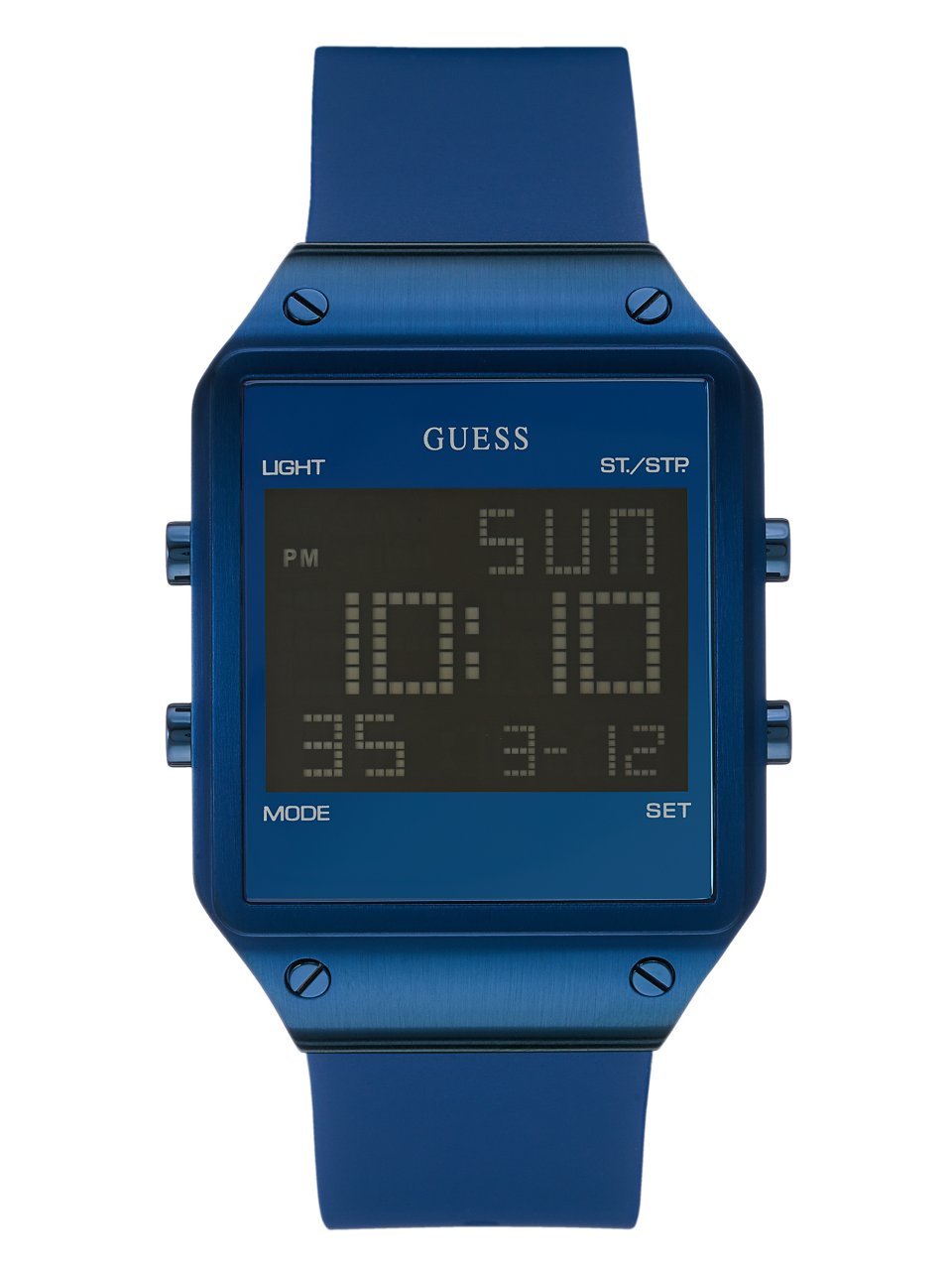
الصورة: الجبهة view of the GUESS U0595G2 Digital Watch with a blue silicone strap and a black digital display.
يثبت
معلومات البطارية
Your GUESS U0595G2 watch comes with a product-specific battery already installed. No initial battery installation is required. If the display becomes dim or the watch stops functioning, the battery may need replacement. Refer to the Maintenance section for battery replacement guidelines.
ضبط الوقت والتاريخ
- الوصول إلى الإعدادات: Locate the control buttons on the side of your watch. Typically, there are 2-4 buttons. Press and hold the "MODE" or "SET" button (refer to your watch's specific button layout, usually indicated by small labels or icons) until the time display starts flashing.
- ضبط الوقت: Use the "ADJUST" or "START/STOP" button to increase or decrease the flashing digit (hours, then minutes). Press the "MODE" or "SET" button again to move to the next setting (e.g., from hours to minutes).
- تاريخ الإعداد: Continue pressing the "MODE" or "SET" button to cycle through date settings (month, day, year). Adjust each value using the "ADJUST" or "START/STOP" button.
- الخروج من الإعدادات: Once all settings are correct, press the "MODE" or "SET" button one last time, or wait for a few seconds for the watch to automatically exit the setting mode.
Note: The exact button functions may vary slightly. Experiment with the buttons or consult the watch's specific markings.
تعليمات التشغيل
عرض الوقت الأساسي
In normal mode, your watch displays the current time (hours, minutes, seconds) and often the day of the week and date. Pressing a specific button (often labeled "DISPLAY" or "LIGHT") may toggle between 12-hour and 24-hour formats or activate the backlight.
استخدام الكرونوغراف (ساعة الإيقاف)
- أدخل وضع الكرونوغراف: Press the "MODE" button repeatedly until "CHRONO" or "STW" appears on the display.
- البدء/الإيقاف: Press the "START/STOP" button to begin timing. Press it again to pause.
- وقت اللفة/الانقسام: If available, press the "LAP" or "RESET" button while the stopwatch is running to record a lap time without stopping the main timer.
- إعادة تعيين: While the stopwatch is stopped, press the "RESET" button to clear the time to zero.
- الخروج من وضع الكرونوغراف: Press the "MODE" button to return to the normal time display.
ضبط واستخدام المنبه
- الدخول إلى وضع التنبيه: Press the "MODE" button repeatedly until "ALARM" or "ALM" appears.
- ضبط وقت التنبيه: Press and hold the "SET" button until the alarm time starts flashing. Use the "ADJUST" or "START/STOP" button to set the desired hour and minute. Press "SET" to move between hours and minutes.
- تنشيط / إلغاء تنشيط المنبه: In alarm mode, press the "START/STOP" button to toggle the alarm ON or OFF. An alarm icon (e.g., a bell) will appear on the display when activated.
- Snooze/Stop Alarm: When the alarm sounds, press any button (except "SET" or "MODE") to stop it. Some models may have a snooze function activated by a specific button.
- وضع إنذار الخروج: Press the "MODE" button to return to the normal time display.
Using Timers
Your watch may feature one or two countdown timers. These function similarly to the chronograph but count down from a preset time.
- أدخل وضع المؤقت: Press the "MODE" button repeatedly until "TIMER" or "TMR" appears.
- Set Timer Duration: Press and hold the "SET" button to adjust the countdown time (hours, minutes, seconds) using the "ADJUST" or "START/STOP" button.
- مؤقت بدء/إيقاف: Press the "START/STOP" button to begin the countdown. Press again to pause.
- إعادة تعيين الموقت: While paused, press the "RESET" button to return to the preset time.
- Alarm at End: سيصدر تنبيه صوتي عندما يصل المؤقت إلى الصفر.
- الخروج من وضع المؤقت: Press the "MODE" button to return to the normal time display.
Backlight / Glow in the Dark
To illuminate the display in low-light conditions, press the "LIGHT" button (if present) or a designated button. The watch also features glow-in-the-dark elements for visibility.
صيانة
تنظيف ساعتك
- امسح علبة الساعة وحزامها بقطعة قماش ناعمة.amp قطعة قماش.
- Avoid using harsh chemicals, solvents, or abrasive cleaners, as these can damage the watch's finish or silicone strap.
- For stubborn dirt, a mild soap solution can be used, followed by rinsing with clean water and thorough drying.
مقاومة الماء
Your GUESS U0595G2 watch is water-resistant up to 10 meters (33 feet). This means it is suitable for everyday use and can withstand splashes, rain, and brief immersion in water (e.g., washing hands). However, it is لا designed for swimming, showering, diving, or prolonged submersion. Do not operate buttons while the watch is wet or submerged.
استبدال البطارية
When the battery needs replacement, it is recommended to take your watch to an authorized GUESS service center or a reputable watch repair shop. Attempting to replace the battery yourself may void the warranty or damage the watch's water resistance seal.
استكشاف الأخطاء وإصلاحها
المشاكل الشائعة والحلول
- العرض فارغ أو باهت: The battery may be low or depleted. Replace the battery as described in the Maintenance section.
- وقت أو تاريخ غير صحيح: Re-set the time and date following the instructions in the Setup section. Ensure you are in the correct 12-hour or 24-hour format.
- الأزرار لا تستجيب: Ensure the watch is not in a locked mode (if applicable). If the issue persists, a battery replacement or a soft reset (if your model supports it, often by pressing all buttons simultaneously for a few seconds) might be necessary.
- الماء داخل الساعة: If condensation or water droplets appear inside the watch, stop using it immediately and take it to an authorized service center. This indicates a breach in the water resistance seal.
If you encounter issues not covered here or if troubleshooting steps do not resolve the problem, please contact GUESS customer support for further assistance.
تحديد
| رقم الموديل | U0595G2 |
| ماركة | جيس |
| نوع العرض | رقمي |
| نوع الحركة | كوارتز |
| مادة العلبة | معدن |
| مادة الحزام | سيليكون |
| نوع المشبك | مشبك |
| نوع الكريستال | معدن |
| قطر العلبة | 55 مليمتر |
| سمك العلبة | 13 مليمتر |
| عرض الشريط | 24 مليمتر |
| مقاومة الماء | 10 أمتار (33 قدم) |
| سمات | Chronograph, Alarm, Two Timers, Glow in the Dark |
| بطارية | بطارية واحدة خاصة بالمنتج (مرفقة) |
| رمز المنتج الموحد | 091661449475 |
الضمان والدعم
For warranty information, please refer to the documentation included with your purchase or visit the official GUESS website. If you require technical support, service, or have questions regarding your GUESS U0595G2 Digital Watch, please contact GUESS customer service through their official channels.
You can often find contact information and FAQs on the official GUESS brand webموقع: www.guess.com