
تعليمات السلامة الهامة
Read all instructions carefully before using the appliance. Keep this manual for future reference. Always follow basic safety precautions to reduce the risk of fire, electric shock, or injury to persons.
- تأكد من تأريض الغسالة بشكل صحيح.
- لا تقم بتشغيل الجهاز باستخدام سلك طاقة أو قابس تالف.
- أبقِ الأطفال والحيوانات الأليفة بعيدًا عن الجهاز أثناء التشغيل.
- لا تغسل العناصر الملوثة بمواد قابلة للاشتعال.
- افصل الجهاز قبل التنظيف أو إجراء أي صيانة.
1. الإعداد والتثبيت
1.1 فك التعبئة
Carefully remove all packaging materials, including the base packaging and any protective foam. Inspect the machine for any damage incurred during transit. Retain packaging for potential future transport.
1.2 موقع التثبيت
Place the washing machine on a firm, level surface. Ensure there is adequate space around the machine for ventilation and access. Avoid direct sunlight or areas with high humidity.
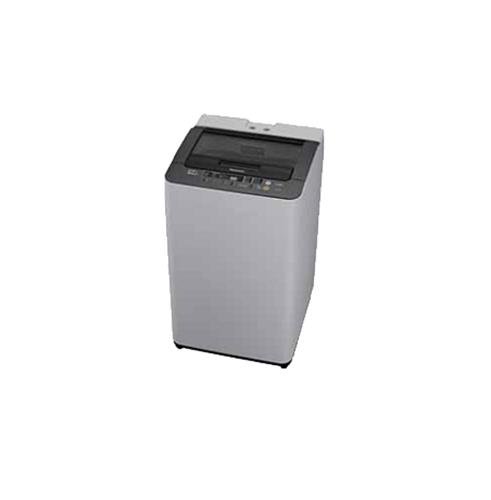
Figure 1: Panasonic NA-F65H3 6.5 Kg Top-loading Washing Machine. This image shows the overall design of the appliance, including the top-loading lid and control panel.
1.3 توصيل إمداد المياه
Connect the inlet hose to a cold water tap with a 3/4-inch thread. Ensure all connections are tight to prevent leaks. Do not overtighten. The water pressure should be between 0.03 MPa and 1 MPa.
1.4 Drainage Hose Setup
Position the drain hose correctly. It should be placed into a standpipe or over the edge of a sink, ensuring it is securely fixed to prevent dislodging during operation. The height of the drain hose should be between 80 cm and 100 cm from the floor.
1.5 تسوية الماكينة
استخدم ميزان الماء للتأكد من استواء الجهاز تمامًا. اضبط أرجل التسوية في أسفل الجهاز حسب الحاجة. يقلل الجهاز المستوي من الاهتزاز والضوضاء أثناء التشغيل.
1.6 توصيل الطاقة
قم بتوصيل سلك الطاقة بمأخذ كهربائي مؤرض. تأكد من مستوى الصوتtagتتوافق قيمتا e والتردد مع المواصفات المدرجة على ملصق بيانات الجهاز.
2. تعليمات التشغيل
2.1 انتهت لوحة التحكمview
The control panel, located on the top rear of the machine, features various buttons and indicators for selecting wash programs, water levels, and special functions. Familiarize yourself with the layout before first use.
- زر الطاقة: يقوم بتشغيل/إيقاف تشغيل الجهاز.
- زر البدء / الإيقاف المؤقت: يبدأ أو يوقف دورة الغسيل.
- محدد البرنامج: Dial or buttons to choose from 8 wash programs.
- مستوى الماء: Adjusts water level (6 settings available).
- تأخير البدء: تعيين وقت بدء متأخر لدورة الغسيل.
2.2 تحميل الغسيل
Open the glass lid and load laundry evenly into the Sazanami drum. Do not overload the machine; ensure there is enough space for clothes to move freely. Close the lid securely.
2.3 إضافة المنظف والمنعم
Add the appropriate amount of detergent to the detergent dispenser, typically located on the top edge of the drum opening. If using fabric softener, add it to the designated softener compartment. Refer to detergent packaging for recommended quantities.
2.4 اختيار برنامج الغسيل
Turn on the machine using the Power button. Select one of the 8 available wash programs based on your laundry type and soil level. Adjust the water level using the Water Level button (6 settings available). Available wash technologies include:
- غسيل بالرغوة: Creates fine foam for effective dirt removal.
- Aqua Beat Wash: Powerful water flow for thorough cleaning.
- Dancing Water Flow: Dynamic water movement to prevent tangling.
- شطف أكوا سبين: Efficient rinsing with minimal water.
- Power Soak: Pre-soak function for heavily soiled items (90/120/150 min options).
2.5 بدء دورة الغسيل
Once the program and settings are selected, press the Start/Pause button to begin the wash cycle. The machine will automatically proceed through the wash, rinse, and spin phases. The new auto re-start feature (with LED indicator) will resume operation after a power outage.
3. الصيانة والعناية
3.1 تنظيف فلتر الوبر
The big lint filter, typically located inside the drum near the top rim, should be cleaned regularly, ideally after every few washes, to maintain optimal performance. Remove the filter, clean out accumulated lint under running water, and reinsert it securely.
3.2 تنظيف الغسالة
امسح الجزء الخارجي من الجهاز بقطعة قماش ناعمة، دamp cloth. Clean the detergent dispenser periodically to prevent residue buildup. For the drum, run a 'Tub Clean' or 'Self Clean' cycle if available, or a hot wash with a washing machine cleaner. The anti-bacterial coating helps maintain hygiene.
3.3 تجهيز وتخزين المعدات لفصل الشتاء
If storing the machine in an unheated area or during freezing temperatures, drain all water from the hoses and pump to prevent damage. Disconnect water supply and power, and store in a dry place.
4. استكشاف الأخطاء وإصلاحها
قبل الاتصال بالخدمة، يرجى الرجوع إلى الجدول التالي للاطلاع على المشكلات الشائعة وحلولها.
| مشكلة | السبب المحتمل | حل |
|---|---|---|
| الآلة لا تبدأ | سلك الطاقة غير موصول؛ الغطاء غير مغلق؛ انقطاع التيار الكهربائيtage. | Check power connection; Ensure lid is fully closed; Wait for power to resume (auto re-start feature). |
| الماء لا يستنزف | خرطوم التصريف ملتوي أو مسدود؛ فلتر الوبر مسدود. | Straighten drain hose; Clean the lint filter. |
| الاهتزاز / الضوضاء المفرطة | Machine not level; Laundry unevenly distributed; Transit bolts not removed. | اضبط أرجل التسوية؛ أعد توزيع الغسيل؛ تأكد من إزالة جميع مسامير النقل أثناء التركيب. |
| نتائج غسيل سيئة | Overloading; Insufficient detergent; Incorrect program selection. | Reduce load size; Use correct amount of detergent; Select appropriate wash program. |
5. المواصفات
| ماركة | باناسونيك |
| نموذج | NA-F65H3 |
| يكتب | Fully-automatic Top-loading Washing Machine |
| سعة | 6.5 كجم |
| برامج الغسيل | 8 |
| إعدادات مستوى الماء | 6 |
| نوع الطبلة | Sazanami Drum |
| المميزات الخاصة | Glass Lid, Anti-bacterial Filter, Anti-bacterial Coating, Power Soak (90/120/150 min), Foam Wash, Aqua Beat Wash, Dancing Water Flow, Aqua Spin Rinse, Big Lint Filter, Auto Re-start (with LED indicator) |
| لون | الأبيض والرمادي |
6. الضمان والدعم
6.1 معلومات الضمان
This Panasonic NA-F65H3 washing machine comes with a ضمان لمدة سنة واحدة على المنتج from the date of purchase. Please retain your purchase receipt as proof of warranty. The warranty covers manufacturing defects under normal use conditions. For detailed terms and conditions, refer to the warranty card provided with your appliance.
6.2 دعم العملاء
For technical assistance, service requests, or inquiries regarding your Panasonic washing machine, please contact Panasonic customer support. You can find contact details on the official Panasonic webالموقع أو في وثائق الضمان.
When contacting support, please have your model number (NA-F65H3) and serial number ready to expedite the service process.