
1. المقدمة
The Cooler Master CM Storm QuickFire Rapid-i is a mechanical gaming keyboard designed for performance and durability. It features full LED backlighting with ActivLite Technology, allowing for dynamic lighting effects and per-key customization. This keyboard is equipped with a 32-bit ARM processor for advanced lighting control without the need for software. Its tenkeyless form factor provides a compact design, ideal for gaming setups and travel.
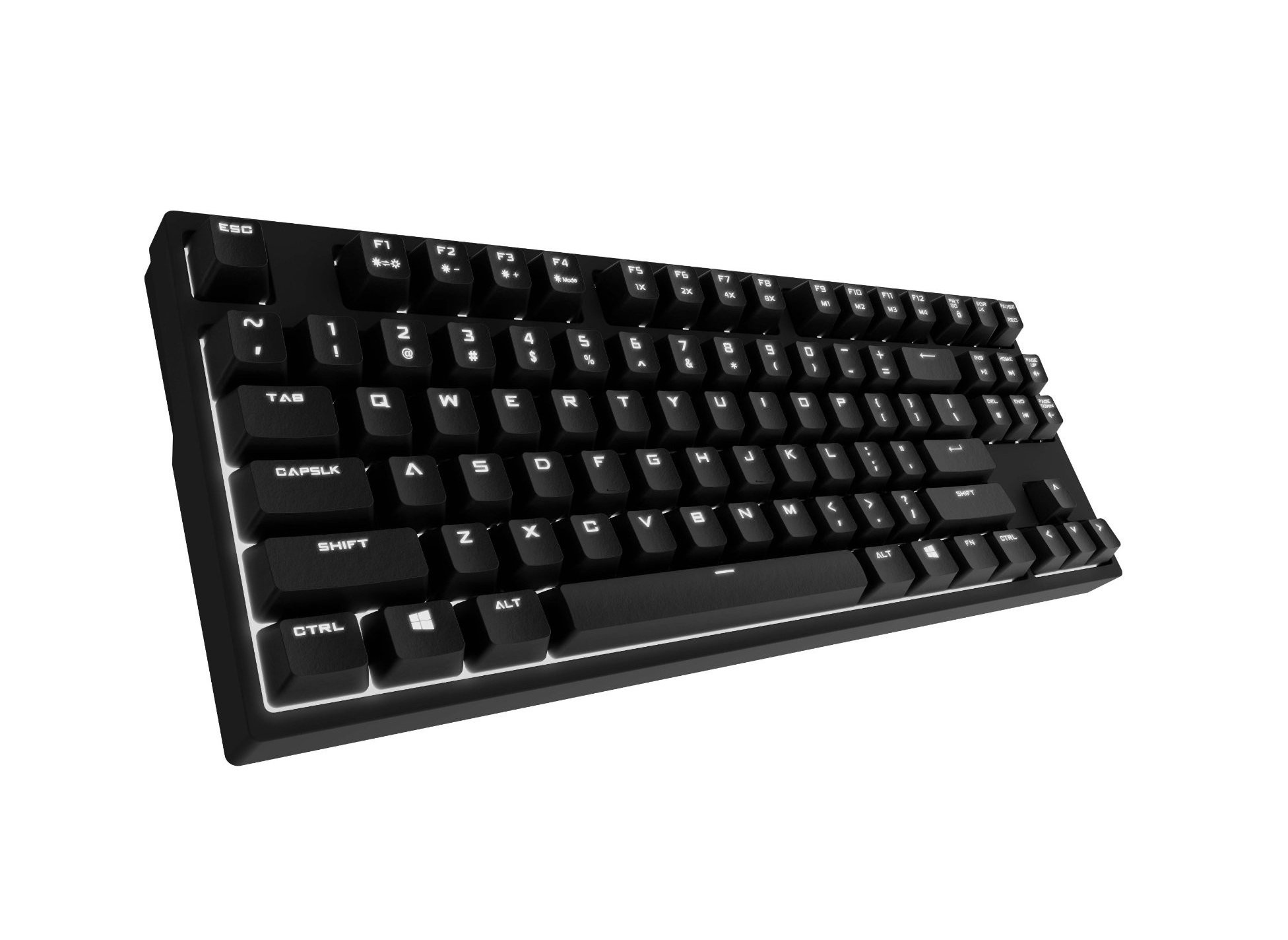
Image 1.1: Cooler Master CM Storm QuickFire Rapid-i Mechanical Gaming Keyboard.
2. محتويات العبوة
تأكد من وجود جميع العناصر في الحزمة الخاصة بك:
- Cooler Master CM Storm QuickFire Rapid-i Keyboard
- 1.8m Detachable Braided USB Cable
- دليل المستخدم (هذا المستند)
3. مواصفات المنتج
- Fully Mechanical CHERRY MX Brown Keyswitches: Provides tactile feedback with low noise, optimized for gaming.
- Tenkeyless Form Factor: Compact and ergonomic design for portability and improved mouse positioning.
- Fully White LED Backlit: Ensures visibility in low-light environments.
- ActivLite Technology: Features instant response and trailing light effects, powered by a 32-bit ARM processor.
- Individual Key Lighting: Allows saving up to 4 different lighting profiles for various applications or games.
- 1.8m Detachable Braided Cable: Durable and convenient for transport.
- N- مفتاح التمديد: Registers an unlimited number of simultaneous keypresses, preventing ghosting.
4. الإعداد
4.1 توصيل لوحة المفاتيح
- Locate the detachable 1.8m braided USB cable.
- Connect the micro-USB end of the cable to the port on the back of the QuickFire Rapid-i keyboard.
- قم بتوصيل الطرف القياسي USB-A للكابل بمنفذ USB متاح على جهاز الكمبيوتر الخاص بك.
- The keyboard is plug-and-play compatible with Windows operating systems and should be recognized automatically.

Image 4.1: Connecting the detachable USB cable to the keyboard.
5. تعليمات التشغيل
5.1 وظائف لوحة المفاتيح الأساسية
The QuickFire Rapid-i functions as a standard QWERTY keyboard. All keys perform their labeled actions. Special functions are typically accessed via the Function (Fn) key combined with other keys.
5.2 ActivLite Technology and LED Backlighting
The keyboard features fully white LED backlighting with ActivLite Technology, offering various lighting modes and effects. These effects are controlled directly from the keyboard using key combinations, without requiring software.
- استجابة فورية: Keys light up immediately upon press.
- Trailing Effect: Keys remain lit for a short duration after being pressed, creating a trailing light effect.
- ضبط السطوع: يستخدم فن + F1 (decrease brightness) and فن + F2 (increase brightness) to adjust the LED intensity.
- أوضاع الإضاءة: Cycle through various pre-programmed lighting modes using فن + F3 ل فن + F8. Refer to the keyboard's keycap legends for specific mode indicators.

الصورة 5.1: مثالample of LED backlighting on the QuickFire Rapid-i.
5.3 Per-Key Lighting and Profiles
The QuickFire Rapid-i allows users to customize individual key lighting and save up to 4 different profiles directly on the keyboard's onboard memory.
- Entering Customization Mode: يضعط فن + F9 to enter the per-key lighting customization mode. The keyboard LEDs may flash to indicate this mode.
- Selecting Keys: Press any key you wish to toggle its LED on or off.
- Saving a Profile: Once your desired lighting pattern is set, press فن + F10, فن + F11, فن + F12، أو Fn + Print Screen to save the current lighting pattern to one of the four available profiles. The keyboard will confirm the save.
- تحميل ملف Profile: To load a saved profile، فقط اضغط فن + F10, فن + F11, فن + F12، أو Fn + Print Screen corresponding to the desired profile.
- Exiting Customization Mode: يضعط فن + F9 again to exit customization mode.

Image 5.2: Customizing individual key lighting for a personalized profile.
5.4 N-Key Rollover (NKRO)
The QuickFire Rapid-i supports N-Key Rollover, meaning every single keypress is registered accurately, regardless of how many keys are pressed simultaneously. This feature is crucial for fast-paced gaming where multiple commands might be executed at once.
6. الصيانة
6.1 تنظيف لوحة المفاتيح
- افصل لوحة المفاتيح عن الكمبيوتر قبل التنظيف.
- استخدم قطعة قماش ناعمة وخالية من الوبر وامسحها برفق.ampاغسل أغطية المفاتيح والهيكل بالماء أو محلول التنظيف المعتدل.
- تجنب رش السوائل مباشرة على لوحة المفاتيح.
- لإزالة الغبار والحطام بين المفاتيح، استخدم الهواء المضغوط.
- Do not use harsh chemicals, abrasives, or solvents as they may damage the keyboard's finish or keycap legends.
6.2 العناية بالكابلات
- Avoid sharp bends or kinks in the detachable braided cable.
- When disconnecting, pull from the connector head, not the cable itself.
7. استكشاف الأخطاء وإصلاحها
7.1 لوحة المفاتيح لا تستجيب
- تأكد من توصيل كابل USB بشكل آمن بكل من لوحة المفاتيح والكمبيوتر.
- حاول توصيل لوحة المفاتيح بمنفذ USB مختلف على جهاز الكمبيوتر الخاص بك.
- قم باختبار لوحة المفاتيح على جهاز كمبيوتر آخر لاستبعاد وجود مشكلة خاصة بالنظام.
- أعد تشغيل الكمبيوتر الخاص بك.
7.2 LED Backlighting Not Working or Flickering
- Check if the brightness is set to minimum using فن + F1. Increase brightness with فن + F2.
- التنقل بين أوضاع الإضاءة باستخدام فن + F3 ل فن + F8 لمعرفة ما إذا كانت الأوضاع الأخرى تعمل.
- Ensure you are not in a custom profile with all LEDs turned off. Try loading a different profile or resetting the lighting.
- افصل لوحة المفاتيح ثم أعد توصيلها.
7.3 Keys Not Registering Correctly (Ghosting)
- The QuickFire Rapid-i features N-Key Rollover, which should prevent ghosting. If you experience this, ensure the keyboard is connected directly to a USB port on your computer, not through a hub.
- قم بتنظيف المفاتيح المتضررة كما هو موضح في قسم الصيانة.
- If the issue persists, contact Cooler Master support.
8. المواصفات
| ماركة | كولر ماستر |
| اسم الموديل | SGK-4040-GKCB1 (CHERRY MX Brown switch) |
| رقم الموديل | SGK-4040-GKCM1-US |
| نوع المفتاح | CHERRY MX Brown (Tactile) |
| تكنولوجيا الاتصال | سلكي (كابل USB قابل للفصل) |
| تخطيط لوحة المفاتيح | QWERTY, Tenkeyless Form Factor |
| الإضاءة الخلفية | Fully White LED, ActivLite Technology, Per-Key Lighting |
| المعالج | معالج ARM ذو 32 بت |
| انقلاب المفتاح N | مدعوم |
| طول الكابل | 1.8 meters (Braided, Detachable) |
| نظام التشغيل المتوافق | نوافذ |
| أبعاد المنتج (الطول × العرض × الارتفاع) | 14.13 بوصة × 5.43 بوصة × 1.54 بوصة (35.89 سم × 13.79 سم × 3.91 سم) |
| وزن العنصر | 2.05 رطل (0.93 كجم) |
| مواد التغليف | بلاستيك |
9. الضمان والدعم
9.1 معلومات الضمان
The Cooler Master CM Storm QuickFire Rapid-i Mechanical Gaming Keyboard comes with a ضمان لمدة 12 شهرًا من تاريخ الشراء. يغطي هذا الضمان عيوب التصنيع والمشاكل الناتجة عن الاستخدام العادي. ولا يغطي الأضرار الناجمة عن سوء الاستخدام، أو الحوادث، أو التعديلات غير المصرح بها، أو الصيانة غير السليمة.
يرجى الاحتفاظ بإثبات الشراء الخاص بك لمطالبات الضمان.
9.2 الدعم الفني
For technical assistance, troubleshooting beyond this manual, or warranty inquiries, please visit the official Cooler Master support website or contact their customer service department. Contact information can typically be found on the Cooler Master official webموقع.
ملاحظة: تخضع مواصفات المنتج وشروط الضمان للتغيير دون إشعار مسبق.