
Linq IT-H408
Linq IT-H408 4-Port USB 2.0 Hub User Manual
Model: IT-H408
مقدمة
This manual provides instructions for the proper setup, operation, and maintenance of your Linq IT-H408 4-Port USB 2.0 Hub. This device allows you to expand a single USB port into four, each with an independent on/off switch, facilitating efficient management of connected peripherals.
المنتج انتهىview
The Linq IT-H408 is a USB 2.0 hub designed to provide four additional USB ports. Each port features an individual power switch, allowing you to control power to connected devices independently. It supports data transfer speeds of up to 480 Mbps.
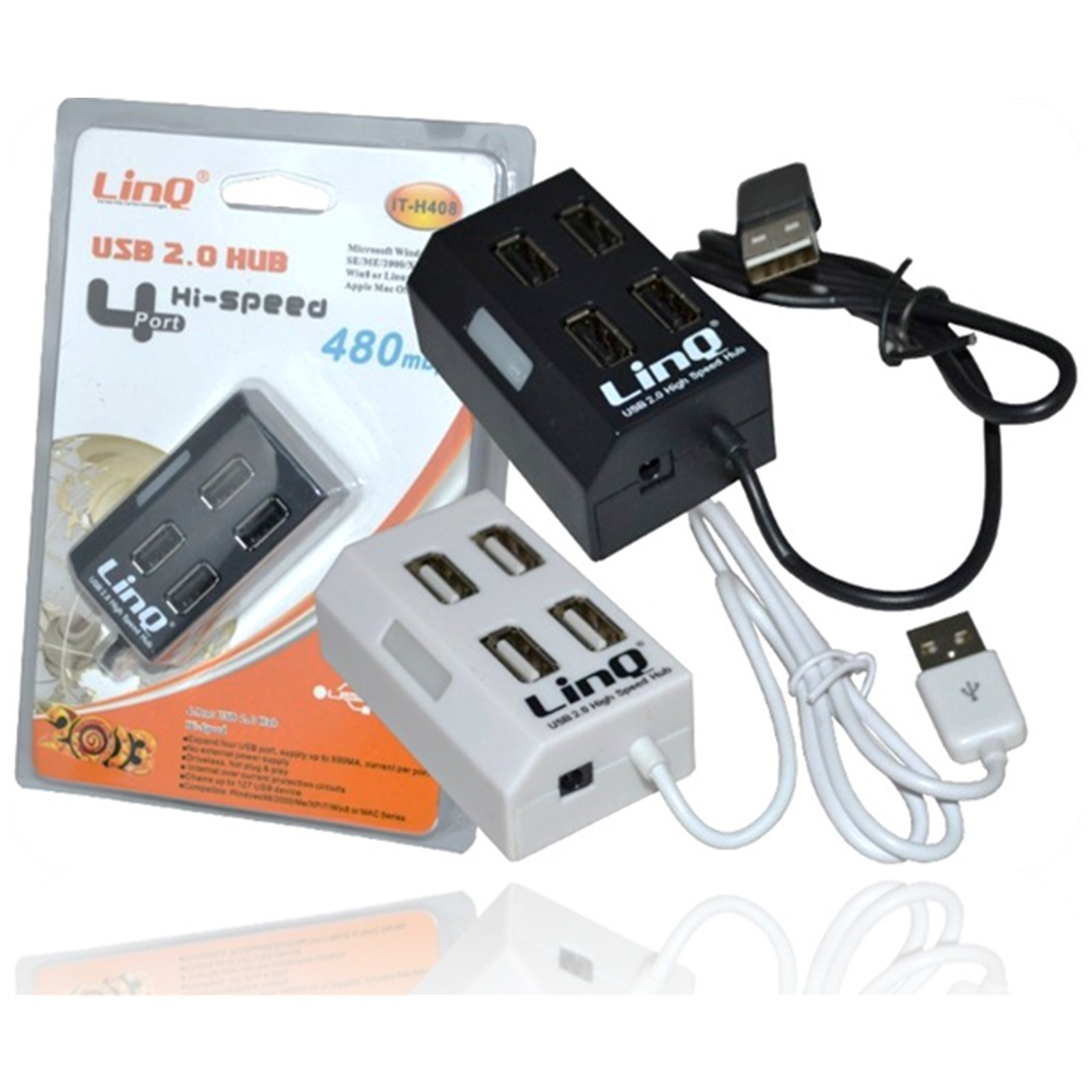
Figure 1: Linq IT-H408 4-Port USB 2.0 Hub. This image displays the hub's compact form factor, highlighting the four USB ports and their corresponding individual power switches, along with the integrated USB cable for connection to a host device.
تعليمات الإعداد
- فك حزمة المحور: Carefully remove the Linq IT-H408 USB Hub from its packaging.
- الاتصال بجهاز الكمبيوتر: Plug the integrated USB cable from the hub into an available USB 2.0 or USB 3.0 port on your computer.
- تثبيت برنامج التشغيل: The hub is plug-and-play and typically does not require additional driver installation for compatible operating systems (Windows 98/2000/ME/XP/7/8, Mac OS series). Your operating system should automatically detect and configure the device.
- توصيل الأجهزة الطرفية: Plug your USB devices (e.g., flash drives, keyboards, mice) into the available ports on the Linq IT-H408 hub.
Operating the Hub
- Powering On/Off Ports: Each USB port on the Linq IT-H408 has an independent on/off switch. Press the switch corresponding to the desired port to toggle its power state. An indicator light (if present) will illuminate when the port is active.
- توصيل الأجهزة: Insert your USB device into an available port. Ensure the port is powered on using its individual switch.
- نقل البيانات: The hub supports USB 2.0 data transfer speeds up to 480 Mbps. Performance may vary based on the connected device and host system.
- استهلاك الطاقة: For high-power devices, ensure your computer's USB port can supply sufficient power. If multiple high-power devices are connected, an external power adapter (not included) might be required for optimal performance, if the hub supports it.
صيانة
- تنظيف: استخدم قطعة قماش ناعمة وجافة لتنظيف الجزء الخارجي من المحور. تجنب استخدام المنظفات السائلة أو المذيبات.
- تخزين: عند عدم الاستخدام، قم بتخزين المحور في مكان بارد وجاف بعيدًا عن أشعة الشمس المباشرة ودرجات الحرارة القصوى.
- التعامل: تجنب إسقاط الجهاز أو تعريضه لصدمات قوية. لا تحاول تفكيك الجهاز.
استكشاف الأخطاء وإصلاحها
لم يتم التعرف على الجهاز:
- Ensure the hub's USB cable is securely connected to your computer.
- Verify that the individual switch for the connected port is in the "on" position.
- حاول توصيل الموزع بمنفذ USB مختلف على جهاز الكمبيوتر الخاص بك.
- Test the connected device by plugging it directly into your computer's USB port to rule out device issues.
- أعد تشغيل الكمبيوتر الخاص بك.
بطء سرعات نقل البيانات:
- Ensure both the hub and the connected device are USB 2.0 compatible for optimal USB 2.0 speeds.
- تجنب توصيل أجهزة متعددة ذات نطاق ترددي عالٍ في وقت واحد إذا كنت تواجه تباطؤًا في الأداء.
- Ensure the hub is connected to a USB 2.0 or higher port on your computer.
اتصال متقطع:
- تحقق من جميع توصيلات الكابلات بحثًا عن أي ارتخاء.
- Ensure the hub is not placed near sources of strong electromagnetic interference.
- If using a desktop computer, try connecting the hub to a rear USB port directly on the motherboard.
تحديد
| رقم الموديل | IT-H408 (Internal: 6950029010495) |
| ماركة | Linq |
| الواجهة | يو اس بي 2.0 |
| عدد المنافذ | 4 (with individual switches) |
| معدل نقل البيانات | تصل إلى 480 ميجابايت في الثانية |
| أنظمة التشغيل المتوافقة | Windows 98 / 2000 / ME / XP / 7 / 8, Mac OS series |
| لون | الأبيض والأسود |
| الأبعاد (تقريبًا) | 19 x 11.6 x 5 cm (Package dimensions) |
| الوزن (تقريبا) | 80 جرام |
| البطاريات المطلوبة | لا |
الضمان والدعم
Specific warranty information for the Linq IT-H408 USB Hub is typically provided at the point of purchase or within the product packaging. Please refer to your purchase documentation for details regarding warranty coverage and duration.
For technical support or further assistance, please contact your retailer or visit the official Linq webالموقع. احتفظ بإيصال الشراء الخاص بك كإثبات للشراء في حالة وجود أي مطالبات بالضمان.
Ask a question about this manual
Ask about setup, troubleshooting, compatibility, parts, safety, or missing instructions. Manuals+ will review the question and use this page’s manual context to help answer it.