
1. المقدمة
This manual provides essential instructions for the safe and efficient operation of your ICOM BC-152 charger. Please read this manual thoroughly before using the charger to ensure proper setup, operation, and maintenance. Keep this manual for future reference.
2. معلومات السلامة
Always observe the following safety precautions to prevent injury, damage to the charger, or damage to the device being charged.
- Use only with compatible ICOM battery packs. Using incompatible batteries may cause fire, explosion, or injury.
- لا تعرض الشاحن للمطر أو الرطوبة أو درجات الحرارة العالية.
- لا تقم بفك الشاحن أو تعديله. أرجِع جميع أعمال الصيانة إلى فنيين مؤهلين.
- تأكد من جهد مأخذ الطاقةtage matches the charger's specifications.
- أبقِ الشاحن بعيدًا عن مصادر الحرارة وأشعة الشمس المباشرة.
- افصل الشاحن عن مأخذ الطاقة عندما لا يكون قيد الاستخدام أو قبل التنظيف.
3. الإعداد
3.1 فك التعبئة
Carefully remove the ICOM BC-152 charger from its packaging. Verify that all components are present:
- ICOM BC-152 Charger Unit
- AC Adapter (if included)
- دليل التعليمات (هذا المستند)
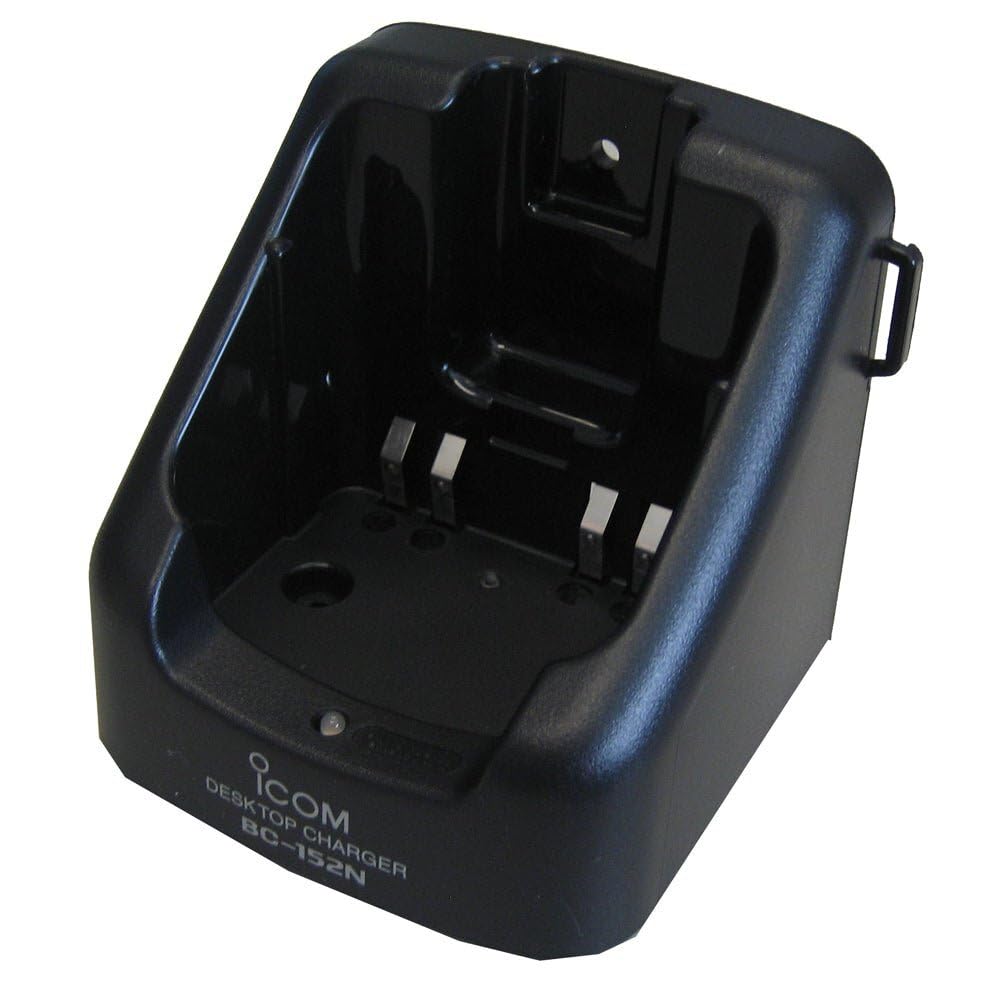
Figure 1: The ICOM BC-152 charger unit. This image shows the compact black charger with a single slot for a battery pack.
3.2 توصيل الطاقة
- Connect the AC adapter cable to the DC input jack on the rear of the BC-152 charger unit.
- قم بتوصيل محول التيار المتردد بمأخذ الحائط القياسي.
- الآن أصبح الشاحن جاهزًا للاستخدام.
4. تعليمات التشغيل
4.1 شحن حزمة البطارية
Follow these steps to charge a compatible ICOM battery pack:
- تأكد من توصيل الشاحن بمصدر الطاقة كما هو موضح في القسم 3.2.
- Carefully insert the battery pack into the charging slot of the BC-152 charger. Ensure it is seated firmly.
- Observe the charging indicator light.
4.2 مصابيح مؤشر
The BC-152 charger features an LED indicator to show the charging status:
- أحمر (صلب): البطارية قيد الشحن حاليًا.
- أخضر (صلب): Charging is complete. The battery pack is fully charged.
- وامض أحمر: Charging error or battery fault. Remove the battery and re-insert. If the error persists, consult the troubleshooting section.
- لا يوجد ضوء: Charger is not connected to power, or no battery is inserted.
Charging time may vary depending on the battery's capacity and its current charge level. Typically, a fully depleted battery will take approximately 2-4 hours to charge.
5. الصيانة
5.1 التنظيف
للحفاظ على الأداء والمظهر الأمثل:
- افصل دائمًا الشاحن من مأخذ الطاقة قبل التنظيف.
- استخدم قطعة قماش ناعمة وجافة لمسح الجزء الخارجي من الشاحن.
- لا تستخدم المنظفات الكاشطة أو المذيبات أو المواد الكيميائية القاسية.
- Ensure no moisture enters the charging slot or power input.
5.2 التخزين
When not in use for extended periods, store the charger in a cool, dry place, away from direct sunlight and extreme temperatures. Disconnect it from the power supply.
6. استكشاف الأخطاء وإصلاحها
If you encounter issues with your BC-152 charger, refer to the table below for common problems and solutions.
| مشكلة | السبب المحتمل | حل |
|---|---|---|
| Charger indicator light is off. | No power supply or battery not inserted. | Check AC adapter connection. Ensure battery is correctly inserted. |
| يومض ضوء المؤشر باللون الأحمر. | Battery fault or charging error. | Remove and re-insert the battery. Try a different compatible battery if available. |
| البطارية لا تشحن. | Faulty battery, charger, or power supply. | Verify power connection. Test with a known good battery. If problem persists, contact support. |
7. المواصفات
| ماركة | ICOM |
| نموذج | BC-152 |
| حجم الإدخالtage | 12-16V DC (via AC adapter) |
| حجم الإخراجtage | 8.4 فولت تيار مستمر |
| تيار الشحن | تقريبا. 450 مللي أمبير |
| الأبعاد (العرض×الارتفاع×العمق) | Approx. 80 × 50 × 90 mm (3.1 × 2.0 × 3.5 inches) |
| وزن | 0.18 رطل (حوالي 82 جرام) |
| لون | أسود |
ملاحظة: المواصفات قابلة للتغيير دون إشعار مسبق بهدف التحسين.
8. معلومات الضمان
ICOM products are manufactured with high-quality components and are subject to rigorous quality control. This product is covered by a limited warranty against defects in materials and workmanship. The specific terms and duration of the warranty may vary by region. Please refer to the warranty card included with your purchase or visit the official ICOM webموقع للحصول على معلومات الضمان التفصيلية.
This warranty does not cover damage caused by misuse, accident, unauthorized modification, or improper installation.
9. دعم العملاء
If you have any questions, require technical assistance, or need to report a problem that cannot be resolved using the troubleshooting guide, please contact ICOM customer support.
ICOM America Inc.
Visit ICOM America's Contact Page
Please have your product model (BC-152) and serial number ready when contacting support.