
مقدمة
The StarTech.com SDOCKU33HB is a USB 3.0 SATA Hard Drive Docking Station designed for quick and easy access to 2.5-inch or 3.5-inch SATA solid-state drives (SSDs) and hard disk drives (HDDs). It features a built-in USB Fast Charge hub and supports UASP (USB Attached SCSI Protocol) for enhanced performance with SATA 6Gbps drives. This manual provides instructions for setup, operation, and maintenance of your docking station.
المنتج انتهىview
Familiarize yourself with the components and features of your docking station.
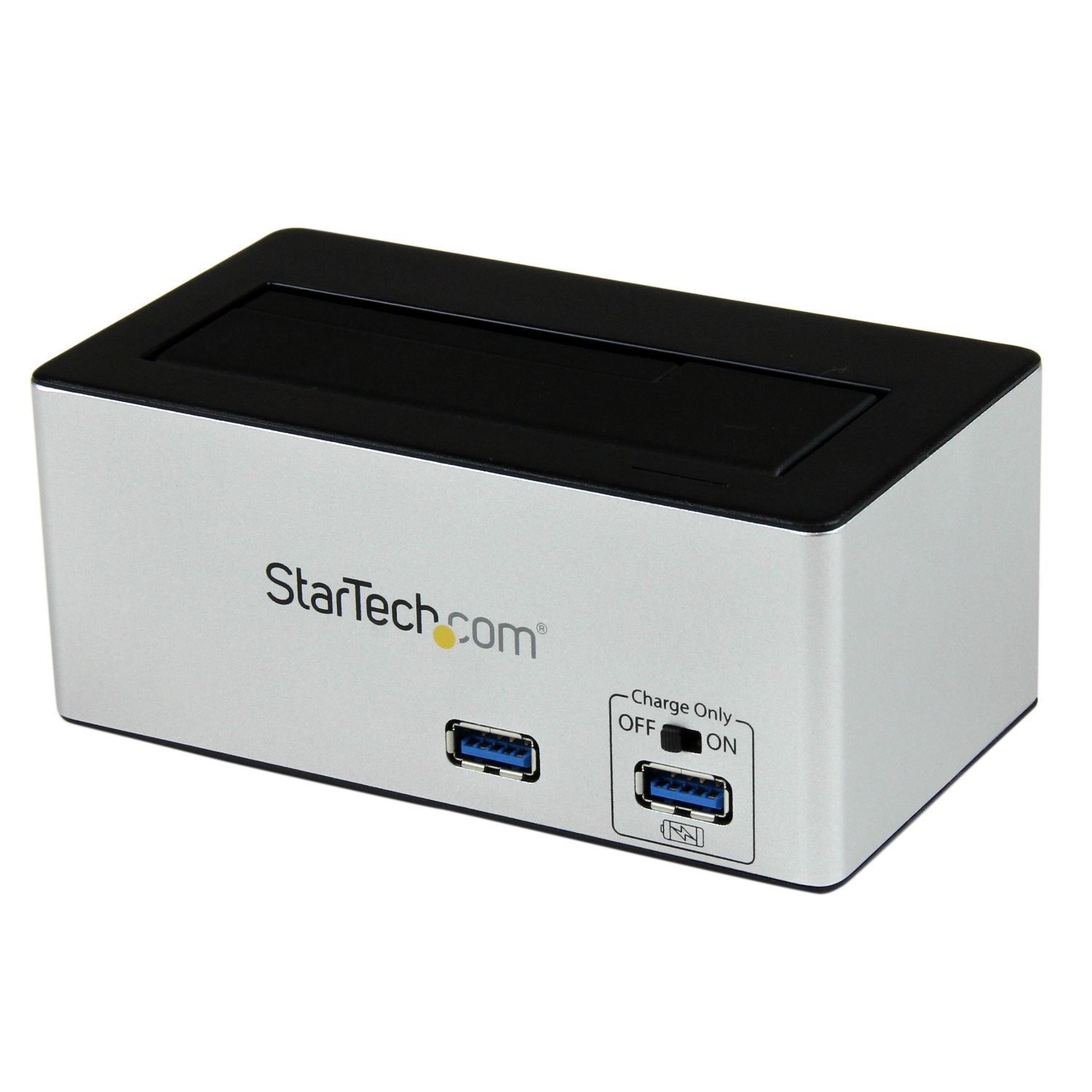
صورة: The StarTech.com SDOCKU33HB docking station, showing the top-loading drive bay and front panel.
مميزات اللوحة الأمامية
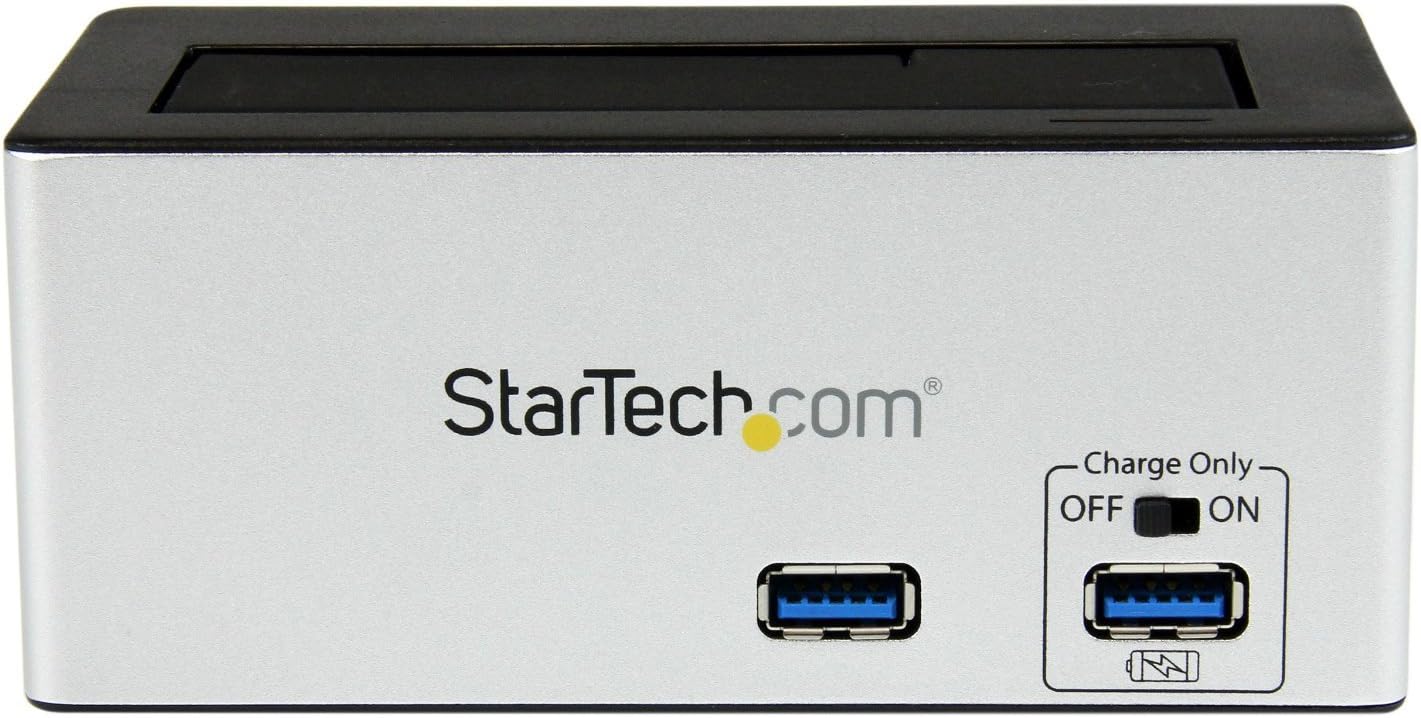
صورة: أمام view of the docking station, highlighting the USB 3.0 data port and the USB Fast Charge port with its ON/OFF switch.
- USB 3.0 Data Port: يتصل بجهاز الكمبيوتر الخاص بك لنقل البيانات.
- USB Fast Charge Port: Provides accelerated charging for mobile devices. Features an ON/OFF switch for activation.
مميزات اللوحة الخلفية

صورة: مؤخرة view of the docking station, showing the power switch, DC-IN port, USB 3.0 host connection, and the OFF/Sleep switch.
- مفتاح التشغيل: Turns the docking station ON or OFF.
- منفذ DC-IN: يتصل بمحول الطاقة المرفق.
- منفذ مضيف USB 3.0: Connects the docking station to your computer's USB 3.0 port.
- OFF/Sleep Switch: Controls the sleep mode functionality of the docking station.
محتويات الحزمة
Verify that all components are present in your package.
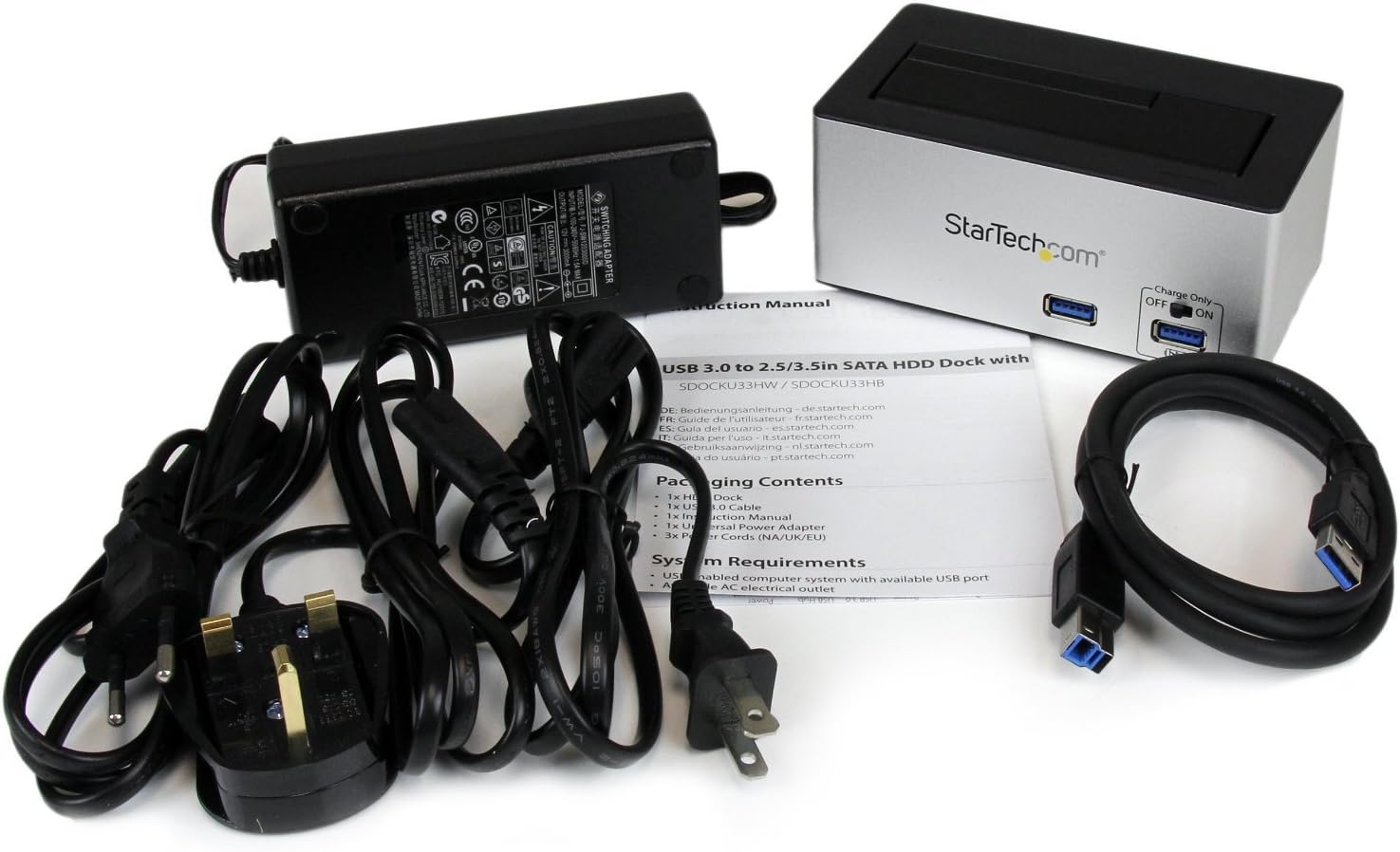
صورة: The complete package contents, including the docking station, power adapter, USB 3.0 cable, and instruction manual.
- 1x USB 3.0 SATA Hard Drive Docking Station (SDOCKU33HB)
- محول طاقة عالمي واحد
- 1 × كابل USB 3.0
- 1 × دليل التعليمات
متطلبات النظام
Ensure your system meets the following requirements for optimal performance.
- Computer with an available USB 3.0 port (USB 2.0/1.1 backward compatible)
- 2.5-inch or 3.5-inch SATA I/II/III SSD/HDD
- متاح منفذ طاقة التيار المتردد
- Operating System: Windows XP/Vista/7/8/10/11, macOS 10.x and later, Linux
تعليمات الإعداد
- توصيل الطاقة: Connect the universal power adapter to the DC-IN port on the rear of the docking station, then plug the adapter into an AC power outlet.
- الاتصال بجهاز الكمبيوتر: Connect one end of the included USB 3.0 cable to the USB 3.0 Host Port on the rear of the docking station, and the other end to an available USB 3.0 port on your computer.
- أدخل محرك الأقراص: Gently slide your 2.5-inch or 3.5-inch SATA SSD/HDD into the top-loading drive bay until it is securely seated. Ensure the drive's SATA connector aligns with the docking station's connector.
- تشغيل الطاقة: Flip the Power Switch on the rear of the docking station to the 'ON' position. The power LED (if present) should illuminate.
- تثبيت برنامج التشغيل: ينبغي لنظام التشغيل الخاص بك أن يكتشف برامج التشغيل اللازمة ويقوم بتثبيتها تلقائيًا. لا يتطلب الأمر عادةً تثبيت برامج التشغيل يدويًا.
- محرك الوصول: Once detected, the drive will appear as a removable storage device in your operating system's file explorer or disk management utility. You may need to initialize and format new drives before use.
تعليمات التشغيل
Using the Hard Drive Dock
- نقل البيانات: Once the drive is recognized by your computer, you can drag and drop files to and from the drive as you would with any other storage device.
- التبديل السريع: The docking station supports hot-swapping. To safely remove a drive, ensure all data transfer operations are complete, then use your operating system's "Safely Remove Hardware" or "Eject" function before pulling the drive out of the bay.
- دعم يو إيه إس بي: For systems supporting UASP, the docking station will leverage this protocol to achieve faster data transfer speeds, especially with SATA 6Gbps drives.
Using the USB Fast Charge Port
- Activate Fast Charge: Flip the "Charge Only" switch on the front panel to the 'ON' position.
- توصيل الجهاز: Connect your mobile device (e.g., smartphone, tablet) to the USB Fast Charge port using its charging cable.
- الشحن: The port will provide enhanced power output for faster charging compared to standard USB ports.
Sleep Mode Functionality
- The "OFF/Sleep" switch on the rear panel controls the docking station's sleep mode behavior. Consult the full product manual for detailed information on sleep mode settings and compatibility.
صيانة
- تنظيف: استخدم قطعة قماش ناعمة وجافة لتنظيف الجزء الخارجي من قاعدة الشحن. لا تستخدم المنظفات السائلة أو المذيبات.
- تخزين: عند عدم الاستخدام، قم بتخزين محطة الإرساء في مكان بارد وجاف بعيدًا عن أشعة الشمس المباشرة ودرجات الحرارة القصوى.
- التحكم في القيادة: Always handle hard drives with care. Avoid dropping or subjecting them to physical shock.
استكشاف الأخطاء وإصلاحها
- Issue: Drive not detected by computer.
- تأكد من تشغيل محطة الإرساء وتوصيل محول الطاقة بشكل آمن.
- تأكد من توصيل كابل USB 3.0 بإحكام بكل من محطة الإرساء وجهاز الكمبيوتر الخاص بك.
- جرب منفذ USB مختلفًا على جهاز الكمبيوتر الخاص بك.
- Ensure the SATA drive is correctly seated in the docking bay.
- Check your computer's Disk Management (Windows) or Disk Utility (macOS) to see if the drive is recognized but uninitialized or unformatted. New drives require initialization and formatting.
- Test with a different SATA drive to rule out a drive issue.
- المشكلة: بطء سرعات نقل البيانات.
- تأكد من توصيل جهازك بمنفذ USB 3.0. استخدام منافذ USB 2.0 سيؤدي إلى سرعات أبطأ.
- Verify your operating system and drivers support UASP for optimal performance with SATA 6Gbps drives.
- The performance of the drive itself can affect transfer speeds.
- Issue: Fast Charge port not working.
- Ensure the "Charge Only" switch on the front panel is in the 'ON' position.
- تأكد من تشغيل محطة الإرساء.
- Try a different charging cable or device to confirm the issue is not with the device or cable.
تحديد
| ميزة | مواصفة |
|---|---|
| نموذج | SDOCKU33HB |
| الواجهة | USB 3.0 (متوافق مع الإصدارات السابقة USB 2.0/1.1) |
| أنواع محركات الأقراص المتوافقة | 2.5" and 3.5" SATA I/II/III HDDs/SSDs |
| معدل نقل البيانات | حتى 5 جيجابت في الثانية (USB 3.0) |
| دعم UASP | نعم |
| Fast Charge Port | نعم |
| الأبعاد (الطول × العرض × الارتفاع) | 3.6 بوصة × 3.6 بوصة × 6.8 بوصة (9.14 سم × 9.14 سم × 17.27 سم) |
| وزن | 1.4 رطل (0.64 كجم) |
| لون | أسود |
| مزود الطاقة | Universal AC Adapter (Input: 100-240V AC, Output: 12V DC) |
الضمان والدعم الفني
This StarTech.com product is backed by a ضمان لمدة 2 سنوات.
For the most up-to-date information on warranty, technical support, and product documentation, please visit the official StarTech.com website or the product page:
You can also find additional resources and contact information for technical assistance on the StarTech.com webموقع.