
مقدمة
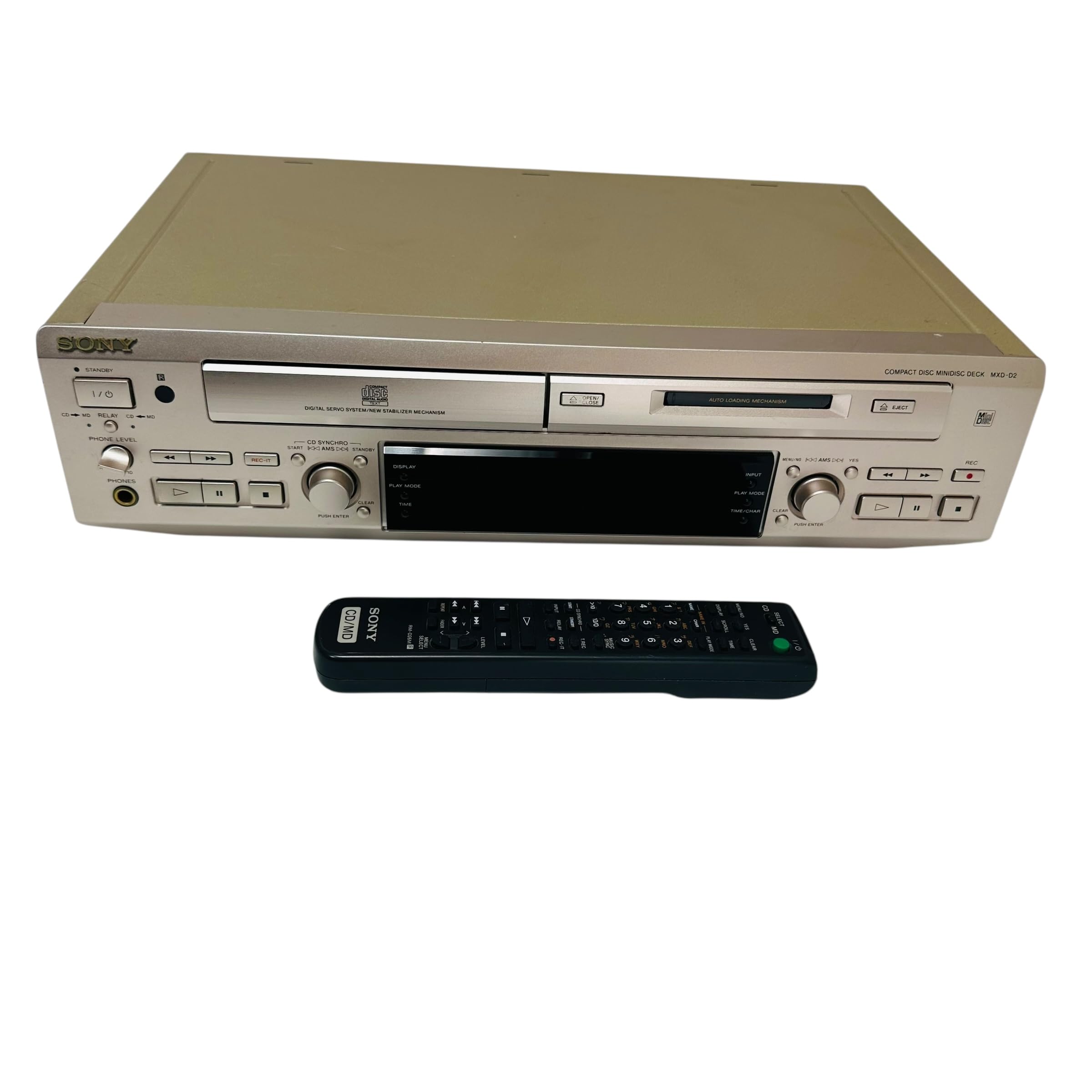
This manual provides essential information for the safe and efficient use of your Sony MXD-D2 MD Recorder/CD Player integrated deck. Please read these instructions thoroughly before operating the unit and retain them for future reference.
معلومات السلامة
اتبع احتياطات السلامة التالية لمنع حدوث صدمة كهربائية أو حريق أو تلف للجهاز:
- مصدر الطاقة: Connect the unit only to an AC 100V, 50/60Hz power supply.
- تهوية: Ensure adequate ventilation by not blocking the ventilation openings. Do not place the unit on soft surfaces that may block these openings.
- رُطُوبَة: لا تعرض الجهاز للمطر أو الرطوبة. تجنب وضع أشياء مملوءة بالسوائل، مثل المزهريات، على الجهاز.
- الأجسام الغريبة: Do not insert any metallic objects or liquids into the unit.
- الخدمة: لا تحاول صيانة الجهاز بنفسك. قم بإحالة جميع أعمال الصيانة إلى فنيين مؤهلين.
يثبت
التفريغ والتنسيب
Carefully remove the unit from its packaging. Place the unit on a stable, level surface, ensuring sufficient space around it for proper ventilation.
توصيلات اللوحة الخلفية
The rear panel of the MXD-D2 provides various input and output terminals for connecting to other audio components. Refer to the image below for a visual guide to the connections.
صورة: Rear panel of the Sony MXD-D2 unit. This view displays the analog RCA input/output, digital coaxial input, optical input/output, and Control 1 port, along with the power cord connection and product information label.
- توصيلات الصوت التناظرية: Use RCA cables to connect the مدخلات أنالوج (入力) to the audio output of an external device (e.g., a tape deck or tuner). Connect the خرج تشابهي (出力) to the audio input of your amplifier or receiver. Ensure left (左) and right (右) channels are matched.
- توصيلات الصوت الرقمية:
- Coaxial Digital Input (コアキシャル 入力): Connect a coaxial digital cable from the digital output of an external device.
- Optical Digital Input (オプチカル 入力): Connect an optical digital cable from the digital output of an external device.
- Optical Digital Output (オプチカル 出力): Connect an optical digital cable to the digital input of an external recording device or ampمكبر.
- Control 1 (コントロール 1): This port is for connecting to other compatible Sony components for synchronized operation. Refer to the manuals of connected components for specific instructions.
- توصيل الطاقة: After all audio connections are made, plug the power cord into an AC 100V wall outlet.
تعليمات التشغيل
تشغيل/إيقاف الطاقة
اضغط على قوة الزر الموجود على اللوحة الأمامية لتشغيل الوحدة أو إيقاف تشغيلها.
تشغيل القرص المضغوط
- اضغط على فتح/إغلاق القرص المضغوط زر لفتح علبة الأقراص المضغوطة.
- Place a CD with the label side up in the tray.
- اضغط على فتح/إغلاق القرص المضغوط زر مرة أخرى لإغلاق الدرج.
- اضغط على تشغيل القرص المضغوط زر لبدء التشغيل.
- استخدم يوقف, قف, يتخطى (►►| / |◄◄), and يبحث أزرار للتحكم في التشغيل.
MD Playback
- Insert a MiniDisc into the MD slot with the arrow pointing inwards.
- اضغط على MD PLAY زر لبدء التشغيل.
- استخدم يوقف, قف, يتخطى (►►| / |◄◄), and يبحث أزرار للتحكم في التشغيل.
MD Recording
The MXD-D2 allows recording from CD, analog, or digital sources to a MiniDisc.
- Insert a blank or erasable MiniDisc into the MD slot.
- Select the desired input source (CD, ANALOG, DIGITAL COAXIAL, or DIGITAL OPTICAL) using the محدد المدخلات زر.
- For CD-to-MD recording, load the CD and select CD as the input source.
- اضغط على MD REC زر للدخول إلى وضع الاستعداد للتسجيل.
- Start playback on the source device (if external) or press تشغيل القرص المضغوط (for CD-to-MD recording).
- يضعط MD REC مرة أخرى لبدء التسجيل.
- يضعط MD STOP لإنهاء التسجيل.
- Track Marking: The unit can automatically mark tracks during digital recording. For manual marking, press the علامة button during recording.
صيانة
تنظيف الوحدة
امسح الجزء الخارجي من الوحدة بقطعة قماش ناعمة وجافة. للبقع الصعبة، استخدم قطعة قماش مبللة برفق.ampاغسل بمحلول منظف خفيف، ثم جففه. لا تستخدم إسفنجات كاشطة، أو مسحوق تنظيف، أو مذيبات مثل الكحول أو البنزين.
العناية بالأقراص
- Handle discs by their edges to avoid fingerprints on the recording surface.
- Keep discs in their cases when not in use to protect them from dust and scratches.
- لا تعرض الأقراص لأشعة الشمس المباشرة أو مصادر الحرارة.
استكشاف الأخطاء وإصلاحها
If you experience problems with your unit, consult the following table before seeking professional service.
| مشكلة | السبب المحتمل | حل |
|---|---|---|
| لا يوجد طاقة | سلك الطاقة غير متصل بشكل آمن. | Check that the power cord is firmly plugged into the unit and the wall outlet. |
| لا يوجد صوت | Incorrect input selected; audio cables not connected properly; ampمستوى صوت مكبر الصوت منخفض جدًا. | Select the correct input source. Check all audio cable connections. Increase the volume on your ampمكبر. |
| CD/MD does not play or record | Disc inserted incorrectly; disc is dirty or scratched; disc is unrecordable (for MD). | Ensure the disc is inserted correctly. Clean the disc with a soft cloth. Use a recordable MD. |
| Recording level is too low/high | Source device output level is incorrect. | Adjust the output level on the source device or the recording level on the MXD-D2 if available. |
تحديد
| ميزة | التفاصيل |
|---|---|
| رقم الموديل | MXD-D2 |
| ماركة | سوني |
| متطلبات الطاقة | AC 100V, 16W, 50/60Hz |
| أشكال وسائل الإعلام | Compact Disc (CD), MiniDisc (MD) |
| مدخلات تناظرية | RCA (Left/Right) |
| المخرجات التناظرية | RCA (Left/Right) |
| المدخلات الرقمية | Coaxial (1), Optical (1) |
| المخرجات الرقمية | بصري (1) |
| منفذ التحكم | التحكم 1 |
| الأجهزة المتوافقة | Speakers, Headphones |
| رقم سري | 213013 (Exampلو) |
| بلد المنشأ | صنع في اليابان |
الضمان والدعم
For warranty information and technical support, please refer to the warranty card included with your product or visit the official Sony webالموقع الخاص بمنطقتك. احتفظ بإيصال الشراء كإثبات للشراء.