
1. المقدمة
Welcome to the Artec Artech Bloc Robo Link Robo 2 (2 Motors) building kit. This kit allows you to construct various robotic models using innovative interlocking blocks. Designed for creativity and learning, it features a unique block system that connects freely in length, width, and diagonally, enabling diverse designs without the need for screws. The dual motor system provides enhanced power and control for your creations.
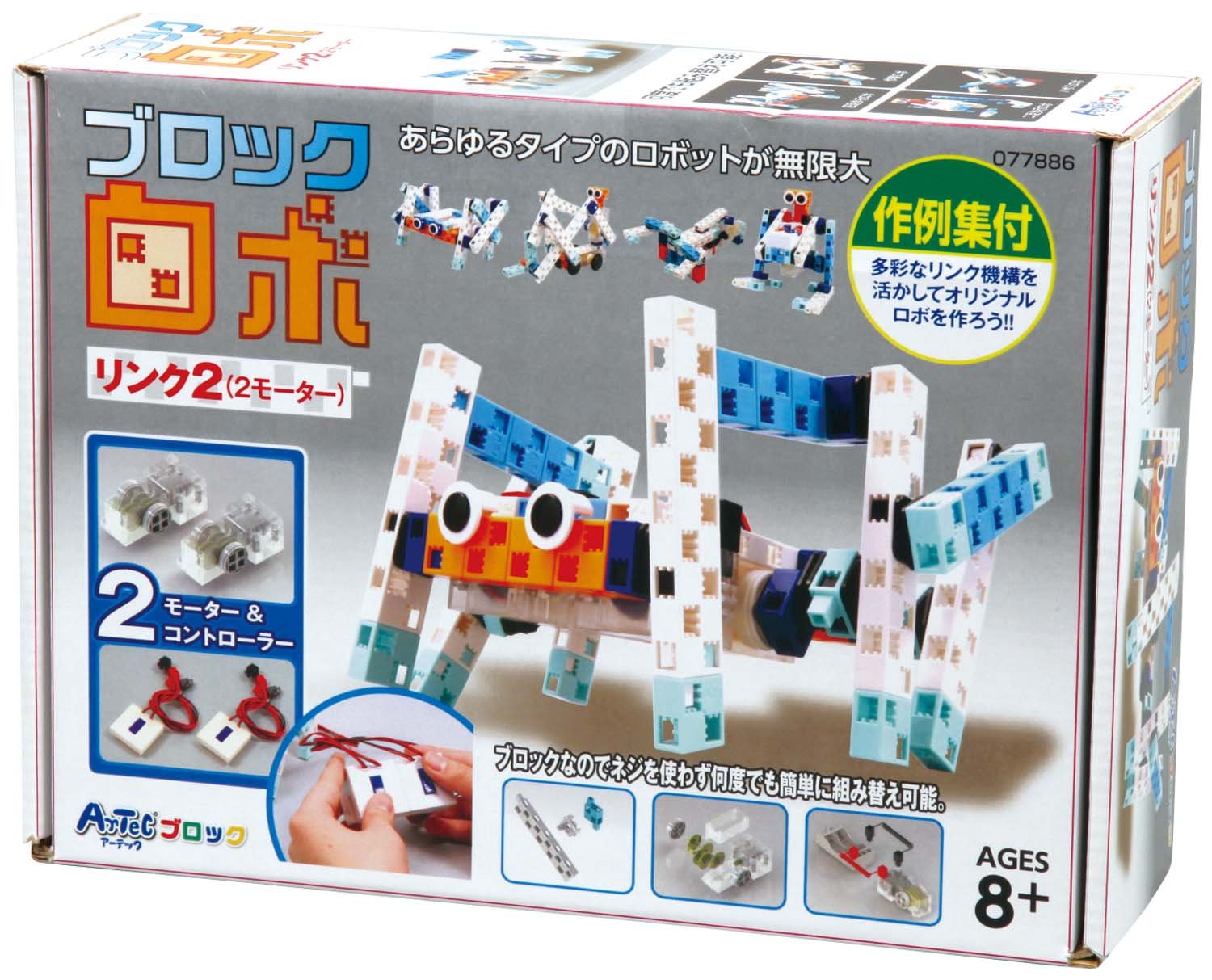
الشكل 1: انتهىview of the Artec Artech Bloc Robo Link Robo 2 kit, showing example robot constructions and the product packaging.
2. محتويات العبوة
Before beginning assembly, please verify that all components listed below are present in your kit.
- Gear box x 2
- Half A block x 2
- Battery box x 1
- Half B block x 10
- Stay x 8
- Half-C block x 16
- التبديل × 2
- Half D block x 16
- Rotation axis C x 20
- Tire (round) x 4
- Tire rubber x 4
- Basic square block (2 pcs set, 50cm red/black) x 10
- موصل
3. الإعداد والتجميع
The Artec Artech Bloc system is designed for easy assembly without screws. Follow the included manual for 7 different pattern designs to get started.
3.1. تركيب البطارية
- Locate the battery box (40 x 80 x 20mm).
- افتح غطاء حجرة البطارية.
- Insert two (2) AA batteries (not included) into the battery box, ensuring correct polarity (+/-).
- أغلق غطاء حجرة البطارية جيدًا.

الشكل 2: مثالample of a robot model with the battery box integrated into its structure.
3.2. Block Assembly
- Connect blocks by aligning their interlocking features and pressing them together.
- Experiment with different block orientations to achieve desired shapes and structures.
- Utilize the gear boxes, switches, and rotation axes to integrate mechanical functions into your robot.
- Attach tires to create mobile robots.

Figure 3: An assembled robot model showcasing the versatile block connection system.
4. تعليمات التشغيل
Once your robot is assembled and batteries are installed, you can begin operation.
4.1. تشغيل
Locate the switch(es) integrated into your robot's design. Flip the switch to the "ON" position to activate the motors.
4.2. Controlling Movement
The Robo Link Robo 2 kit features two motors, allowing for independent control of movement. Depending on your robot's design and wiring, you can control forward/backward motion, turning, or the operation of separate arms/components.
- إلى الأمام / الخلف: Connect motors to drive wheels for linear movement.
- التحول: Utilize independent motor control for left and right wheels to enable turning.
- المحركات: Design robots with moving parts like arms or grippers, powered by the motors.
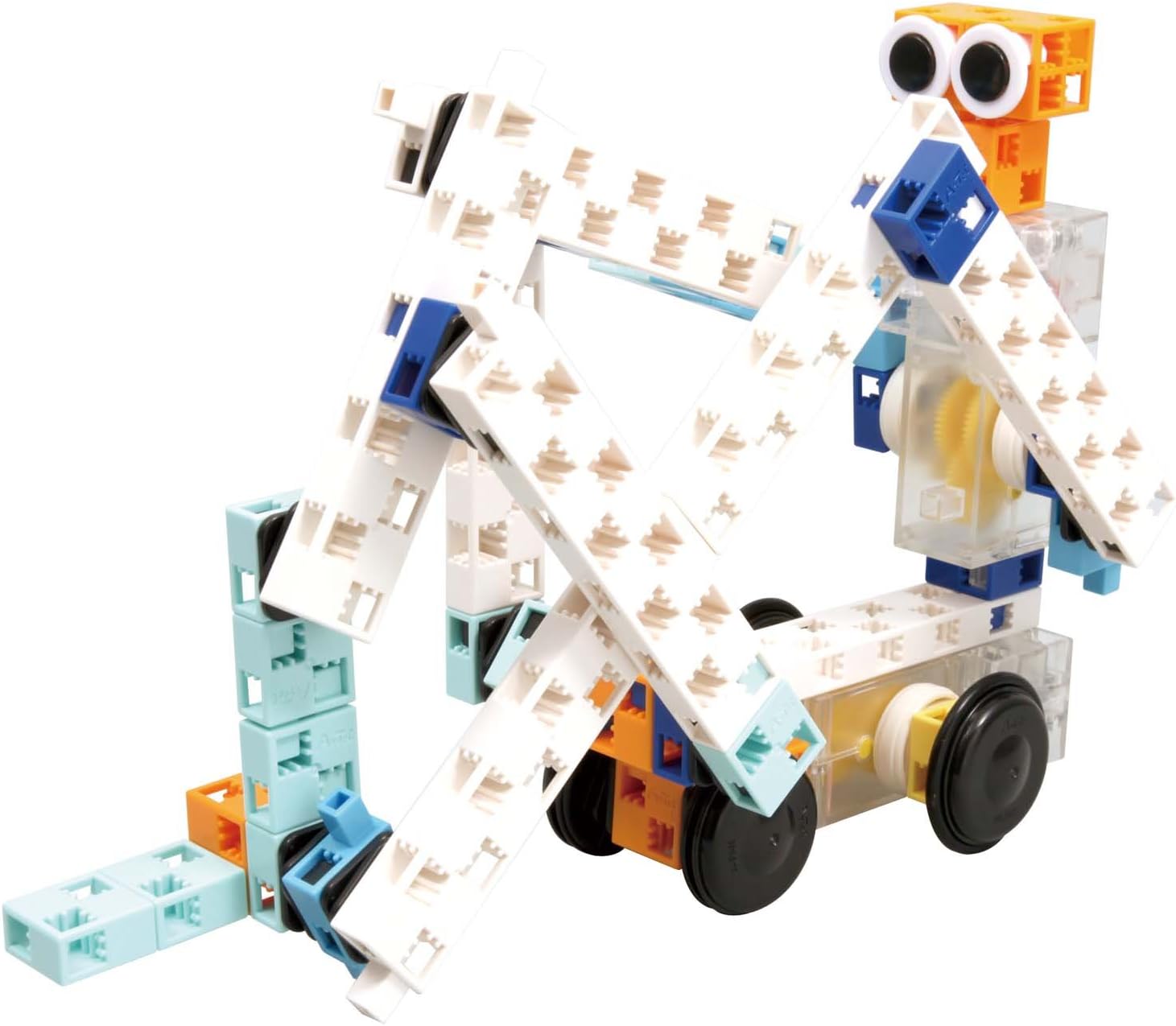
Figure 4: A wheeled robot model, demonstrating a common configuration for movement.
5. الصيانة
Proper maintenance ensures the longevity and optimal performance of your Artec Artech Bloc kit.
- تنظيف: Wipe blocks and electronic components with a dry, soft cloth. Avoid using water or chemical cleaners.
- تخزين: Store all components in a dry, cool place away from direct sunlight.
- العناية بالبطارية: Remove batteries from the battery box if the kit will not be used for an extended period to prevent leakage.
- التفكيك: While blocks are designed for repeated assembly, be gentle when disassembling to avoid damage.
6. استكشاف الأخطاء وإصلاحها
If you encounter issues with your Artec Artech Bloc kit, refer to the following troubleshooting tips.
6.1. Robot Does Not Move
- التحقق من البطاريات: Ensure batteries are correctly installed with proper polarity and are not depleted. Replace with fresh AA batteries if necessary.
- التحقق من الاتصالات: Confirm all block connections are secure, especially those leading to the motors and battery box.
- فحص المفاتيح: Ensure the power switch(es) are in the "ON" position and that their internal contacts are clean and functional.
- Motor Obstruction: Check for any physical obstructions preventing the motors or gears from turning freely.
6.2. Blocks Are Difficult to Separate
Some users report that blocks can be tight to separate. Apply firm, steady pressure. Avoid twisting or excessive force, which could damage the blocks.
7. المواصفات
| ميزة | التفاصيل |
|---|---|
| رقم الموديل | 077886 |
| مادة | بلاستيك ايه بي اس |
| أبعاد المنتج (الطول × العرض × الارتفاع) | 23.9 x 17.5 x 7.1 cm (9.4 x 6.9 x 2.8 inches) |
| وزن | 662.24 جرامًا (1.46 رطلاً) |
| Basic Square Block Size | 20 × 20 × 10 ملم |
| حجم الإطار | 36 × 11 ملم |
| Gear Box Size | 40 × 80 × 20 ملم |
| حجم صندوق البطارية | 40 × 80 × 20 ملم |
| العمر الموصى به | 8 years and up (Manufacturer recommended: 18 years and up, but product description states 8 years old) |
| عدد القطع | 84 |
| مصدر الطاقة | 2 بطاريات AA (غير متضمنة) |

الشكل 5: مفصل view of a basic square block, showing its dimensions.
8. معلومات الضمان
Specific warranty details for the Artec Artech Bloc Robo Link Robo 2 (2 Motors) kit are not provided in the product information. Please retain your proof of purchase. For any warranty-related inquiries, contact the retailer or manufacturer directly.
9. دعم العملاء
For further assistance, technical support, or inquiries regarding replacement parts, please contact Artec customer service. Refer to the product packaging or the official Artec webالموقع للحصول على أحدث معلومات الاتصال.