
1. المقدمة
شكرا لك على الشراءasing the Lexon LR98R1 Onoff LCD Alarm Clock. This manual provides detailed instructions for the proper setup, operation, and maintenance of your device. Please read this manual thoroughly before use and retain it for future reference.
The Lexon Onoff alarm clock features a unique design where flipping the clock activates or deactivates the alarm. It includes an LCD display with a blue electroluminescent backlight for clear visibility.
2. معلومات السلامة
- لا تعرض الجهاز لدرجات حرارة عالية، أو أشعة الشمس المباشرة، أو الرطوبة العالية.
- تجنب إسقاط الجهاز أو تعريضه لصدمات قوية.
- Do not attempt to disassemble or modify the alarm clock. This will void the warranty.
- احتفظ بالجهاز بعيدًا عن الماء والسوائل الأخرى.
- تخلص من البطاريات المستعملة بطريقة مسؤولة وفقًا للوائح المحلية.
- Use only the specified battery type (2 x AAA).
3. محتويات العبوة
تأكد من وجود جميع العناصر في العبوة:
- Lexon LR98R1 Onoff LCD Alarm Clock
- دليل المستخدم (هذا المستند)
ملحوظة: البطاريات AAA غير متضمنة ويجب شراؤها بشكل منفصل.
4. انتهى المنتجview
Familiarize yourself with the components of your Lexon Onoff alarm clock.
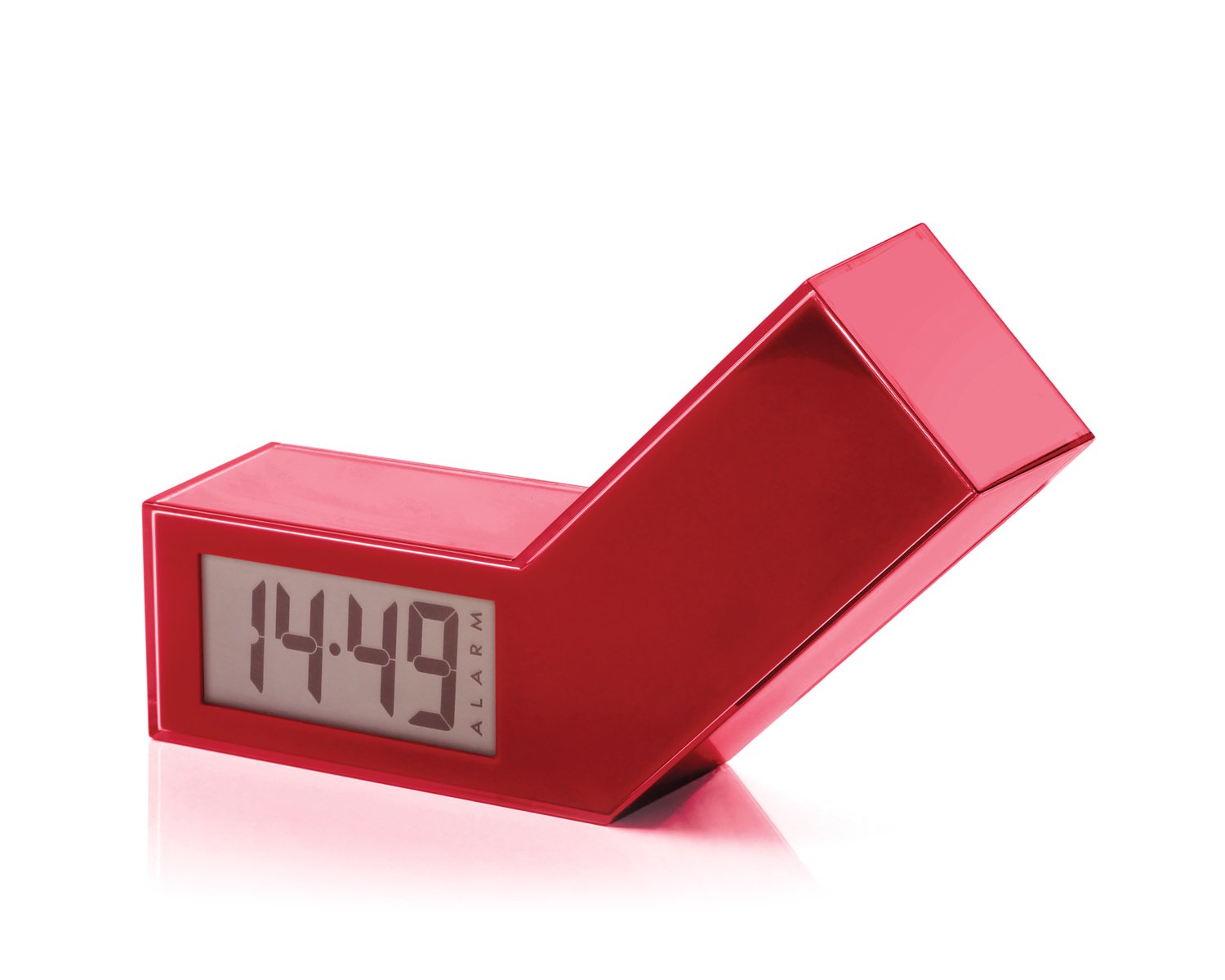
الشكل 1: الجبهة view of the Lexon LR98R1 Onoff LCD Alarm Clock. The image displays the alarm clock in its red casing, with the LCD screen visible. The side labeled 'ON' is facing upwards, indicating the alarm is active. The clock has a minimalist rectangular design.
While specific button labels are not visible in the provided image, typical alarm clock controls are usually located on the back or sides. These generally include:
- زر ضبط الوقت: To adjust the current time.
- زر ضبط المنبه: To adjust the alarm time.
- Hour/Minute Adjustment Buttons: To change hour and minute values.
- زر الغفوة/الضوء: To temporarily silence the alarm or activate the backlight.
- حجرة البطارية: Located on the back or bottom.
5. الإعداد
5.1 تركيب البطارية
- Locate the battery compartment cover on the back or bottom of the alarm clock.
- قم بسحب الغطاء أو رفعه لفتح الحجرة.
- أدخل بطاريتين (2) من نوع AAA، مع التأكد من القطبية الصحيحة (+ و -) كما هو موضح داخل الحجرة.
- أعد تركيب غطاء حجرة البطارية بشكل آمن.
Note: Batteries are not included. Please use new AAA alkaline batteries for optimal performance.
5.2 التشغيل المبدئي
Once batteries are installed, the LCD display should illuminate, and the clock will typically start at a default time (e.g., 12:00 AM). You will then need to set the current time and alarm.
6. تعليمات التشغيل
6.1 ضبط الوقت الحالي
- اضغط مع الاستمرار على الوقت المحدد button (or similar, refer to device markings) until the hour digits begin to flash.
- استخدم ساعة و دقيقة adjustment buttons to set the correct hour and minute.
- يضعط الوقت المحدد مرة أخرى للتأكيد والخروج من وضع ضبط الوقت.
6.2 ضبط وقت المنبه
- اضغط مع الاستمرار على مجموعة التنبيه button (or similar) until the alarm hour digits begin to flash.
- استخدم ساعة و دقيقة adjustment buttons to set your desired alarm time.
- يضعط مجموعة التنبيه مرة أخرى للتأكيد والخروج من وضع ضبط المنبه.
6.3 Activating/Deactivating the Alarm (Onoff Feature)
The Lexon Onoff alarm clock features a unique flip mechanism:
- ل فعل the alarm, place the clock with the side labeled "ON" facing upwards. An alarm icon should appear on the LCD display.
- ل تعطيل the alarm, flip the clock so the side labeled "عن" is facing upwards. The alarm icon should disappear from the display.
6.4 Silencing the Alarm / Snooze Function
- عندما يصدر صوت التنبيه ، اضغط على غفوة / ضوء button (usually a large button on top) to temporarily silence the alarm. The alarm will sound again after a few minutes (typically 5-10 minutes).
- To completely turn off the alarm for the day, flip the clock to the "عن" position.
6.5 عرض الإضاءة الخلفية
اضغط على غفوة / ضوء button to activate the blue electroluminescent backlight for a few seconds, allowing you to view الوقت في ظروف الإضاءة المنخفضة.
7. الصيانة
7.1 التنظيف
Wipe the surface of the alarm clock with a soft, dry cloth. Do not use abrasive cleaners, solvents, or chemical sprays, as these may damage the finish or electronic components.
7.2 استبدال البطارية
When the display dims or the alarm function becomes unreliable, it is time to replace the batteries. Follow the battery installation steps in Section 5.1. Always replace both AAA batteries at the same time.
8. استكشاف الأخطاء وإصلاحها
| مشكلة | السبب المحتمل | حل |
|---|---|---|
| العرض فارغ أو خافت. | البطاريات فارغة أو تم تركيبها بشكل غير صحيح. | استبدل البطاريات ببطاريات AAA جديدة، مع التأكد من القطبية الصحيحة. |
| لا يصدر صوت الإنذار. | Alarm is not activated (clock is in "OFF" position) or alarm time is not set. | Flip the clock to the "ON" position. Verify the alarm time is set correctly (Section 6.2). Ensure batteries are not low. |
| الوقت غير صحيح. | Time was not set correctly or batteries were removed/replaced. | Reset the current time (Section 6.1). |
| Backlight does not work. | بطاريات منخفضة. | استبدال البطاريات. |
9. المواصفات
| رقم الموديل | LR98R1 |
| ماركة | ليكسون |
| نوع العرض | LCD with Blue Electroluminescent Backlight |
| مصدر الطاقة | 2 بطاريات AAA (غير مدرجة) |
| مادة | ABS / Injected Polycarbonate |
| الأبعاد (الطول × العرض × الارتفاع) | 13.5 × 3.5 × 8 سم (حوالي 5.3 × 1.4 × 3.1 بوصة) |
| نوع الحركة | كوارتز |
| المميزات الخاصة | Onoff flip alarm activation/deactivation, Snooze function |
10. الضمان والدعم
The Lexon LR98R1 Onoff LCD Alarm Clock comes with a ضمان الشركة المصنعة لمدة عامين من تاريخ الشراء. يغطي هذا الضمان عيوب المواد والصناعة في ظل الاستخدام العادي.
الضمان لا يشمل:
- الأضرار الناجمة عن الحوادث أو سوء الاستخدام أو سوء الاستخدام أو الفيضانات أو الحرائق أو الزلازل أو غيرها من الأسباب الخارجية.
- الأضرار الناجمة عن تشغيل المنتج خارج نطاق الاستخدامات المسموح بها أو المقصودة الموضحة في هذا الدليل.
- Damage caused by service performed by anyone who is not an authorized representative of Lexon.
- Products or parts that have been modified to alter functionality or capability without the written permission of Lexon.
For warranty claims or technical support, please contact Lexon customer service through their official website or your retailer. Please have your proof of purchase and model number (LR98R1) ready.