
Keystone KSTAD70B
Keystone KSTAD70B 70-Pint Dehumidifier User Manual
1. المقدمة
This manual provides essential information for the safe and efficient operation of your Keystone KSTAD70B 70-Pint Dehumidifier. This unit is designed to remove up to 70 pints of moisture from the air daily, suitable for rooms up to 4500 square feet. Key features include electronic controls with an LED display, a 24-hour timer, a transparent water level indicator, and a full bucket alert with automatic shutoff. It also offers a continuous draining option and a removable, easy-to-clean dust filter with a clean-filter alert. The auto-restart function preserves your settings after a power outage, and rolling casters facilitate easy movement.
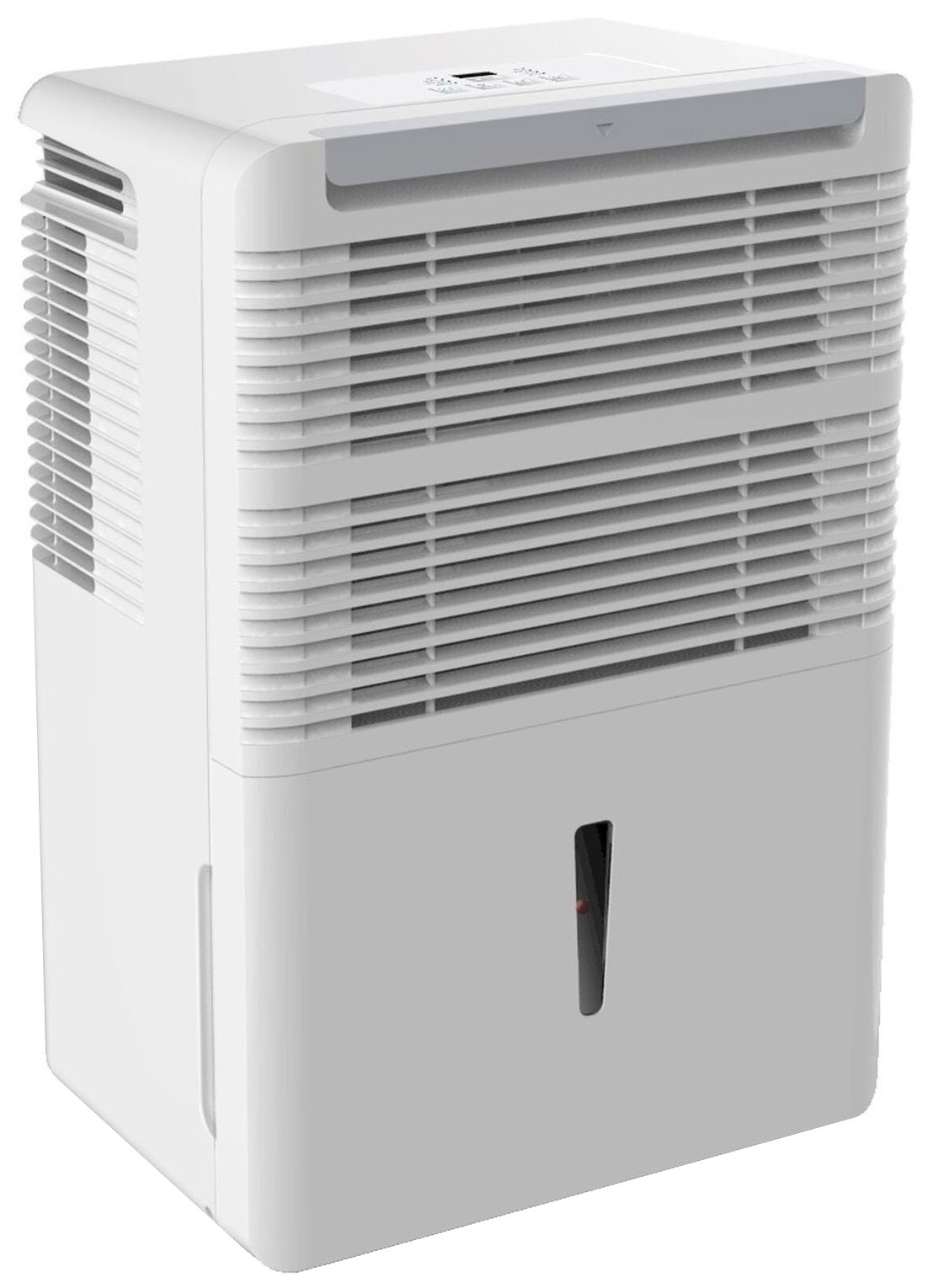
الشكل 1: الجبهة view of the Keystone KSTAD70B Dehumidifier.
2. معلومات السلامة
يرجى قراءة جميع تعليمات السلامة قبل تشغيل مزيل الرطوبة لتجنب الإصابات أو التلف. احتفظ بهذا الدليل للرجوع إليه مستقبلًا.
- Always connect the unit to a properly grounded electrical outlet of the correct voltage.
- لا تقم بتشغيل الوحدة باستخدام سلك طاقة أو قابس تالف.
- Ensure adequate clearance (at least 12-18 inches) around the air intake and outlet to prevent overheating and ensure efficient operation.
- لا تسد فتحات التهوية.
- لا تستخدم جهاز إزالة الرطوبة بالقرب من الماء أو في البيئات شديدة الرطوبة.
- افصل الوحدة عن التيار الكهربائي قبل التنظيف أو إجراء أي صيانة.
- لا يُقصد استخدام هذا الجهاز من قبل الأشخاص (بما في ذلك الأطفال) ذوي القدرات البدنية أو الحسية أو العقلية المحدودة، أو الذين يفتقرون إلى الخبرة والمعرفة، ما لم يتم الإشراف عليهم أو إعطائهم تعليمات فيما يتعلق باستخدام الجهاز من قبل شخص مسؤول عن سلامتهم.
- Do not use chemical solvents or abrasive cleaners on the unit.
3. الإعداد والوضع
3.1 فك التعبئة
Carefully remove the dehumidifier from its packaging. Retain the packaging materials for future storage or transport. Inspect the unit for any shipping damage.
3.2 التنسيب
For optimal performance, place the dehumidifier in a location where air can circulate freely around it. The unit circulates air from the sides, not the top. Therefore, avoid placing it directly in a corner or against walls. Maintain a minimum clearance of 12-18 inches (30-45 cm) on all sides to ensure proper airflow.
3.3 التشغيل المبدئي
قم بتوصيل سلك الطاقة بمأخذ كهربائي مؤرض. الجهاز الآن جاهز للتشغيل.
4. تعليمات التشغيل
4.1 انتهت لوحة التحكمview

Figure 2: Control panel of the Keystone KSTAD70B Dehumidifier.
The control panel features an LED display and various buttons for setting the dehumidifier's functions:
- زر الطاقة: يقوم بتشغيل الوحدة أو إيقاف تشغيلها.
- زر المروحة: Adjusts fan speed (typically Low, Medium, High).
- زر المؤقت: ضبط مؤقت التشغيل/الإيقاف لمدة 24 ساعة.
- الأسهم لأعلى/لأسفل: Adjust humidity level settings or timer duration.
- مؤشر التصفية: يضيء عند الحاجة إلى تنظيف فلتر الهواء.
- المؤشر الكامل: يضيء عندما يمتلئ دلو الماء ويحتاج إلى تفريغ.
- Cont. (Continuous) Indicator: Illuminates when the unit is set for continuous operation.
- وضعية التوربو: Activates maximum dehumidification.
- الوضع العادي: Standard dehumidification operation.
- تذويب تلقائي: يقوم الجهاز بإزالة الجليد عن الملفات تلقائيًا في حالة تراكم الجليد.
4.2 ضبط مستوى الرطوبة المطلوب
Press the Up or Down arrow buttons to set your desired humidity level. The unit will operate until the set humidity is reached, then cycle on and off to maintain it. The recommended humidity range for comfort is typically between 45% and 55%.
4.3 التشغيل المستمر
To run the dehumidifier continuously, select the 'Cont.' setting. In this mode, the unit will operate regardless of the ambient humidity level. Note that when continuous operation is selected, the humidity setpoint buttons will not respond.
4.4 وظيفة المؤقت
Use the Timer button to program the unit to turn on or off automatically after a set number of hours (up to 24 hours).
4.5 Auto-Restart
The unit features an auto-restart function that saves your settings. In the event of a power outagهـ، سوف يستأنف جهاز إزالة الرطوبة التشغيل تلقائيًا بالإعدادات الأخيرة بمجرد استعادة الطاقة.
5. الصيانة
تضمن الصيانة المنتظمة الأداء الأمثل وطول العمر لجهاز إزالة الرطوبة الخاص بك.
5.1 إفراغ دلو الماء
When the water bucket is full, the 'Full' indicator light will illuminate, and the unit will automatically shut off. Carefully remove the bucket and empty the collected water. Reinsert the bucket firmly until it clicks into place to resume operation.

Figure 3: Removing the water collection bucket.

Figure 4: Transparent water level indicator.
5.2 Continuous Draining Option
For continuous operation without emptying the bucket, you can connect a standard garden hose (not included) to the unit's low-level drain. The unit includes an adapter with a clear hose that pushes onto a smooth plastic fitting inside the unit. This adapter has male hose threads for attaching a garden hose. Ensure the hose is routed downwards to a suitable drain to allow gravity to remove the water.
5.3 تنظيف مرشح الهواء
The 'Filter' indicator light will remind you when it's time to clean the air filter. A clean filter ensures efficient operation and better air quality. To clean, lift the filter straight up from the top at the front corner of the unit and slide it out. Wash the filter with warm, soapy water, rinse thoroughly, and allow it to air dry completely before reinserting.

الشكل 5: إزالة فلتر الهواء للتنظيف.
6. استكشاف الأخطاء وإصلاحها
Before contacting support, try these common troubleshooting steps:
| مشكلة | السبب المحتمل | حل |
|---|---|---|
| لا يتم تشغيل جهاز إزالة الرطوبة. | No power; power cord loose; 'Full' indicator on. | Check power supply; ensure cord is plugged in; empty water bucket. |
| تعمل الوحدة ولكنها لا تقوم بإزالة الرطوبة. | Air filter clogged; room temperature too low; unit size too small for area. | Clean air filter; ensure room temperature is above 41°F (5°C); consider unit placement. |
| الوحدة صاخبة. | الوحدة غير مستوية؛ انسداد المروحة. | Place on a flat, stable surface; check for obstructions in fan area. |
| تسرب المياه من الوحدة. | Water bucket not properly seated; continuous drain hose loose or clogged. | Ensure bucket is fully inserted; check continuous drain hose connection and clear any blockages. |
7. المواصفات
| ميزة | التفاصيل |
|---|---|
| ماركة | كيستون |
| اسم الموديل | KSTAD70B |
| قدرة إزالة الرطوبة | 70 باينتًا في اليوم |
| حجم الغرفة الموصى به | ما يصل إلى 4500 قدم مربع |
| لون | أبيض |
| المميزات الخاصة | Automatic Restart, Automatic Shutoff |
| عدد السرعات | 3 |
| وضع التشغيل | عادي، توربو، إزالة الصقيع التلقائي |
| واتtage | 720 واط |
| وزن العنصر | 40 رطل |
| أبعاد المنتج (الطول × العرض × الارتفاع) | 11.25 × 15.5 × 23.25 بوصة |
| الاستخدامات الموصى بها | سكني |
8. معلومات الضمان
The Keystone KSTAD70B Dehumidifier comes with a ضمان لمدة 1 سنوات on parts and labor, and a ضمان محدود لمدة 5 سنوات on the sealed system. Please refer to the physical warranty card included with your product for full terms and conditions.
9. دعم العملاء
For product registration, warranty claims, or technical assistance, please refer to the contact information provided in the physical instruction manual that came with your dehumidifier. Online registration or direct manufacturer contact information may not be readily available; therefore, retaining your original manual is important for support inquiries.
Ask a question about this manual
Ask about setup, troubleshooting, compatibility, parts, safety, or missing instructions. Manuals+ will review the question and use this page’s manual context to help answer it.