
Jam Audio HX-P430BL
JAM XT Extreme Wireless Speaker Instruction Manual
Model: HX-P430BL | Brand: Jam Audio
مقدمة
The JAM XT Extreme Wireless Speaker is designed for robust performance in various environments. Featuring an IP64 rating, it is splash-proof, drop-proof, and dirt-proof, making it suitable for outdoor adventures and demanding work sites. This portable Bluetooth speaker offers high-quality sound and hands-free calling, connecting wirelessly to most Bluetooth-enabled devices up to 30 feet away. Its integrated carabiner clip provides convenient transport and versatile mounting options.
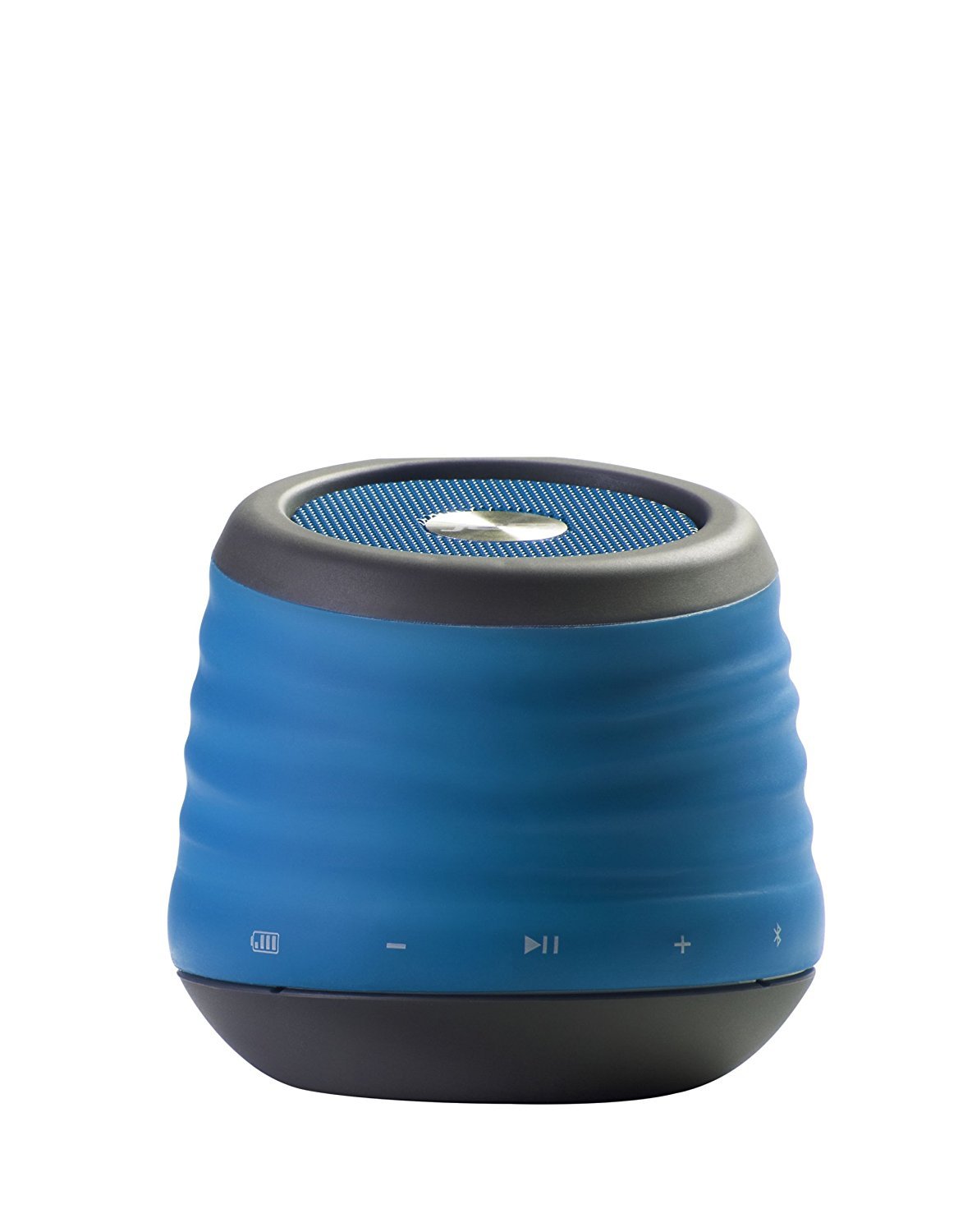
Image: The JAM XT Extreme Wireless Speaker in blue, featuring its durable design and integrated carabiner clip for portability.
ماذا يوجد في الصندوق
- JAM XT Extreme Wireless Speaker (Model: HX-P430BL)
- كابل شحن USB
- دليل التعليمات
يثبت
1. شحن مكبر الصوت
Before initial use, fully charge your JAM XT Extreme speaker. Connect the included USB charging cable to the speaker's charging port and a compatible USB power source (e.g., computer, wall adapter). The LED indicator will show charging status. A full charge provides up to 8 hours of wireless play.

Image: Visual representation of the speaker's rechargeable battery, indicating its capacity for up to 8 hours of wireless playback.
2. تشغيل / إيقاف التشغيل
Locate the power button on the bottom of the unit. Press and hold the power button for a few seconds to turn the speaker ON or OFF. A sound prompt will indicate the power status.

الصورة: لقطة مقربة view of the JAM XT Extreme speaker's base, highlighting the power button for easy access.
3. اقتران بلوتوث
- Ensure the speaker is powered ON and in pairing mode (indicated by a flashing LED).
- على جهازك (الهاتف الذكي، الجهاز اللوحي، الكمبيوتر المحمول)، قم بتمكين البلوتوث وابحث عن الأجهزة المتاحة.
- Select "JAM XT Extreme" from the list of devices.
- Once paired, the speaker will emit a confirmation tone, and the LED will turn solid.
The speaker has a Bluetooth wireless range of up to 30 feet and is compatible with most Bluetooth-enabled devices, including iPhone, Android, iPad, and iPod.

Image: A visual representation of the speaker connecting wirelessly to a device via Bluetooth.
4. اتصال خط الإدخال
For devices without Bluetooth capability, use the line-in port on the speaker with a standard 3.5mm audio cable (not included) to connect your audio source.
تشغيل مكبر الصوت
1. عناصر التحكم الأساسية
- تشغيل/إيقاف مؤقت: Press the Play/Pause button to start or stop audio playback.
- رفع/خفض الصوت: استخدم الزرين "+" و "-" لضبط مستوى الصوت.
- تخطي المسار: اضغط مطولاً على زر "+" للانتقال إلى المقطع التالي. اضغط مطولاً على زر "-" للعودة إلى المقطع السابق.
2. وظيفة مكبر الصوت
When connected via Bluetooth, the JAM XT Extreme speaker can be used as a speakerphone. Answering and ending calls can typically be done directly from your connected device.
3. Using the Carabiner Clip
The integrated fold-out carabiner clip allows for easy attachment to backpacks, bags, belt loops, or even hanging from a tree branch or tent for optimal sound projection and portability.

Image: The blue JAM XT Extreme speaker securely clipped to a backpack, showcasing its design for convenient outdoor use.

Image: The JAM XT Extreme speaker hanging from a tree branch, illustrating its adaptability for various outdoor settings.
صيانة
1. التنظيف
The speaker is IP64 rated for splash, drop, and dirt resistance. To clean, gently wipe the exterior with a soft, damp cloth. Do not use harsh chemicals or abrasive cleaners. Ensure all port covers are securely closed before exposing the speaker to water or dirt.
2. العناية بالبطارية
To prolong the life of the rechargeable lithium-ion battery, avoid fully discharging it frequently. Recharge the speaker regularly, especially if it will not be used for an extended period. Store in a cool, dry place.
3. التخزين
When not in use, store the speaker in a dry environment away from extreme temperatures and direct sunlight. Ensure the carabiner clip is folded in or secured to prevent damage.
استكشاف الأخطاء وإصلاحها
- لا يوجد طاقة: Ensure the speaker is fully charged. Connect to a power source and try turning it on again.
- لا يمكن الاقتران عبر البلوتوث:
- تأكد من تفعيل البلوتوث على جهازك وأن السماعة في وضع الاقتران.
- قم بتقريب مكبر الصوت من جهازك (في حدود 30 قدمًا).
- قم بإيقاف تشغيل كل من مكبر الصوت وجهاز البلوتوث الخاص به ثم أعد تشغيلهما.
- If previously paired, try 'forgetting' the device on your phone's Bluetooth settings and re-pairing.
- لا يوجد صوت:
- تحقق من مستويات الصوت على كل من مكبر الصوت والجهاز المتصل به.
- Ensure the speaker is correctly paired or connected via line-in.
- If using line-in, ensure the cable is fully inserted into both devices.
- ضعف جودة الصوت:
- قرّب مكبر الصوت من جهازك لتحسين قوة إشارة البلوتوث.
- تأكد من عدم وجود أي عوائق بين مكبر الصوت وجهازك.
- تحقق من مصدر الصوت بحثًا عن مشكلات الجودة.
تحديد
| ميزة | مواصفة |
|---|---|
| ماركة | مربى الصوت |
| رقم الموديل | HX-P430BL |
| اسم الموديل | XT Extreme |
| تكنولوجيا الاتصال | بلوتوث، يو اس بي |
| التكنولوجيا اللاسلكية | بلوتوث |
| مدى البلوتوث | 30 أقدام |
| الحد الأقصى لقوة خرج السماعة | 3 واط |
| وضع إخراج الصوت | ستيريو |
| عمر البطارية | Up to 8 hours of wireless play |
| مصدر الطاقة | تعمل بالبطارية (بطارية ليثيوم أيون واحدة متضمنة) |
| تصنيف المتانة | IP64 (Splash proof, Drop proof, Dirt proof) |
| طريقة التحكم | يلمس |
| وزن العنصر | 8.8 أونصات |
| لون | أزرق |
| المميزات الخاصة | Carabiner Clip, Built-in Speakerphone, Portable |
الضمان والدعم
The JAM XT Extreme Wireless Speaker comes with a Limited Warranty. For detailed warranty information, product support, or to register your product, please visit the official Jam Audio Store or refer to the warranty card included with your purchase.
Ask a question about this manual
Ask about setup, troubleshooting, compatibility, parts, safety, or missing instructions. Manuals+ will review the question and use this page’s manual context to help answer it.