
1. المقدمة
Thank you for choosing the Coby LEDTV3216 32-Inch 720p 60Hz Slim-Bezel LED HDTV. This manual provides essential information for the safe and efficient operation of your television. Please read these instructions thoroughly before use and retain them for future reference.
The Coby LEDTV3216 offers a 32-inch widescreen display, a built-in digital TV tuner (ATSC/NTSC/QAM), and multiple connectivity options including HDMI and VGA. It features energy-efficient technology, digital noise reduction, and V-chip parental control.
2. معلومات السلامة
لضمان التشغيل الآمن ومنع الضرر، اتبع الاحتياطات التالية:
- مصدر الطاقة: قم بتوصيل التلفزيون فقط بمصدر طاقة تيار متردد 100-240 فولت، 50/60 هرتز.
- تهوية: لا تسد فتحات التهوية. تأكد من وجود مساحة كافية حول التلفزيون لضمان تدفق الهواء بشكل صحيح.
- الماء والرطوبة: Do not expose the TV to rain, moisture, or place objects filled with liquids on or near it.
- مصادر الحرارة: أبقِ التلفاز بعيداً عن المشعات، أو فتحات التدفئة، أو المواقد، أو غيرها من الأجهزة التي تنتج الحرارة.
- تنظيف: افصل التلفاز عن مقبس الحائط قبل التنظيف. استخدم قطعة قماش ناعمة وجافة. لا تستخدم المنظفات السائلة أو البخاخات.
- الخدمة: لا تحاول خدمة هذا المنتج بنفسك. قم بإحالة جميع أعمال الصيانة إلى أفراد الخدمة المؤهلين.
- التثبيت على الحائط: If wall-mounting, ensure the mount is VESA 200mm x 200mm compatible and installed by qualified personnel.
3. محتويات العبوة
تأكد من وجود جميع العناصر في العبوة:
- Coby LEDTV3216 32-Inch LED HDTV
- حامل تلفاز
- جهاز التحكم عن بعد (يتطلب بطاريتين AAA، متضمنتين)
- سلك الطاقة
- دليل المستخدم (هذا المستند)
4. الإعداد
4.1 تركيب الحامل
لتركيب الحامل المرفق:
- ضع التلفزيون على سطح ناعم ونظيف بحيث يكون وجهه لأسفل لمنع تلف الشاشة.
- قم بمحاذاة قاعدة الحامل مع فتحات التثبيت الموجودة في الجزء السفلي من التلفزيون.
- ثبّت الحامل باستخدام البراغي المرفقة. تأكد من إحكام ربط جميع البراغي.
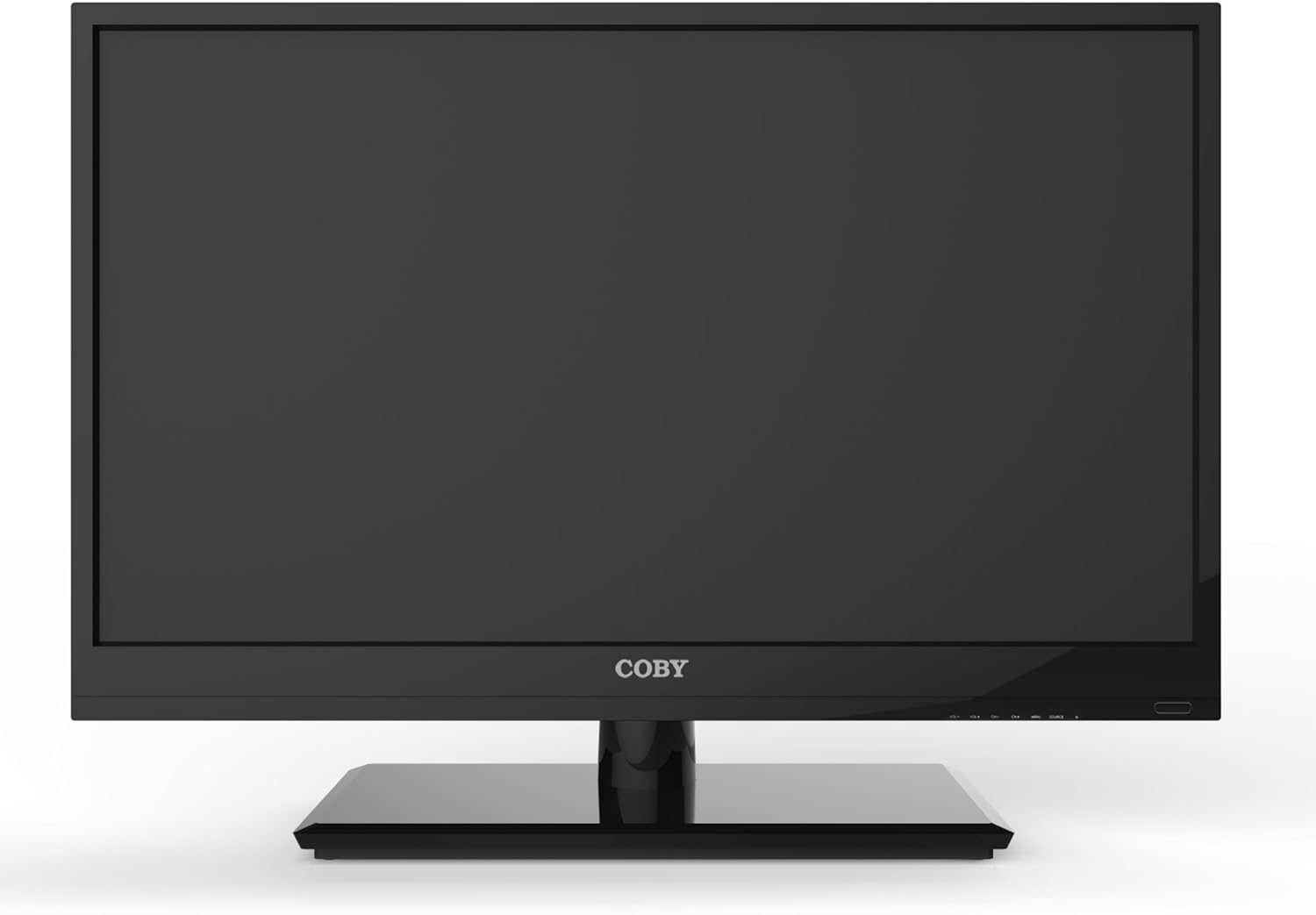
الشكل 4.1: الجبهة view of the Coby LEDTV3216 with stand.
4.2 التركيب على الحائط (اختياري)
The TV supports VESA 200mm x 200mm wall mounts. Wall mount hardware is not included. For safe installation, it is recommended to have the TV wall-mounted by a professional.
4.3 توصيل الأجهزة
The Coby LEDTV3216 offers various input ports on the rear panel for connecting external devices.
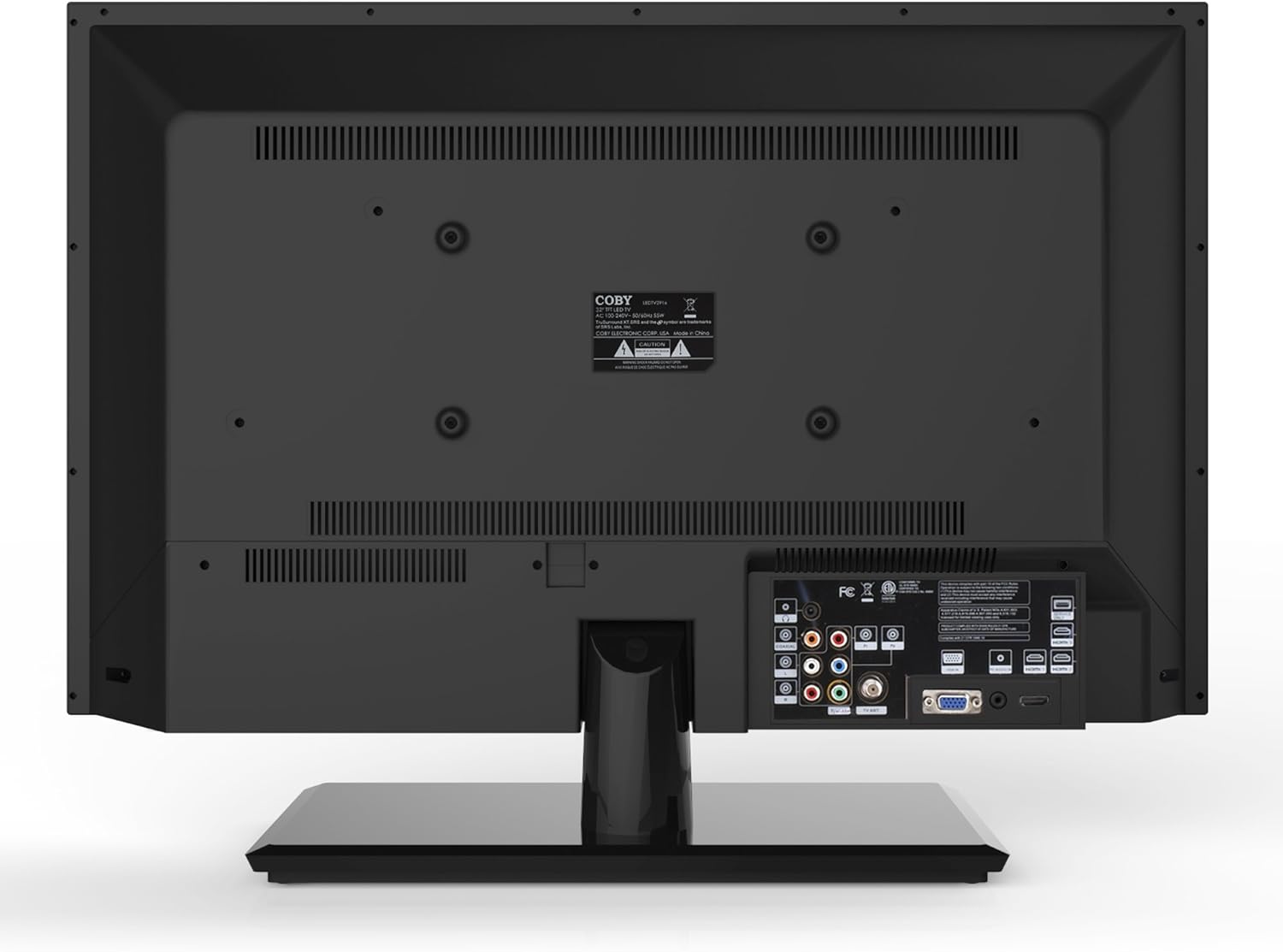
الشكل 4.2: خلفي view مع منافذ الإدخال.
- HDMI: Connect high-definition devices such as Blu-ray players, game consoles, or cable/satellite boxes using an HDMI cable. The TV has 1 HDMI port.
- VGA (PC Input): Connect a computer to use the TV as a monitor. Use a VGA cable for video and a 3.5mm audio cable for audio input.
- هوائي / كابل: Connect an antenna or cable TV feed to the RF input for receiving broadcast channels.
- فيديو المكونات (YPbPr): Connect devices using component video cables (red, green, blue) and corresponding audio cables (red, white).
- Composite Video (AV): Connect older devices using composite video (yellow) and stereo audio (red, white) cables.
4.4 التشغيل المبدئي
After connecting all desired devices and the power cord, press the Power button on the TV or remote control. Follow the on-screen prompts for initial setup, including language selection and channel scanning.
5. تشغيل التلفزيون
5.1 وظائف التحكم عن بعد
The remote control allows you to access all TV functions. Insert the two included AAA batteries into the remote control, observing polarity.
- قوة: تشغيل التلفزيون أو إيقاف تشغيله.
- الإدخال / المصدر: Selects the input source (HDMI, VGA, TV, AV, Component).
- الحجم (+/-): ضبط مستوى الصوت.
- القناة (CH +/-): تغيير القنوات التلفزيونية.
- قائمة طعام: Opens the on-screen display (OSD) menu.
- أزرار التنقل (أعلى/أسفل/يسار/يمين): التنقل عبر خيارات القائمة.
- موافق / أدخل: يؤكد التحديدات.
- مخرج: يغلق القائمة.
- صامت: كتم الصوت أو إلغاء كتمه.
- معلومات: Displays channel or program information.
5.2 تصفح القائمة
اضغط على قائمة طعام button on the remote to access the main menu. Use the navigation buttons to select categories such as Picture, Sound, Channel, Time, and Setup. Press OK to enter a sub-menu and adjust settings. Press مخرج لمغادرة القائمة.
5.3 إعدادات الصورة
Adjust settings like Brightness, Contrast, Color, Tint, and Sharpness to optimize your viewing experience. Picture modes (e.g., Standard, Dynamic, Movie, User) are available for quick adjustments.

Figure 5.1: Coby LEDTV3216 displaying an image.
5.4 إعدادات الصوت
Adjust Bass, Treble, and Balance. Sound modes (e.g., Standard, Music, Movie, User) are available. The TV features premium sound powered by SRS Labs.
5.5 إعدادات القناة
Perform auto-scan or manual scan to find available channels. The built-in digital TV tuner supports ATSC, NTSC, and QAM standards.
5.6 Parental Control (V-Chip)
The V-chip parental control feature allows you to block programs based on their rating. Access this setting through the menu and follow the on-screen instructions to set up a password and content restrictions.
6. المميزات
Key features of the Coby LEDTV3216 include:
- Energy efficient technology (standby power less than 0.5W).
- Extended backlight life expectancy (30,000 hours).
- Built-in digital TV tuner (ATSC/NTSC/QAM).
- HDMI digital connection for perfect signal transmission.
- PC VGA connection for use as a computer monitor.
- Premium sound powered by SRS Labs.
- الحد من الضوضاء الرقمية.
- V-chip parental control, Closed-Caption, and Electronic Program Guide support.
- Energy Star 5.3 compliant.
- Multi-language on-screen display.
- Wall-Mountable design (200mm x 200mm VESA Mount).
7. المواصفات
| ميزة | مواصفة |
|---|---|
| اسم الموديل | LEDTV3216 |
| حجم الشاشة | 32 بوصة |
| تكنولوجيا العرض | قاد |
| دقة | 720 بكسل |
| معدل التحديث | 60 هرتز |
| نسبة التباين | 3,000:1 |
| وقت الاستجابة | 6 ميلي ثانية |
| تكنولوجيا الاتصال | HDMI ، VGA |
| Total Number of HDMI Ports | 1 |
| نوع الموالف | ATSC ، NTSC ، QAM |
| الرقابة الأبوية | شريحة V |
| معيار حامل VESA | 200 × 200 ملم |
| وزن العنصر | 18.08 رطل |
| لون | أسود |

Figure 7.1: Estimated Yearly Energy Cost for LEDTV3216.
8. الصيانة
8.1 تنظيف الشاشة
امسح الشاشة برفق بقطعة قماش ناعمة وخالية من الوبر. لإزالة البقع الصعبة، امسح برفقampاغسل قطعة القماش بالماء أو بمنظف شاشات متخصص. لا ترش المنظف مباشرةً على الشاشة.
8.2 تنظيف الخزانة
Wipe the TV cabinet with a soft, dry cloth. Avoid using abrasive cleaners or solvents that may damage the finish.
9. استكشاف الأخطاء وإصلاحها
إذا واجهت مشكلات مع التلفزيون الخاص بك، فراجع المشكلات والحلول الشائعة التالية:
| مشكلة | السبب المحتمل / الحل |
|---|---|
| لا يوجد طاقة | Ensure the power cord is securely plugged into the TV and a working electrical outlet. Check the power indicator light. |
| لا توجد صورة، ولكن الصوت موجود | تأكد من اختيار مصدر الإدخال الصحيح. تحقق من توصيلات الكابلات بالأجهزة الخارجية. |
| لا يوجد صوت ولكن الصورة موجودة | تحقق من مستوى الصوت وتأكد من عدم كتم صوت التلفزيون. تأكد من توصيلات كابلات الصوت للأجهزة الخارجية. |
| جودة الصورة رديئة | Adjust picture settings (brightness, contrast, sharpness). Ensure the antenna or cable connection is secure. For digital channels, perform a channel scan. |
| جهاز التحكم عن بعد لا يعمل | Check and replace batteries if necessary. Ensure there are no obstructions between the remote and the TV's IR sensor. |
10. الضمان والدعم
The Coby LEDTV3216 comes with a limited warranty. Please refer to the warranty card included with your product for specific terms and conditions. For technical support or service inquiries, please contact Coby customer service through their official webالموقع أو معلومات الاتصال المقدمة في وثائق الضمان الخاصة بك.