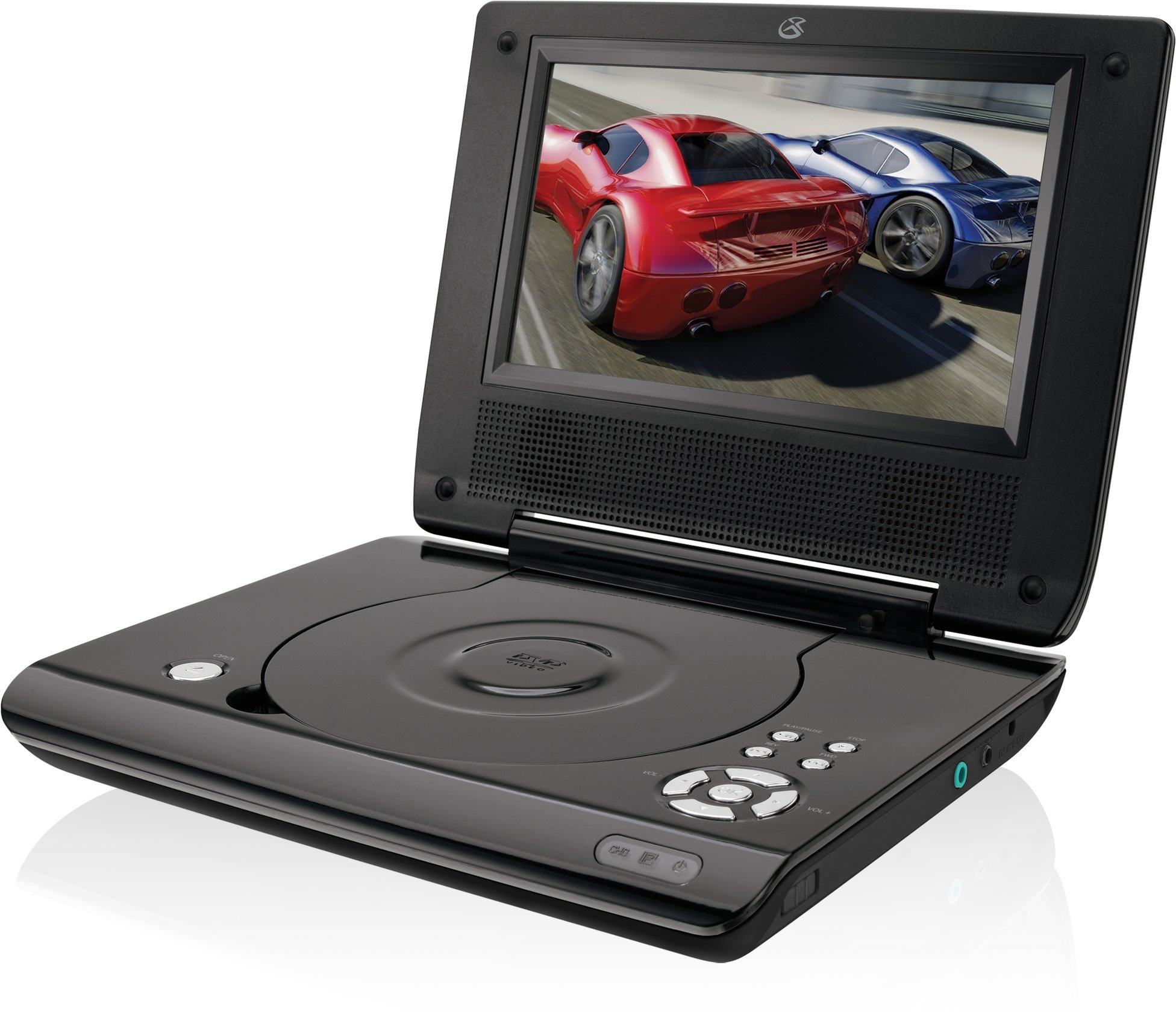
This manual provides essential instructions for the safe and efficient operation of your GPX PD730B 7-inch Portable DVD Player. Please read this manual thoroughly before using the device and retain it for future reference. The GPX PD730B is designed for portable entertainment, allowing you to enjoy DVDs, CDs, and JPEG files on its 7-inch TFT LCD screen.
محتويات الحزمة
تأكد من تضمين جميع العناصر المدرجة أدناه في الحزمة الخاصة بك:
GPX PD730B Portable DVD Player
محول الطاقة التيار المتردد/المستمر
DC Car Adapter (12V)
سماعات أذن استريو
جهاز التحكم عن بعد (مع بطاريتين AAA)
دليل المستخدم (هذا المستند)
المنتج انتهىview
Figure 1: GPX PD730B Portable DVD Player (Closed)
This image shows the GPX PD730B portable DVD player in its closed position, highlighting its compact and sleek design. The top surface is smooth and black, with control buttons visible on the right edge.
عناصر التحكم والاتصالات
Familiarize yourself with the various controls and connection ports on your portable DVD player.
زر الطاقة: يقوم بتشغيل الوحدة أو إيقاف تشغيلها.
زر التشغيل/الإيقاف المؤقت: يبدأ التشغيل أو يوقفه مؤقتًا.
زر التوقف: يوقف التشغيل.
أزرار التخطي/البحث: Navigates tracks or chapters, or fast-forwards/rewinds.
التحكم في مستوى الصوت: ضبط مستوى إخراج الصوت.
مقبس سماعة الرأس: For private listening with stereo earbuds or headphones.
العاصمة واشنطن في الميناء: Connects to the AC/DC or car power adapter for charging and power.
يثبت
1. شحن البطارية
Before initial use, fully charge the built-in rechargeable battery. A full charge provides approximately 2 hours of playback time.
Connect the AC/DC power adapter to the DC In port on the DVD player.
قم بتوصيل محول طاقة التيار المتردد / التيار المستمر بمأخذ حائط قياسي.
The charging indicator light (if present) will illuminate. Charging is complete when the light changes color or turns off (refer to device for specific indicator behavior).
Alternatively, use the 12V DC car adapter to charge the player in a vehicle.
2. تشغيل / إيقاف التشغيل
اضغط مع الاستمرار على قوة button on the unit to turn the player on or off. The screen will illuminate when powered on.
تعليمات التشغيل
1. Inserting and Removing Discs
Gently open the disc compartment lid.
Place a DVD or CD onto the spindle with the label side facing up. Press down gently on the center of the disc until it clicks into place.
Close the disc compartment lid firmly.
To remove a disc, open the lid, gently press the spindle button (if present) or lift the disc from the edges, avoiding touching the data surface.
2. التشغيل الأساسي
After inserting a disc, the player will typically begin playback automatically.
استخدم تشغيل/إيقاف مؤقت زر لإيقاف التشغيل مؤقتًا أو استئنافه.
اضغط على قف زر لإيقاف التشغيل.
استخدم يتخطى buttons (usually labeled with arrows) to navigate between chapters or tracks.
استخدم بحث buttons (often combined with Skip) to fast-forward or rewind.
3. استخدام جهاز التحكم عن بعد
The included remote control provides convenient access to all player functions from a distance. Ensure the 2 AAA batteries are correctly installed. Point the remote control directly at the player's remote sensor.
4. توصيل سماعات الرأس
For private listening, plug the stereo earbuds (or your own headphones) into the مقبس سماعة الرأس on the side of the player. The built-in speakers will automatically mute when headphones are connected.
Figure 2: Portable DVD Player in use (Bedroom)
This image illustrates the portable DVD player being used by a girl in a bedroom setting, demonstrating its suitability for personal entertainment at home.
Figure 3: Portable DVD Player in use (Vehicle)
This image shows a boy watching the portable DVD player in the back seat of a car, highlighting its utility for entertainment during travel.
Figure 4: Portable DVD Player in use (Airplane)
This image depicts a woman using the portable DVD player with headphones on an airplane, showcasing its versatility for quiet, personal entertainment during flights.
صيانة
Cleaning the Player
Disconnect the player from all power sources before cleaning.
Use a soft, dry cloth to wipe the exterior surfaces. Do not use abrasive cleaners, waxes, or solvents.
For the screen, use a soft, lint-free cloth specifically designed for LCD screens. Avoid excessive pressure.
احرص على إبقاء حجرة القرص خالية من الغبار والحطام.
العناية بالبطارية
لإطالة عمر البطارية، تجنب تفريغ البطارية بالكامل بشكل متكرر.
If the player will not be used for an extended period, charge the battery to about 50% before storing.
Store the player in a cool, dry place.
استكشاف الأخطاء وإصلاحها
If you encounter issues with your GPX PD730B, refer to the following common problems and solutions:
مشكلة
السبب المحتمل
حل
المشغل لا يعمل.
Battery is discharged; Power adapter not connected properly.
Charge the battery; Ensure power adapter is securely connected to both the player and power source.
No disc playback.
Disc inserted incorrectly; Disc is dirty or scratched; Incorrect disc format.
Reinsert disc correctly (label side up); Clean disc with a soft cloth; Ensure disc is DVD, CD, or JPEG CD format.
لا يصدر صوت من مكبرات الصوت/سماعات الرأس.
Volume too low; Headphones not fully plugged in; Mute function active.
Increase volume; Ensure headphones are fully inserted; Check if mute is active on remote or player.
جهاز التحكم عن بعد لا يعمل.
البطاريات فارغة أو تم إدخالها بشكل غير صحيح؛ وجود عائق بين جهاز التحكم عن بعد والمشغل.
Replace remote batteries; Ensure correct polarity; Remove any obstructions and point remote directly at sensor.
تحديد
رقم الموديل
PD730B
حجم الشاشة
7 بوصة
نوع العرض
شاشة LCD TFT
الدقة الأصلية
480×234
نسبة العرض إلى الارتفاع
16:9
الوسائط المتوافقة
DVD, DVD+R/RW, CD, CD-R/RW, JPEG CD
عمر البطارية (متوسط)
2 ساعة
مدخلات الطاقة
AC/DC Adapter, 12V DC Car Adapter
الاتصال
مدخل إضافي (مقبس سماعة الرأس)
وزن العنصر
1.72 رطل
رمز المنتج الموحد
047323007309
الضمان والدعم
For warranty information, technical support, or service inquiries, please refer to the warranty card included with your product or visit the official GPX webالموقع. احتفظ بإيصال الشراء الخاص بك كإثبات للشراء في حالة مطالبات الضمان.
Ask about setup, troubleshooting, compatibility, parts, safety, or missing instructions. Manuals+ will review the question and use this page’s manual context to help answer it.