
مقدمة
This manual provides essential information for the proper setup, operation, and maintenance of your Samson Auro D208 8-Inch Active Loudspeaker. Please read these instructions thoroughly before using the product to ensure optimal performance and safety.
معلومات السلامة
Always follow basic safety precautions when using this product to reduce the risk of fire, electric shock, or injury. Keep the loudspeaker away from water and moisture. Do not block ventilation openings. Refer all servicing to qualified personnel.
محتويات الحزمة
تأكد من أن الحزمة الخاصة بك تحتوي على العناصر التالية:
- Samson Auro D208 8-Inch Active Loudspeaker
- كابل الطاقة
- دليل المستخدم
يثبت
التنسيب
The Auro D208 is designed for versatile placement. It can be used as a main PA speaker, a floor monitor, or mounted on a standard 1 3/8-inch (35mm) pole. Ensure the speaker is placed on a stable, level surface or securely mounted to prevent tipping.
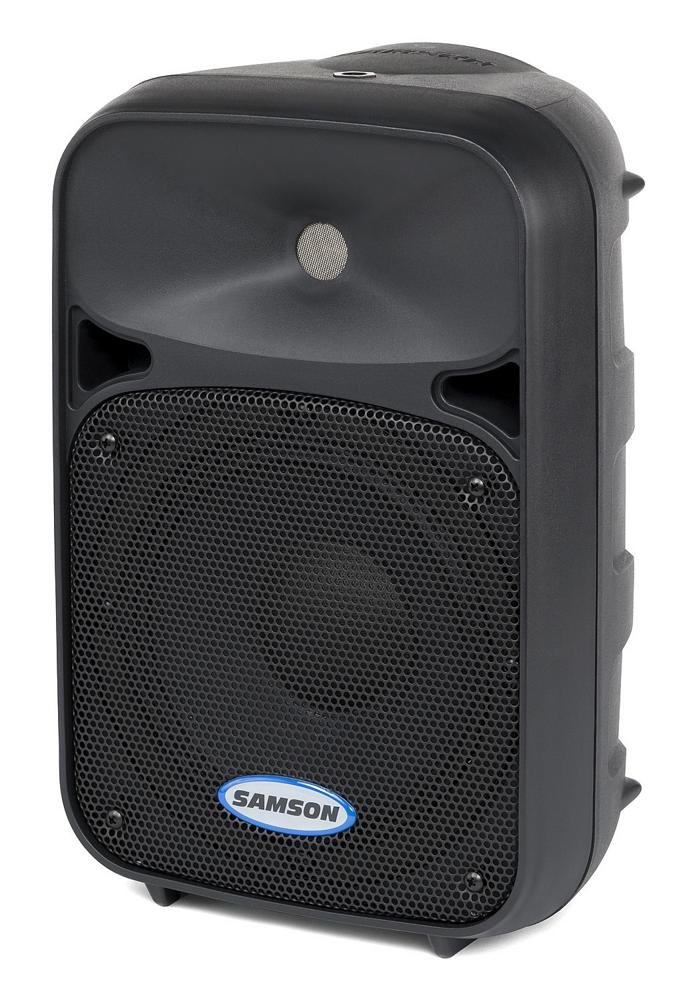
أمام view of the Samson Auro D208 Active Loudspeaker, showcasing its compact design and protective grille.
الاتصالات
The Auro D208 features a Mic/Line input and an additional Line output for linking multiple speakers.
- توصيل الطاقة: Connect the supplied power cable to the AC inlet on the rear panel and then to a suitable power outlet.
- اتصال الإدخال: Use an XLR or 1/4-inch cable to connect your microphone or line-level audio source (e.g., mixer, instrument) to the Mic/Line input.
- Linking Speakers: To connect additional Auro D208 speakers, use an XLR cable from the Line output of the first speaker to the input of the next speaker.

Rear panel of the Samson Auro D208, illustrating the Mic/Line input, Line output, volume control, and Clip LED.
تعليمات التشغيل
تشغيل/إيقاف التشغيل
After all connections are made, turn on the power switch located on the rear panel. It is recommended to turn on the Auro D208 last in your audio chain and turn it off first.
التحكم في مستوى الصوت
Adjust the main Volume control knob on the rear panel to set the overall output level of the loudspeaker. Start with the volume at its minimum setting and gradually increase it to the desired level.
Clip LED Indicator
The Clip LED illuminates when the input signal is too strong, indicating potential distortion. If the Clip LED lights up frequently, reduce the input level from your source or the volume on the Auro D208 to prevent signal clipping.
صيانة
تنظيف
Clean the exterior of the loudspeaker with a soft, dry cloth. Do not use abrasive cleaners, solvents, or waxes. Ensure the speaker is unplugged before cleaning.
تخزين
When not in use, store the loudspeaker in a dry, cool environment, away from direct sunlight and extreme temperatures. If storing for extended periods, consider covering it to protect against dust.
استكشاف الأخطاء وإصلاحها
| مشكلة | السبب المحتمل | حل |
|---|---|---|
| لا يوجد صوت | No power; input cable disconnected; volume too low. | Check power connection and switch; ensure input cables are secure; increase volume. |
| صوت مشوه | Input signal too high (clipping); faulty cable. | Reduce input level from source or speaker volume; replace cable. |
| همهمة أو الطنين | حلقة أرضية؛ كابل معيب؛ تداخل. | Ensure all equipment is on the same electrical circuit; try different cables; move away from power sources. |
تحديد
| ميزة | التفاصيل |
|---|---|
| ماركة | شمشون |
| اسم الموديل | أورو D208 |
| رقم الموديل | SAROD208A |
| نوع السماعة | 2-Way Active Loudspeaker |
| حجم السماعة | 8 بوصة |
| قطر مكبر الصوت | 8 بوصة |
| قطر مكبر الصوت عالي التردد | 1 بوصة |
| الحد الأقصى لقوة الإخراج | 200 واط |
| تكنولوجيا الاتصال | USB (for control, not audio streaming) |
| وضع إخراج الصوت | ستيريو |
| نوع التركيب | Clip On, Floor Mount, 1 3/8-inch (35mm) Pole Mount Receptacle |
| مميزات اضافية | Mic/Line input with Volume control and Clip LED, Additional Line output for linking multiple speakers |
| أبعاد المنتج (العمق × العرض × الارتفاع) | 17 بوصة عمق × 12.25 بوصة عرض × 10.25 بوصة ارتفاع |
| وزن العنصر | 7.75 جرام |
| مصدر الطاقة | كهرباء سلكية |
الضمان والدعم
معلومات الضمان
This product is covered by a 1-year parts and labor limited warranty. Please retain your proof of purchase for warranty claims.
دعم العملاء
For technical assistance, service, or warranty inquiries, please visit the official Samson webيمكنك زيارة موقع الشركة المصنعة أو الاتصال بقسم دعم العملاء. عادةً ما تجد معلومات الاتصال على موقع الشركة المصنعة. webالموقع أو في عبوة المنتج.