
1. المقدمة
The D-Link Wireless N300 Dual Band PCI Express Desktop Adapter (DWA-566) provides high-speed wireless connectivity for your desktop computer. Utilizing Wireless N technology, it maximizes the speed and range of your wireless signal, offering superior performance compared to Wireless G devices. The dual-band capability supports both 2.4GHz and 5GHz wireless signals, allowing for flexible network usage, such as browsing on 2.4GHz and HD streaming or gaming on the clearer 5GHz band.
This adapter is designed to fit into any standard PCI Express slot, offering a higher performance interface than legacy PCI. It supports secure wireless networks with WPA or WPA2 encryption.

Figure 1.1: D-Link DWA-566 Wireless N300 Dual Band PCI Express Desktop Adapter with antennas.
2. المميزات
The DWA-566 adapter includes the following key features:
- IEEE 802.11n, 802.11g, and 802.11a Compliant
- Dual Band Technology for Superior Wireless Performance (2.4GHz or 5GHz)
- Access secure wireless networks using advanced WPA or WPA2 encryption
- Fits into any standard PCI Express slot
- PCI Express Interface provides higher performance than a legacy PCI interface
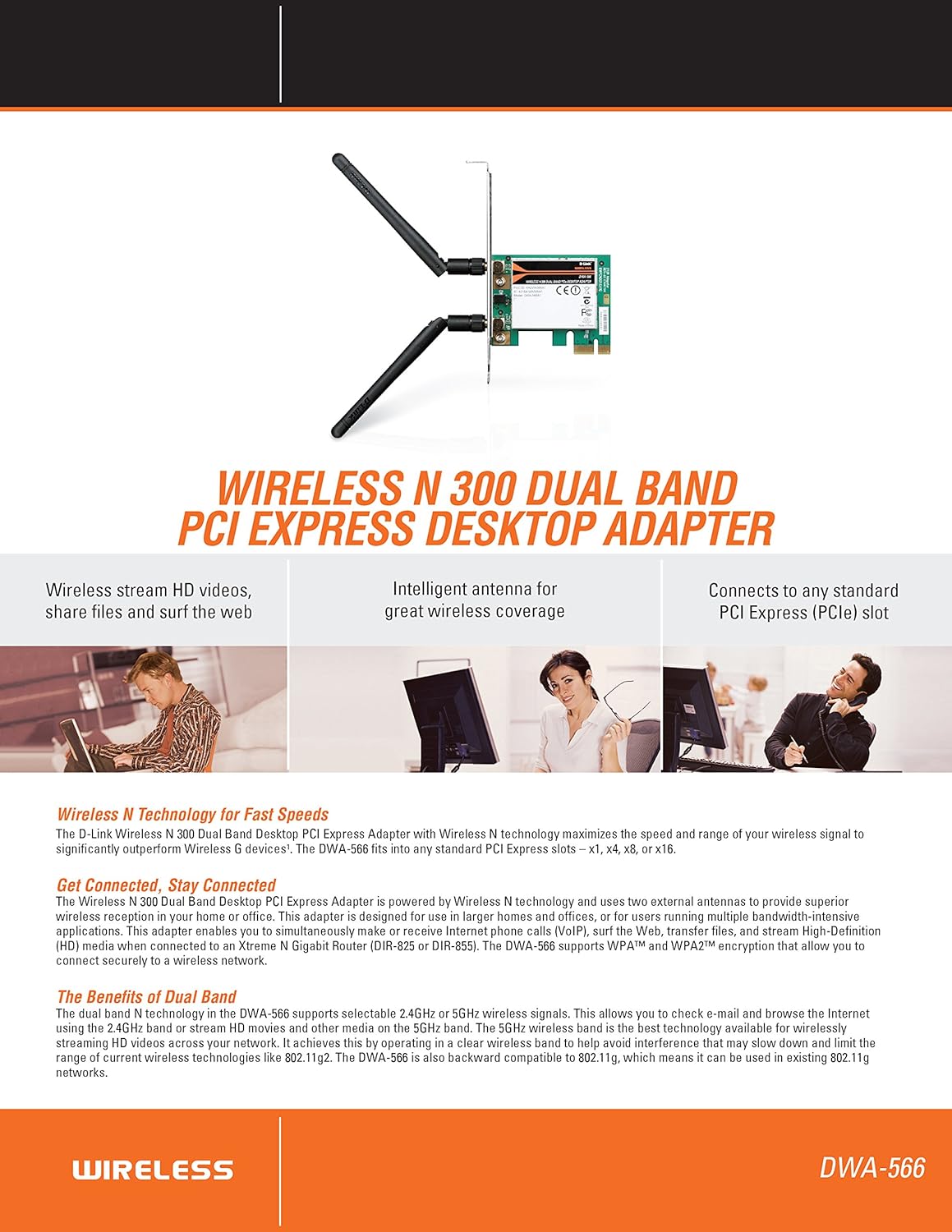
الشكل 2.1: انتهىview of DWA-566 features and benefits.
3. محتويات العبوة
تأكد من أن الحزمة الخاصة بك تحتوي على العناصر التالية:
- Wireless N 300 Dual Band PCI Express Adapter (DWA-566)
- هوائيان قابلان للفصل
- منخفضة المواليةfile قوس التثبيت
- دليل التثبيت السريع
- CD-ROM with:
- مدير الاتصال اللاسلكي دي لينك
- السائقين
- توثيق المنتج
4. متطلبات النظام
Before installing the DWA-566, ensure your system meets the following minimum requirements:
- Computer with an available PCI Express slot
- Windows operating system (Windows XP, Vista, 7, 8, 10)
- CD-ROM drive (for driver installation from included CD)
- Internet Explorer 7 or Firefox 3.0 and above (for viewing documentation)
- الاشتراك مع مزود خدمة الإنترنت (ISP)
For optimal performance, a D-Link Wireless N router (DIR-655 or DIR-825) is recommended.

Figure 4.1: Detailed technical specifications, minimum requirements, and network diagram.
5. الإعداد والتثبيت
5.1 تركيب الأجهزة
- Power Off Computer: قم بإيقاف تشغيل الكمبيوتر وفصل سلك الطاقة.
- افتح علبة الكمبيوتر: Remove the computer case cover.
- حدد موقع فتحة PCI Express: Find an available PCI Express slot on your motherboard.
- أدخل المحول: Carefully insert the DWA-566 adapter into the PCI Express slot, ensuring it is seated firmly.
- محول آمن: Secure the adapter with a screw to the computer chassis.
- إرفاق الهوائيات: Screw the two included antennas onto the connectors on the adapter.
- إغلاق العلبة وتشغيل الطاقة: Replace the computer case cover, plug in the power cord, and power on your computer.

Figure 5.1: DWA-566 adapter with antennas attached, ready for installation.
5.2 تثبيت البرنامج
After hardware installation, proceed with driver and utility installation:
- Insert Installation CD: Insert the DWA-566 installation CD into your computer's CD-ROM drive. The setup wizard should launch automatically. If not, navigate to the CD drive and run the 'Setup.exe' file.
- اتبع التعليمات التي تظهر على الشاشة: Follow the prompts of the D-Link setup wizard to install the drivers and the D-Link Wireless Connection Manager utility.
- إعادة تشغيل الكمبيوتر: After the installation is complete, restart your computer when prompted.
ملحوظة: For Windows 7/8 64-bit systems, ensure you are using the latest drivers available from the official D-Link support website to avoid potential compatibility issues.
6. تعليمات التشغيل
Once the drivers are installed, you can connect to a wireless network:
- Launch Connection Manager: Open the D-Link Wireless Connection Manager utility or use the built-in Windows wireless network utility.
- البحث عن الشبكات: The utility will scan for available wireless networks in your area.
- اختر شبكة: Choose your desired wireless network (SSID) from the list.
- أدخل مفتاح الأمان: If the network is secured, enter the correct WPA/WPA2 security key or passphrase.
- يتصل: Click 'Connect' to establish a wireless connection.
A successful connection will be indicated by a strong signal strength and internet access.
7. الصيانة
لضمان الأداء الأمثل وطول عمر محول DWA-566 الخاص بك:
- حافظ على تحديث السائقين: تحقق بشكل دوري من دعم D-Link website for the latest drivers and firmware updates.
- تأكد من التهوية المناسبة: Make sure your computer case has adequate airflow to prevent overheating of internal components, including the wireless adapter.
- وضع الهوائي: Adjust the antennas for the best possible signal reception.
- العوامل البيئية: Avoid placing your computer near large metal objects or other devices that may cause wireless interference.
8. استكشاف الأخطاء وإصلاحها
إذا واجهت مشاكل مع محول DWA-566 الخاص بك، فضع في اعتبارك ما يلي:
8.1 لا يوجد اتصال لاسلكي
- Verify Hardware Installation: Ensure the adapter is correctly seated in the PCI Express slot and antennas are securely attached.
- التحقق من برامج التشغيل: Confirm that the drivers are installed correctly. Check Device Manager for any error symbols next to the network adapter. Reinstall drivers if necessary.
- حالة جهاز التوجيه: Ensure your wireless router is powered on and broadcasting a signal.
- مفتاح الأمان: Double-check that the correct wireless security key (WPA/WPA2 passphrase) is entered.
- إعدادات جدار الحماية: Temporarily disable your computer's firewall to see if it is blocking the connection. If it resolves the issue, configure your firewall to allow the D-Link utility.
8.2 Slow Connection Speed or Frequent Disconnections
- ضبط الهوائي: Try repositioning the antennas for better signal reception.
- تدخل: Move the computer away from potential sources of interference (e.g., cordless phones, microwaves, Bluetooth devices).
- قرب جهاز التوجيه: Ensure the computer is within the effective range of your wireless router.
- Dual Band Usage: If your router supports it, try connecting to the 5GHz band for less interference and potentially higher speeds, especially for streaming or gaming.
- تحديث برنامج التشغيل: Update the adapter drivers to the latest version from the D-Link webموقع.
9. المواصفات
| ميزة | مواصفة |
|---|---|
| ماركة | دي لينك |
| رقم الموديل | دي دبليو ايه-566 |
| واجهة الأجهزة | بي سي اي اكسبريس |
| بروتوكول ربط البيانات | IEEE 802.11n, 802.11g, 802.11a |
| معدل نقل البيانات | سرعة تصل إلى 300 ميجابت في الثانية |
| نطاق التردد | 2.4 GHz / 5 GHz (Dual Band) |
| حماية | WPA، WPA2 |
| الأجهزة المتوافقة | أجهزة الكمبيوتر المكتبية |
| وزن العنصر | 0.4 رطل (حوالي 181 جرامًا) |
| شهادة الاختبار الخارجي | FCC B, IC B, CE, C-Tick |
10. الضمان والدعم
The D-Link Wireless N300 Dual Band PCI Express Desktop Adapter (DWA-566) comes with a ضمان محدود لمدة سنة واحدة. For specific terms and conditions, please refer to the warranty documentation included with your product or visit the official D-Link webموقع.
D-Link provides 24/7 Basic Installation Support to assist with initial setup and configuration. For technical assistance, driver downloads, and further product information, please visit the D-Link support webالموقع أو الاتصال بخدمة العملاء الخاصة بهم.
دعم دي لينك Webموقع: https://support.dlink.com/