
مقدمة
This manual provides essential instructions for setting up, operating, and maintaining your Canon PowerShot ELPH 310 HS digital camera. Please read this manual thoroughly to ensure proper use and to maximize your camera's performance.
ماذا يوجد في الصندوق
عند تفريغ العبوة، تأكد من تضمين جميع العناصر التالية:
- Canon PowerShot ELPH 310 HS Camera
- حزمة البطارية NB-4L
- Battery Charger CB-2LV
- حزام المعصم
- كابل يو اس بي
- CD-ROM (Software/Drivers)
يثبت
1. شحن البطارية
Insert the Battery Pack NB-4L into the Battery Charger CB-2LV. Plug the charger into a power outlet. The charging indicator light will show the charging status. Once fully charged, remove the battery.
2. إدخال البطارية وبطاقة الذاكرة
Open the battery/card compartment cover on the camera. Insert the charged battery pack, ensuring correct orientation. Insert a compatible SD/SDHC/SDXC memory card into the card slot until it clicks into place. Close the compartment cover securely.

الصورة: الجبهة view of the Canon PowerShot ELPH 310 HS digital camera, showcasing its silver finish and lens.
تشغيل الكاميرا
1. تشغيل/إيقاف التشغيل
اضغط على تشغيل/إيقاف button located on the top or side of the camera to power it on or off. The lens will extend when powered on.
2. التصوير الفوتوغرافي الأساسي
- التركيز: Gently press the shutter button halfway down to focus. The camera will emit a beep and display a green frame when focus is achieved.
- التقاط صورة: اضغط على زر الغالق بالكامل لأسفل لالتقاط الصورة.
- تكبير: Use the zoom lever around the shutter button to adjust the optical zoom (8x).
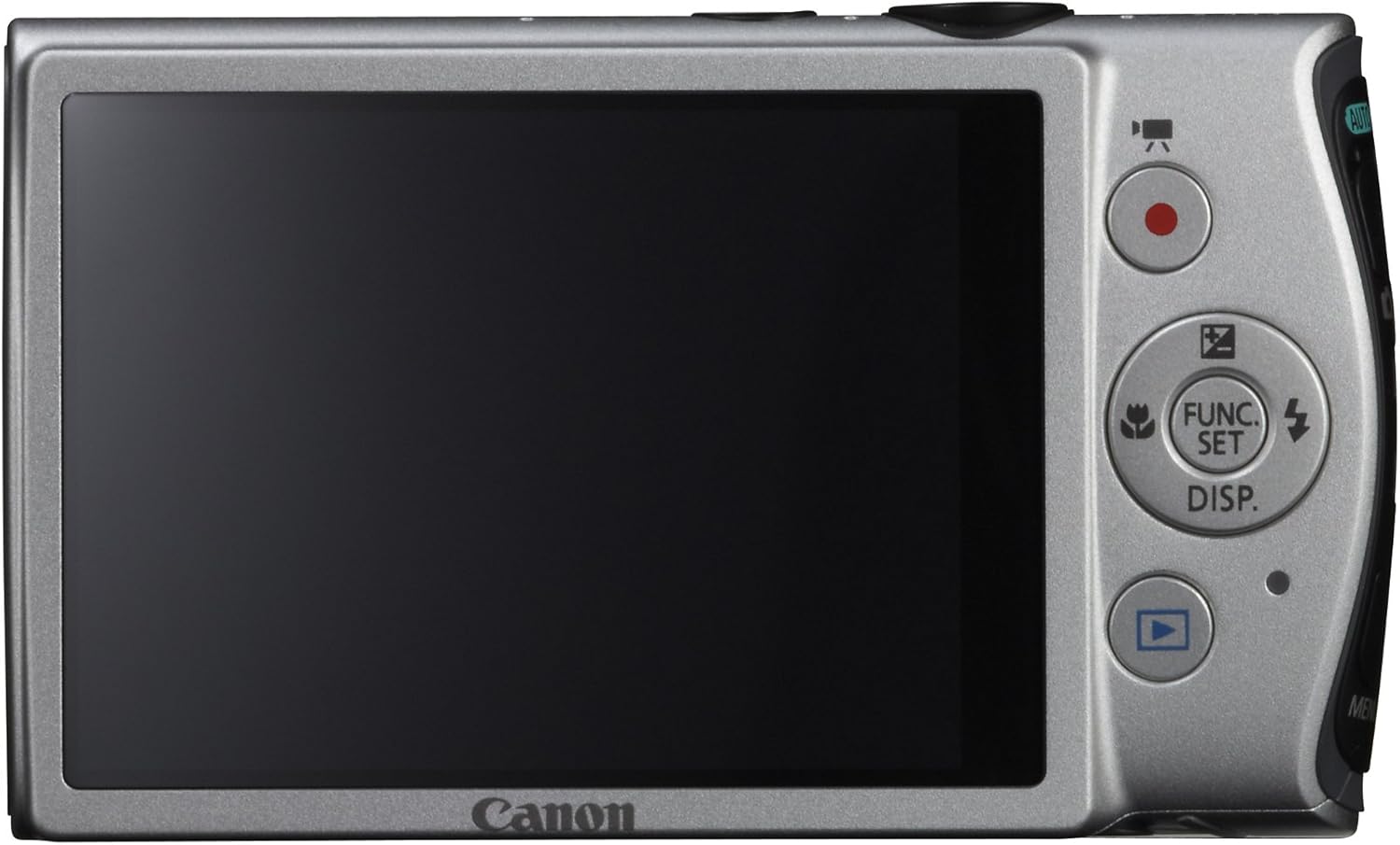
الصورة: الخلفية view of the Canon PowerShot ELPH 310 HS, displaying the 3.0-inch LCD screen and various control buttons for navigation and function selection.
3. أوضاع التصوير
The PowerShot ELPH 310 HS offers various shooting modes to suit different situations. Use the mode dial or menu to select:
- السيارات الذكية: Automatically detects scenes and applies optimal settings for point-and-shoot simplicity.
- البرنامج (P): Allows for automatic aperture/shutter speed selection based on conditions, with some user control.
- Movie Digest: Records a short video clip before each still image, combining them into a daily video.
- انفجار عالي السرعة: Captures rapid action at approximately 8.7 frames per second.
- Super Slow Motion Movie: Records video at high frame rates (up to 240 fps) for slow-motion playback.
- أوضاع المشهد الخاصة: Includes options like Handheld Night Scene, Portrait, Beach, Snow, Fireworks, Fisheye Effect, Miniature Effect, Toy Camera Effect, and more for specific photographic effects.
4. تسجيل الفيديو
To record videos, press the dedicated movie button. The camera supports Full HD 1080p video at 24 fps and 720p HD video at 30 fps. The iFrame movie format is also supported for easier editing.
5. تثبيت الصورة (IS الذكي)
The camera features Intelligent IS, which automatically selects the best shake correction method for your shooting situation. This includes modes for stills (Normal, Panning, Macro, Tripod) and videos (Dynamic, Powered, Macro, Tripod) to ensure steady images and footage.
صيانة
1. تنظيف الكاميرا
- عدسة: استخدم قطعة قماش ناعمة وخالية من الوبر، مُخصصة لعدسات الكاميرا. تجنب لمس العدسة مباشرةً بأصابعك.
- شاشة LCD: Wipe gently with a soft, dry cloth. Do not use abrasive cleaners.
- جسم الكاميرا: Use a soft, dry cloth to wipe away dust and smudges.
2. العناية بالبطارية
- قم بتخزين البطاريات في مكان بارد وجاف عندما لا تكون قيد الاستعمال.
- تجنب تفريغ البطارية بالكامل بشكل متكرر لإطالة عمرها.
- لا تعرض البطاريات لدرجات حرارة عالية.
3. التخزين
عند تخزين الكاميرا لفترات طويلة، أزل البطارية وبطاقة الذاكرة. خزّن الكاميرا في مكان جاف وخالٍ من الغبار، ويفضل في حقيبة أو علبة خاصة بالكاميرا.
استكشاف الأخطاء وإصلاحها
| مشكلة | السبب المحتمل / الحل |
|---|---|
| الكاميرا لا تعمل. | قد تكون البطارية فارغة أو مُدخلة بشكل غير صحيح. تأكد من شحن البطارية وتركيبها بشكل صحيح. |
| الصور ضبابية. | Camera shake, subject movement, or incorrect focus. Ensure proper grip, use Intelligent IS, or check focus settings. |
| خطأ في بطاقة الذاكرة. | قد تكون بطاقة الذاكرة ممتلئة أو تالفة أو غير متوافقة. حاول تهيئة البطاقة (سيؤدي ذلك إلى مسح جميع البيانات) أو استخدم بطاقة أخرى. |
| الفلاش لا يعمل. | Flash may be set to OFF or Red-Eye Reduction mode. Check flash settings in the menu. |
| لا يمكن تسجيل الفيديو. | Memory card may be full or too slow. Ensure sufficient space and use a high-speed memory card. |
تحديد
| ميزة | التفاصيل |
|---|---|
| اسم الموديل | Canon PowerShot ELPH 310 HS |
| مستشعر الصورة | 12.1 Megapixel CMOS |
| معالج الصور | ديجيك 4 |
| التكبير البصري | 8x |
| عدسة | زاوية واسعة 28 مم (ما يعادل 35 مم: 28-224 مم) |
| تثبيت الصورة | بصري (IS ذكي) |
| تسجيل الفيديو | Full HD 1080p (24 fps), HD 720p (30 fps) |
| شاشة LCD | 3.0-inch PureColor LCD (461,000 dots) |
| وسائط التخزين | بطاقات الذاكرة SD وSDHC وSDXC |
| الاتصال | اتش دي ام اي، يو اس بي |
| بطارية | NB-4L Lithium-ion Battery Pack |
| وزن | Approx. 0.31 Pounds (including battery and memory card) |
الضمان والدعم
للحصول على معلومات الضمان والدعم الفني، يرجى الرجوع إلى الوثائق المرفقة مع المنتج أو زيارة موقع كانون الرسمي. webالموقع. احتفظ بإيصال الشراء الخاص بك كإثبات للشراء في حالة مطالبات الضمان.
دعم كانون Webموقع: www.usa.canon.com/support