
1. المقدمة
This manual provides essential information for the proper setup, operation, and maintenance of your X Rocker Extreme III 2.0 Gaming Rocker Chair. This chair features a 2.0 stereo audio system, an ergonomic design with full back support, and side-facing speakers integrated into the headrest. It is designed for use with video games, music, movies, and general relaxation.
يرجى قراءة هذا الدليل جيداً قبل استخدام المنتج لضمان الأداء الآمن والمثالي.

Image 1.1: The X Rocker Extreme III 2.0 Gaming Rocker Chair in a gaming environment.
2. معلومات السلامة
تحذير: لتقليل خطر الصدمة الكهربائية أو الحريق أو الإصابة، يرجى مراعاة احتياطات السلامة التالية:
- أقصى سعة للوزن: This chair has a maximum weight recommendation of 300 pounds (136 kg). Exceeding this limit may cause damage to the chair or personal injury.
- إشراف الكبار: Children should be supervised when using the chair.
- سطح مستقر: Always place the chair on a flat, stable surface to prevent tipping.
- مصدر الطاقة: Use only the power adapter supplied with the chair. Ensure the power outlet matches the voltagالمتطلبات.
- تجنب السوائل: Keep liquids away from the chair and its electronic components to prevent damage or electric shock.
- تهوية: لا تسد أي فتحات تهوية.
- التفكيك: Do not attempt to disassemble or modify the chair's electronic components. Refer all servicing to qualified personnel.
- الكابلات: تأكد من توجيه جميع الكابلات بشكل آمن لمنع مخاطر التعثر أو التلف.
3. محتويات العبوة
يرجى التحقق من محتويات الحزمة للتأكد من وجود جميع العناصر وعدم تعرضها للتلف:
- X Rocker Extreme III 2.0 Gaming Rocker Chair
- Accessory Box (containing power adapter and audio cables)
إذا كان هناك أي عناصر مفقودة أو تالفة، يرجى الاتصال بدعم العملاء على الفور.
4. الإعداد
The X Rocker Extreme III 2.0 Gaming Rocker Chair requires no assembly. Simply unfold the chair and place it in your desired location.
4.1 Unfolding the Chair
- أخرج الكرسي من عبوته بعناية.
- ضع الكرسي على سطح مستوٍ ومستقر.
- Unfold the chair until it is in the upright, rocking position. Ensure it is fully extended and stable before use.
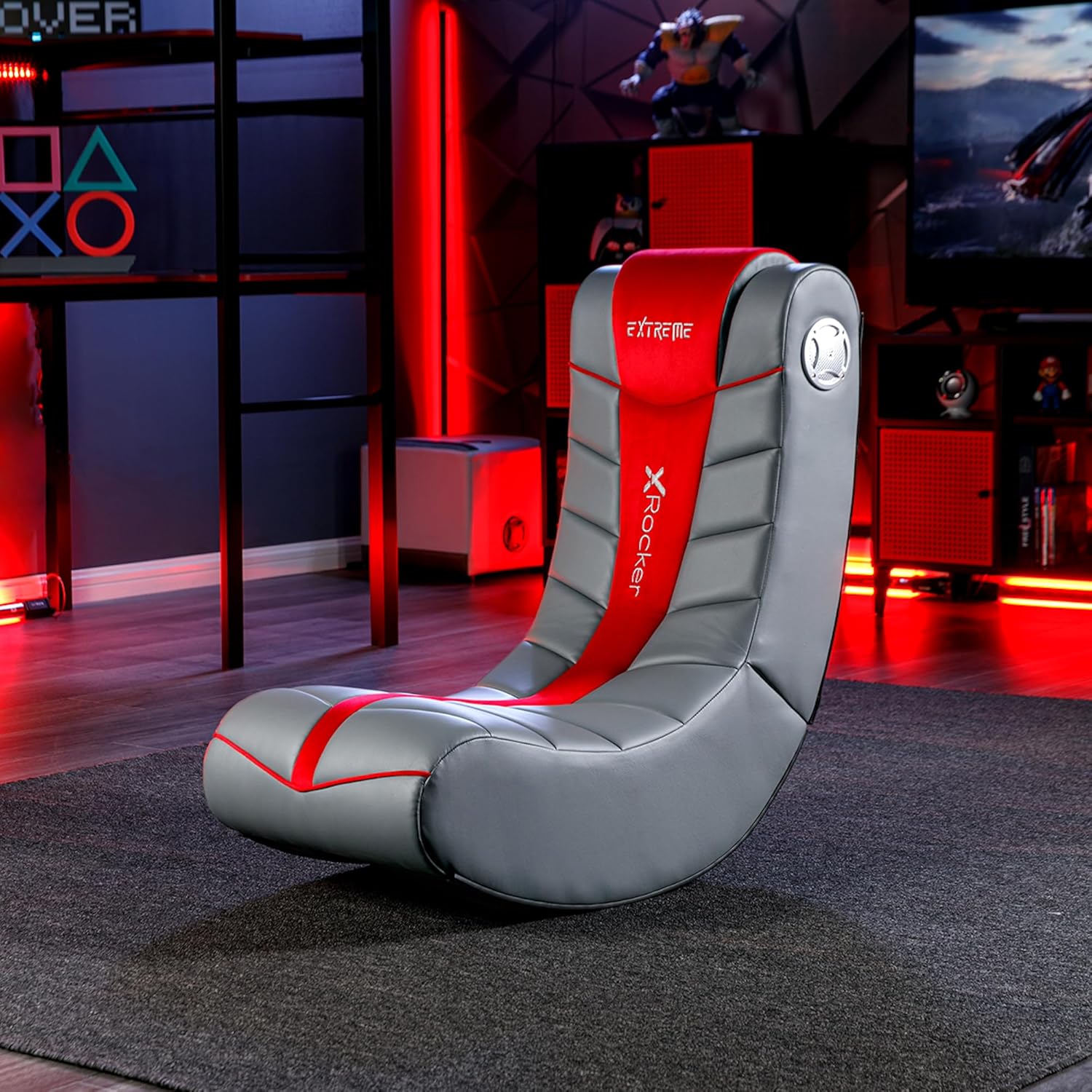
Image 4.1: Chair dimensions and features, including the audio control panel.
4.2 توصيل الطاقة
- Locate the power input jack on the side control panel of the chair.
- Connect the supplied power adapter to the power input jack.
- قم بتوصيل محول الطاقة بمأخذ الحائط المناسب.
5. تعليمات التشغيل
The X Rocker Extreme III 2.0 Gaming Rocker Chair features an integrated audio system for an immersive experience.
5.1 Audio Control Panel Overview
The audio control panel is located on the side of the chair and includes:
- مقبض الطاقة/الصوت: Turns the chair's audio system on/off and adjusts the volume.
- Audio Input (Green Jack): Connects to your audio source (e.g., gaming console, TV, smartphone).
- Audio Output (Red Jack): Allows connection to another X Rocker chair for multi-player audio.
- Headset Output (Black Jack): لتوصيل سماعات الرأس.
- مدخلات الطاقة: لتوصيل محول الطاقة.

الصورة 5.1: تفصيلية view of the audio control panel.
5.2 الاتصال بمصدر صوتي
The chair can connect to various audio sources using the provided cables. Ensure the chair is powered on before connecting.
- For devices with RCA outputs (e.g., most TVs, older consoles):
- Connect one end of the RCA audio cable (red/white) to the audio output jacks of your device.
- Connect the other end of the RCA cable to the corresponding audio input jacks on the chair's control panel.
- For devices with a 3.5mm headset output (e.g., smartphones, some controllers):
- Use a 3.5mm audio cable (not always included, may need to be purchased separately).
- Connect one end to your device's headset output.
- Connect the other end to the green Audio Input jack on the chair's control panel.
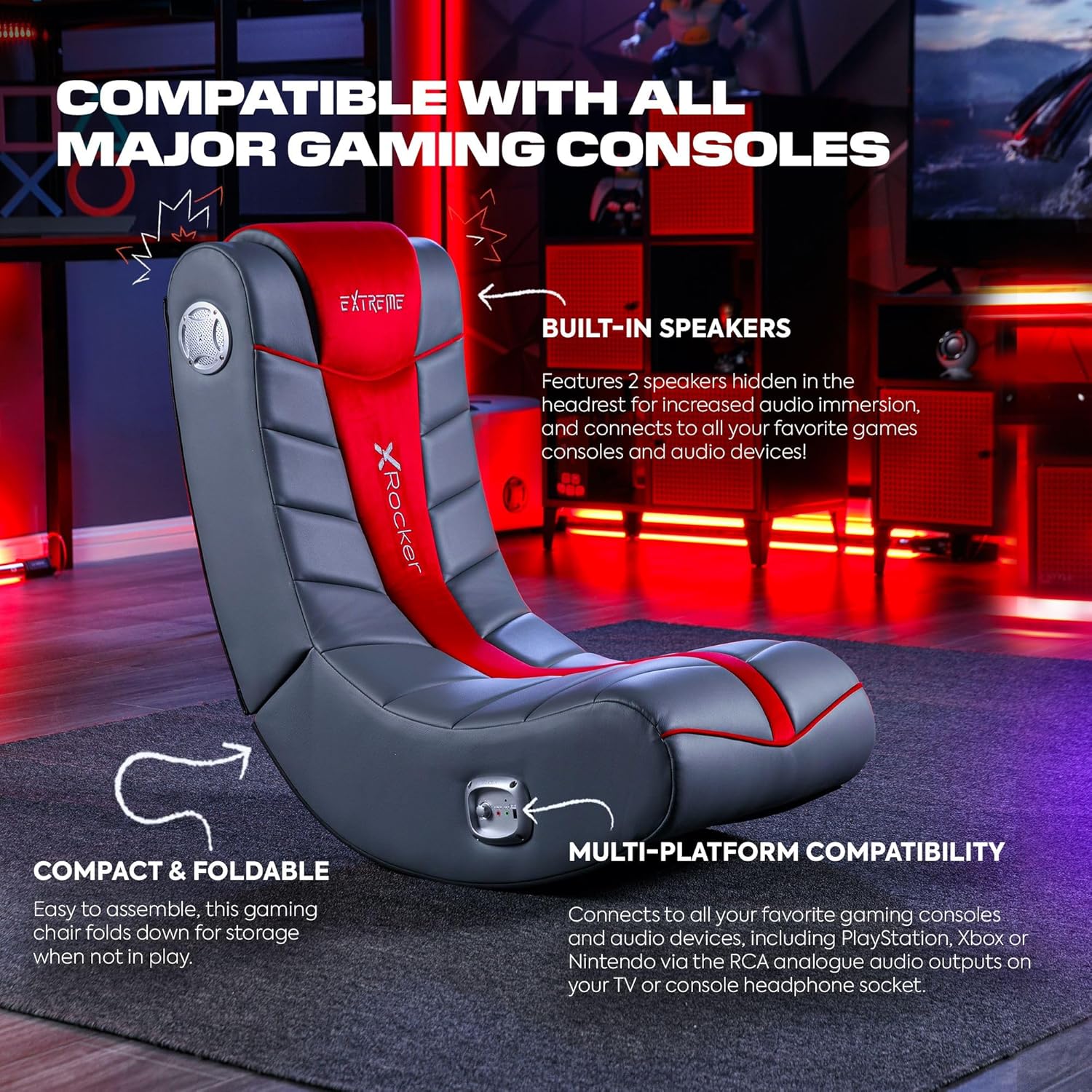
Image 5.2: The X Rocker chair highlighting its compatibility with various gaming consoles and audio devices.
5.3 ضبط مستوى الصوت
Once connected, turn the Power/Volume knob clockwise to power on the audio system and increase the volume. Turn counter-clockwise to decrease volume and power off.
5.4 Multi-Player Connectivity
To connect multiple X Rocker chairs for a shared audio experience:
- Connect the first chair to your audio source as described in Section 5.2.
- Using an audio cable, connect the Audio Output (red jack) of the first chair to the Audio Input (green jack) of the second X Rocker chair.
- Repeat for additional chairs as needed.
6. الصيانة
6.1 تعليمات التنظيف
To clean your X Rocker Extreme III 2.0 Gaming Rocker Chair:
- تنظيف البقع فقط: استخدمي قطعة قماش ناعمةamp cloth with mild soap and water to spot clean any soiled areas.
- Do not use harsh chemicals, abrasive cleaners, or solvents, as these may damage the faux leather material.
- Ensure the chair is completely dry before use.
6.2 التخزين
The chair is foldable for convenient storage when not in use.
- Ensure the chair is powered off and disconnected from all audio and power sources.
- Gently fold the chair inward until it is compact.
- يُخزن في مكان بارد وجاف بعيدًا عن أشعة الشمس المباشرة ودرجات الحرارة القصوى.

Image 6.1: The X Rocker chair in its compact, folded state for easy storage.
7. استكشاف الأخطاء وإصلاحها
If you encounter issues with your X Rocker Extreme III 2.0 Gaming Rocker Chair, please refer to the following common problems and solutions:
| مشكلة | السبب المحتمل | حل |
|---|---|---|
| No power to the chair. | محول الطاقة غير موصول أو معطل؛ مأخذ التيار لا يعمل. | Ensure the power adapter is securely connected to the chair and a working wall outlet. Test the outlet with another device. |
| لا يوجد صوت من مكبرات الصوت. | Volume too low; audio cables not connected correctly; incorrect audio source selected on device. | Increase the volume using the Power/Volume knob. Check all audio cable connections. Ensure your audio source (TV, console) is outputting audio correctly. |
| الصوت مشوه أو متقطع. | Volume too high; loose audio connection; interference. | Lower the volume. Check all audio cable connections for looseness. Move the chair or audio source away from other electronic devices that may cause interference. |
| Chair is unstable or tips easily. | Not placed on a flat surface; exceeding weight limit. | Ensure the chair is on a completely flat and stable surface. Verify that the user's weight does not exceed the maximum capacity of 300 lbs. |
8. المواصفات
- اسم الموديل: Floor Rocker
- رقم الموديل: 5149101
- أبعاد المنتج (العمق × العرض × الارتفاع): 81.3 x 41.9 x 74.9 Centimetres (32 x 16.5 x 29.5 inches)
- وزن السلعة: 9.92 كجم (21.87 رطل)
- أقصى وزن التوصية: 300 رطل (136 كجم)
- مادة: جلد صناعي، حشوة رغوية
- مادة الإطار: سبائك الفولاذ
- نظام الصوت: مكبرات صوت ستيريو 2.0
- الاتصال: RCA Audio Input/Output, 3.5mm Headset Output
- سمات: Ergonomic, Foldable, Head Support, Side-facing speakers with headrest
- التجميع مطلوب: لا
- العناية بالمنتج: بقعة نظيفة
9. الضمان والدعم
For warranty information, please refer to the documentation included with your purchase or visit the official X Rocker webقد تختلف شروط وأحكام الضمان حسب المنطقة والتاجر.
If you require technical assistance, replacement parts, or have questions not covered in this manual, please contact X Rocker customer support. Contact details can typically be found on the manufacturer's webالموقع أو على عبوة منتجك.